1. Introduction
This manual provides essential instructions for setting up, operating, and maintaining your Generic i9 Pro Max Smart Watch. This device is designed to integrate with your smartphone, offering features such as Bluetooth calling, comprehensive fitness tracking, and multiple sports modes. Please read this manual thoroughly to ensure proper use and to maximize the device's functionality.
2. Package Contents
Verify that all items are present in the package:
- i9 Pro Max Smart Watch
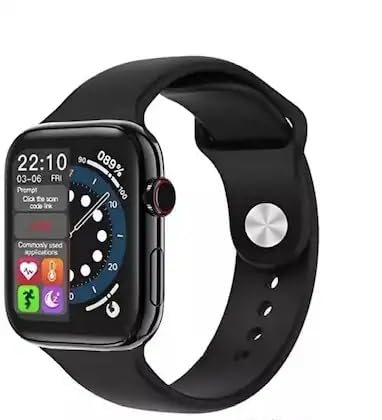
Image: The i9 Pro Max Smart Watch, black with a silicone strap, displayed next to its green packaging box.
3. Setup
3.1. Charging the Device
Before initial use, fully charge the smart watch. Connect the provided charging cable to the charging port on the watch and to a standard USB power adapter (not included). A full charge typically takes approximately 2 hours. The battery capacity is 300 Milliamp Hours.
3.2. Powering On/Off
- To Power On: Press and hold the side button until the screen illuminates.
- To Power Off: Press and hold the side button, then select the 'Power Off' option on the screen.
3.3. Pairing with Your Smartphone
To access all smart features, pair your watch with a compatible smartphone (Android or iOS).
- Download the companion application (refer to the watch's on-screen instructions or packaging for app name) from your smartphone's app store.
- Ensure Bluetooth is enabled on your smartphone.
- Open the companion app and follow the on-screen instructions to add your device.
- On the watch, navigate to the Bluetooth settings or pairing mode.
- Select your watch from the list of available devices in the smartphone app to complete the pairing process.
4. Operating Instructions
4.1. Basic Navigation
The i9 Pro Max Smart Watch features a 1.99-inch touch display and a scroll button for navigation.
- Touchscreen: Swipe left, right, up, or down to navigate through menus and screens. Tap to select items.
- Scroll Button: Rotate the scroll button to browse through lists or zoom in/out on certain interfaces. Press the button to return to the home screen or confirm selections.
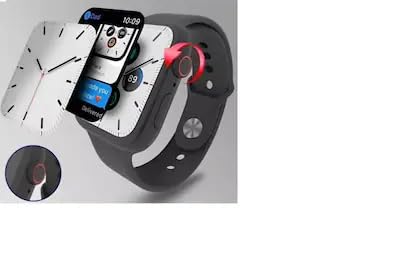
Image: The smart watch display showing the time and various application icons, with the digital crown visible on the side for navigation.
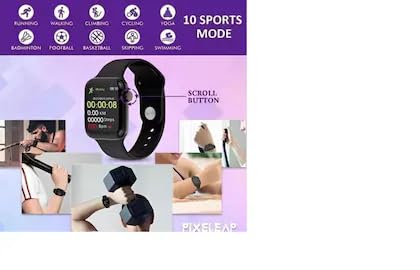
Image: The smart watch displaying fitness data such as elapsed time, distance, and steps, with an arrow indicating the scroll button on the side.
4.2. Bluetooth Calling
Once paired with your smartphone, the watch supports Bluetooth calling, allowing you to make and receive calls directly from your wrist.
- Making a Call: Access the dialer or contact list on the watch to initiate a call.
- Receiving a Call: When a call comes in, the watch will display the caller ID. Tap the green icon to answer or the red icon to decline.
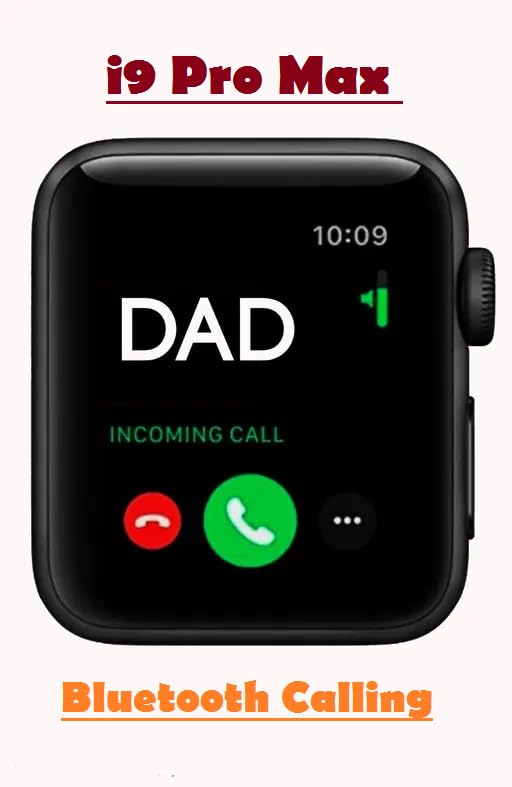
Image: The smart watch screen displaying an incoming call from 'DAD', with options to answer (green phone icon) or decline (red phone icon).
4.3. Fitness Tracking
The watch provides comprehensive fitness tracking features:
- Heart Rate Monitoring: Continuously or periodically monitors your heart rate. Access the heart rate app on the watch to view current and historical data.
- Sleep Tracking: Automatically tracks your sleep patterns, including deep sleep, light sleep, and awake times. View sleep data in the companion app.
- Step and Calorie Counting: Utilizes advanced motion sensors to accurately measure your daily steps, distance walked, and calories burned.
4.4. Sports Modes
The watch supports multiple sports modes to track various activities and provide scientific guidance for your exercise routines. Supported activities include:
- Running
- Walking
- Climbing
- Cycling
- Yoga
- Badminton
- Football
- Basketball
- Skipping
- Swimming
- Jumping Jack
- Volleyball
- Situps
- Bike Riding
- Tennis
To use a sports mode, navigate to the 'Sports' or 'Workout' section on your watch, select your desired activity, and begin your exercise. The watch will record relevant metrics for your session.
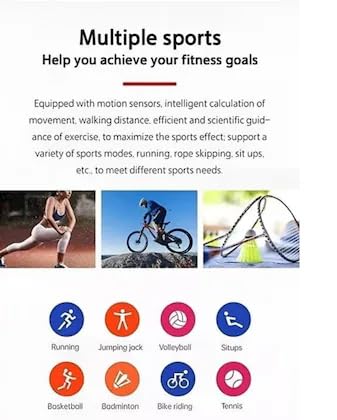
Image: An infographic illustrating multiple sports modes with icons for activities such as running, jumping jack, volleyball, situps, basketball, badminton, bike riding, and tennis.
4.5. Notifications
Receive smartphone notifications directly on your watch. Ensure the watch is paired and notification permissions are granted in the companion app and your phone's settings.
5. Maintenance
5.1. Cleaning
Regularly clean your smart watch and strap to prevent skin irritation and maintain functionality. Use a soft, lint-free cloth. If necessary, slightly dampen the cloth with water. Avoid harsh chemicals or abrasive materials.
5.2. Battery Care
To prolong battery life:
- Avoid extreme temperatures.
- Do not allow the battery to fully discharge frequently.
- Charge the device using only the provided cable.
5.3. Water Resistance
While the watch may offer some resistance to splashes, it is not designed for prolonged water immersion. Avoid wearing it during swimming, showering, or in saunas. Exposure to saltwater or chemicals should also be avoided.
6. Troubleshooting
If you encounter issues with your smart watch, refer to the following common solutions:
- Device Not Powering On: Ensure the watch is fully charged. If it still doesn't turn on, try a different charging port or adapter.
- Cannot Pair with Phone: Check that Bluetooth is enabled on both devices. Restart both the watch and your smartphone. Ensure the companion app is updated.
- Inaccurate Tracking: Ensure the watch is worn snugly on your wrist. Calibrate the device through the companion app if available.
- No Notifications: Verify that notification permissions are enabled for the companion app in your smartphone's settings. Check that the watch is properly connected via Bluetooth.
- Screen Unresponsive: Try restarting the watch by holding the side button.
If problems persist, consult the support section or contact customer service.
7. Specifications
| Feature | Specification |
|---|---|
| Brand | Generic |
| Manufacturer | china |
| Package Dimensions | 11.92 x 4.8 x 3.5 cm; 75 g |
| Memory Storage Capacity | 2 GB |
| Operating System | Proprietary |
| Compatible Devices | Smartphone |
| Special Features | Bluetooth Calling |
| Number of items | 1 |
| Standing screen display size | 1.99 Inches |
| Display Type | 1.99 Inch Touch Display |
| Charging Time | 2 Hours |
| Battery Capacity | 300 Milliamp Hours |
| Wireless Type | Bluetooth |
| Cellular technology | Bluetooth |
| Connector Type | Bluetooth |
| Device interface - primary | Touchscreen |
| Item Weight | 75 g |
8. Warranty Information
Specific warranty details for the Generic i9 Pro Max Smart Watch are typically provided at the point of purchase or within the product packaging. Please retain your proof of purchase for any warranty claims. For detailed terms and conditions, refer to the documentation included with your device or contact the retailer.
9. Support
For further assistance, technical support, or inquiries not covered in this manual, please contact the retailer or refer to the manufacturer's official website for support resources. Ensure you have your product model number (i9 Pro Max) and purchase details ready when seeking support.


