
Sunorshop B0F6K1WC4J
Sunorshop Health Fitness Tracker Smart Watch
User Manual
Model: B0F6K1WC4J
Introduction
Thank you for choosing the Sunorshop Health Fitness Tracker Smart Watch. This manual provides essential information for setting up, operating, and maintaining your device. Please read it thoroughly to ensure optimal performance and longevity of your fitness tracker.

The Sunorshop Health Fitness Tracker Smart Watch, featuring a vibrant 1.47" HD color display and a comfortable pink band.
What's Included
Before you begin, please ensure all components are present in the package:
- Sunorshop Smart Watch (1 unit)
- Charging Cable (1 unit)
- Replacement Purple Band (1 unit)
- User Manual (1 unit)

An illustration showing the smart watch, charging cable, and user manual included in the product packaging.
Setup Guide
1. Charging the Device
Upon first use, fully charge your smart watch. Connect the magnetic charging cable to the charging points on the back of the watch and plug the USB end into a power adapter (not included) or a computer USB port.
- Charging Time: Approximately 2 hours for a full charge.
- Battery Life: Up to 5-7 days depending on usage.

The smart watch connected to its magnetic charging cable, indicating a full charge.
2. App Installation and Pairing
To unlock all features and synchronize data, download the companion app to your smartphone.
- Download the App: Scan the QR code in the user manual or search for the official app name (usually mentioned in the included manual or on the product packaging) in the App Store (iOS) or Google Play Store (Android).
- Enable Bluetooth: Ensure Bluetooth is enabled on your smartphone.
- Open the App: Launch the installed app and follow the on-screen instructions to create an account or log in.
- Pair Device: Within the app, navigate to "Add Device" or "Pair Device." Select your fitness tracker from the list of available Bluetooth devices. Confirm the pairing request on both your phone and the watch if prompted.
Compatibility: Supports Android 10.0 / iOS 10.0 or above smartphones with Bluetooth 5.0. Not compatible with PCs, iPads, or tablets.
Operating Instructions
Display and Navigation
The watch features a 1.47" HD color display. Navigate through menus by swiping up, down, left, or right, and tap to select. The side button typically serves as a home/back button or to wake the screen.

The 1.47" HD color display offers clear visibility and supports various customizable watch faces.
Health Monitoring
Your fitness tracker provides comprehensive health tracking features:
- Heart Rate Monitor: Continuously tracks your heart rate 24/7. Real-time changes are displayed directly on the watch.
- Blood Oxygen Monitor: Monitors your blood oxygen levels throughout the day. Detailed charts and trends are available in the companion app.
- Sleep Monitor: Automatically tracks awake, light, and deep sleep stages to help evaluate and improve sleep quality.
- Breath Training: Guided breathing exercises to help you relax and manage stress.

Visual representation of the watch's health tracking capabilities, including heart rate, blood oxygen, and breath training.

The watch's interface showing detailed sleep status, including deep sleep, light sleep, and awake time.
Sports Modes
The watch supports 24+ sports modes to track your activities. It records real-time steps, distance, calories burned, and heart rate during workouts.
- To access: Swipe on the watch face or navigate through the app menu to find the "Sports" or "Workout" section.
- Select your desired activity (e.g., running, cycling, yoga) to start tracking.
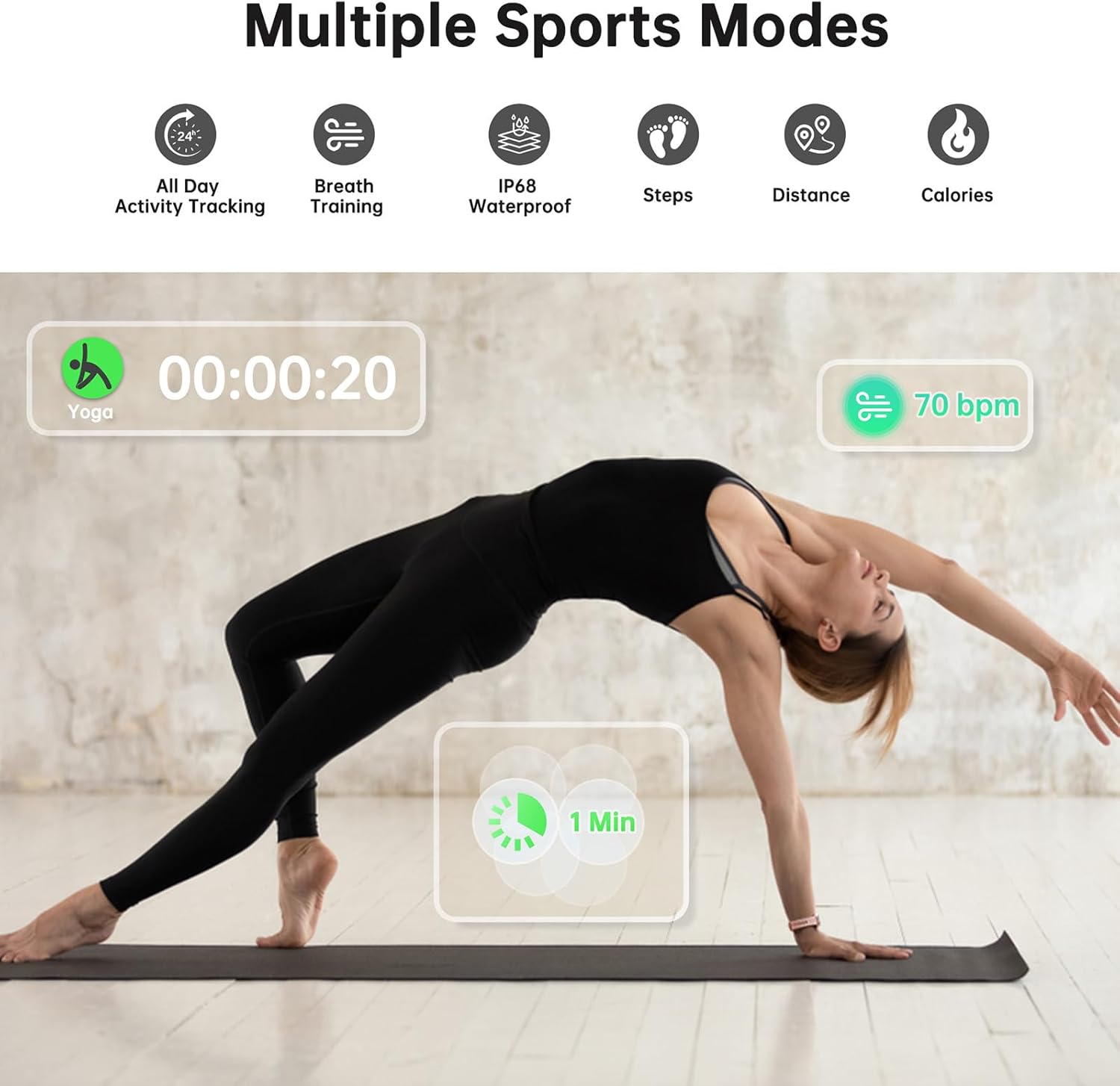
The smart watch tracking a yoga session, showing elapsed time and heart rate.
Smart Features
Enhance your daily life with these convenient smart features:
- Message & Call Notifications: Receive alerts for incoming calls and messages directly on your wrist.
- Weather Forecasts: Get real-time weather updates.
- Music Player Control: Control music playback on your smartphone (play, pause, skip tracks).
- Female Physiological Cycle Reminder: Track and receive reminders for menstrual cycles (requires setup in the app).
- Alarm Clock: Set silent vibrating alarms.
- Shutter Control: Use your watch as a remote shutter for your phone's camera.
- Find Phone: Locate your misplaced phone by making it ring.
- Stopwatch & Timer: Basic timekeeping functions.
- Sedentary Alert: Reminds you to move after periods of inactivity.

The smart watch showing message notifications and icons representing features like music control, stopwatch, menstrual cycle tracking, weather, alarms, and camera control.

Individual icons illustrating the weather display, music player, camera control, and sedentary reminder features.

A visual representation of the female physiological cycle reminder feature, showing a calendar with tracked days.
Maintenance
Cleaning Your Device
- Wipe the watch and band regularly with a soft, damp cloth.
- Do not use harsh chemicals or abrasive cleaners.
- Ensure the charging contacts are clean and dry before charging.
Water Resistance (IP68)
The device has an IP68 waterproof rating, meaning it is protected from dust and can withstand immersion in water up to 1.5 meters for up to 30 minutes. It is suitable for daily use, including hand washing, rain, and shallow swimming.
Note: Not suitable for hot showers, saunas, diving, or high-pressure water activities. Avoid contact with hot water, steam, or corrosive liquids, as this may compromise the waterproof seal.
Troubleshooting
| Problem | Possible Solution |
|---|---|
| Watch does not turn on. | Ensure the watch is fully charged. Connect it to the charger for at least 10 minutes. |
| Cannot pair with smartphone. |
|
| Inaccurate heart rate/blood oxygen readings. |
|
| Notifications are not received. |
|
| Short battery life. |
|
Specifications
| Feature | Detail |
|---|---|
| Model | B0F6K1WC4J |
| Display Size | 1.47 Inches HD Color Display |
| Item Weight | 1.23 ounces (35 Grams) |
| Battery Capacity | 170 Milliamp Hours (1 AAAA battery included) |
| Battery Life | 5-7 days (varies with usage) |
| Charging Time | Approx. 2 hours |
| Waterproof Rating | IP68 |
| Connectivity | Bluetooth 5.0 |
| Operating System | Android Wear 2.9 (compatible with Android 10.0+ / iOS 10.0+) |
| Memory Storage Capacity | 164 MB |
| Special Features | Activity Tracker, Auto Continuous Heart Rate Monitor, Blood Oxygen Monitor, Sleep Monitor, Multiple Sports Modes, Message & Call Notifications, Music Control, Camera Control, Weather, Alarm, Sedentary Alert, Female Physiological Cycle Reminder |
Warranty and Support
Your Sunorshop Health Fitness Tracker Smart Watch is covered by a manufacturer's warranty. Please refer to the warranty card included in your package for specific terms and conditions, including warranty period and coverage details.
For technical support, troubleshooting assistance, or warranty claims, please contact Sunorshop customer service through the contact information provided on the product packaging or their official website. When contacting support, please have your product model number (B0F6K1WC4J) and purchase details ready.
Ask a question about this manual
Ask about setup, troubleshooting, compatibility, parts, safety, or missing instructions. Manuals+ will review the question and use this page’s manual context to help answer it.