
RERIOU SAT30
RERIOU Cordless Robotic Pool Cleaner SAT30
Instruction Manual
Introduction
The RERIOU Cordless Robotic Pool Cleaner SAT30 is designed to provide advanced and comprehensive cleaning for both inground and above-ground pools. Featuring a powerful brushless motor, sonar navigation, and multi-mode cleaning, it efficiently scrubs floors, walls, and waterlines, ensuring crystal-clear water with minimal effort.

Image: The RERIOU Cordless Robotic Pool Cleaner SAT30, showcasing its sleek design and app control interface.

Image: The robotic pool cleaner operating in a large pool, demonstrating its capability for pools up to 2150 sq. ft.
Setup
Unboxing and Initial Inspection
Upon receiving your RERIOU Robotic Pool Cleaner, carefully unpack all components and inspect for any damage. The packing list typically includes:
- Device x1
- User Manual x1
- Charger x1
- Hook x1
- Filters x1

Image: Visual representation of the items included in the product packaging.
Charging the Device
Before first use, fully charge the robotic pool cleaner. Connect the charger to the device and a power outlet. The charging process typically takes about 2.5 hours for a full charge, providing extended battery life for up to 150 minutes of operation.

Image: The robotic pool cleaner connected to its charger, indicating fast charging capabilities.
Initial Placement in Pool
Once fully charged, simply power on the device and submerge it in your pool. The one-touch start feature activates the cleaner instantly, ready to begin its cleaning cycle.
Operating Instructions
One-Touch Start
To begin cleaning, press the power button located on the top of the unit. The device will activate and is ready to be placed into the water.
Cleaning Modes
The RERIOU SAT30 offers three selectable cleaning modes to suit your pool's needs:
- Floor Only Mode: Focuses cleaning on the pool floor.
- Wall Only Mode: Concentrates on scrubbing pool walls and waterlines.
- All-Cover Mode: Provides a comprehensive clean of both the floor, walls, and waterline.
These modes can be customized via the mobile application for optimal runtime and cleaning efficiency.
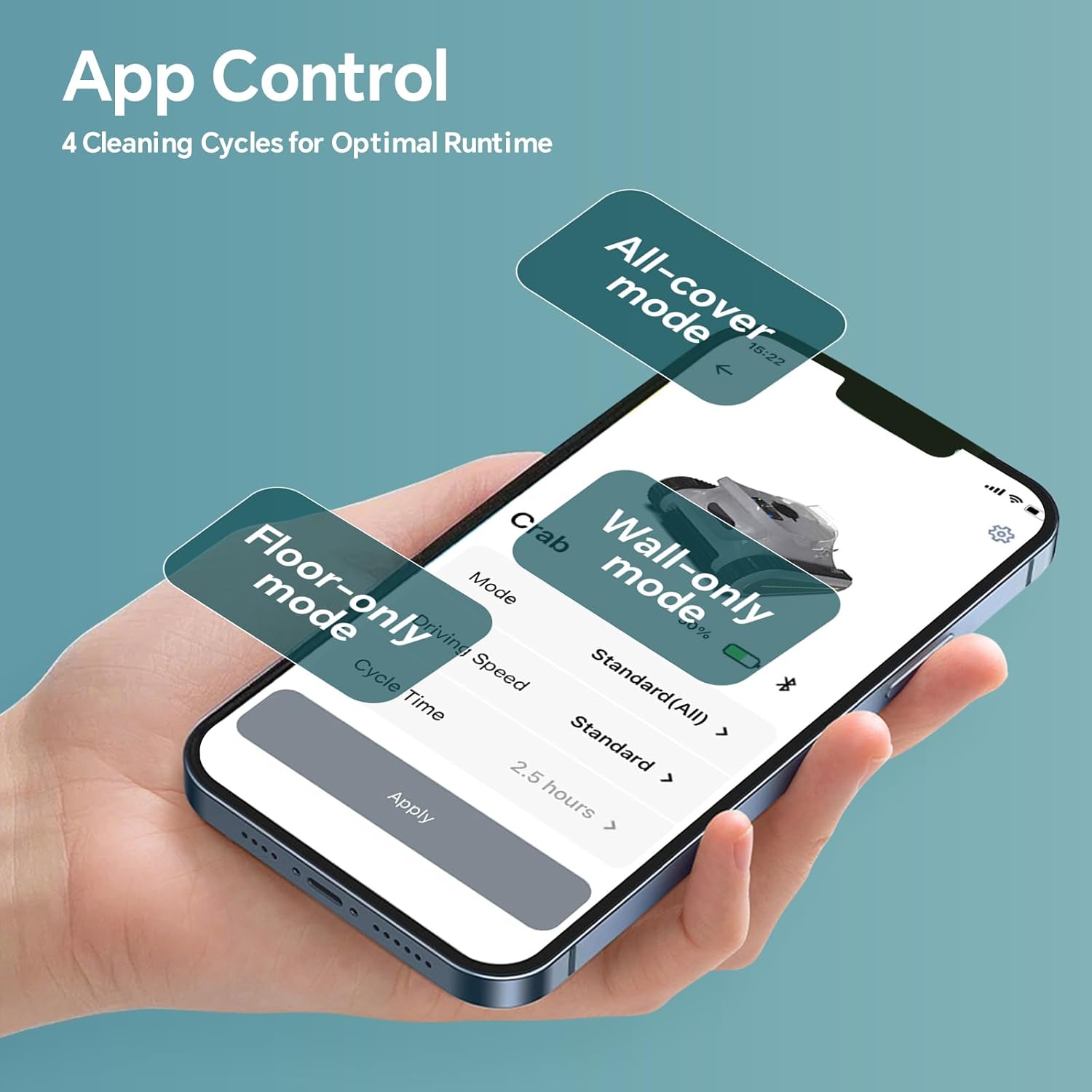
Image: A smartphone screen showing the app control interface for selecting different cleaning modes.

Image: A visual diagram illustrating the different cleaning modes and the self-parking feature.
Sonar Navigation
Equipped with SonarNav Pro™ technology, the cleaner intelligently scans and maps your pool to create an optimized cleaning path. This minimizes overlap and missed areas, ensuring thorough coverage across pools of all sizes and shapes.
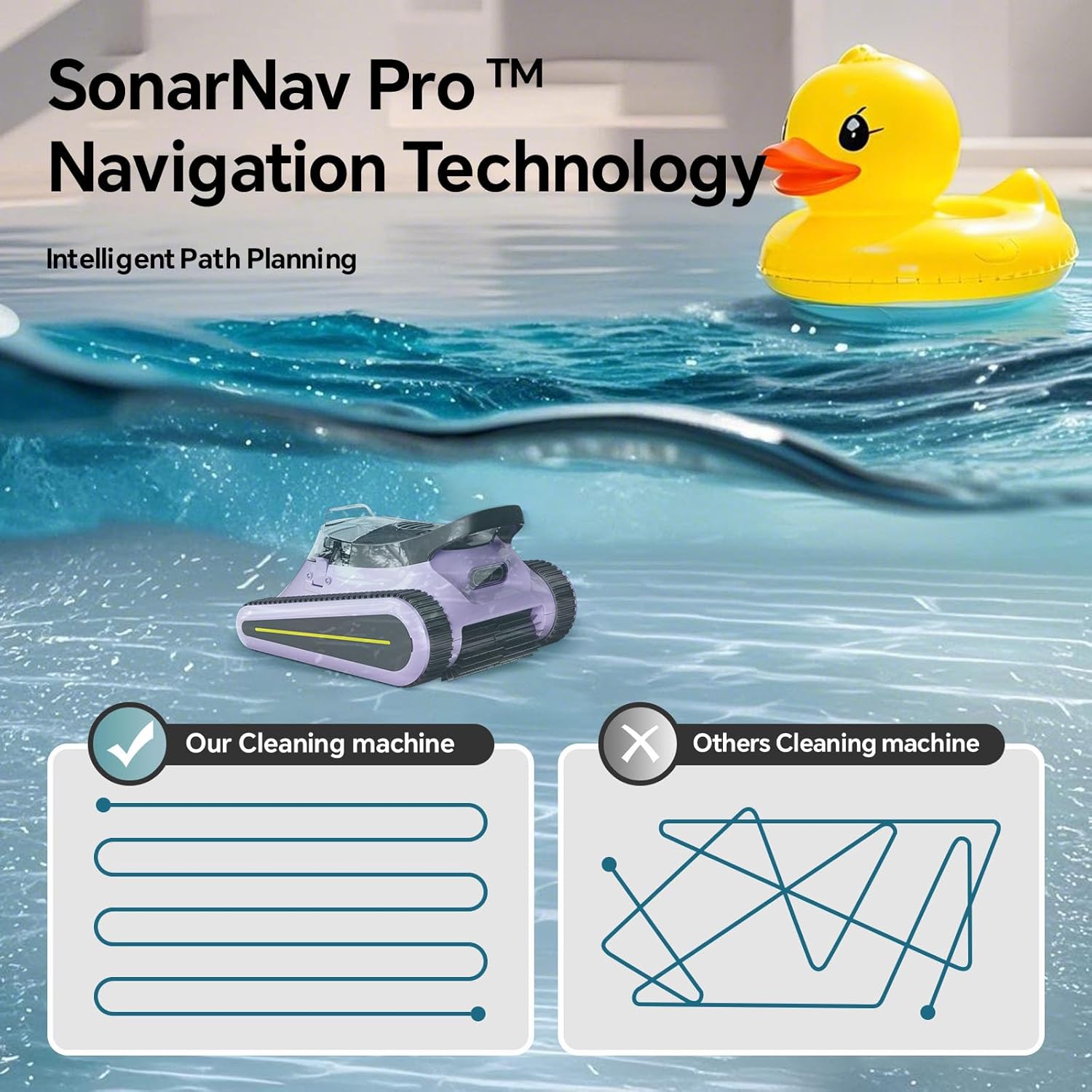
Image: The robotic cleaner utilizing SonarNav Pro technology for intelligent path planning in the pool.

Image: A banner highlighting the advanced SonarNav Pro Navigation Technology.

Image: A visual diagram illustrating the different cleaning modes and the self-parking feature.
Wall Climbing
The robotic cleaner seamlessly climbs walls and waterlines, adapting to different pool surfaces including vinyl, concrete, tile, and fiberglass. This ensures a thorough clean beyond just the pool floor.

Image: The robotic cleaner demonstrating its wall climbing capability in Wall Mode.
Self-Parking
When the cleaning cycle is complete or the battery is low, the robotic cleaner will automatically self-park near the edge of the pool for easy retrieval.
Video: Official product video from SENLINTECH demonstrating the robotic pool cleaner's operation and features.
Maintenance
Filter Cleaning
The high-capacity filter basket captures fine particles and large debris. Regularly clean the filter basket to maintain optimal suction performance. The clear design allows you to easily see when the filter is full.

Image: A banner highlighting the extra-large 3.5L filter basket with ultra-fine filtration.
Battery Replacement
The robotic cleaner features a replaceable waterproof battery, allowing for quick and easy battery swaps in approximately 10 seconds to boost efficiency.

Image: A visual guide demonstrating how to swap the battery in 10 seconds.
Troubleshooting
Device Not Moving/Cleaning Effectively
- Check battery level: Ensure the device is fully charged.
- Clean filter basket: A full or clogged filter can reduce suction and movement.
- Inspect brushes/tracks: Ensure no debris is tangled in the brushes or tracks.
- Verify cleaning mode: Confirm the correct cleaning mode is selected for your pool area.
Device Getting Stuck
- Check for obstacles: Remove any large toys, ladders, or other obstructions from the pool.
- Ensure proper water chemistry: Imbalanced water can affect surface grip.
Battery Not Holding Charge
- Ensure charger is properly connected: Verify secure connection to both the device and power outlet.
- Check power outlet: Test the outlet with another device to ensure it's functional.
- Consider battery replacement: If the battery life has significantly degraded over time, it may need to be replaced.
Specifications
| Feature | Specification |
|---|---|
| Brand | RERIOU |
| Model Name | SAT30 |
| Power Source | AC |
| Special Feature | Waterproof |
| Control Method | App |
| Item Weight | 28.7 pounds |
| Product Dimensions | 15.12 x 9.86 x 16.72 inches |
| Lithium Battery Energy Content | 7800 Milliampere Hour (mAh) |
| Number of Batteries | 1 Lithium Ion batteries required. (included) |
| Manufacturer | Seauto |
Warranty and Support
For warranty information, technical support, or service inquiries, please refer to the contact details provided in your product packaging or visit the official RERIOU website. Keep your purchase receipt as proof of purchase for warranty claims.
Ask a question about this manual
Ask about setup, troubleshooting, compatibility, parts, safety, or missing instructions. Manuals+ will review the question and use this page’s manual context to help answer it.