
Joautrial KW330A
Joautrial GPS Smart Watch User Manual
Model: KW330A
1. Introduction
This manual provides detailed instructions for the operation and maintenance of your Joautrial GPS Smart Watch (Model KW330A). Please read this manual thoroughly before using the device to ensure proper function and to maximize your user experience. Keep this manual for future reference.
2. Safety Information
- Do not attempt to disassemble or modify the watch.
- Keep the watch away from extreme temperatures and direct sunlight.
- Avoid exposing the watch to strong impacts or drops.
- Use only the provided charging cable.
- Consult a medical professional before starting any new exercise regimen, especially if you have pre-existing health conditions.
- The watch is 5ATM waterproof, suitable for swimming and shallow diving, but not for hot showers, saunas, or deep-sea diving.
3. Package Contents
Verify that all items are present in your package:
- Joautrial GPS Smart Watch (Model KW330A)
- User Manual
- Magnetic Charging Cable

Image: Contents of the Joautrial Smart Watch package, showing the watch, user manual, and magnetic charging cable.
4. Product Overview
The Joautrial GPS Smart Watch features a 1.60-inch AMOLED display and a durable design. Familiarize yourself with the watch's components:

Image: Front view of the Joautrial Smart Watch, highlighting its display and overall design.

Image: Detailed view of the 1.60-inch AMOLED screen, showcasing its resolution and customizable watch faces.
5. Setup
5.1 Charging the Watch
Before first use, fully charge your smart watch. Connect the magnetic charging cable to the charging port on the back of the watch and plug the USB end into a power adapter (not included) or a computer USB port. A full charge typically takes 2 hours.

Image: The smartwatch connected to its magnetic charging cable, illustrating the charging process.
5.2 App Installation and Pairing
To unlock the full functionality of your smart watch, download and install the 'HaWoFit' app on your smartphone.
- Download the App: Search for 'HaWoFit' on the Google Play Store (for Android) or Apple App Store (for iOS) and install it. You can also scan the QR code in the user manual included in the package.
- Enable Bluetooth: Turn on Bluetooth on your smartphone.
- Add Device: Open the 'HaWoFit' app, navigate to the 'Device' section, and tap 'Add device'. The app will scan for available devices.
- Connect: Select 'KW330A' from the list of found devices. Confirm the pairing request on both your phone and the watch.
- Grant Permissions: Allow necessary permissions for notifications, location, and other features as prompted by the app.

Image: Visual guide for downloading the HaWoFit app and connecting the smartwatch to a smartphone.
6. Operating Instructions
6.1 Basic Navigation
- Touch Screen: Swipe left/right to access different functions, swipe up/down for quick settings or notifications. Tap to select.
- Side Buttons: Typically, one button serves as a power/back button, while others may be customizable shortcuts for sports modes or specific features.
6.2 Bluetooth Calling
Once paired with your smartphone, you can make and answer calls directly from your watch.
- Making a Call: Access the dial pad or contacts list on your watch to initiate a call.
- Answering a Call: When a call comes in, the watch will display the caller ID. Tap the green icon to answer.

Image: The smartwatch interface showing options for dialing, viewing recent calls, and accessing contacts for Bluetooth calling.
6.3 Message Notifications
Receive notifications from your smartphone apps directly on your watch.
- Ensure the 'HaWoFit' app is active and running in the background on your phone.
- Disable 'Do Not Disturb' and 'Low Power Mode' on your phone.
- In the 'HaWoFit' app, go to 'Device' > 'Push Notifications' and enable notifications for desired applications.
- For iOS, also ensure 'Notifications' permission is enabled in your phone's settings for the 'HaWoFit' app.
- For Android, you may need to add the 'HaWoFit' app to the whitelist in your phone's settings to prevent it from being closed by the system.

Image: Step-by-step guide for enabling message notifications on iOS devices.

Image: Step-by-step guide for enabling message notifications on Android devices.
6.4 AI Voice Assistant
The watch includes a built-in AI assistant for quick commands and queries.
- Activate the AI assistant feature on your watch.
- Speak your commands or questions, such as "Countdown to 30 minutes" or "Open the music app."
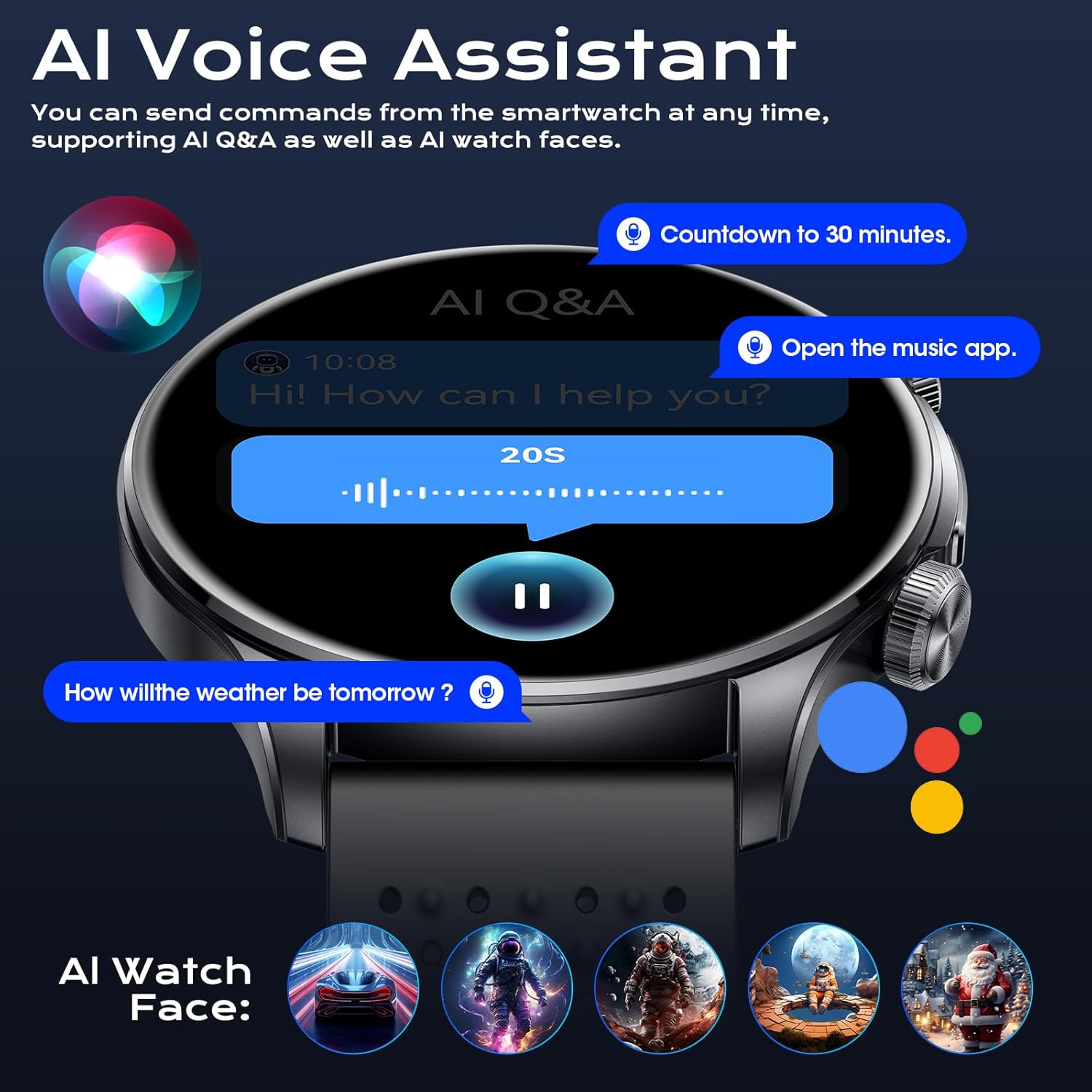
Image: The AI Voice Assistant feature on the smartwatch, demonstrating voice commands and AI-generated watch faces.
6.5 Music Playback and TWS Headphone Connection
The watch supports local music storage and can connect to TWS (True Wireless Stereo) headphones.
- Store Music: Transfer music files to the watch's 1GB internal memory via the companion app.
- Connect TWS Headphones: Go to the Bluetooth settings on your watch, enable Bluetooth, and pair with your TWS headphones.
- Playback: Play music directly from the watch, either through its built-in speaker or connected headphones.

Image: The smartwatch demonstrating its ability to connect to TWS headphones and manage local music and photo storage.
6.6 Watch Face Customization
Personalize your watch with various watch faces, including AI-generated options.
- Access the watch face settings on your device or through the 'HaWoFit' app.
- Browse and select from over 100 custom watch faces.
- Utilize AI features to generate unique watch faces.
7. Features
7.1 GPS and Navigation
The watch features built-in GPS for accurate outdoor activity tracking, along with a compass, altimeter, and barometer.
- GPS: Provides real-time positioning and tracks movement trajectories during outdoor activities.
- Compass: Helps maintain direction, especially in unfamiliar terrain.
- Altimeter & Barometer: Displays current altitude and air pressure.
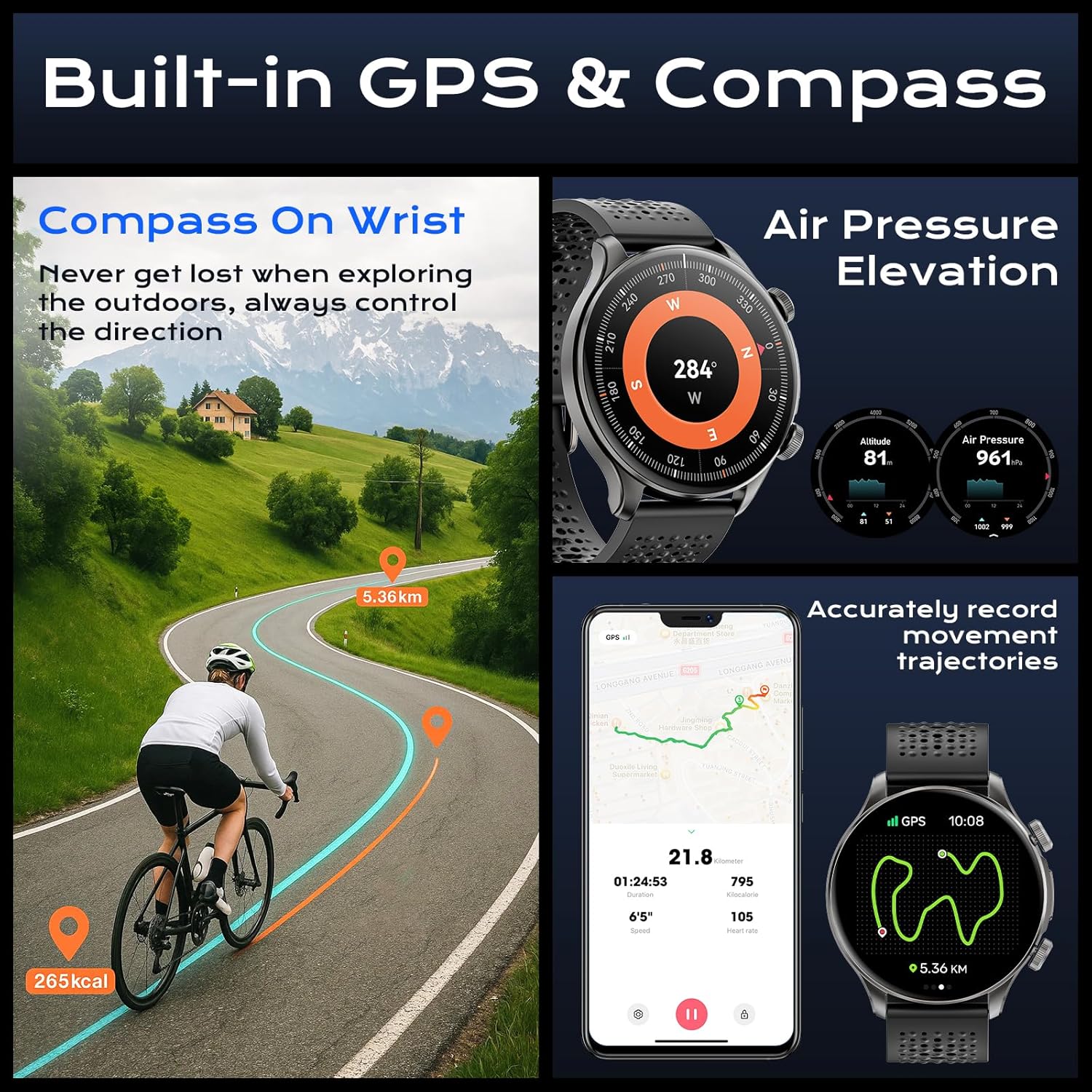
Image: The smartwatch showcasing its built-in GPS, compass, and altimeter/barometer functions for outdoor navigation.

Image: The smartwatch displaying a GPS movement track on a map during an outdoor climb.

Image: Displays of the compass, altitude, and air pressure features on the smartwatch.
7.2 Sports Modes
With over 170 sports modes and 10 smart sports recognition features, the watch provides comprehensive tracking for various physical activities.
- Track calories burned, steps taken, distance covered, and heart rate during workouts.
- High-precision GPS calibrates distance in real-time.
- Intelligent motion recognition automatically detects certain activities.

Image: The smartwatch interface showing different sports modes and real-time fitness data.

Image: Detailed view of the 170+ sports modes, including professional models and intelligent motion recognition.
7.3 Health Monitoring
Monitor key health metrics throughout the day and night.
- Heart Rate: 24-hour continuous heart rate monitoring.
- Blood Oxygen (SpO2): Real-time blood oxygen saturation detection.
- Sleep Tracking: Monitors sleep stages (deep, light, REM) and awake time to help improve sleep quality.
- Pedometer: Tracks daily steps and calorie consumption.
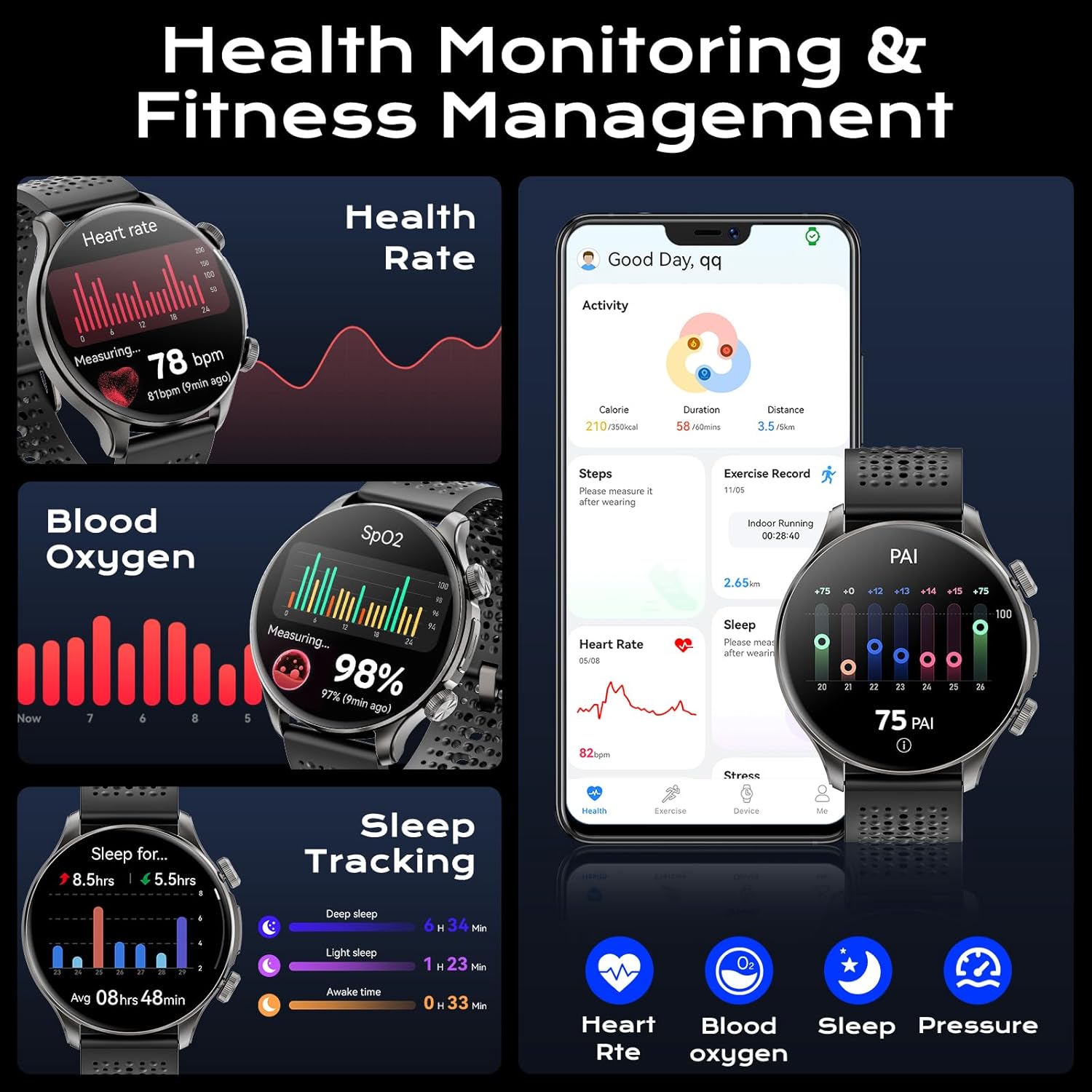
Image: The smartwatch showing its health monitoring capabilities for heart rate, blood oxygen, and sleep.

Image: The smartwatch's 24/7 heart rate monitoring feature, showing current and historical heart rate data.

Image: The smartwatch's blood oxygen monitoring feature, showing current SpO2 levels and data trends.

Image: The smartwatch's sleep quality tracker, illustrating different sleep stages and total sleep duration.
7.4 Water Resistance
The watch has a 5ATM waterproof rating, making it suitable for:
- Swimming in open water or pools.
- Handwashing.
- Exposure to rain.
It is not recommended for hot water activities (showers, saunas) or deep-sea diving.
7.5 Battery Life
Equipped with a 450mAh battery, the watch offers extended usage times:
- Normal Mode: 7-10 days
- Power Saving Mode: Over 30 days
- GPS Mode: 1 day
7.6 Other Functions
The Joautrial GPS Smart Watch includes a variety of additional features to enhance daily life:
- SOS function
- Calculator
- Watch finder
- Remote camera control
- Sedentary reminder
- Alarm
- Flashlight
- Water drinking reminder
- Mini games
- Music control
- Voice recording
- Photo album

Image: An overview of the many functions available on the smartwatch, represented by icons.
8. Maintenance
- Cleaning: Regularly wipe the watch screen and strap with a soft, dry cloth. For stubborn dirt, use a slightly damp cloth and mild soap, then rinse and dry thoroughly.
- Storage: Store the watch in a cool, dry place when not in use. Avoid prolonged exposure to direct sunlight or extreme temperatures.
- Charging: Ensure the charging contacts on the watch and cable are clean and dry before charging to prevent corrosion.
9. Troubleshooting
- Watch not turning on: Ensure the watch is fully charged. Connect it to the charger for at least 10 minutes.
- Unable to pair with phone:
- Ensure Bluetooth is enabled on your phone and the watch.
- Make sure the watch is within range of your phone.
- Restart both your phone and the watch.
- Clear the Bluetooth cache on your phone (Android) or forget the device and re-pair (iOS).
- Notifications not received:
- Check app permissions in the 'HaWoFit' app and your phone's settings.
- Ensure 'Do Not Disturb' and 'Low Power Mode' are off on your phone.
- Verify the 'HaWoFit' app is running in the background.
- Inaccurate health data: Ensure the watch is worn snugly on your wrist, not too tight or too loose. Clean the sensor area regularly.
- Short battery life: Reduce screen brightness, disable unnecessary features (e.g., continuous heart rate monitoring if not needed), and ensure no apps are running excessively in the background.
10. Specifications
| Feature | Specification |
|---|---|
| Model | KW330A |
| Display Size | 1.60 Inches AMOLED |
| Resolution | 480*480 |
| Battery Capacity | 450 mAh |
| Waterproof Rating | 5ATM |
| Connectivity | Bluetooth 5.3 |
| Operating System Compatibility | Android 5.0+, iOS 9.0+ |
| Internal Storage | 1 GB (for music, photos) |
| Special Features | Built-in GPS, Compass, Altimeter, Barometer, AI Voice Assistant, Local Music Playback, TWS Headphone Support, 170+ Sports Modes, Heart Rate, SpO2, Sleep Tracking |
| Item Weight | 6.4 ounces |
| Package Dimensions | 11.3 x 3.5 x 0.75 inches |
11. Warranty and Support
For any product-related issues or inquiries, please contact Joautrial customer service. Our professional service team is available to provide assistance and solutions within 24 hours. Refer to your purchase documentation for specific warranty details.