
1. Introduction
Thank you for choosing the Lekaby Q22 Wireless Earbuds. This manual provides essential information for setting up, operating, and maintaining your earbuds to ensure optimal performance and longevity. Please read this manual thoroughly before use.
2. What's in the Box
- Lekaby Q22 Earbuds (2 units)
- 2600mAh Charging Case (1 unit)
- USB Type-C Charging Cable (1 unit)
- Silicone Ear Tips (S/M/L, 6 units total)
- User Manual (1 unit)
3. Setup Guide
3.1 Charging the Earbuds and Case
Before first use, fully charge the earbuds and the charging case. The charging case features a dual LED digital display to show the remaining battery power of both the case and the earbuds in real-time. Use the provided USB Type-C cable for charging.

Image: Lekaby Q22 Earbuds and Charging Case illustrating 128 hours of total playback time and Type-C fast charging capability.

Image: The Lekaby Q22 Charging Case connected to a smartphone via USB-C, highlighting its emergency power bank functionality for other devices.
3.2 Bluetooth Pairing
The Lekaby Q22 earbuds utilize Bluetooth 5.3 technology for stable and fast connections. Follow these steps for initial pairing:
- Step 1: Take the earbuds out of the charging case. They will automatically enter pairing mode.
- Step 2: Enable Bluetooth on your device (smartphone, tablet, laptop).
- Step 3: Search for 'Q22' in the list of available Bluetooth devices and select it to pair.
- Once paired, the earbuds will automatically connect to your device when removed from the case for future use. To disconnect, simply place the earbuds back into the charging case.

Image: The Lekaby Q22 Earbuds and a smartphone screen displaying the 'Q22' device ready for one-step Bluetooth pairing.

Image: A visual representation of the Lekaby Q22 Earbuds emphasizing the advanced Bluetooth 5.3 technology for stable and uninterrupted connections.
Video: This video demonstrates the Bluetooth pairing process for the Lekaby Q22 earbuds, from taking them out of the case to connecting with a smartphone.
4. Operating Instructions
4.1 Wearing the Earbuds
The earbuds are designed with flexible ear hooks for a secure and comfortable fit, especially during physical activities. Choose the appropriate ear tip size (S/M/L) for the best seal and comfort.

Image: A user demonstrating the secure and comfortable fit of the Lekaby Q22 Earbuds, emphasizing the flexible earhook design.
4.2 Smart Touch Control
The Lekaby Q22 earbuds feature intuitive touch controls for managing audio playback and calls without needing to access your phone.

Image: A diagram detailing the smart touch control functions of the Lekaby Q22 Earbuds, including play/pause, previous/next track, volume control, answer/hang up calls, and voice assistant activation.
- Play/Pause: Double-tap either the left or right earbud.
- Volume Up: Single-tap the right earbud.
- Volume Down: Single-tap the left earbud.
- Next Track: Press and hold the right earbud for 2 seconds.
- Previous Track: Press and hold the left earbud for 2 seconds.
- Answer/Hang Up Call: Double-tap either earbud.
- Activate Voice Assistant: Triple-tap either earbud.
Video: This video demonstrates the various touch controls on the Lekaby Q22 earbuds, including volume adjustment, play/pause, and track navigation.
Video: This video illustrates how to answer and hang up calls using the touch controls on the Lekaby Q22 earbuds.
5. Maintenance
5.1 Waterproof Protection
The Lekaby Q22 earbuds feature IPX7 nano-coating waterproof technology, providing protection against sweat and rain. This makes them suitable for workouts, commuting, and outdoor activities. Avoid submerging the earbuds in water for extended periods.
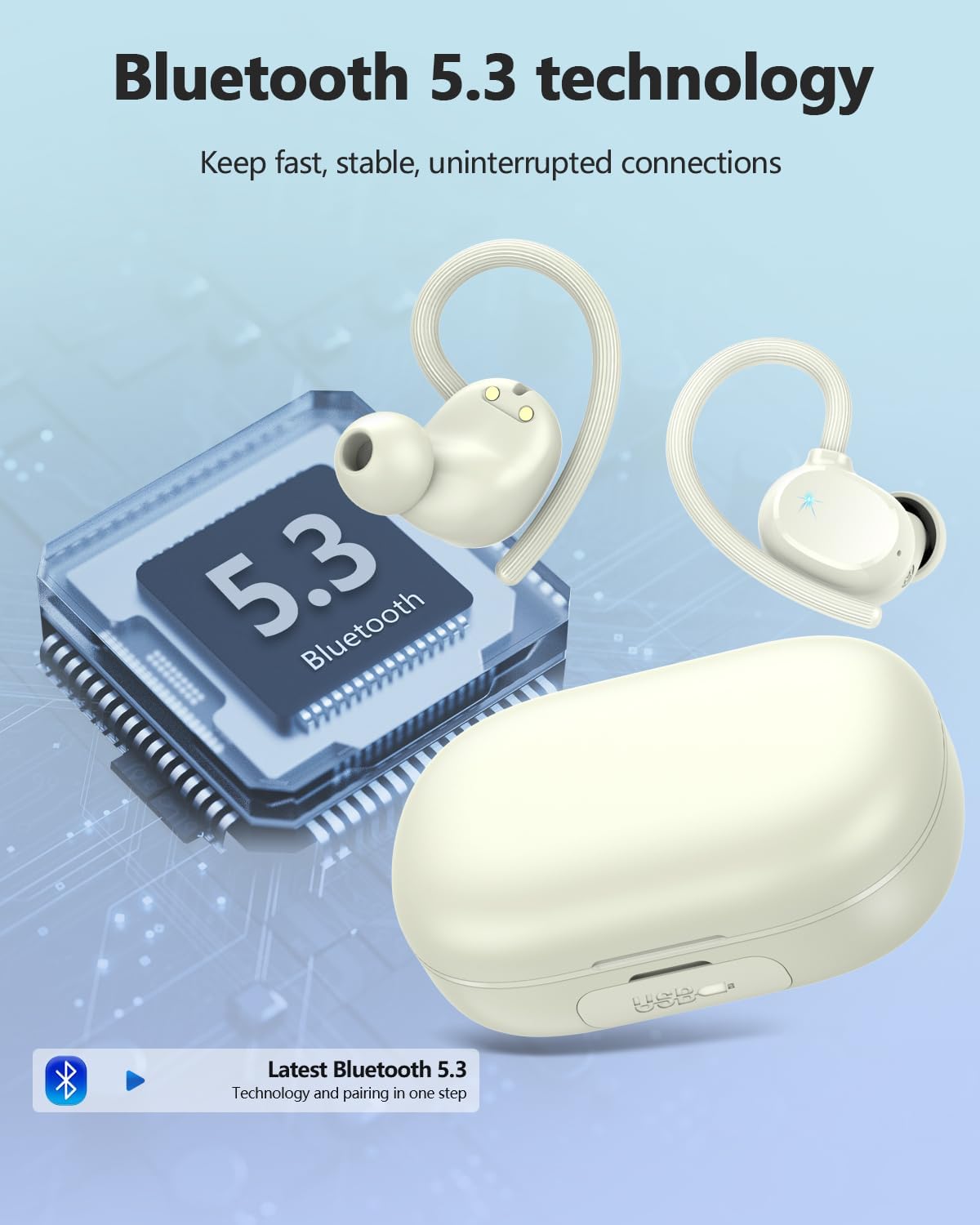
Image: The Lekaby Q22 Earbuds displayed with water droplets, highlighting their IP7 waterproof and sweatproof design for active use.
5.2 Cleaning and Storage
- Regularly clean the earbuds and charging case with a soft, dry cloth.
- Remove ear tips and clean them with mild soap and water, then dry thoroughly before reattaching.
- Store the earbuds in their charging case when not in use to protect them and keep them charged.
- Avoid exposing the earbuds to extreme temperatures or direct sunlight.
6. Troubleshooting
6.1 Pairing Issues
- Earbuds not pairing with device: Ensure Bluetooth is enabled on your device and the earbuds are out of the charging case. If 'Q22' does not appear, try turning Bluetooth off and on again on your device.
- Only one earbud connecting: Place both earbuds back into the charging case, close the lid, then open it and take them out again. This should reset their connection.
6.2 Charging Issues
- Earbuds not charging in case: Ensure the earbuds are correctly seated in their charging slots and the charging pins are clean. Check the charging case battery level.
- Charging case not charging: Verify the USB-C cable is securely connected to both the case and a power source. Try a different cable or power adapter if necessary.
6.3 Sound Quality Issues
- Low volume or poor sound: Adjust the volume on both your device and the earbuds. Ensure ear tips provide a good seal in your ear canal. Clean any debris from the earbud speakers.
- Intermittent connection: Ensure your device is within the Bluetooth range (up to 15m) and there are no significant obstructions. Avoid environments with strong electromagnetic interference.
7. Specifications
| Feature | Specification |
|---|---|
| Model Name | Q22 |
| Brand | Lekaby |
| Connectivity Technology | Wireless (Bluetooth 5.3) |
| Bluetooth Range | 15 Meters |
| Battery Life (Earbuds) | 8 Hours (single charge) |
| Total Playback Time (with case) | Up to 128 Hours |
| Charging Case Capacity | 2600mAh |
| Charging Time | 2 Hours |
| Water Resistance Level | IPX7 |
| Noise Control | Passive Noise Cancellation (ENC for Mic) |
| Control Type | Touch Control |
| Audio Driver Type | 13.44mm Dynamic Driver |
| Item Weight | 50 Milligrams |
8. Safety Information
- Do not disassemble or attempt to repair the earbuds or charging case.
- Keep out of reach of children and pets.
- Avoid using the earbuds at high volume for extended periods to prevent hearing damage.
- Dispose of the product responsibly according to local regulations.