
1. Introduction
This manual provides essential information for the safe and efficient use of your Haino Teko Series 10 SQ-13 Smart Watch. Please read this manual thoroughly before using the device to ensure proper operation and to maximize its features. Keep this manual for future reference.
2. Package Contents
Verify that all items are present in your product package:
- Haino Teko Series 10 SQ-13 Smart Watch
- Wireless Charger
- 3 Pairs of Straps (Braided, Ocean, Magnetic Solid)
- Stylus Pen
- User Manual (this document)

Image: The Haino Teko SQ-13 Smart Watch, three different straps, and a wireless charger neatly arranged in the product box.
3. Initial Setup
3.1 Charging the Smart Watch
- Connect the wireless charger to a compatible USB power adapter (not included).
- Place the Haino Teko SQ-13 Smart Watch onto the wireless charging pad. The watch will magnetically align with the charger.
- Ensure the charging icon appears on the watch screen to confirm it is charging. A full charge may take approximately 2 hours.
3.2 Pairing with Your Smartphone
The Haino Teko SQ-13 Smart Watch is compatible with both Android and iOS devices.
- Ensure your smart watch is sufficiently charged.
- Turn on Bluetooth on your smartphone.
- Download and install the dedicated companion application for the Haino Teko Smart Watch from your phone's app store (e.g., Google Play Store for Android, Apple App Store for iOS). Refer to the watch's on-screen instructions or packaging for the specific app name.
- Open the companion app on your smartphone and follow the on-screen instructions to search for and pair with your SQ-13 Smart Watch.
- Confirm the pairing request on both your smartphone and the smart watch.
3.3 Customizing Watch Faces
The smart watch comes with multiple built-in watch faces. You can also customize watch faces through the companion app to match your style or needs.
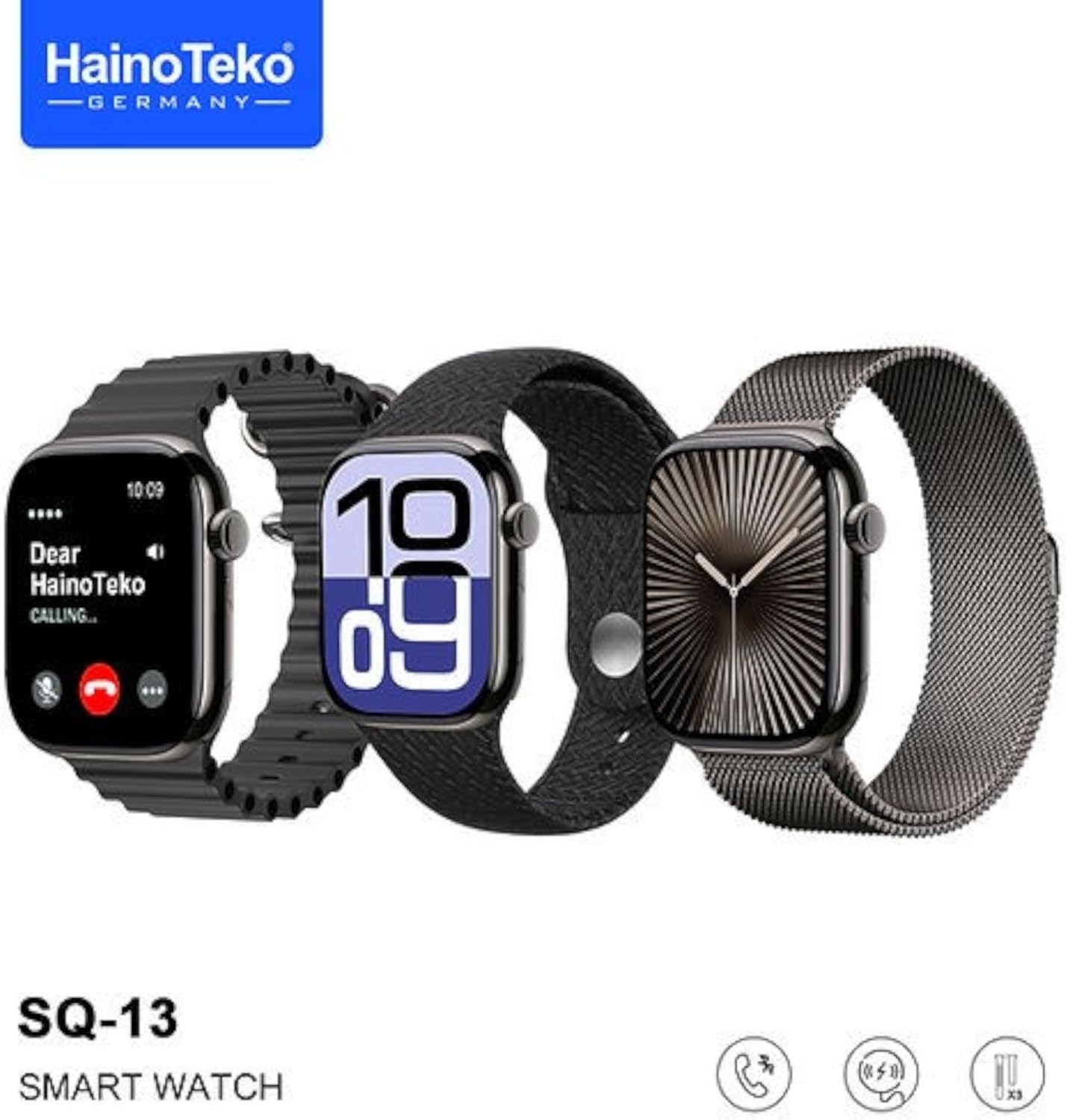
Image: Three Haino Teko SQ-13 Smart Watches showcasing various strap options and customizable digital and analog watch faces.
4. Operating Instructions
4.1 Basic Navigation
- Touch Screen: Swipe up, down, left, or right to navigate through menus and notifications. Tap to select an option.
- Side Button/Crown: Press to return to the home screen or access the app menu. Rotate (if applicable) to scroll through lists.
- Always-On Display: The AMOLED screen supports an always-on display feature, allowing you to see the time and basic information without fully waking the screen.
4.2 Smart Notifications
Once paired with your smartphone, the smart watch will display alerts for incoming calls, messages, and notifications from various applications. You can manage which app notifications appear on your watch through the companion app settings.
4.3 Bluetooth Calls
The SQ-13 Smart Watch allows you to make and receive calls directly from your wrist. When an incoming call is received, you can answer it using the built-in speaker and microphone on the watch. You can also initiate calls from the watch's dialer or contact list, provided it is connected via Bluetooth to your phone.
4.4 Health Monitoring
The smart watch includes sensors to monitor various health metrics:
- Heart Rate: Continuously monitors your heart rate throughout the day.
- Blood Pressure: Provides estimated blood pressure readings.
- Blood Oxygen (SpO2): Measures your blood oxygen saturation levels.
- Sleep Tracking: Monitors your sleep patterns, including deep sleep, light sleep, and wake times.
- Health Reminders: Set reminders for hydration, movement, and other health-related activities.
Note: The health monitoring features are for reference only and should not be used for medical diagnosis or treatment. Consult a medical professional for any health concerns.
4.5 Sports Modes
The smart watch supports multiple sports modes to track your physical activities. Select the appropriate mode before starting your workout to record data such as steps, distance, calories burned, and duration. The integrated GPS system can track your routes during outdoor activities.
4.6 Additional Features
The Haino Teko SQ-13 Smart Watch offers a range of other functionalities:
- Calculator
- Stopwatch
- Calendar
- Alarm
- Camera Remote Control
- Find Phone
- Business Card
- Bedside Clock
- Smart Island (specific UI feature)
- Gesture Control
- Music Control
- Weather Display
- Voice Assistant
- Messages
- Wallet (NFC/payment features, if supported by region/model)
- Watch Barrage (specific UI feature)
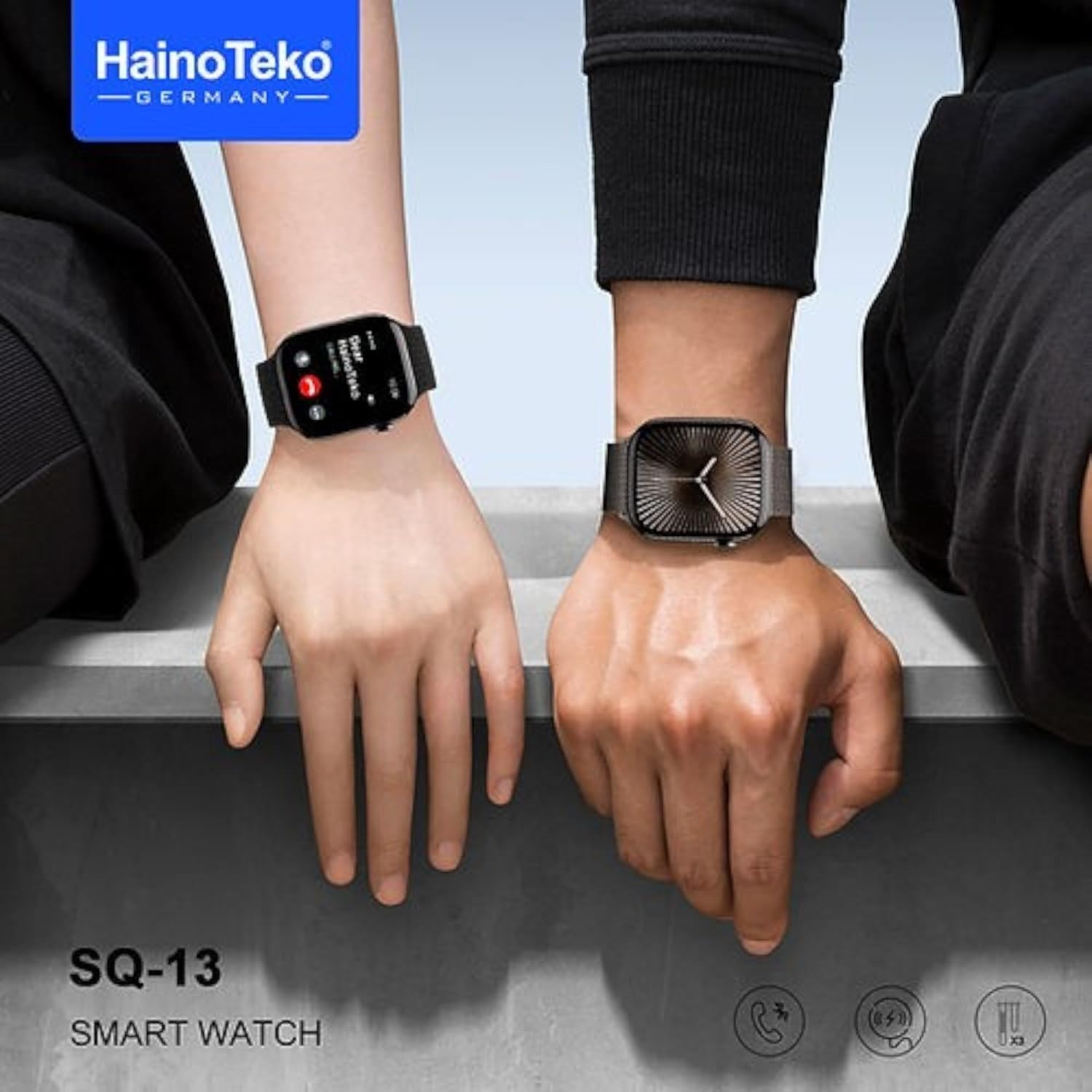
Image: Two people wearing the Haino Teko SQ-13 Smart Watch, demonstrating its use in daily life.
5. Maintenance
5.1 Cleaning
- Wipe the watch screen and body with a soft, lint-free cloth.
- For stubborn stains, slightly dampen the cloth with water. Avoid using harsh chemicals or abrasive materials.
- Clean the charging contacts regularly to ensure efficient charging.
5.2 Strap Care
The included straps are designed for durability. Clean them according to their material type. Avoid prolonged exposure to direct sunlight or extreme temperatures, which can degrade strap materials.
5.3 Water Resistance
Refer to the product specifications for the exact water resistance rating. Generally, smart watches are resistant to splashes and sweat but may not be suitable for swimming or showering unless explicitly stated.
6. Troubleshooting
If you encounter issues with your Haino Teko SQ-13 Smart Watch, try the following solutions:
| Problem | Possible Solution |
|---|---|
| Watch does not turn on | Ensure the watch is fully charged. Press and hold the power button for several seconds. |
| Cannot pair with smartphone | Ensure Bluetooth is enabled on your phone. Restart both the watch and phone. Make sure the companion app is installed and running. Check if the watch is already paired with another device. |
| Charging issues | Ensure the wireless charger is properly connected to a power source. Verify the watch is correctly placed on the charging pad. Clean the charging contacts on both the watch and charger. |
| Inaccurate health data | Ensure the watch is worn snugly on your wrist, not too tight or too loose. Clean the sensor on the back of the watch. Avoid excessive movement during measurements. |
| Notifications not received | Check Bluetooth connection. Ensure notifications are enabled for the specific apps in your phone's settings and the watch's companion app. |
7. Specifications
| Feature | Detail |
|---|---|
| Brand | Haino Teko |
| Model Name | Series 10 |
| Item Model Number | SQ-13 |
| Operating System | Smart Watch OS |
| Screen Type | Real AMOLED Full Screen |
| Screen Size | 45 Millimeters |
| Item Shape | Rectangular |
| Connectivity Technology | Bluetooth |
| Wireless Communication Standard | Bluetooth |
| Special Features | Making phone calls, Always-on display, Heart rate monitoring, Integrated GPS system |
| Battery Cell Composition | Lithium Polymer |
| Charging Method | Wireless Charging |
| Package Dimensions | 21.8 x 11 x 3 cm |
| Item Weight | 50 Grams |

Image: The product packaging for the Haino Teko SQ-13 Smart Watch, highlighting its Series 10 model, Jet Black color, AMOLED screen, and inclusion of 3 pairs of straps, alongside a visual list of its many features.
8. Warranty & Support
For warranty information and customer support, please refer to the documentation provided with your purchase or contact your retailer. You may also visit the official Haino Teko website for further assistance and product registration.