
MOREKA SV01
MOREKA G-Tide SV01 Motorcycle Bluetooth Speaker User Manual
Model: SV01
1. Introduction
Thank you for purchasing the MOREKA G-Tide SV01 Motorcycle Bluetooth Speaker. This speaker is designed to provide high-quality audio on the go, featuring Bluetooth connectivity, TF card support, FM radio, and IPX6 water resistance. Please read this manual carefully before use to ensure proper operation and to maximize the lifespan of your device.

Image 1.1: Front view of the MOREKA G-Tide SV01 Motorcycle Bluetooth Speaker, showcasing its compact, black, mesh-covered design with control buttons on top and the G-Tide logo on the front.
2. Safety Information
To ensure safe operation and prevent damage, please observe the following safety precautions:
- Do not expose the speaker to extreme temperatures or direct sunlight for prolonged periods.
- While IPX6 water-resistant, do not submerge the speaker in water.
- Keep the speaker away from strong magnetic fields.
- Do not attempt to disassemble, repair, or modify the speaker yourself. Contact qualified service personnel for assistance.
- Use only the specified charging cable and power adapter.
- Avoid listening at excessively high volumes for extended periods to prevent hearing damage.
- Ensure the speaker is securely mounted when used on a motorcycle to prevent it from falling during operation.
3. Package Contents
Please check the box for the following items:
- MOREKA G-Tide SV01 Bluetooth Speaker
- USB Charging Cable
- Motorcycle Mount Bracket
- User Manual
4. Product Overview
Familiarize yourself with the speaker's components:
- Power Button: On/Off, Play/Pause.
- Volume Up (+): Increase volume, Next track (long press).
- Volume Down (-): Decrease volume, Previous track (long press).
- Mode Button (M): Switch between Bluetooth, TF Card, and FM Radio modes.
- Charging Port: USB port for charging.
- TF Card Slot: Insert Micro SD card for music playback.
- LED Indicator: Shows power and connection status.
5. Setup
5.1 Charging the Speaker
Before first use, fully charge the speaker. The battery capacity is 500mAh, providing approximately 5 hours of playback.
- Connect the USB charging cable to the speaker's charging port.
- Connect the other end of the cable to a USB power adapter (not included) or a computer's USB port.
- The LED indicator will illuminate during charging and turn off when fully charged.
5.2 Mounting on a Motorcycle
The speaker comes with a dedicated mount for easy attachment to your motorcycle handlebars.

Image 5.2.1: The MOREKA G-Tide SV01 speaker securely attached to a bicycle handlebar using its orange and black mounting bracket, demonstrating its portability and ease of installation for outdoor activities.
- Attach the mounting bracket to your motorcycle handlebar using the provided screws and tools. Ensure it is tightened securely.
- Slide the speaker onto the bracket until it clicks into place.
- Verify that the speaker is firmly attached and will not vibrate loose during riding.
6. Operating Instructions
6.1 Power On/Off
- Power On: Press and hold the Power button for 3 seconds. The LED indicator will light up.
- Power Off: Press and hold the Power button for 3 seconds. The LED indicator will turn off.
6.2 Bluetooth Pairing
The speaker uses advanced Bluetooth 5.4 technology for stable connections and lower power consumption.

Image 6.2.1: A detailed diagram illustrating the advanced Bluetooth 5.4 chip, highlighting its benefits such as increased connection range, stable connection, and improved transfer speed, indicating a robust wireless audio experience.
- Turn on the speaker. It will automatically enter Bluetooth pairing mode, and the LED indicator will flash rapidly.
- Enable Bluetooth on your smartphone, tablet, or laptop.
- Search for "G-Tide SV01" in the list of available devices and select it to connect.
- Once paired, the LED indicator will stop flashing and remain solid. You will hear a confirmation tone.
- The speaker will automatically reconnect to the last paired device when powered on, if within range.

Image 6.2.2: The MOREKA G-Tide SV01 speaker mounted on a bicycle handlebar, actively playing music, demonstrating its capability to wirelessly transmit high-quality audio from a connected phone or tablet for an enhanced riding experience.
6.3 TF Card Playback
The speaker supports music playback directly from a TF (Micro SD) card.
- Insert a TF card (up to 32GB, FAT32 format) with MP3/WAV/WMA audio files into the TF card slot.
- Press the Mode (M) button to switch to TF Card mode. The speaker will automatically start playing music from the card.
- Use the '+' and '-' buttons for track navigation (long press) and volume control (short press).
6.4 FM Radio
Enjoy your favorite radio stations on the go.
- Press the Mode (M) button to switch to FM Radio mode.
- Press the Power button once to auto-scan and save available FM stations.
- Use the '+' and '-' buttons to switch between saved stations (long press) or adjust volume (short press).
6.5 Volume Control
- Increase Volume: Short press the '+' button.
- Decrease Volume: Short press the '-' button.
6.6 Call Functions (Bluetooth Mode)
- Answer Call: Short press the Power button.
- End Call: Short press the Power button during a call.
- Reject Call: Long press the Power button.
- Redial Last Number: Double-press the Power button.
7. Maintenance
To keep your speaker in optimal condition:
- Clean the speaker with a soft, damp cloth. Do not use abrasive cleaners or solvents.
- Ensure the charging port cover is securely closed when not charging to maintain water resistance.
- Store the speaker in a cool, dry place when not in use.
- Avoid dropping the speaker or subjecting it to strong impacts.
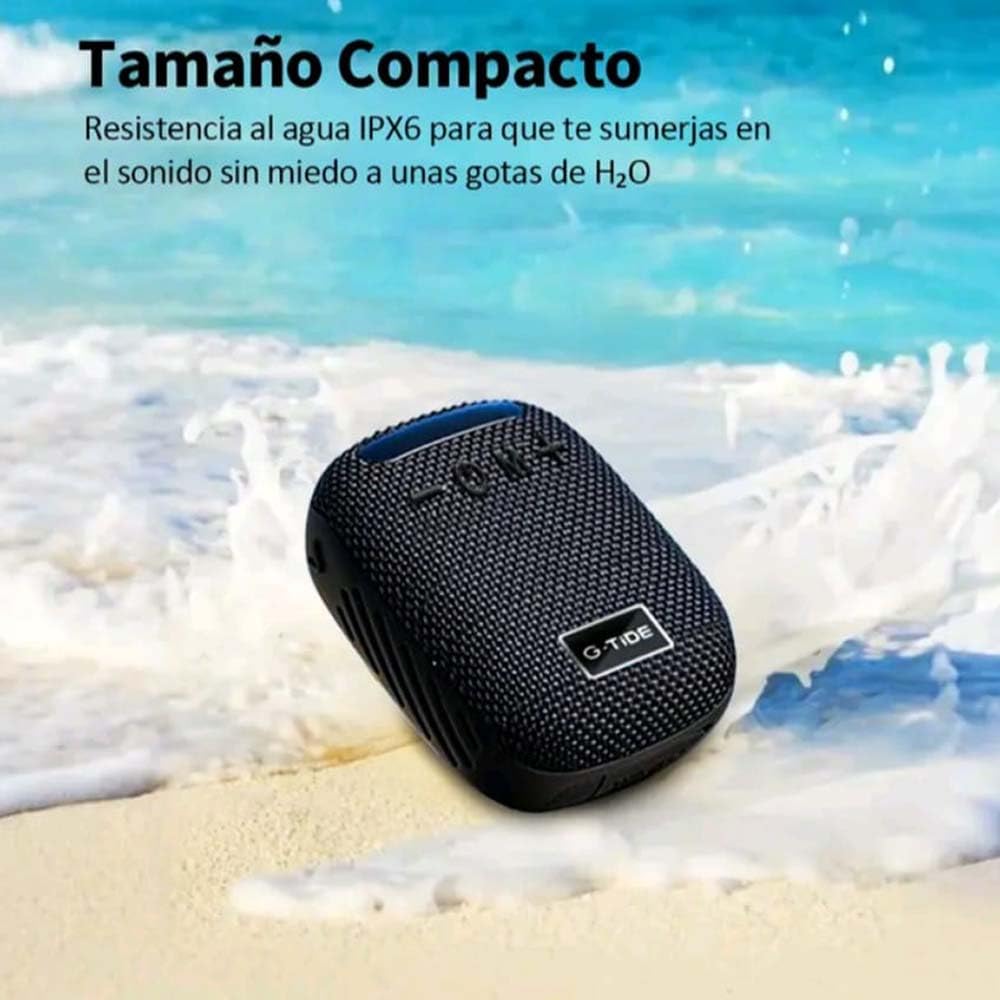
Image 7.1: The MOREKA G-Tide SV01 speaker resting on a sandy beach with ocean waves in the background, emphasizing its IPX6 water resistance, making it suitable for outdoor environments where it might encounter splashes or light rain.
8. Troubleshooting
| Problem | Possible Cause | Solution |
|---|---|---|
| Speaker does not turn on. | Low battery. | Charge the speaker fully. |
| Cannot pair with Bluetooth device. | Speaker not in pairing mode; device Bluetooth off; too far apart. | Ensure speaker is in pairing mode (flashing LED). Turn on Bluetooth on your device. Move devices closer (within 10 meters). |
| No sound. | Volume too low; incorrect mode; device not connected. | Increase volume on speaker and connected device. Press 'M' to switch modes. Re-pair Bluetooth device. |
| FM radio reception is poor. | Weak signal; interference. | Move to an open area. Re-scan stations. |
9. Specifications

Image 9.1: A close-up diagram of the 45mm dynamic drivers, illustrating their internal structure and highlighting the acoustic technology that enables a wide frequency response for rich bass and clear treble, producing a balanced and dynamic audio signature.
- Model: SV01
- Bluetooth Version: 5.4
- Battery Capacity: 500mAh
- Playback Time: Up to 5 hours
- Charging Time: Approximately 2-3 hours
- Water Resistance: IPX6
- Speaker Drivers: 45mm Dynamic Drivers
- Supported Modes: Bluetooth, TF Card, FM Radio
- TF Card Support: Up to 32GB (FAT32)
- Dimensions: Approximately 30 x 30 x 25 cm
- Compatible Devices: Smartphone, Tablet, Laptop
10. Warranty and Support
The MOREKA G-Tide SV01 speaker comes with a standard manufacturer's warranty. Please refer to the warranty card included in your package for specific terms and conditions. For technical support, troubleshooting assistance, or warranty claims, please contact MOREKA customer service through the retailer where you purchased the product or visit the official MOREKA website.
Return Policy: This product is eligible for a 30-day free return period from the date of purchase, as per the retailer's policy.