
1. Introduction
Thank you for choosing the VINKO Portable Charger V1002. This compact and powerful 20000mAh power bank is designed to provide reliable and fast charging for your mobile devices on the go. Featuring 22.5W fast charging capabilities, built-in USB-C and Lightning cables, and a clear LED digital display, it ensures your devices stay powered throughout the day. This manual provides essential information for safe and efficient use of your portable charger.
2. Package Contents
- VINKO Portable Charger V1002 (White)
- User Manual
3. Product Overview
The VINKO Portable Charger V1002 is equipped with multiple charging options and a digital display for convenience.

Image: The VINKO Portable Charger V1002 in white, featuring its compact design and integrated USB-C and Lightning cables. A credit card is placed next to it to illustrate its small footprint.
3.1 Key Components
- Built-in USB-C Cable: For charging USB-C compatible devices and recharging the power bank.
- Built-in Lightning Cable: For charging Apple devices (iPhone, iPad).
- USB-C Port (Input/Output): A versatile port for both charging devices and recharging the power bank.
- USB-A Port (Output): Standard USB port for charging various devices.
- LED Digital Display: Shows the remaining battery percentage (0-100%).
- Power Button: Activates the display and initiates charging.

Image: A detailed view of the power bank highlighting its built-in cables, the digital percentage display, and the additional USB-A and USB-C ports.
4. Setup
4.1 Initial Charging of the Power Bank
Before first use, it is recommended to fully charge your VINKO Portable Charger. This ensures optimal battery performance and accuracy of the digital display.
- Connect the built-in USB-C cable or an external USB-C cable to a compatible USB wall adapter (not included).
- Plug the wall adapter into a power outlet.
- The LED digital display will show the charging progress, increasing from 0% to 100%.
- Once 100% is displayed, the power bank is fully charged and ready for use.

Image: Illustration demonstrating how to recharge the power bank using either its integrated USB-C cable or a separate USB-C cable connected to a power source.
5. Operating Instructions
5.1 Charging Your Devices
The VINKO Portable Charger offers multiple ways to charge your devices:
- Using Built-in Cables:
Connect your device directly using the built-in USB-C or Lightning cable. The power bank will automatically begin charging. - Using USB-C Port:
Connect your device to the USB-C port on the power bank using a compatible USB-C to USB-C cable (not included). - Using USB-A Port:
Connect your device to the USB-A port on the power bank using a compatible USB-A to device-specific cable (not included).
Press the power button once to activate the LED display and initiate charging if it doesn't start automatically. The display will show the remaining battery percentage of the power bank.
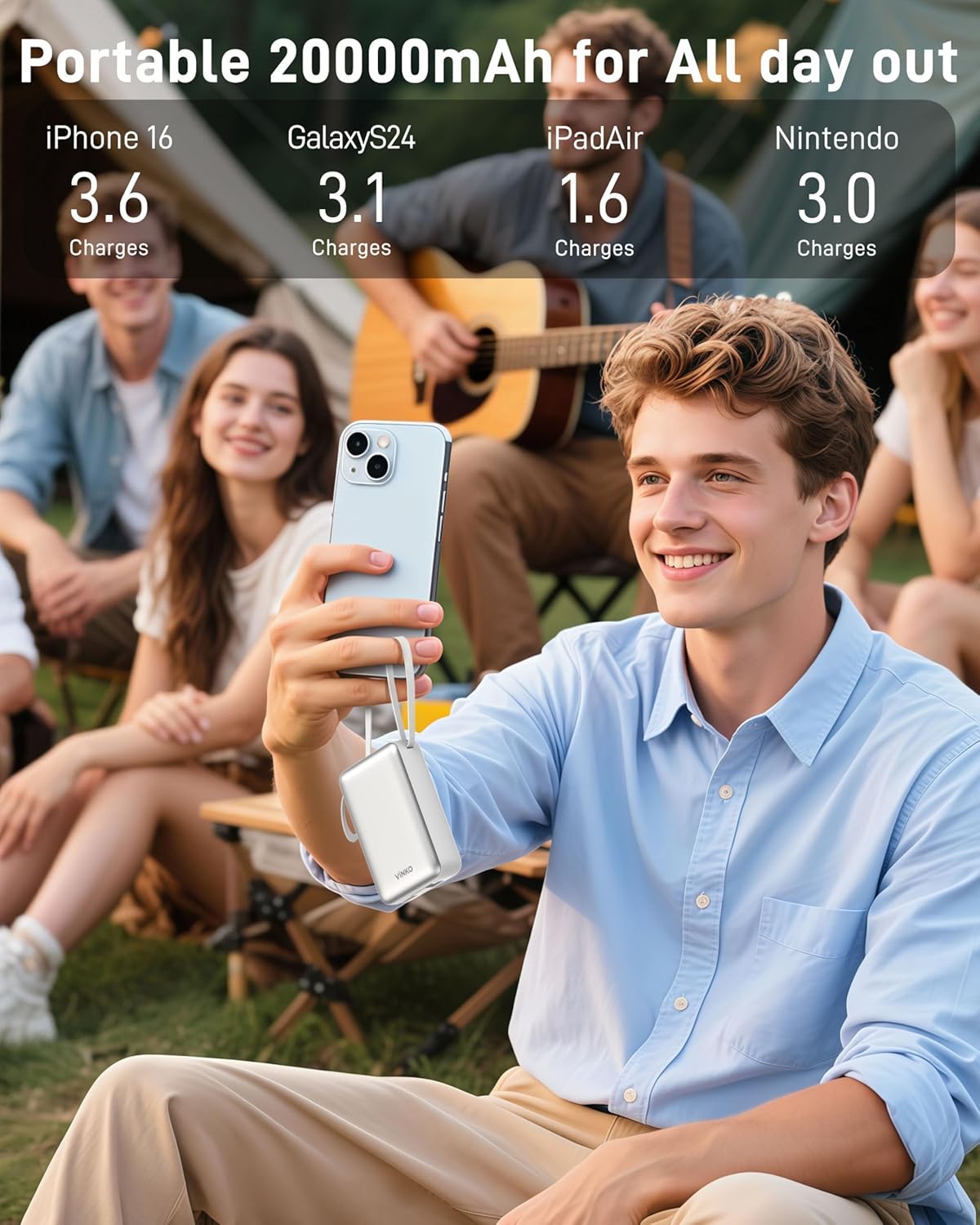
Image: A user charging a smartphone with the VINKO power bank, demonstrating its use in an outdoor setting.
5.2 Fast Charging
The VINKO Portable Charger supports 22.5W fast charging for compatible devices, significantly reducing charging times. Charging times may vary depending on your device model and its charging capabilities.

Image: A visual comparison highlighting the 22.5W fast charging speed, indicating that the VINKO charger can reach 50% battery in 30 minutes.
5.3 Charging Multiple Devices Simultaneously
You can charge up to four devices concurrently using the built-in USB-C cable, built-in Lightning cable, USB-C port, and USB-A port.
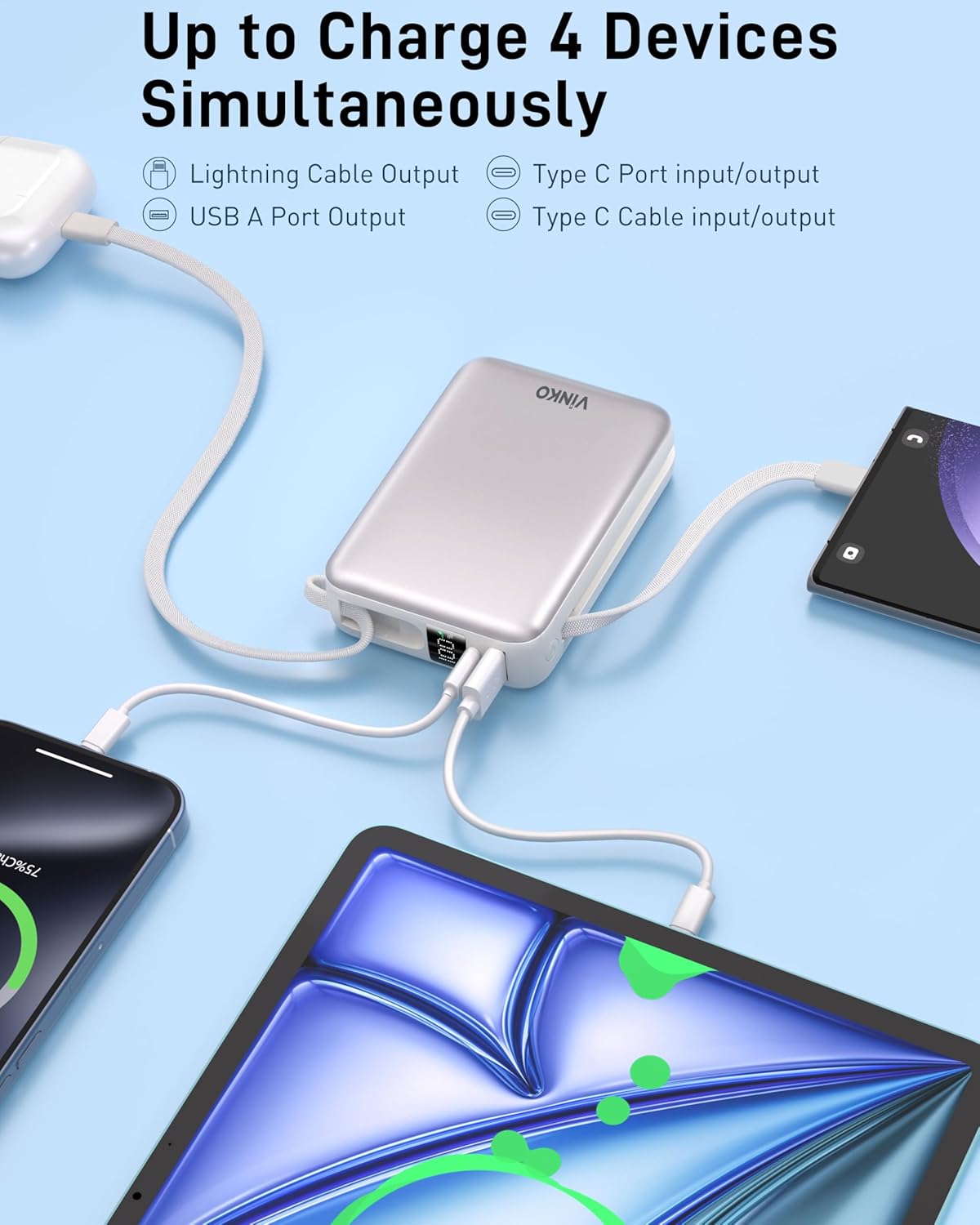
Image: The power bank connected to and charging four devices simultaneously, demonstrating its multi-device charging capability.
5.4 LED Digital Display
The LED display provides an accurate percentage of the remaining battery capacity of the power bank, from 0% to 100%. This allows you to monitor the power level precisely.
6. Maintenance
- Cleaning: Use a soft, dry cloth to clean the surface of the power bank. Avoid using liquid cleaners or abrasive materials.
- Storage: Store the power bank in a cool, dry place away from direct sunlight and extreme temperatures.
- Battery Care: To prolong battery life, fully charge the power bank at least once every three months if not in regular use. Avoid completely draining the battery frequently.
- Cable Durability: The built-in cables are designed for durability, withstanding over 20,000 bends. However, avoid excessive force or sharp bending to prevent damage.
7. Troubleshooting
- Power bank not charging:
Ensure the charging cable is securely connected to both the power bank and the wall adapter. Try a different cable or wall adapter. - Device not charging from power bank:
Ensure the power bank has sufficient charge (check LED display). Verify the cable connection between the power bank and your device. Try a different cable or port. Press the power button on the power bank to activate charging. - Slow charging:
Ensure your device and cable support fast charging. Some devices may limit charging speed if they are already partially charged or if the power bank's output is shared among multiple devices. - LED display not working:
Press the power button to activate the display. If it remains off, the power bank might be completely discharged or require service.
8. Specifications
| Feature | Detail |
|---|---|
| Model Number | V1002 |
| Battery Capacity | 20000 Milliamp Hours |
| Product Dimensions | 4.1 x 1.2 x 2.8 inches (10.4 x 3.0 x 7.1 cm) |
| Item Weight | 14.4 ounces (0.41 kg) |
| Fast Charging Output | 22.5W (Max) |
| Connector Type | USB Type C (Input/Output), USB Type A (Output), Built-in USB-C, Built-in Lightning |
| Special Features | Auto Shut-Off, Built-in Cables, Digital Display, Fast Charging, Over Charging Protection |
| Color | White |
| Manufacturer | Shenzhen LDTEK Technology Co., Ltd |
9. Safety Information
- Do not expose the power bank to extreme temperatures (above 60°C/140°F or below 0°C/32°F) or direct sunlight.
- Do not disassemble, modify, or repair the device yourself.
- Keep the power bank away from water, moisture, and flammable materials.
- Avoid dropping or subjecting the power bank to strong impacts.
- Keep out of reach of children.
- Dispose of the power bank according to local regulations for electronic waste.
10. Warranty and Support
VINKO products are designed and manufactured to the highest quality standards. This product is covered by a standard manufacturer's warranty against defects in materials and workmanship from the date of purchase. Please retain your proof of purchase for warranty claims.
For technical support, warranty inquiries, or other assistance, please contact VINKO customer service through the retailer where the product was purchased or visit the official VINKO website for contact information.