
1. Introduction
The ZealSound Mini Wireless Lavalier Microphone (Model M6S-US) is designed for high-quality audio capture across various devices. This ultra-compact microphone system features advanced noise reduction, extended battery life, and broad compatibility, making it suitable for content creators, podcasters, and professionals. This manual provides detailed instructions for setup, operation, and maintenance to ensure optimal performance.
The system includes two wireless microphones (transmitters), a USB-C receiver, and a Lightning adapter, offering versatile connectivity for Android phones, iPhone 15/16, iPads, and OTG-enabled PCs, as well as older iPhones.
2. What's in the Box
- Transmitter (Microphone) ×2
- Receiver (USB-C )×1
- Charging Cable USB-C to USB-A Cable x1
- Lightning Adapter for iPhone x1
- User Guide ×1
- Foam Windscreens x2
- Compact Travel Case x1

Image: The complete accessory kit, showing two microphones, USB-C receiver, Lightning adapter, charging cable, and the compact travel case.
3. Product Features
- Ultra-Compact Design: Weighing only 5g (0.18oz) with a scratch-resistant electroplated finish.
- Dual Microphones: Includes two transmitters for solo or two-person recording.
- Plug-and-Play: Instant recording without apps, Bluetooth, or complex setup.
- Wide Compatibility: USB-C receiver for Android, iPhone 15/16, iPads, and OTG-enabled PCs; Lightning adapter for older iPhones.
- Active Noise Cancellation (ANC): Built-in intelligent noise filter reduces environmental distractions. Enabled by default (blue LED), can be toggled off (green LED).
- Studio-Quality Sound: 48kHz/24bit HD audio with an omnidirectional pickup pattern and high SPL handling up to 115dB.
- Onboard Controls: Double-tap to mute/unmute, triple-tap for echo/reverb effects, and adjust volume via the receiver (3 levels).
- Extended Battery Life: 6 hours of continuous use per mic, plus an additional 27 hours from the portable charging case (total 33 hours). Mics fully recharge in 40 minutes.
- 325ft Wireless Range: Stable 2.4GHz wireless connection for lag-free audio.
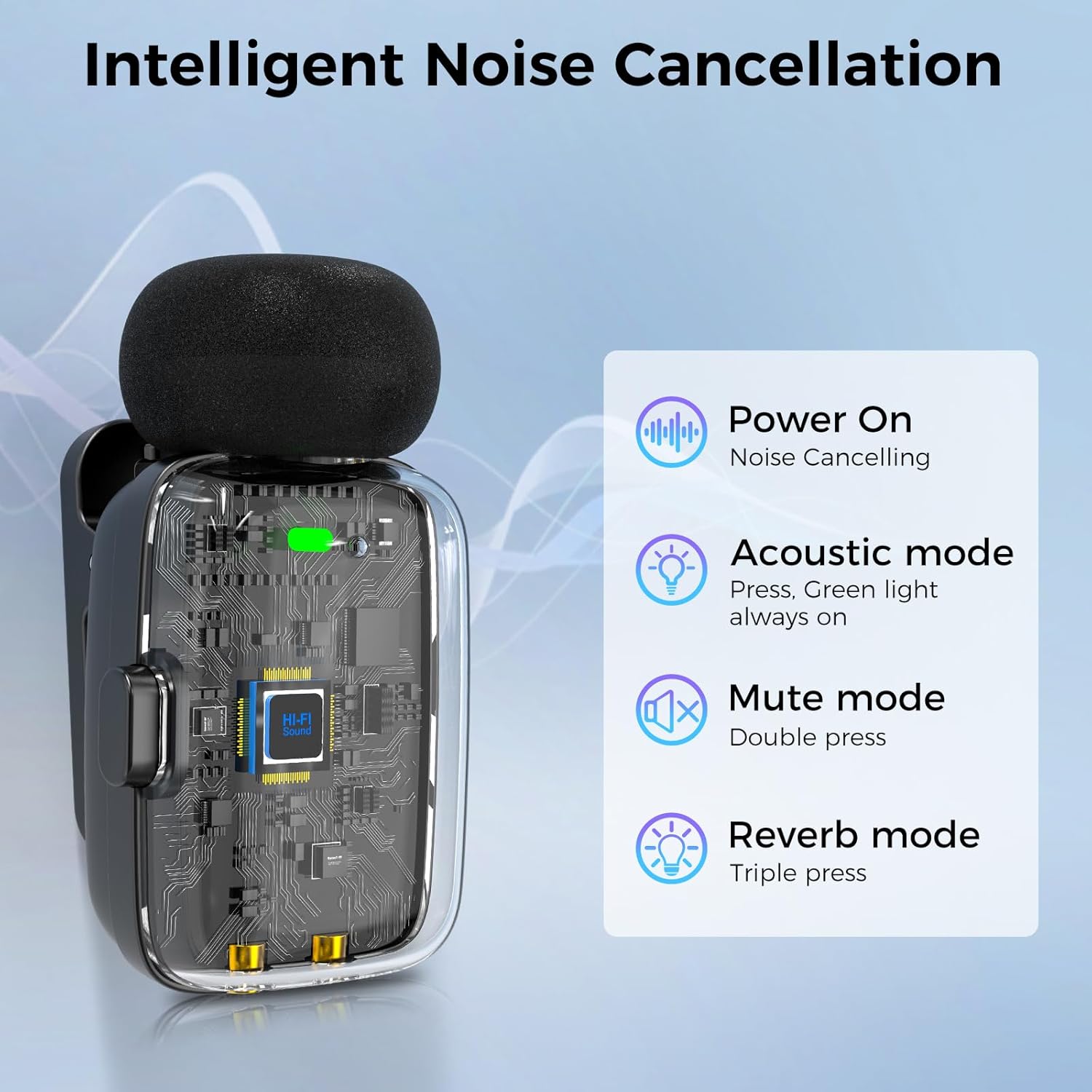
Image: Detailed view of the microphone's intelligent noise cancellation and control modes.
4. Setup
- Charge the System: Ensure both microphones and the charging case are fully charged using the provided USB-C cable. The charging case has LED indicators for battery status.
- Connect the Receiver:
- For USB-C devices (Android phones, iPhone 15/16, iPads, OTG-enabled PCs): Plug the USB-C receiver directly into your device's USB-C port.
- For older iPhones/iPads (Lightning port): Attach the Lightning adapter to the USB-C receiver, then plug the adapter into your device's Lightning port.
- Power On Microphones: Take the desired microphone(s) out of the charging case. They will automatically power on and attempt to pair with the receiver. The blue LED on the microphone indicates active noise cancellation (default mode).
- Verify Connection: Once connected, the LED indicator on the receiver will turn solid blue, and the microphone's LED will be solid blue (for ANC on) or solid green (for ANC off).
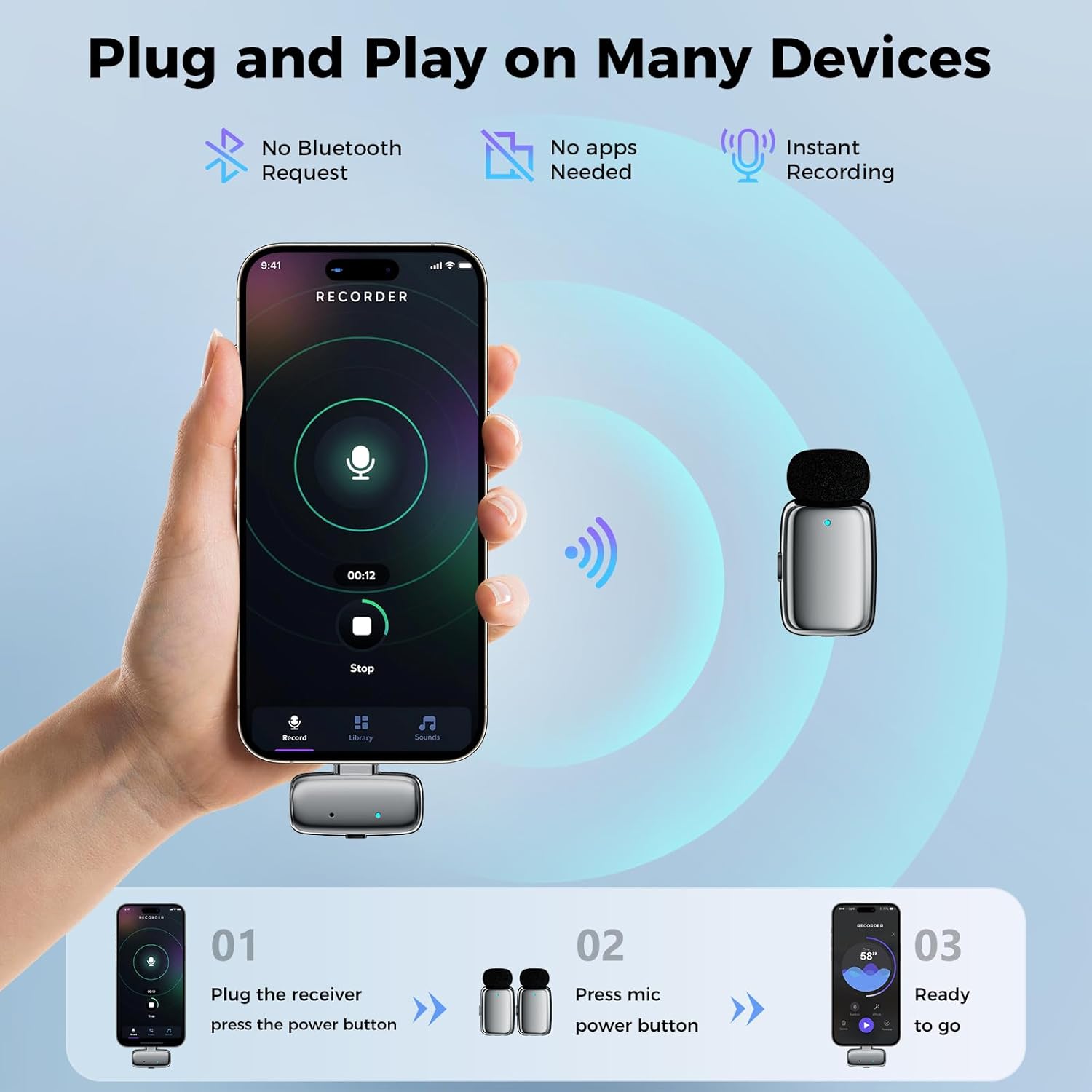
Image: Simple plug-and-play setup with a smartphone.
Video: An official seller video demonstrating the setup and use of the ZealSound Wireless Lavalier Mic for iPhone, iPad, and Android devices.
5. Operating Instructions
5.1. Basic Recording
After successful setup, open your device's camera or recording app. The microphone will automatically be recognized as the audio input source. Begin recording as usual.
5.2. Controls and Indicators
- Power On/Off: Microphones power on automatically when removed from the charging case and power off when returned.
- Active Noise Cancellation (ANC): Enabled by default (blue LED on microphone). To turn off ANC, press the button on the microphone until the LED turns green. Press again to re-enable ANC (blue LED).
- Mute/Unmute: Double-tap the button on the microphone transmitter to mute or unmute your audio. This is useful for pausing during interviews or meetings.
- Echo/Reverb Effects: Triple-tap the button on the microphone transmitter to activate echo/reverb effects. This can add depth to voiceovers or be used for karaoke.
- Volume Adjustment: The receiver features a button to adjust the output volume. Each press cycles through 3 volume levels, indicated by LED flashes (1 to 3 times) on the receiver.

Image: Double-press to mute instantly for quick control during live sessions.

Image: Triple volume settings are available via the receiver, with LED flashes indicating the current level.
6. Compatibility
The ZealSound Mini Wireless Lavalier Microphone system is designed for broad compatibility:
- USB-C Devices: Compatible with Android phones, iPhone 15/16, iPads, and OTG-enabled PCs and laptops.
- Lightning Devices: Compatible with older iPhone and iPad models via the included Lightning adapter.
No additional apps or Bluetooth pairing are required for operation.

Image: A visual guide to device compatibility, including iPhones, Android phones, iPads, and laptops.
7. Battery Life and Charging
- Microphone Battery Life: Each microphone provides approximately 6 hours of continuous recording on a single charge.
- Charging Case: The portable mini charging case offers an additional 27 hours of battery life, allowing for multiple recharges of the microphones.
- Total Usage Time: Up to 33 hours of total recording time with the charging case.
- Charging Time: Microphones fully recharge within the case in approximately 40 minutes. The case itself is recharged via the provided USB-C to USB-A cable.

Image: Battery life and charging details for the microphones and charging case.
8. Usage Scenarios
This dual wireless lavalier mic system is versatile for various recording needs:
- Content Creation: Ideal for TikTok, Instagram Reels, YouTube videos, vlogs (travel, street), and tutorials.
- Podcasting & Streaming: Suitable for solo or co-hosted podcasts, live streaming, gaming streams, and ASMR.
- Interviews & Reporting: Perfect for interviews, street vox pops, and mobile journalism.
- Educational & Professional: Useful for online courses, classroom teaching, Zoom meetings, corporate training, and public speaking.
- Performance & Events: Great for karaoke (with echo effects), live concerts, church sermons, and event hosting.

Image: Diverse usage scenarios for the wireless microphone system.
9. Maintenance
- Cleaning: Use a soft, dry cloth to clean the microphones, receiver, and charging case. Avoid using liquids or abrasive cleaners.
- Storage: Store the system in its compact travel case when not in use to protect it from dust and damage.
- Battery Care: For optimal battery longevity, avoid fully discharging the batteries frequently. Recharge regularly, especially if storing for extended periods.
- Windscreens: Ensure foam windscreens are properly attached to the microphones to reduce wind noise and protect the microphone capsule. Replace if damaged.
10. Troubleshooting
| Problem | Possible Cause | Solution |
|---|---|---|
| No audio recording | Microphone not paired/powered on; Receiver not connected; Device audio input not selected. | Ensure mic(s) are out of case and powered on (LED lit). Verify receiver is firmly plugged into device. Check device settings to confirm external mic is selected as audio input. |
| Poor audio quality/noise | ANC off; Environmental noise; Microphone too far from source; Obstructions. | Ensure ANC is enabled (blue LED). Move closer to the microphone. Reduce environmental noise. Ensure clear line-of-sight between mic and receiver. |
| Short battery life | Insufficient charging; Old battery. | Fully charge microphones and charging case. Ensure charging contacts are clean. |
| Microphone not charging | Poor contact; Case not charged. | Ensure microphones are correctly seated in the charging case. Verify charging case has power (LED indicators). Clean charging contacts. |
11. Specifications
- Brand: ZealSound
- Model Name: M6S-US
- Connectivity Technology: 2.4G Wireless
- Connector Type: Lightning Adapter, USB-C Receiver
- Polar Pattern: Omnidirectional
- Audio Sensitivity: 38 Decibels
- Signal-to-Noise Ratio: 58 dB
- Frequency Response: 48 KHz
- Number of Channels: 2
- Item Weight: 1.99 Ounces
- Product Dimensions: 2.8 x 1.26 x 1.89 inches
- Power Source: Battery Powered (3 Nonstandard Battery batteries included)
- Material: Acrylonitrile Butadiene Styrene, Premium Electroplated Finish
- Color: Silver
12. Warranty and Support
ZealSound products are designed for quality and reliability. For any support inquiries, troubleshooting assistance, or warranty information, please refer to the official ZealSound website or contact their customer service directly. Keep your purchase receipt for warranty claims.
ZealSound, founded in 2009, specializes in high-quality microphones and audio mixers, committed to providing reliable and accessible sound solutions.


