
Samsung HW-QS700F
Samsung Q Series Soundbar HW-QS700F User Manual
Brand: Samsung
Model: HW-QS700F (E2SAMHWQS700F)
Introduction
This manual provides comprehensive instructions for the setup, operation, and maintenance of your Samsung Q Series Soundbar HW-QS700F. This 3.1.2 channel sound system, including a subwoofer and wireless rear speakers, is designed to deliver an immersive audio experience with features like Dolby Atmos, Q-Symphony, and SpaceFit Sound Pro.
The HW-QS700F offers a versatile design, allowing for flat placement on a TV console or flush wall mounting. Its advanced audio technologies automatically optimize sound based on placement and content, ensuring clear dialogue, powerful bass, and dynamic surround sound for movies, music, and gaming.

Figure 1: Complete Samsung Q Series Soundbar HW-QS700F system including soundbar, subwoofer, remote, wireless rear speakers, and HDMI cables.
Setup Guide
1. Unboxing and Package Contents
Carefully unpack all components from the box. Ensure all items listed below are present:
- Samsung Soundbar (HW-QS700F)
- Subwoofer
- HDMI Cable
- Wall Mount Kit
- Rubber Foot
- Remote Controller with Battery
- Samsung SWA-9500S Wireless Rear Speaker Kit (2 speakers)
- Deco Gear 6FT Universal 4K HDMI 2.0 Cable (x2)
- Tech Smart USA Premiere Movies Streaming 2020 Digital Download Card

Figure 2: Main components of the Samsung HW-QS700F system: soundbar, subwoofer, and remote control.
2. Physical Placement (Convertible Fit)
The HW-QS700F soundbar offers flexible placement options:
- Flat on a TV Console Table: Place the soundbar flat on a stable surface in front of your TV. The built-in sensor will detect this position and automatically optimize audio for this configuration.
- Flush Wall Mounting: Use the provided wall mount kit to secure the soundbar flush against the wall below your TV. The soundbar's sensor will also detect this orientation and adjust audio settings accordingly.
Ensure the soundbar is positioned centrally relative to your TV for optimal sound staging. The subwoofer can be placed anywhere in the room, ideally near the soundbar, as it connects wirelessly.

Figure 3: The soundbar positioned flat, suitable for TV console placement.
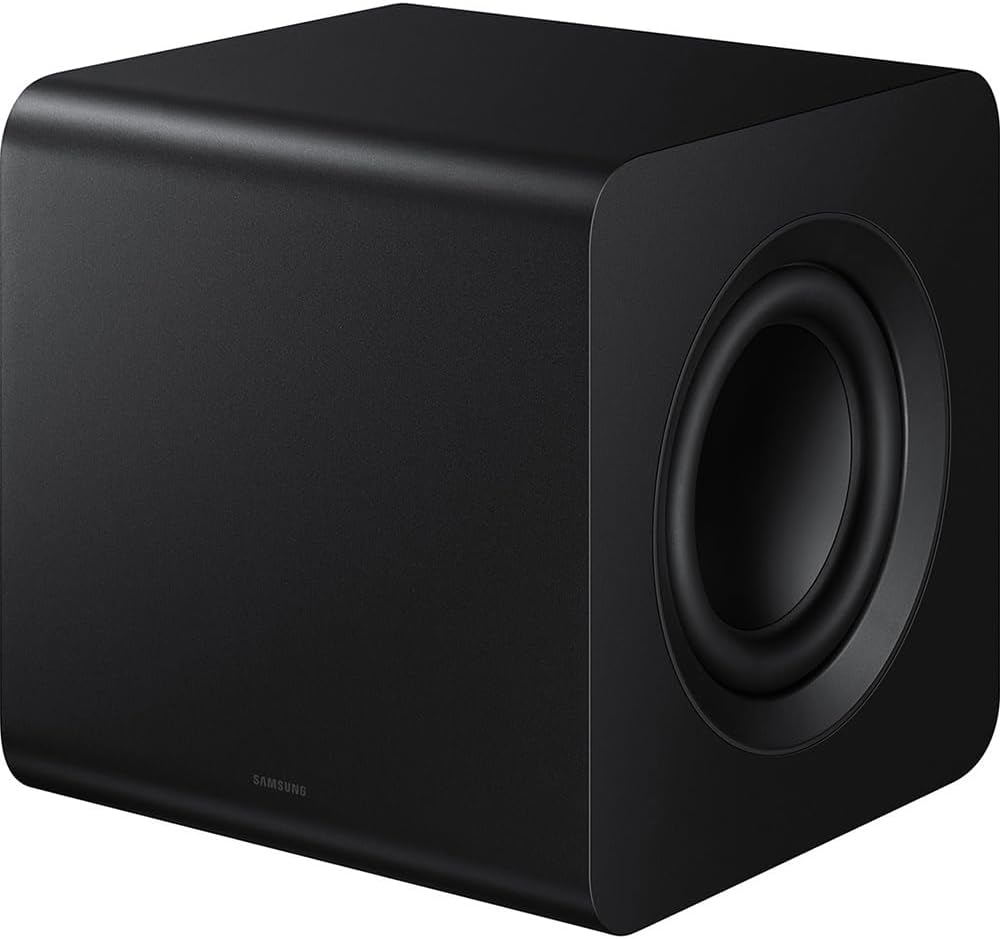
Figure 4: The compact wireless subwoofer.
3. Connecting Components
- Soundbar to TV (HDMI eARC/ARC): Connect one end of the provided HDMI cable to the HDMI eARC/ARC port on your TV and the other end to the HDMI OUT (TV-eARC) port on the soundbar. This connection allows for high-quality audio transmission, including Dolby Atmos.
- Subwoofer Connection: The subwoofer connects wirelessly to the soundbar. Ensure both devices are powered on. The subwoofer should automatically pair with the soundbar. If not, refer to the troubleshooting section for manual pairing instructions.
- Wireless Rear Speakers (SWA-9500S): The SWA-9500S rear speakers connect wirelessly to the soundbar. Place them behind your listening position for optimal surround sound. Power on the speakers, and they should automatically pair. Refer to the SWA-9500S manual for detailed setup if needed.
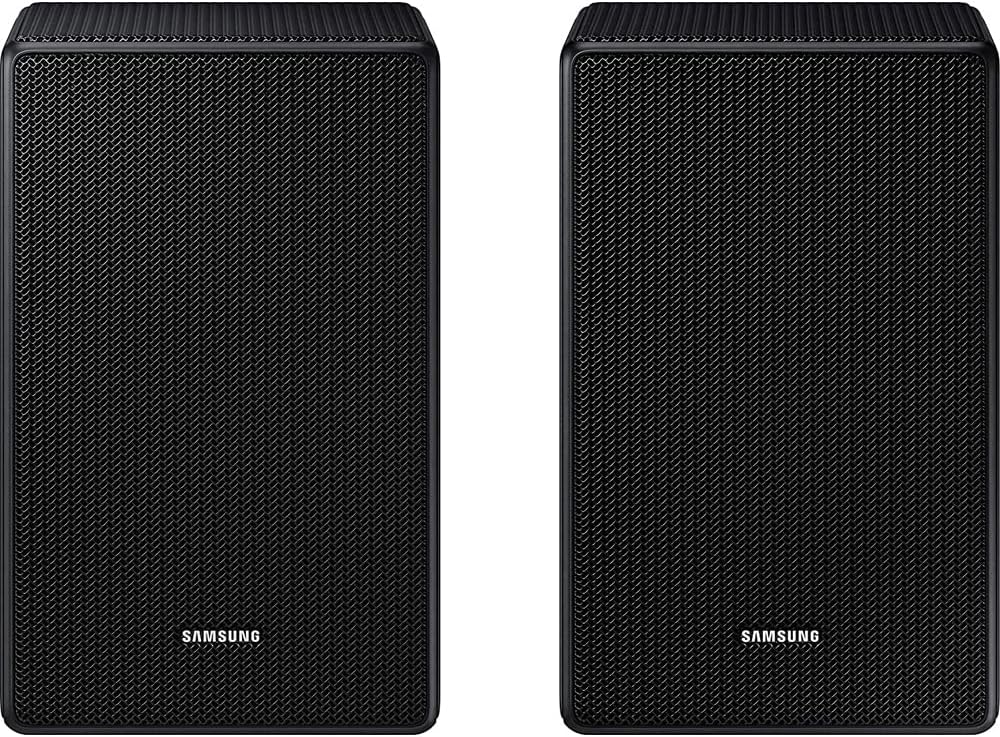
Figure 5: The SWA-9500S wireless rear speakers, enhancing the surround sound experience.
4. Initial Power On
Once all components are connected and powered, turn on your TV and the soundbar. The soundbar's display will show its status. You can now begin adjusting settings using the remote control or the Samsung SmartThings app.
Operating Instructions
1. Basic Operation with Remote Control
Use the provided remote control to manage the soundbar's functions:
- Power: Turn the soundbar on or off.
- Volume: Adjust the overall volume level.
- Source: Switch between input sources (e.g., HDMI, Bluetooth, Wi-Fi).
- Sound Mode: Cycle through available sound modes (Standard, Surround, Game Pro, Adaptive Sound).
- Mute: Mute or unmute the sound.
- Bass/Treble: Adjust bass and treble levels for personalized audio.
2. Advanced Sound Features
- Q-Symphony: When connected to a compatible Samsung TV, Q-Symphony allows the TV's speakers and the soundbar to operate simultaneously, creating a more expansive and immersive soundstage. This feature also intelligently separates voices and background sounds for optimal clarity.
- SpaceFit Sound Pro: This feature uses your compatible TV's built-in microphone to analyze your room's acoustics. The soundbar then automatically tunes and calibrates its sound settings to deliver balanced and clear audio, regardless of room layout or soundbar placement.
- Adaptive Sound: The soundbar intelligently analyzes the content being played in real-time (e.g., movie, music, news) and automatically adjusts audio settings to optimize the listening experience, ensuring clear voices and detailed sounds.
- Game Mode Pro: For an enhanced gaming experience, connect your gaming console to a compatible TV. The soundbar automatically activates Game Mode Pro, providing dynamic, auto-optimized 3D sound with powerful up-firing speakers and strong woofers for maximum immersion.
- Wireless Dolby Atmos: Experience immersive 3D sound with Dolby Atmos, even without an HDMI cable. This object-based spatial audio technology allows you to hear distinct sounds from above and around you, bringing content to life.
3. Smart Integration
The HW-QS700F supports various smart services and voice assistants:
- Voice Assistants: Integrate with your preferred voice assistant for hands-free control of the soundbar and connected smart home devices.
- Googlecast & AirPlay 2: Stream audio directly from your compatible devices using Googlecast or AirPlay 2 for seamless music playback.
- SmartThings App: Download the Samsung SmartThings app on your smartphone for advanced control, settings adjustments, and firmware updates for your soundbar system.
Maintenance
To ensure the longevity and optimal performance of your Samsung Soundbar system, follow these maintenance guidelines:
- Cleaning: Use a soft, dry, lint-free cloth to gently wipe the surfaces of the soundbar, subwoofer, and rear speakers. Do not use liquid cleaners, abrasive cloths, or chemical sprays, as these can damage the finish or internal components.
- Ventilation: Ensure that the ventilation openings on the soundbar and subwoofer are not blocked. Adequate airflow prevents overheating.
- Placement: Avoid placing the system in direct sunlight, near heat sources, or in areas with high humidity or dust.
- Power Cord: Regularly check the power cords for any signs of damage. If a cord is damaged, discontinue use and contact Samsung support for a replacement.
Troubleshooting
If you encounter issues with your Samsung Soundbar, refer to the following common problems and solutions:
No Sound
- Check Power: Ensure the soundbar, subwoofer, and TV are all powered on.
- Input Source: Verify that the correct input source is selected on the soundbar (e.g., HDMI, Bluetooth).
- Volume Level: Increase the volume on both the soundbar and your TV. Ensure neither is muted.
- Cable Connection: Confirm that all audio cables (e.g., HDMI) are securely connected between the soundbar and the TV/source device.
- TV Audio Output: Check your TV's audio output settings to ensure it's set to external speakers or HDMI ARC/eARC.
Subwoofer or Rear Speakers Not Connecting
- Power: Ensure the subwoofer and rear speakers are powered on and their power indicators are lit.
- Proximity: Make sure the subwoofer and rear speakers are within wireless range of the soundbar.
- Manual Pairing: If automatic pairing fails, refer to the soundbar's full manual or the SWA-9500S manual for instructions on manual wireless pairing. Typically, this involves pressing a 'Pairing' or 'ID Set' button on the subwoofer/receiver and then on the soundbar.
- Interference: Move other wireless devices away from the soundbar system to reduce potential interference.
Remote Control Not Working
- Batteries: Replace the batteries in the remote control.
- Line of Sight: Ensure there are no obstructions between the remote control and the soundbar's sensor.
- Distance: Operate the remote within its effective range.
For more detailed troubleshooting or persistent issues, please refer to the full Samsung user manual available on the official Samsung support website.
Specifications
| Feature | Detail |
|---|---|
| Model Name | E2SAMHWQS700F (HW-QS700F) |
| Speaker Type | Soundbar |
| Surround Sound Channel Configuration | 3.1.2 Channel |
| Subwoofer Diameter | 6.5 Inches (Active) with 8 Inch Passive Radiator |
| Speaker Maximum Output Power | 345 Watts |
| Frequency Response | 20 Hz |
| Connectivity Technology | Bluetooth, Wi-Fi, HDMI eARC/ARC |
| Audio Output Mode | 3D Spatial Audio (Dolby Atmos, DTS:X) |
| Special Features | Q-Symphony, SpaceFit Sound Pro, Adaptive Sound, Game Mode Pro, Smart Integration (Googlecast, AirPlay 2), Wireless Surround Sound Compatible (SWA-9500S included) |
| Mounting Type | Wall Mount / Tabletop |
| Product Dimensions | 4.72"D x 45.67"W x 2"H (Soundbar) |
| Item Weight | 24 Pounds (Total System) |
| Color | Black |
| Power Source | Corded Electric |
| UPC | 196641178922 |
Warranty Information
This Samsung Q Series Soundbar HW-QS700F system comes with a Samsung Limited Protection warranty. The specific terms and duration of the warranty may vary by region and purchase date.
For detailed information regarding your product's warranty coverage, including terms, conditions, and how to make a claim, please refer to the warranty card included in your product packaging or visit the official Samsung support website.
It is recommended to register your product with Samsung after purchase to facilitate warranty services.
Customer Support
For further assistance, technical support, or to download the complete user manual, please visit the official Samsung support website:
You can also find frequently asked questions (FAQs) and community forums on their website for additional help.
Related Documents - HW-QS700F
 |
Samsung HW-QS700F/ZF Soundbar Speaker: 3.1.2 Channel, 345W - Full Specifications Explore the comprehensive technical specifications for the Samsung HW-QS700F/ZF soundbar speaker. Details include audio channels, power output, supported decoders, connectivity options (Wi-Fi, Bluetooth, HDMI), dimensions, weight, and advanced Samsung technologies like AirPlay 2 and SpaceFit Sound Pro. |
 |
Samsung HW-Q910B User Manual Comprehensive user manual for the Samsung HW-Q910B soundbar, covering setup, operation, troubleshooting, and safety information. Learn how to connect devices, use features like Q-Symphony and Spacefit Sound, and understand the remote control. |
 |
Samsung HW-Q990F/HW-Q930F/HW-Q900F/HW-Q800F User Manual This user manual provides comprehensive instructions for setting up, operating, and troubleshooting the Samsung HW-Q990F, HW-Q930F, HW-Q900F, and HW-Q800F wireless soundbar systems. It covers component identification, remote control usage, soundbar connections, audio settings, wireless connectivity (Bluetooth and Wi-Fi), software updates, and mounting instructions. |
 |
Samsung SWA-9500S Wireless Rear Speaker User Manual User manual for the Samsung SWA-9500S wireless rear speaker system. Provides safety information, setup instructions, specifications, and warranty details for enhancing your home audio experience. |
 |
Samsung HW-QS700F / HW-QS750F User Guide Comprehensive user guide for the Samsung HW-QS700F and HW-QS750F soundbar systems, covering setup, connections, features, troubleshooting, and software updates. |
 |
Samsung HW-Q990F/HW-Q930F/HW-Q900F/HW-Q800F User Guide Comprehensive user guide for Samsung Q-Series soundbars (HW-Q990F, HW-Q930F, HW-Q900F, HW-Q800F), covering setup, connections, features, and troubleshooting. |
Ask a question about this manual
Ask about setup, troubleshooting, compatibility, parts, safety, or missing instructions. Manuals+ will review the question and use this page’s manual context to help answer it.