
1. Introduction and Overview
This manual provides essential information for the safe and effective use of your DTK 2600mAh Lithium-Ion Replacement Battery, designed for Flex 24V power tools. Please read this manual thoroughly before initial use and retain it for future reference. This battery offers reliable power with advanced protection features for enhanced safety and performance.

Image 1.1: DTK 2600mAh Lithium-Ion Replacement Battery.
2. Safety Information
Always observe the following safety precautions to prevent injury or damage to the battery and tools.
- Do not disassemble, open, or shred the battery pack.
- Do not short-circuit a battery pack. Store battery packs in a box or drawer where they will not short-circuit each other or be short-circuited by other metal objects.
- Do not expose battery packs to heat or fire. Avoid storage in direct sunlight.
- Do not subject battery packs to mechanical shock.
- In the event of a battery leaking, do not allow the liquid to come into contact with the skin or eyes. If contact has been made, wash the affected area with copious amounts of water and seek medical advice.
- Do not use any charger other than that specifically provided for use with the equipment. This battery is designed to work with original Flex 24V chargers.
- Keep battery packs clean and dry.
- Observe plus (+) and minus (-) marks on the battery and equipment and ensure correct use.
- Dispose of battery packs properly at designated collection points.
This DTK battery features multi-protection technology, including safeguards against over-charging, over-discharging, over-current, over-heating, over-voltage, and short-circuiting, ensuring safe operation.
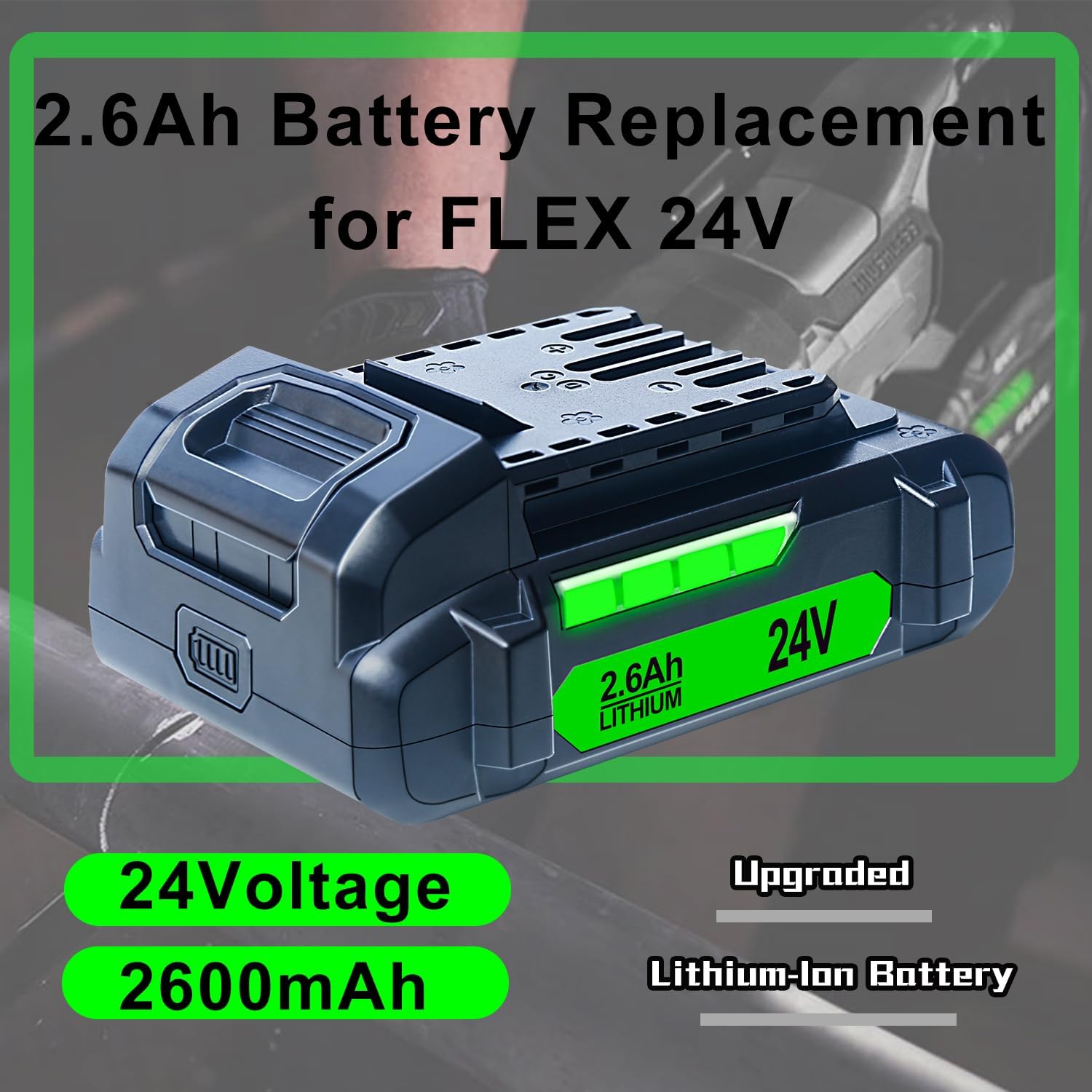
Image 2.1: Multi-Protection Technology features of the DTK battery.
3. Setup
3.1 Initial Charging
Before first use, fully charge the battery using an original Flex 24V charger. Refer to your charger's manual for specific charging instructions. The battery's LED indicator will show the charging status.
3.2 Battery Installation
- Ensure the power tool is turned off and disconnected from any power source.
- Align the battery with the battery port on your Flex 24V power tool.
- Slide the battery into the port until it clicks securely into place. A precise snap mechanism ensures a firm connection.
- To remove, press the battery release button (if present on your tool) and slide the battery out.

Image 3.1: Details of the LED Indicator, Power Contact, and Precision Snap for easy installation and removal.
4. Operating Instructions
4.1 Compatibility
This DTK 2600mAh Lithium-Ion battery is 100% compatible with a wide range of Flex 24V power tools. It is designed to provide reliable power for your existing Flex 24V equipment.

Image 4.1: The DTK battery is compatible with various Flex 24V power tools.
4.2 Monitoring Charge Level
The battery features an LED indicator that accurately displays the remaining charge. Periodically check the indicator during use to manage your work effectively and avoid unexpected power loss.
4.3 Charging the Battery
Always use an original Flex 24V charger to charge the DTK replacement battery. Connect the charger to a power outlet and then connect the battery to the charger. The LED indicator on the battery will show the charging progress. Disconnect the battery once fully charged.

Image 4.2: The DTK battery provides power for various Flex 24V tools during operation.
5. Maintenance
5.1 Cleaning
Keep the battery contacts clean. Use a dry, clean cloth to wipe away any dust or debris. Do not use liquids or solvents.
5.2 Storage
For optimal battery life, store the battery in a cool, dry place away from direct sunlight and extreme temperatures. If storing for extended periods, it is recommended to store the battery with a partial charge (around 50%). Avoid storing fully charged or fully discharged batteries for long durations.
5.3 Disposal
Lithium-ion batteries should not be disposed of with household waste. Please recycle the battery at an authorized recycling center or according to local regulations. Contact your local waste management authority for information on proper disposal.
6. Troubleshooting
- Battery not charging: Ensure the charger is properly connected to a power source and the battery is correctly seated in the charger. Verify the charger is an original Flex 24V model. Check for any visible damage to the battery or charger.
- Battery not powering tool: Ensure the battery is fully charged and securely installed in the tool. Check if the tool itself is functioning correctly with another known-good battery.
- Battery overheating during use or charging: Discontinue use or charging immediately. Allow the battery to cool down in a well-ventilated area. If overheating persists, contact customer support.
- Reduced runtime: Battery capacity can decrease over time with repeated use. Ensure the battery is fully charged before each use. If runtime significantly decreases, consider replacing the battery.
7. Specifications
| Feature | Specification |
|---|---|
| Model Number | FX0111 |
| Battery Type | Lithium-Ion (Li-ion) |
| Voltage | 24V |
| Capacity | 2.6Ah (2600mAh) |
| Item Weight | 1.08 pounds |
| Package Dimensions | 5.28 x 3.62 x 2.64 inches |
| Case Material | ABS+PC |
| Protections | Over-charging, Over-discharging, Over-current, Over-heating, Over-voltage, Short-circuit |
| Compatibility | Flex 24V Power Tools and Original 24V Chargers |
8. Warranty and Support
8.1 Warranty Information
This DTK battery comes with a 30-day money-back guarantee and a 12-month limited warranty from the date of purchase. This warranty covers manufacturing defects under normal use.
8.2 Customer Support
For any questions, concerns, or warranty claims, please contact our customer service team. The most efficient way to reach us is through the "Your Orders" tab in your Amazon account. Please allow up to 24 hours for a reply. We are committed to providing you with a satisfactory solution.