
1. Introduction
This manual provides detailed instructions for the SZYUYU Full-Size Grip Ergonomic Handheld Mode Controller, designed for use with Nintendo Switch and Nintendo Switch OLED models. Please read this manual thoroughly before use to ensure proper operation and to maximize your gaming experience.
2. Product Overview
The SZYUYU controller is a one-piece joypad designed to enhance handheld gaming on your Nintendo Switch or OLED console. It features an ergonomic design for comfortable extended play, customizable RGB lighting, macro programming capabilities, turbo functions, and advanced haptic feedback with a 6-axis gyroscope.
2.1 Package Contents
- SZYUYU Full-Size Grip Ergonomic Handheld Mode Controller x1
- Type-C Charging Cable x1
- Instruction Manual x1
2.2 Controller Features
- Ergonomic Design: Full-size grip for comfortable handheld use.
- RGB Lighting: 8 colors with 3 lighting modes.
- Macro Programming: Customizable ML/MR buttons for complex actions.
- Auto Turbo: Adjustable turbo speed for rapid input.
- Dual Motor Vibration: 5 adjustable vibration levels for immersive feedback.
- 6-Axis Gyroscope: Provides precise motion and direction tracking.
- Plug and Play: Direct connection via Type-C, no pairing required.

Image: The SZYUYU controller in handheld mode, securely attached to a Nintendo Switch console, showcasing its ergonomic design and integrated screen.
3. Setup Instructions
3.1 Connecting the Controller
- Ensure your Nintendo Switch or Switch OLED console is powered on.
- Carefully slide your Nintendo Switch console into the central slot of the SZYUYU controller.
- Ensure the console's Type-C port is securely connected to the controller's Type-C interface. The controller is plug-and-play, so no additional pairing is required.
3.2 Enabling Pro Controller Wired Communication
For optimal performance, ensure the 'Pro Controller Wired Communication' setting is enabled on your Nintendo Switch console:
- From the HOME Menu, navigate to System Settings.
- Scroll down the left-hand menu and select Controllers and Sensors.
- Locate and enable the option Pro Controller Wired Communication.

Image: Visual guide illustrating the two-step process to connect the controller and enable wired communication in the Nintendo Switch system settings.
4. Operating Instructions
4.1 RGB Lighting Modes
The controller features 8 RGB lighting effects and 3 distinct lighting modes:
- Mode 1: RGB seven-color breathing (Double-click the light button).
- Mode 2: Monochromatic LED magic breath (Double-click the light button again).
- Mode 3: Turn off the light (Double-click the light button a third time).
To adjust brightness:
- Press and hold the Light Key + Direction Key Up to increase brightness.
- Press and hold the Light Key + Direction Key Down to decrease brightness.
There are 4 brightness levels: 25%, 50%, 75%, 100%.
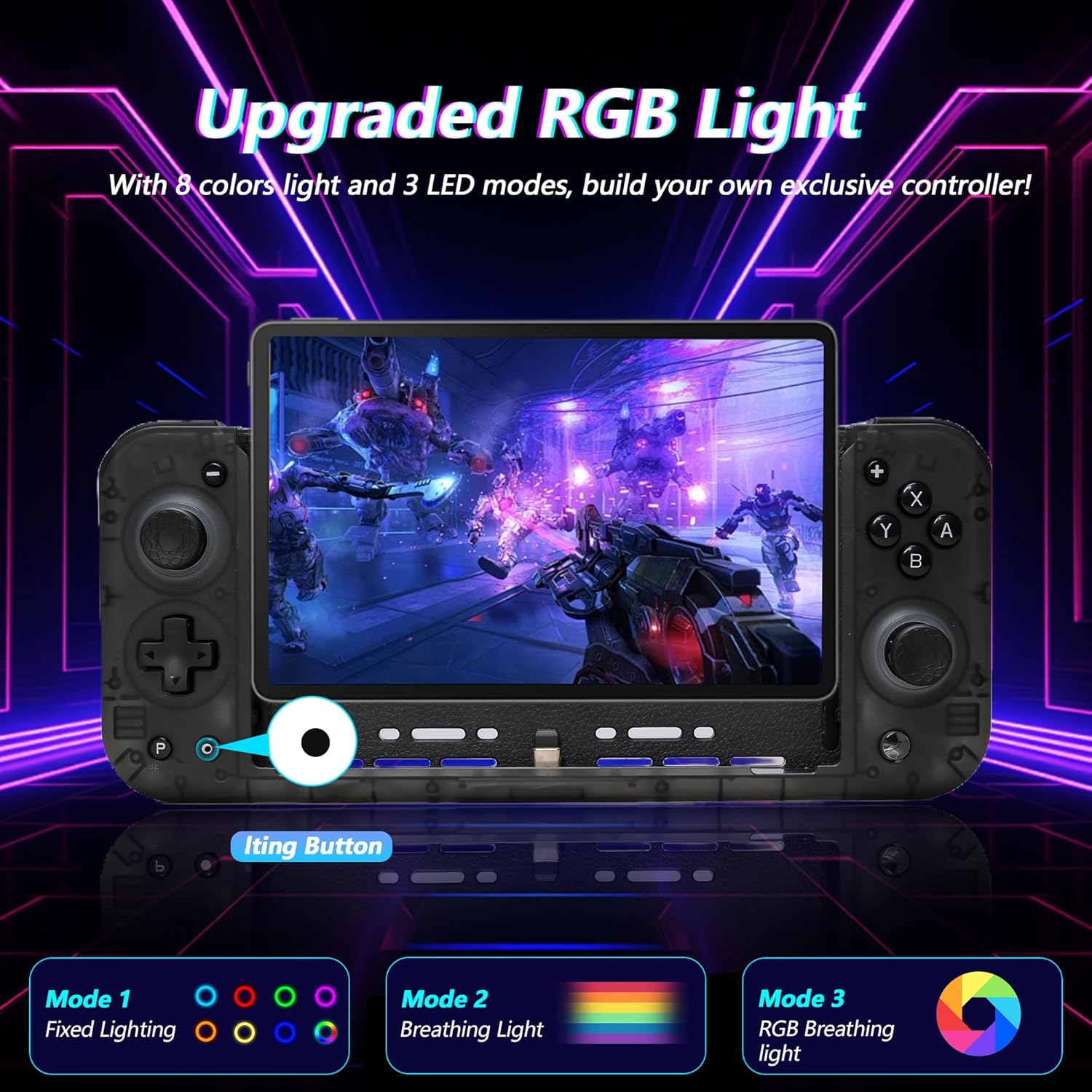
Image: An illustration of the controller's RGB lighting capabilities, highlighting the three distinct lighting modes available.

Image: A visual representation of the controller's customizable RGB features, including color options, lighting modes, and brightness levels.
4.2 Macro Programming
The ML and MR buttons on the back of the controller can be programmed to map basic function keys (A/B/X/Y/ZR/ZL/L3/R3/+/ - /Cross).
To program a macro:
- Press and hold the M key (setting key).
- While holding the M key, press the desired function keys (one or more, simultaneously or in sequence).
- Release the M key. A vibration alert will confirm the programming is complete.
The programmed key will store the sequence. Pressing the programmed ML/MR key will trigger the stored operation, useful for in-game combos.
4.3 Auto Turbo Function
The Turbo function allows for rapid, repetitive key actions.
To set Turbo function:
- Press any of the following buttons: A/B/X/Y/L1/L2/R1/R2/Cross, then press the Turbo key.
- Press the Turbo button again (without setting a new Turbo key) to activate Auto Turbo.
- Press the Turbo button again to cancel the Turbo function for that specific button.
To clear all Turbo functions:
- Press and hold the Turbo button for 5 seconds. A vibration prompt will confirm successful clearing.
Turbo speed adjustment:
There are three Turbo speed levels: 5/S, 12/S, 20/S.
- Press T + + key to increase speed.
- Press T + - key to reduce speed.

Image: A graphic demonstrating the Auto and Manual Turbo functions, illustrating the three adjustable speed settings for rapid key input.
4.4 Dual Motor Vibration Effects & 6-Axis Gyroscope
The controller features dual vibration motors and a 6-axis gyroscope for enhanced gaming immersion.
Vibration intensity can be adjusted to 5 levels:
- 100%
- 75%
- 50%
- 30% (Default)
- Off
The 6-axis gyroscope provides sensitive motion and direction tracking, contributing to precise control in games that utilize motion sensing.

Image: A detailed view of the controller's vibration system with five adjustable levels and the integrated 6-axis gyroscope for motion control.
5. Maintenance
To ensure the longevity and optimal performance of your SZYUYU controller, follow these maintenance guidelines:
- Cleaning: Use a soft, dry cloth to clean the controller's surface. Avoid using harsh chemicals or abrasive materials.
- Storage: Store the controller in a cool, dry place away from direct sunlight and extreme temperatures.
- Handling: Avoid dropping the controller or subjecting it to strong impacts.
- Charging: Charge the controller using the provided Type-C cable and a compatible power adapter. Note that the controller does not contain an internal battery and draws power directly from the console or external power source via Type-C.
6. Troubleshooting
If you encounter issues with your SZYUYU controller, please refer to the following common problems and solutions:
| Problem | Possible Cause / Solution |
|---|---|
| Controller does not respond or power on. |
|
| Difficulty inserting/removing OLED Switch. |
|
| D-pad feels uncomfortable or sharp. |
|
| RGB lights are not working. |
|
7. Specifications
- Model: B0F6CKB2DH
- Manufacturer: SZYUYU
- Compatibility: Nintendo Switch, Nintendo Switch OLED
- Connection: Wired (Type-C)
- Dimensions: 10.67 x 4.88 x 2.91 inches
- Item Weight: 14 ounces
- Batteries: 1 Lithium Polymer batteries required (for console, not controller itself as it's wired).
- Features: 8-Color RGB Lights, Macro Programming, Auto Turbo, 5-Level Dual Motor Vibration, 6-Axis Gyroscope
8. Warranty and Support
SZYUYU is committed to providing quality products and support. While specific warranty details are not provided in this manual, if you encounter any problems during use, please contact SZYUYU customer service via email. Our support team will assist you as soon as possible.
For further assistance, please refer to the contact information provided with your purchase or visit the official SZYUYU store page.