
Aspiron AS-CA042
Aspiron Steam Cleaner Instruction Manual
Model: AS-CA042 | Brand: Aspiron
Introduction
The Aspiron AS-CA042 Multipurpose Heavy Duty Canister Steamer is designed to provide powerful, chemical-free steam cleaning for a wide range of surfaces in your home and car. Utilizing high-temperature, high-pressure steam, this appliance effectively breaks down dirt, grease, and grime, offering deep cleaning and sanitization without the need for harsh chemicals. Its versatile design and comprehensive accessory kit make it suitable for various cleaning tasks, from floors and carpets to upholstery and bathroom tiles.
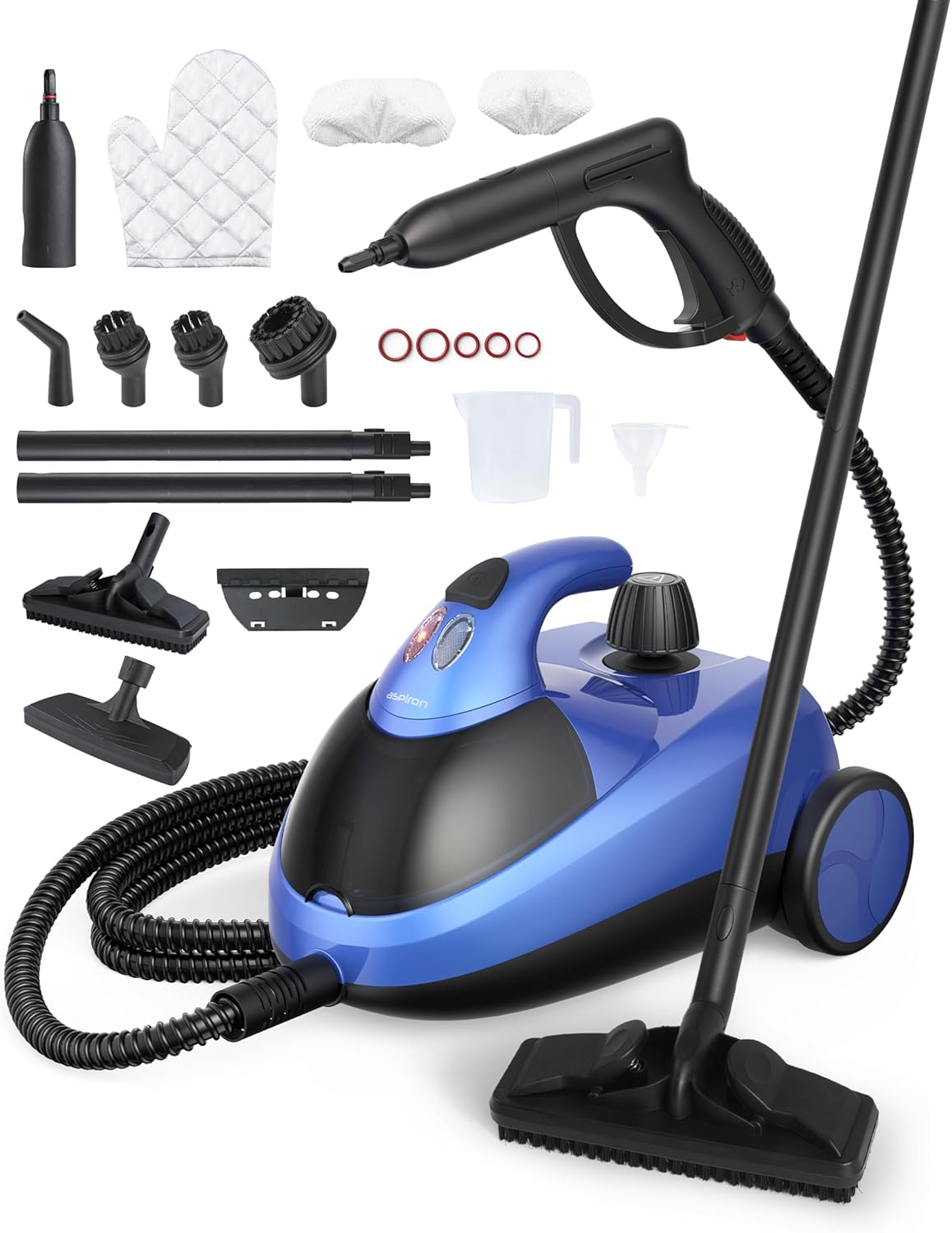
Figure 1: The Aspiron AS-CA042 Steam Cleaner and its complete accessory set.
Safety Information
Please read all instructions carefully before using the Aspiron Steam Cleaner. Failure to follow these instructions may result in electric shock, fire, or serious injury.
- Always ensure the appliance is unplugged from the power outlet before filling with water, cleaning, or performing any maintenance.
- Do not leave the steam cleaner unattended while it is operating.
- Keep the appliance out of reach of children and pets.
- Use only distilled water in the water tank to prevent mineral buildup and prolong the life of the appliance.
- Do not open the safety valve or refill the water tank while the unit is hot or pressurized. Allow the unit to cool down completely before refilling.
- Avoid directing steam at people, animals, or electrical appliances. Steam is extremely hot and can cause burns.
- Always wear the provided protective glove during use to protect your hands from hot surfaces and steam.
- Do not immerse the steam cleaner in water or any other liquid.
- Inspect the power cord and plug for any damage before each use. Do not use if damaged.
What's in the Box
Your Aspiron Steam Cleaner comes with a comprehensive set of accessories to handle various cleaning tasks. Please verify that all items listed below are included in your package:
- 1. Accessory Adaptor: For connecting various nozzles.
- 2. Glove: For hand protection during operation.
- 3. Size Cleaning Cloth (x2): For use with floor and upholstery nozzles.
- 4. Squeegee: For cleaning windows and smooth surfaces.
- 5. Floor Nozzle: For large surface areas like floors and carpets.
- 6. Jet Nozzle: For concentrated steam on tough spots.
- 7. Small Nylon Brush (x2): For scrubbing smaller, intricate areas.
- 8. Big Nylon Brush: For broader scrubbing tasks.
- 9. Squeegee: (Duplicate entry in source, assuming one is for windows and one for general use or a typo)
- 10. Extension Tube (x2): For extended reach, especially for floors or high areas.
- 11. Sealing Rubber Ring (x5): Replacement rings for secure connections.
- 12. Measuring Jug: For accurate water measurement.
- 13. Funnel: For easy and spill-free water filling.

Figure 2: All components and accessories included in the Aspiron Steam Cleaner package.
Setup
- Unpack the Unit: Carefully remove the steam cleaner and all accessories from the packaging.
- Prepare for Filling: Ensure the unit is unplugged. Unscrew the safety valve counter-clockwise to open the water tank.
- Fill the Water Tank: Use the provided measuring jug and funnel to fill the water tank with up to 50 oz (1500ml) of distilled water. Do not overfill.

Figure 3: Filling the water tank with distilled water.
- Secure the Safety Valve: Screw the safety valve clockwise until it is tightly closed.
- Attach Accessories: Select the appropriate accessory for your cleaning task and attach it securely to the steam gun or extension tubes. For floor cleaning, connect the extension tubes to the steam gun, then attach the floor nozzle.
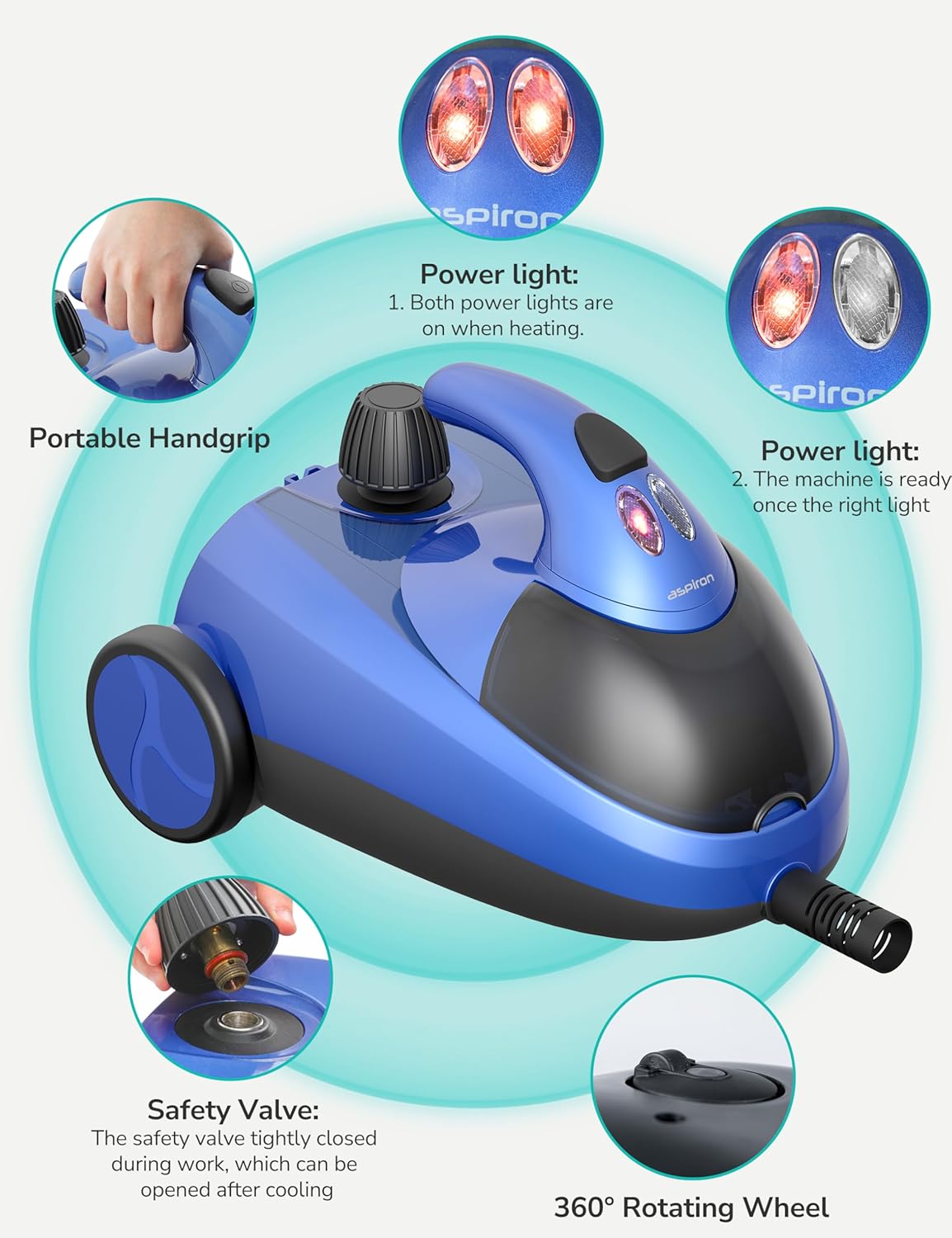
Figure 4: The steam cleaner's control panel and safety valve.
- Plug In: Plug the power cord into a standard 110-volt electrical outlet. Both power indicator lights will illuminate, indicating the unit is heating up.

Figure 5: Connecting the steam cleaner to power.
- Wait for Heating: The steam cleaner heats up to 212°F (100°C) in under 8 minutes. The left indicator light will turn off when the steamer is ready for use. It will turn back on during steaming when building up steam.
Operating Instructions
Once the steam cleaner is ready, you can begin your cleaning tasks. Always test steam on an inconspicuous area first to ensure compatibility with the surface.
General Operation:
- Press the steam trigger on the steam gun to release steam.
- Direct the steam towards the surface you wish to clean.
- For stubborn dirt, use the appropriate brush attachment and apply gentle pressure while steaming.
- Wipe the cleaned surface with a clean cloth as needed.
Specific Applications:
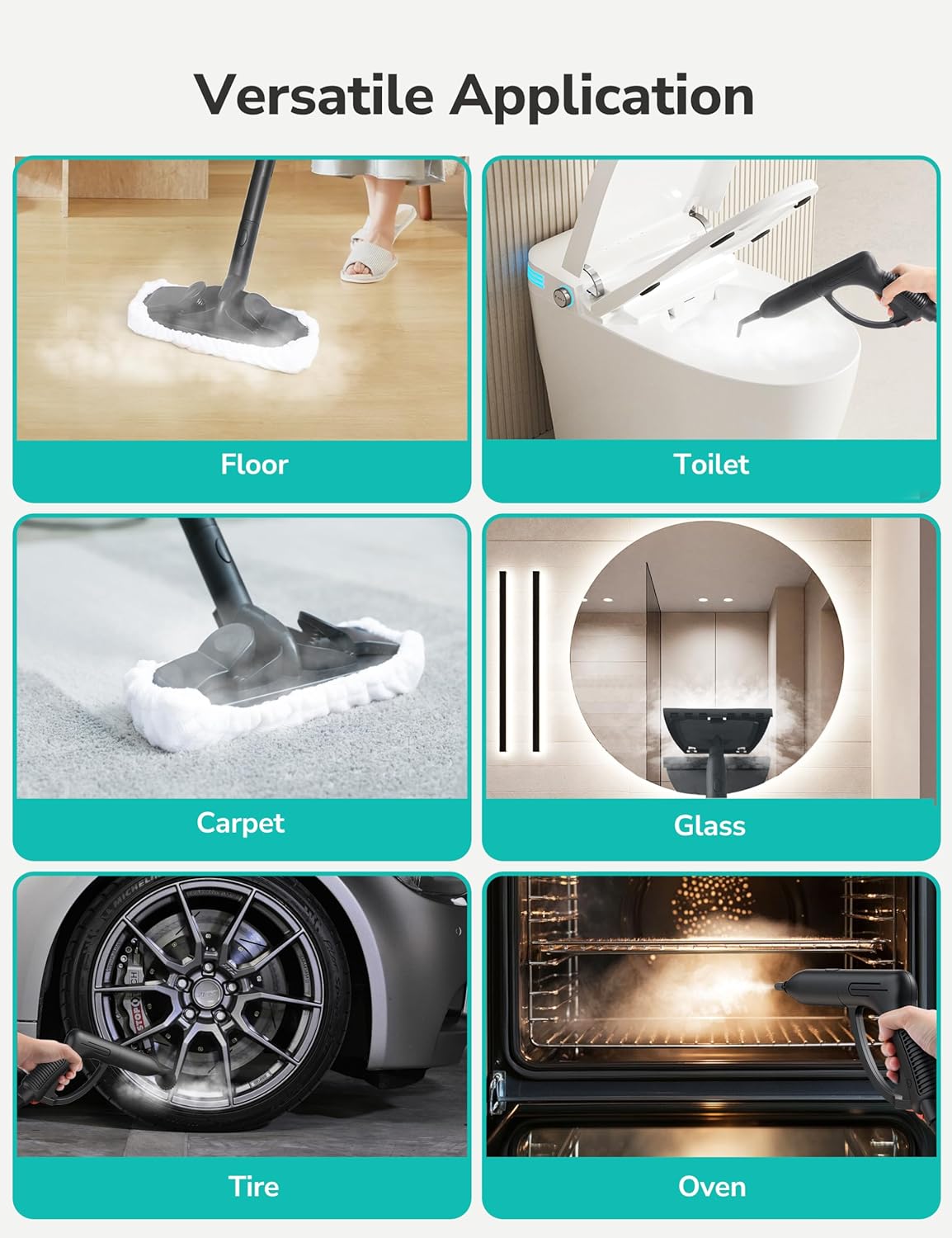
Figure 6: The versatility of the Aspiron Steam Cleaner across different surfaces.
Floor Cleaning (Hardwood, Tile, Linoleum, Ceramic, Marble, Sealed Concrete):
Attach the extension tubes and floor nozzle with a cleaning cloth. Glide the nozzle over the floor surface. The high-temperature steam will sanitize and clean, leaving floors spotless and germ-free.

Figure 7: Effective cleaning on a variety of sealed hard surfaces.
Carpet and Rug Cleaning:
Use the floor nozzle with a cleaning cloth. Move the nozzle slowly over the carpet or rug to refresh and sanitize the fibers.
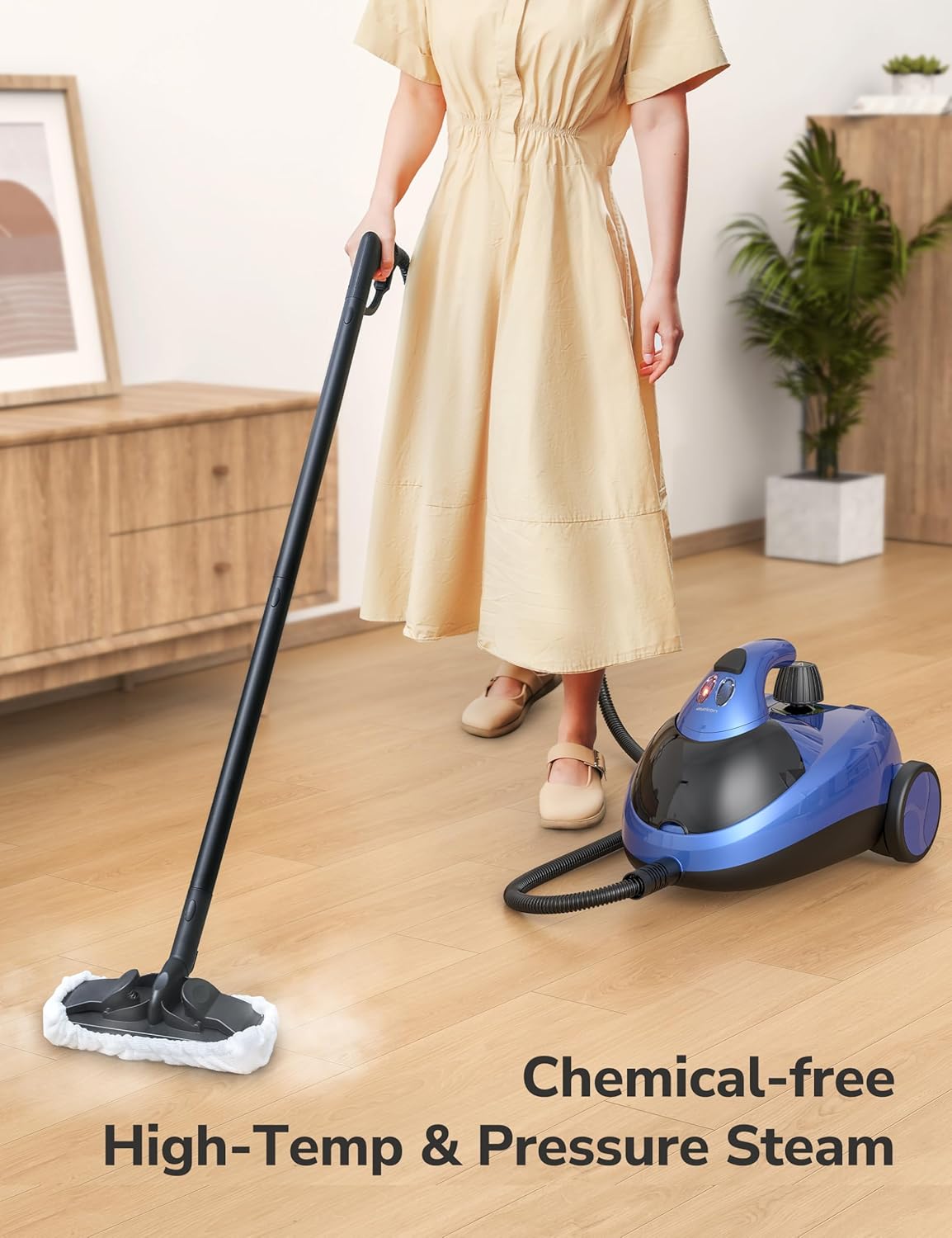
Figure 8: Chemical-free steam cleaning for floors and carpets.
Bathroom Cleaning (Toilets, Tiles, Grout):
For toilets and tiles, use the jet nozzle or a small nylon brush. For grout lines, the jet nozzle provides precise detailing power to cut through grime.
Video 1: Demonstrating the steam cleaner's versatility, including bathroom cleaning. (Source: Aspiron Official)

Figure 9: Precise detailing power for tough-to-reach spots like grout.
Kitchen Cleaning (Ovens, Countertops, Appliances):
For ovens and greasy surfaces, use the jet nozzle or a nylon brush. The high heat effectively cuts through baked-on grease and grime. Wipe clean with a cloth after steaming.
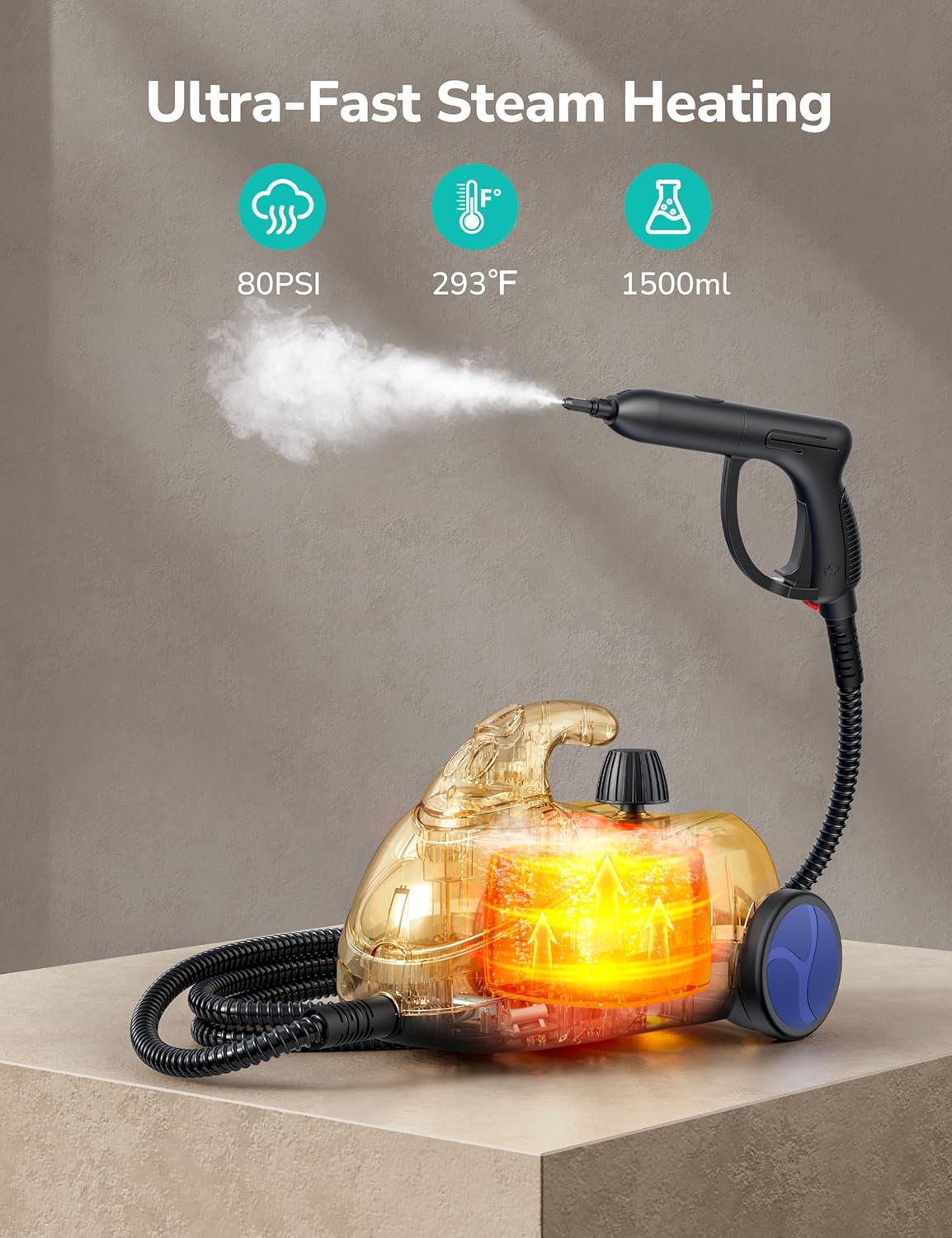
Figure 10: The internal heating system provides ultra-fast steam.
Upholstery, Mattresses, and Car Seats:
Attach the upholstery nozzle with a cleaning cloth. Gently steam the fabric surface to refresh and sanitize. The steam helps to lift dirt and eliminate odors.
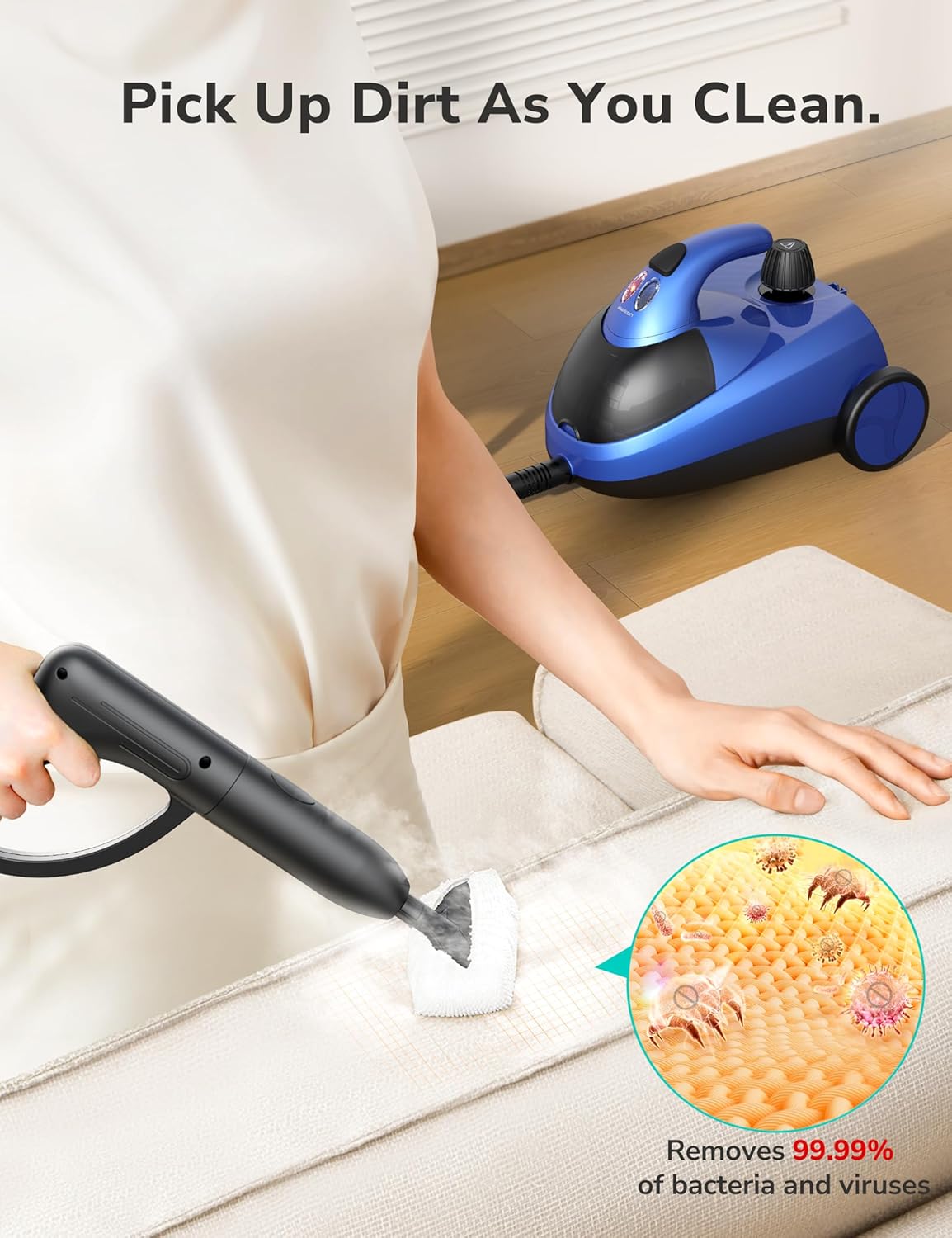
Figure 11: Steam cleaning effectively removes dirt and sanitizes upholstery.

Figure 12: Versatile cleaning for various fabric and hard surfaces.
Window and Mirror Cleaning:
Use the squeegee attachment. Steam the glass surface and then use the squeegee to wipe away condensation and dirt, leaving a streak-free shine.

Figure 13: Achieve sparkling, streak-free windows and mirrors.
Maintenance
Regular maintenance ensures the longevity and optimal performance of your Aspiron Steam Cleaner.
- Empty Water Tank: After each use, unplug the unit and allow it to cool completely. Carefully unscrew the safety valve and empty any remaining water from the tank.
- Clean Accessories: Wash cleaning cloths and brush attachments with mild soap and water. Rinse thoroughly and allow them to air dry.
- Descale (Monthly or as needed): If you notice reduced steam output or mineral buildup, descale the unit. Mix a solution of equal parts white vinegar and distilled water. Pour into the tank, let it sit for 30 minutes, then empty and rinse thoroughly. Run a tank of plain distilled water through the unit to flush out any residue.
- Store Properly: Store the steam cleaner and its accessories in a cool, dry place. The built-in storage compartment is ideal for keeping accessories organized.

Figure 14: Built-in storage keeps accessories tidy and secure.
Troubleshooting
| Problem | Possible Cause | Solution |
|---|---|---|
| No steam output |
|
|
| Reduced steam pressure |
|
|
| Water leaking from attachments |
|
|
Specifications
- Brand: Aspiron
- Model Name: Steam Cleaner (AS-CA042)
- Special Feature: Child Lock
- Surface Recommendation: Upholstery, Floors, Carpets, Tiles, Grout, Glass, Ovens, Car Surfaces
- Included Components: Cleaning Pad, various nozzles, brushes, extension tubes, measuring jug, funnel, glove.
- Wattage: 1500 watts
- Tank Volume: 50 Fluid Ounces (approx. 1.5 liters)
- Color: Blue
- Voltage: 110 Volts
- Item Weight: 13 pounds
- Package Dimensions: 20 x 12 x 11 inches
- UPC: 779602654316
Warranty & Support
Aspiron offers a comprehensive warranty and dedicated customer support for your steam cleaner. For detailed warranty information, service agreements, and support, please refer to the official Aspiron website or contact customer service directly.
- Service Agreement: 12+18 Months (Total 30 Months)
- Support: 24 hours
- Free Return: 30 Days
- VIP Service: Free Replacement
- Contact Support: support@aspiron.co

Figure 15: Aspiron customer service and warranty details.
Ask a question about this manual
Ask about setup, troubleshooting, compatibility, parts, safety, or missing instructions. Manuals+ will review the question and use this page’s manual context to help answer it.