
PEAKPULSE FA1000AG
PEAKPULSE FA1000AG Laser Golf Hunting Rangefinder User Manual
Model: FA1000AG
Brand: PEAKPULSE
1. Introduction
This manual provides detailed instructions for the operation and maintenance of your PEAKPULSE FA1000AG Laser Golf Hunting Rangefinder. This device is designed for accurate distance measurement in various outdoor activities, including golf, hunting, and surveying. It features advanced measurement modes, high magnification, and a durable, weather-resistant design.

Figure 1: PEAKPULSE FA1000AG Laser Golf Hunting Rangefinder. This image shows the compact, black rangefinder with its eyepiece and objective lens, displaying a golf course scene on the internal display.
2. Product Features
- Measurement Range: 10-1200 yards for versatile use.
- Magnification: 8X magnification for clear target acquisition.
- Accuracy: ±1 yard accuracy for precise readings.
- Fast Focus: 0.5-second fast focus with vibration feedback for flag lock.
- Display: High Transparency HD LCD display screen.
- Measurement Modes: Includes Distance, Angle, Horizontal Distance, Vertical Height, Two-point Height, and Flag Locked with Slope Compensation.
- Rechargeable Battery: Built-in 800mAh rechargeable battery with Type-C charging.
- Durability: IP65 dust-proof and waterproof rating.
- Auto Shut-off: 8-second automatic shut-off to conserve battery.

Figure 2: Overview of PEAKPULSE FA1000AG features. This graphic highlights key specifications such as 1200 yards range, 8X magnification, angle/horizontal/vertical distance, two-point height, slope compensation, ±1 yard accuracy, 3000 measurements, rechargeable battery, and HD LCD screen.
3. Setup
3.1 Charging the Device
The PEAKPULSE FA1000AG rangefinder is equipped with an internal rechargeable battery. Before first use, ensure the device is fully charged.
- Locate the Type-C charging port on the device.
- Connect the provided USB Type-C cable to the rangefinder and the other end to a compatible USB power adapter (not included) or a computer USB port.
- The charging indicator will illuminate. Once fully charged, the indicator may change color or turn off, depending on the model.

Figure 3: Type-C charging port on the rangefinder. This image shows the rangefinder with a USB-C cable plugged into its charging port, indicating its rechargeable nature and 800mAh battery capacity.
3.2 Initial Power On and Focus Adjustment
- Press the Power/Measurement button to turn on the device.
- Look through the eyepiece. If the display or target appears blurry, rotate the diopter adjustment ring (located near the eyepiece) until the view is clear and sharp.
4. Operating Instructions
The PEAKPULSE FA1000AG offers multiple measurement modes to suit various needs. Use the Mode button to cycle through the available modes.
4.1 Measurement Modes
Press the Mode button to switch between M1, M2, M3, and M4.
- M1: Horizontal Distance Mode
Measures the direct distance, angle, and calculates the horizontal distance to the target. This mode also supports continuous measurement.

Figure 4: M1 Horizontal Distance Mode display and diagram. The display shows distance, angle, and horizontal distance. The diagram illustrates how horizontal distance is calculated, disregarding elevation changes.
- M2: Vertical Distance Mode
Measures the direct distance, angle, and calculates the vertical height to the target. This mode also supports continuous measurement.

Figure 5: M2 Vertical Distance Mode display and diagram. The display shows distance, angle, and vertical distance. The diagram illustrates how vertical distance (height) is measured from the user's position to the target.
- M3: Two-point Height Measurement
Measures the height difference between two points. Aim at the base of the object, then at the top, and the device will calculate the height.

Figure 6: M3 Two-point Height Measurement Mode display and diagram. The display shows prompts for two measurements. The diagram illustrates measuring the height of an object by taking two separate distance readings.
- M4: Flag Locked + Slope Compensation
Designed for golf, this mode identifies the flagstick, locks onto it, and provides the slope-compensated distance, which adjusts for uphill or downhill shots. The device provides vibration feedback upon flag lock.

Figure 7: Flag lock feature with vibration. This image shows the rangefinder's display with a flag icon and distance, indicating successful flag lock within 400m and 0.5s fast focus with vibration.

Figure 8: M4 Slope Compensation Mode display and diagram. The display shows the adjusted distance. The diagram illustrates how slope compensation calculates the effective playing distance for uphill and downhill shots.
4.2 Continuous Scanning
To use continuous scanning, long-press the Power/Measurement button while aiming at various targets. The device will continuously update distance readings as you scan across the landscape. This is useful for identifying distances to multiple objects or for tracking moving targets.

Figure 9: Continuous scanning in action. This image demonstrates the rangefinder's ability to provide continuous distance updates as the user scans across multiple targets on a golf course.
5. Maintenance
5.1 Cleaning
- Use a soft, clean cloth to wipe the exterior of the device.
- For lenses, use a lens cleaning cloth and lens cleaning solution. Avoid abrasive materials that could scratch the optics.
- Do not use organic solvents to clean the device.
5.2 Storage
- Store the rangefinder in its protective case when not in use.
- Keep the device in a cool, dry place, away from direct sunlight and extreme temperatures.
- Avoid storing the device in areas with high humidity.
5.3 Battery Care
- Charge the battery regularly, even if the device is not used frequently, to maintain battery health.
- Avoid completely draining the battery before recharging.
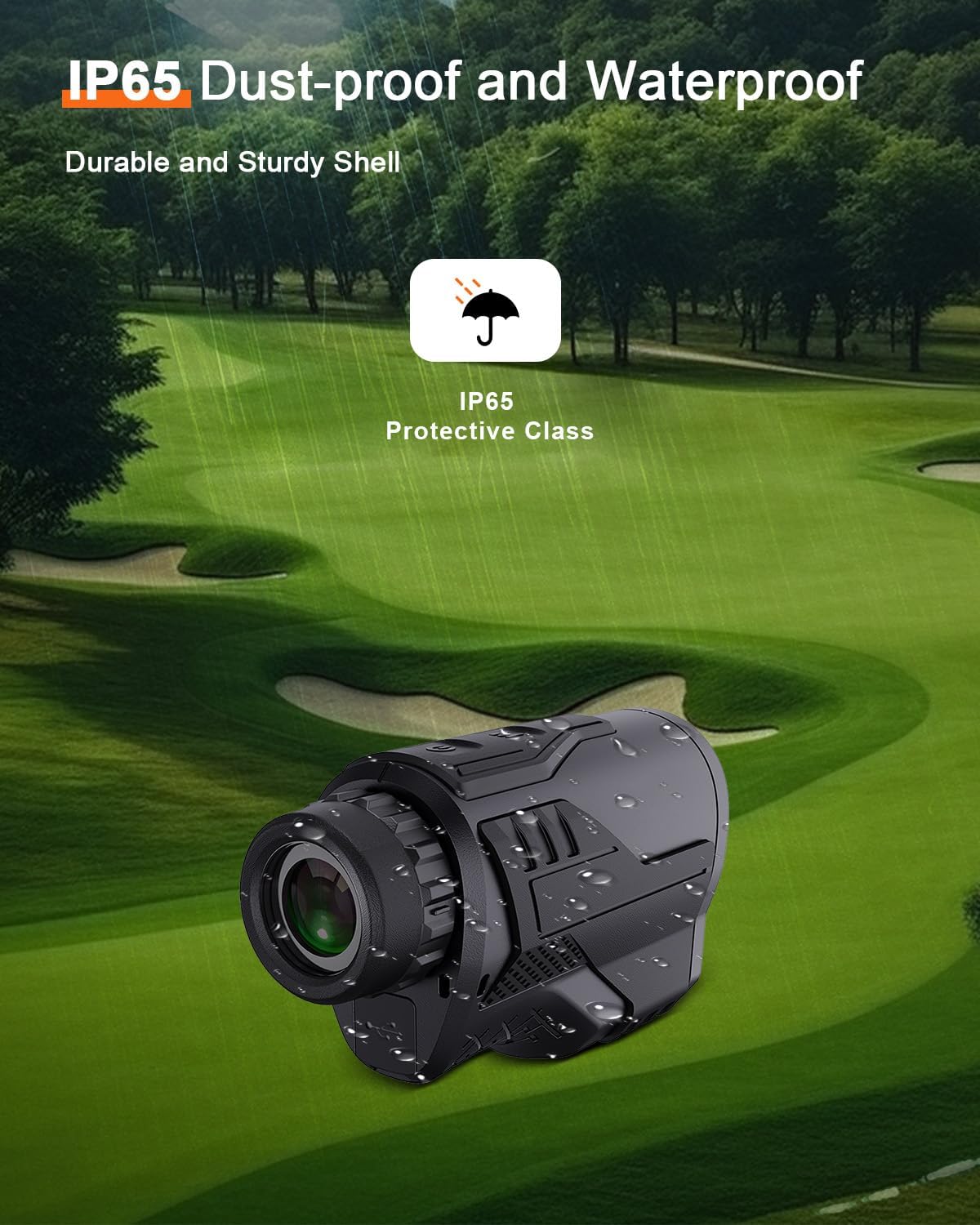
Figure 10: Rangefinder with IP65 rating. This image shows the rangefinder with water droplets on its surface, illustrating its IP65 dust-proof and waterproof capabilities, suitable for outdoor use.
6. Troubleshooting
- Device does not power on: Ensure the battery is charged. Connect the device to a power source using the Type-C cable and try again.
- Inaccurate readings: Ensure the target is within the specified range (10-1200 yards). Check for obstructions between the device and the target. Ensure the lenses are clean.
- Display is blurry: Adjust the diopter ring near the eyepiece until the display and target appear sharp.
- Flag lock not working: Ensure you are in M4 mode. Aim steadily at the flagstick, ensuring it is isolated from background objects. The flag lock feature works best on distinct, isolated targets.
7. Specifications
| Feature | Specification |
|---|---|
| Brand | PEAKPULSE |
| Model Name | FA1000AG |
| Measurement Range | 10-1200 Yards |
| Magnification | 8X |
| Accuracy | ±1 Yard |
| Material | Plastic |
| Item Weight | 231 Grams |
| Product Dimensions (LxWxH) | 5.12" x 1.97" x 2.95" |
| Battery | Rechargeable (800mAh) |
| Charging Port | Type-C |
| Waterproof Rating | IP65 |
| Auto Shut-off | 8 seconds |
8. Warranty & Support
8.1 Warranty Information
The PEAKPULSE FA1000AG Laser Golf Hunting Rangefinder comes with a 1-Year Warranty from the date of purchase. This warranty covers manufacturing defects under normal use. Please retain your proof of purchase for warranty claims.
8.2 Customer Support
For any questions, technical assistance, or warranty inquiries, please contact PEAKPULSE customer service. Refer to the contact information provided with your product packaging or visit the official PEAKPULSE website for support details.
Ask a question about this manual
Ask about setup, troubleshooting, compatibility, parts, safety, or missing instructions. Manuals+ will review the question and use this page’s manual context to help answer it.