
Introduction
This manual provides essential instructions for the safe and efficient use of your SEGUMA Level 2 Tesla Charger. This portable EV charger is designed for Tesla vehicles (Model Y, 3, S, X, Cybertruck) and future NACS-compatible EVs, utilizing a NEMA 14-30 dryer outlet for convenient home charging.
Please read this manual thoroughly before operating the charger and retain it for future reference.
Product Overview
The SEGUMA Level 2 Tesla Charger offers a reliable and efficient charging solution. Key features include:
- NEMA 14-30 Plug: Compatible with standard 240V, 4-prong dryer outlets.
- NACS Connector: Designed for Tesla models and future NACS-standard EVs.
- Fast Charging: Delivers up to 24A, 240V, 5.76kW, providing approximately 15-20 miles of range per hour.
- Adjustable Current: Selectable current settings (10A, 16A, 20A, 24A) to match your home's electrical circuit capacity.
- Extended Cable Length: A 25-foot cable for flexible placement.
- Digital Display & Indicators: A 1.77" TFT screen and dynamic LED indicators show real-time charging status and error messages.
- Robust Design: IP66 waterproof and UL 94V-0 rated for durability and safety in various conditions.
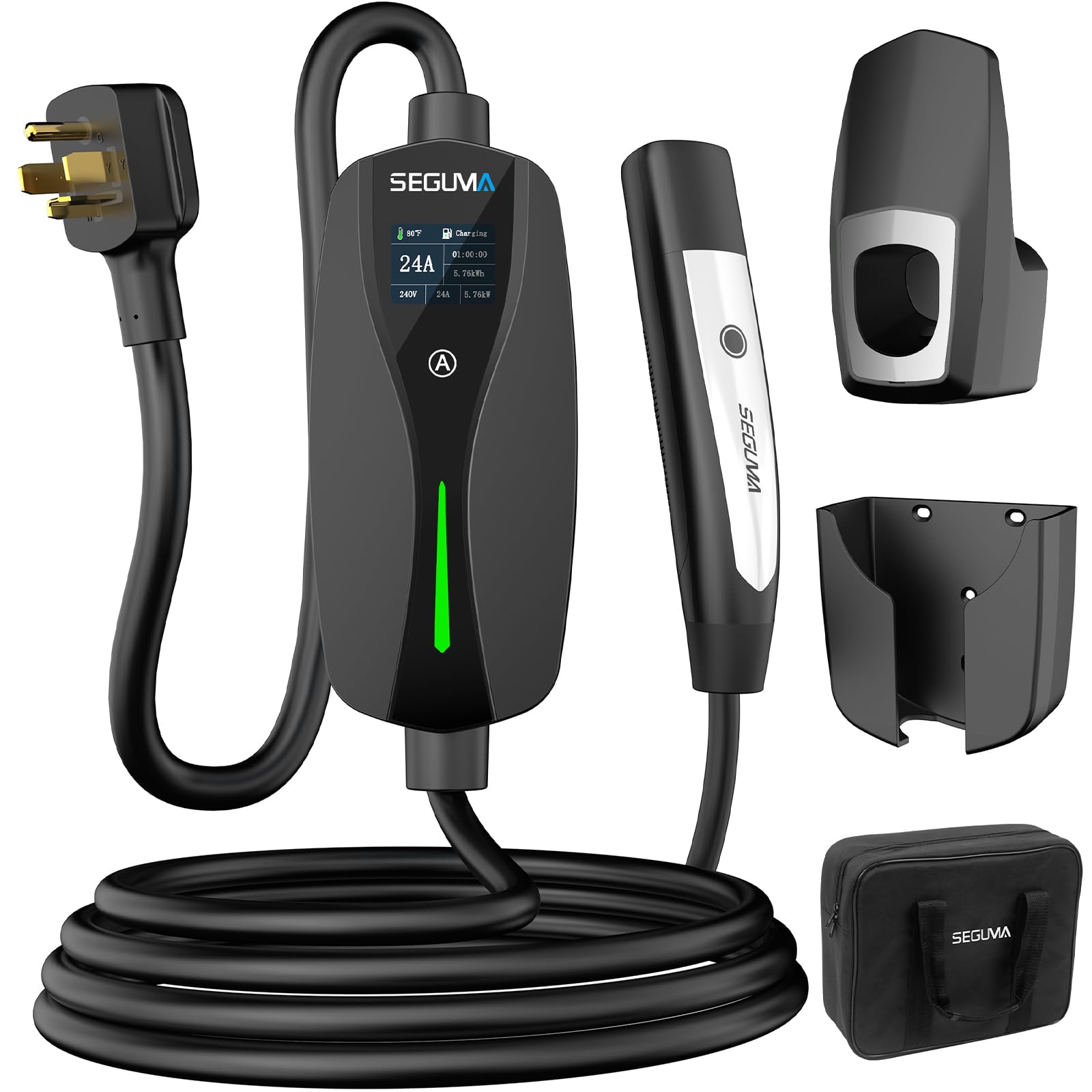
Image: The SEGUMA Level 2 Tesla Charger, featuring the NEMA 14-30 plug and NACS connector, shown with a Tesla vehicle.
Safety Information
Adhere to the following safety guidelines to prevent injury or damage:
- Ensure the NEMA 14-30 outlet is properly installed and grounded by a qualified electrician.
- Do not use the charger if the cable or connector is damaged.
- Avoid using extension cords or adapters with the NEMA 14-30 plug, as this can pose a fire hazard.
- The charger is IP66 waterproof, but the plug-socket connection is not. Always cover the NACS connector head with the included cap when not in use to protect it from moisture and dust.
- Operate the charger within the specified temperature range of -22°F to 122°F (-30°C to 50°C).
- The charger includes multiple safety protections: lightning protection, current leakage protection, low-voltage protection, over-voltage protection, over-charge protection, over-heat protection, and over-current protection.
- Keep children and pets away from the charging equipment during operation.
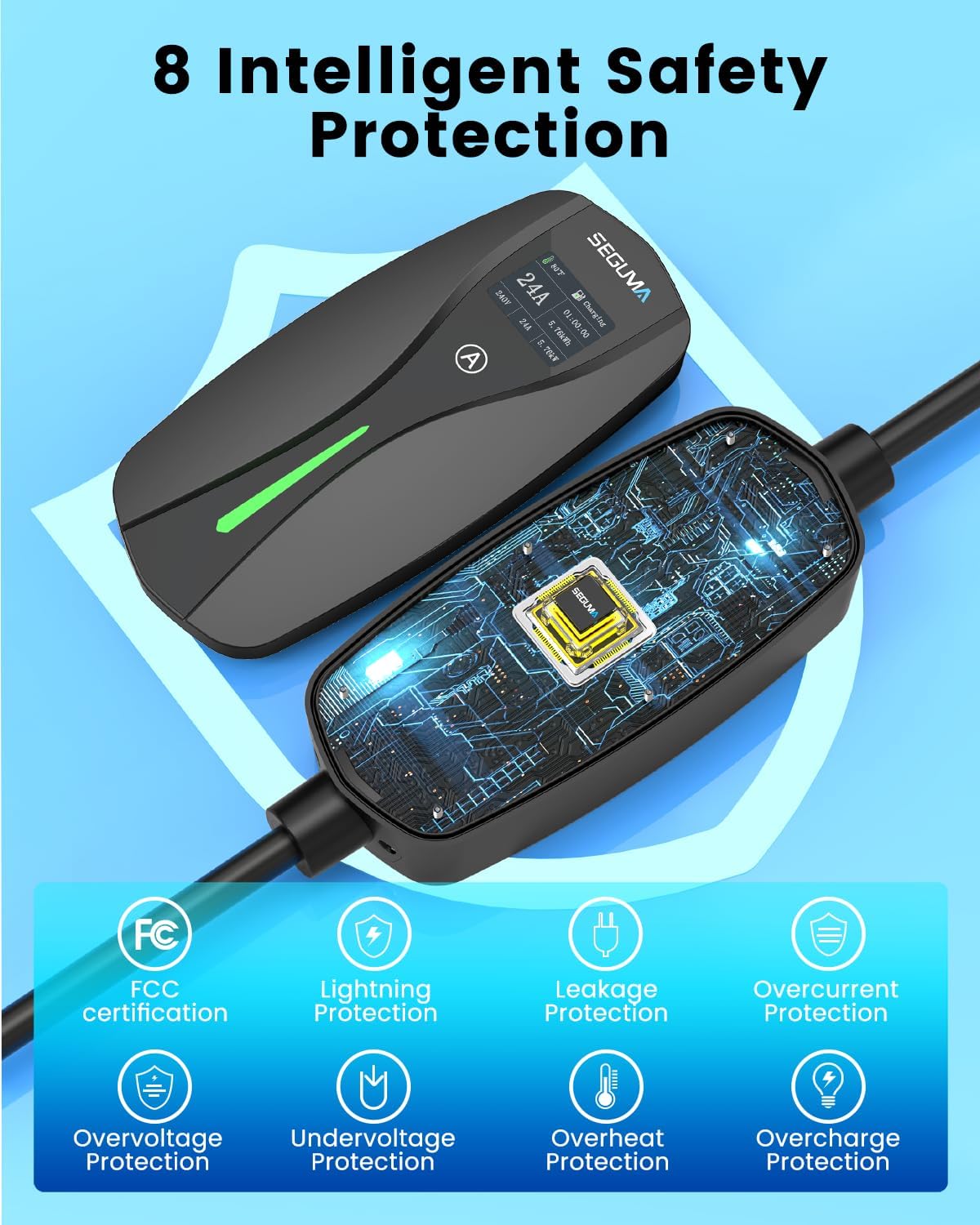
Image: Visual representation of the 8 intelligent safety protections integrated into the SEGUMA charger.
Package Contents
Verify that all items are present in the package:
- 1x SEGUMA 24Amp Level 2 Tesla Charger
- 1x Control Box Holder
- 1x Connector Bracket
- 1x Portable Storage Bag
- 1x User Manual (this document)

Image: Contents of the SEGUMA Level 2 Tesla Charger package, including the charger unit, control box holder, connector bracket, portable storage bag, and user manual.
Setup
The SEGUMA Level 2 Tesla Charger is designed for plug-and-play operation with a NEMA 14-30 outlet. No complex installation or circuit modification is required.
- Identify Outlet: Locate a standard 4-prong NEMA 14-30 dryer outlet (240V) in your garage or laundry room. Important: Do not use 120V/240V outlets like NEMA 5-15, 6-20, 6-50, or 14-50 without appropriate, certified adapters (not included).
- Plug In: Firmly insert the NEMA 14-30 plug of the charger into the designated outlet.
- Mount (Optional): Use the provided control box holder and connector bracket to neatly mount the charger unit and store the NACS connector when not in use.

Image: A visual guide demonstrating the three simple steps to set up and begin charging: plug into the outlet, set the current, and connect to your vehicle.
Operating Instructions
Follow these steps to charge your electric vehicle:
- Prepare Vehicle: Ensure your Tesla vehicle's charging port is accessible.
- Connect Charger: Take the NACS connector and press the button on the handle to open your vehicle's charging port door. Insert the NACS connector firmly into the vehicle's charging port. A click indicates a secure connection.
- Verify Connection: The charger's LED indicator will flash green, and the TFT screen will display charging status, confirming that charging has started.
- Disconnect: To stop charging, press and hold the button on the NACS connector handle to release the latch, then pull the handle out of the vehicle's charging port. Close the charging port door.
- Store Connector: Place the NACS connector back into its bracket and cover it with the protective cap.

Image: Detailed steps on using the one-hand wireless control feature to open the Tesla charging port and release the connector latch.
Adjustable Current Settings
The charger allows you to adjust the charging current to match your home's electrical circuit capacity and avoid overload. The available settings are 10A, 16A, 20A, and 24A.
- Access Setting: Before connecting to your vehicle, or when the charger is in standby mode, press and hold the "A" button on the charger's control box for 3 seconds.
- Select Current: Short press the "A" button to cycle through the available current options (10A, 16A, 20A, 24A).
- Confirm Selection: The selected current will be displayed on the TFT screen. The charger will automatically save your selection after a few seconds of inactivity.
Note: You may also be able to adjust the charging current through your vehicle's settings, depending on the Tesla model.

Image: The charger's display illustrating the adjustable current options (10A, 16A, 20A, 24A) and their approximate charging rates in miles per hour.
Charging Status Indicators
The charger features a 1.77" TFT screen and dynamic LED indicators to provide real-time charging status:
TFT Screen Display:
- Temperature
- Work status (e.g., Charging, Connected, Standing By)
- Current option (selected amperage)
- Charging time
- Power consumption (kWh)
- Real-time voltage
- Real-time current
- Real-time power (kW)
LED Indicator Status:
- Green (Flashing): Charging in progress.
- Green (Solid): Fully Charged.
- Blue (Solid): EV Connected / Standing By.
- Red (Flashing/Solid): Ground Fault or General Fault. Refer to the troubleshooting section.
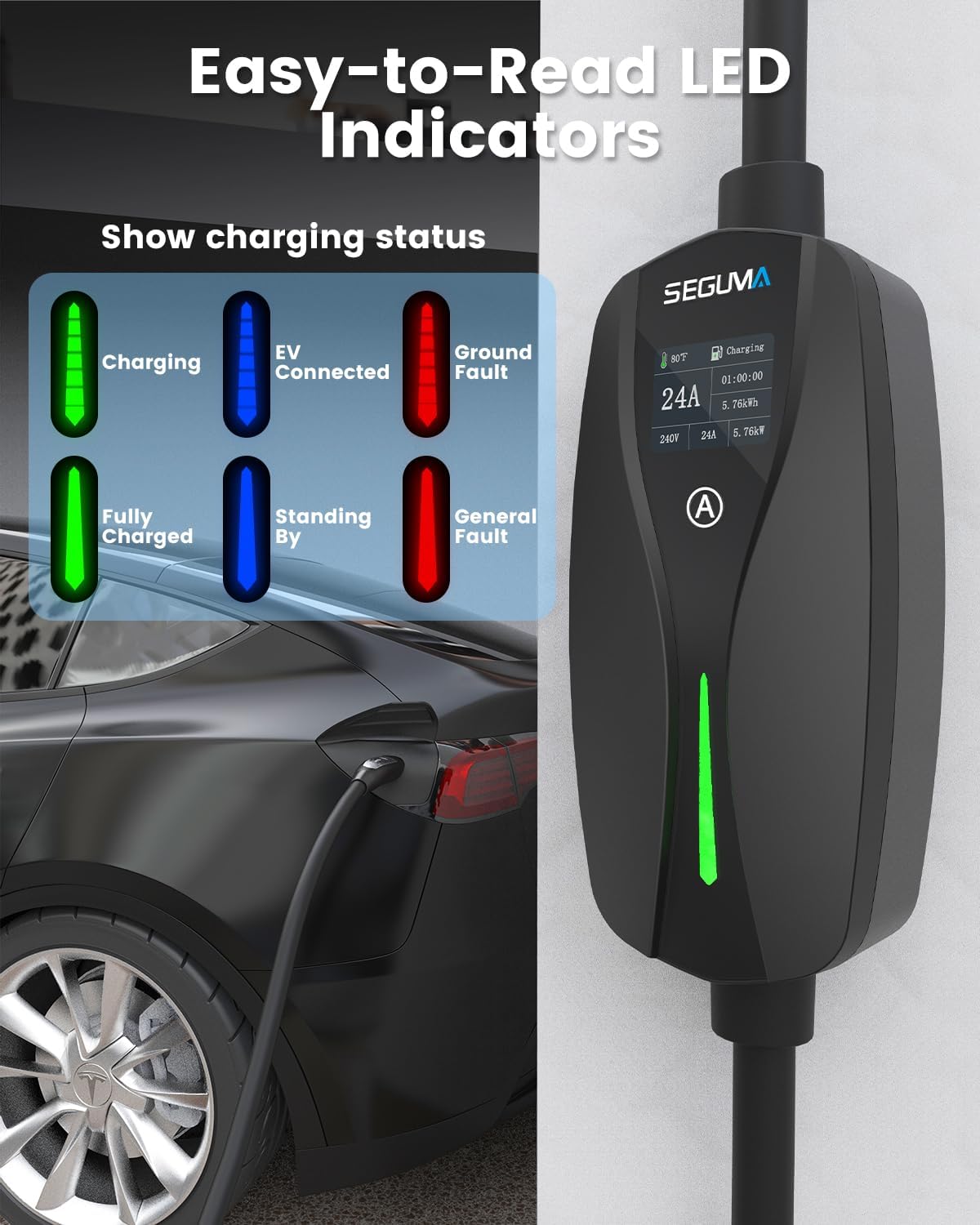
Image: A visual guide to the 1.77" TFT screen display and the various states indicated by the dynamic LED light, including charging, connected, fully charged, standing by, ground fault, and general fault.
Maintenance
Proper maintenance ensures the longevity and safe operation of your charger:
- Cleaning: Wipe the charger unit and cables with a soft, dry cloth. Do not use abrasive cleaners or solvents.
- Connector Care: Always cover the NACS connector head with the provided cap when not in use to protect it from dust, dirt, and moisture.
- Cable Inspection: Regularly inspect the charging cable and connectors for any signs of damage, fraying, or wear. If damage is found, discontinue use immediately and contact support.
- Storage: Store the charger in a dry, cool place, ideally using the portable storage bag, when not in active use or during travel.
Troubleshooting
If you encounter issues with your charger, refer to the following common problems and solutions:
| Problem | Possible Cause | Solution |
|---|---|---|
| Charger not powering on. | No power from outlet; charger not fully plugged in. | Ensure the NEMA 14-30 plug is fully inserted into the outlet. Check the circuit breaker for the outlet. |
| Charging not starting. | NACS connector not fully inserted; vehicle charging port issue; incorrect current setting. | Ensure the NACS connector is securely latched into the vehicle. Check vehicle's charging settings. Adjust current setting on charger. |
| Red LED indicator / Fault message on screen. | Ground fault, over-current, over-voltage, or other safety protection triggered. | Disconnect the charger from both the outlet and the vehicle. Wait 5 minutes, then reconnect. If the fault persists, contact customer support. |
| Slow charging speed. | Lower current setting selected; vehicle charging limits. | Verify the current setting on the charger is at the desired level (e.g., 24A). Check your vehicle's charging settings for any limits. |
For issues not listed here or if troubleshooting steps do not resolve the problem, please contact SEGUMA customer support.
Specifications
| Feature | Detail |
|---|---|
| Model Number | EV-ACS2402T |
| Input Plug Type | NEMA 14-30 (4-prong) |
| Output Connector Type | NACS (North American Charging Standard) |
| Voltage | 240V AC |
| Adjustable Current | 10A / 16A / 20A / 24A |
| Maximum Power | 5.76 kW (at 24A) |
| Cable Length | 25 feet |
| Display | 1.77" TFT Screen |
| Operating Temperature | -22°F to 122°F (-30°C to 50°C) |
| Waterproof Rating | IP66 (charger unit) |
| Safety Certifications | UL 94V-0 rated materials, FCC certification |
| Item Weight | 9.77 pounds |
| Package Dimensions | 17.09 x 13.46 x 4.84 inches |
Warranty and Support
The SEGUMA Level 2 Tesla Charger (Model EV-ACS2402T) is covered by a 1-year manufacturer's aftersales service.
For warranty claims, technical assistance, or any questions regarding your product, please contact SEGUMA customer support through the retailer where you purchased the product or visit the official SEGUMA website for contact information.
Please have your model number (EV-ACS2402T) and purchase date available when contacting support.