Introduction
Welcome to the user manual for your new Generic Smart Watch Ultra 2 ZT-20. This guide provides essential information to help you set up, operate, and maintain your smartwatch, ensuring optimal performance and longevity. Please read this manual thoroughly before using your device.
Package Contents
Upon unboxing, please verify that all items listed below are present in your package:
- Generic Smart Watch Ultra 2 ZT-20 (Main Unit)
- Two (2) Silicone Straps (Black)
- Wireless Charging Cable
- User Manual (this document)
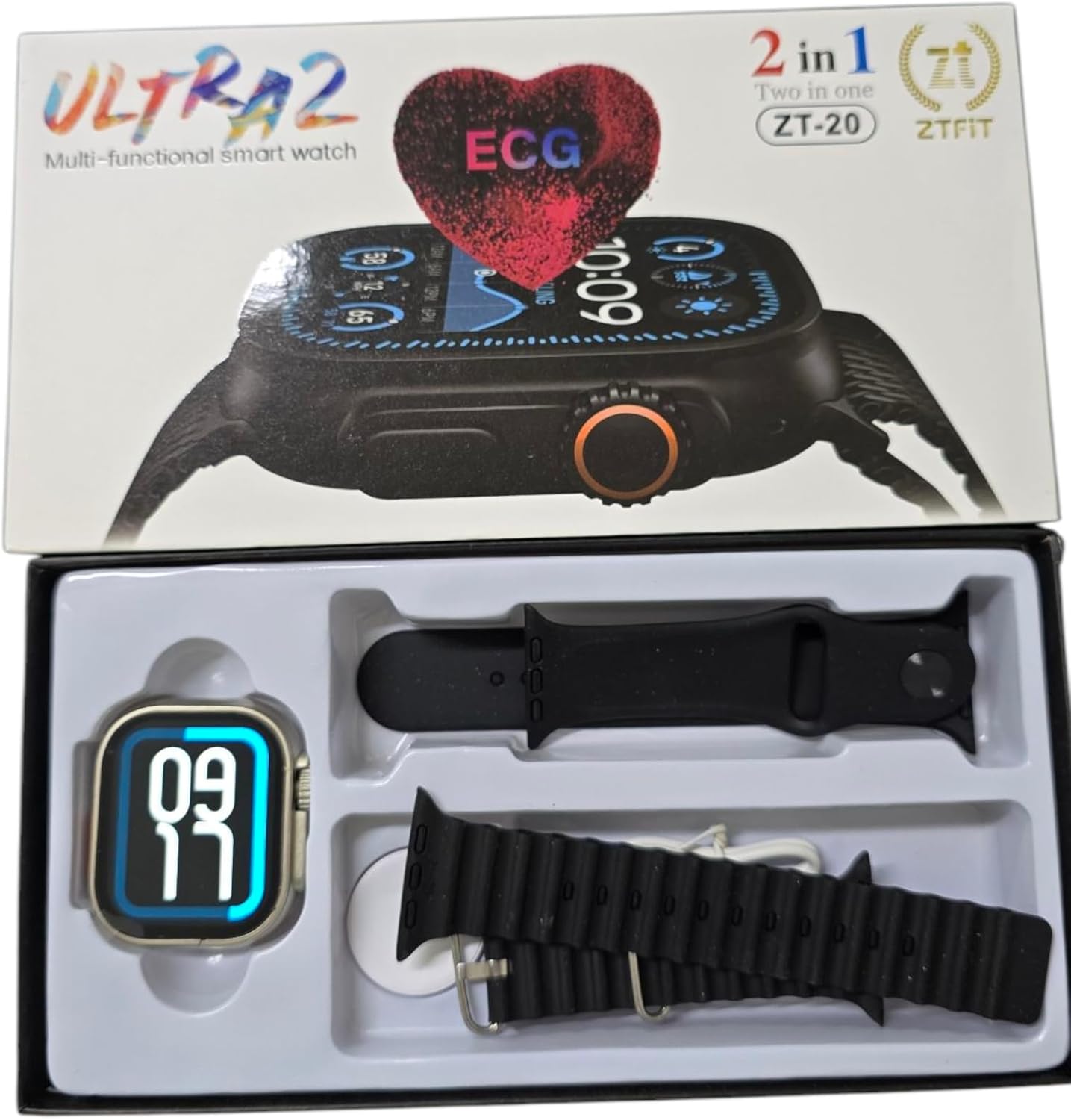
Image: The Generic Smart Watch Ultra 2 ZT-20, two silicone straps, and wireless charging cable neatly packaged in its box.
Setup Guide
1. Charging the Smart Watch
Before initial use, fully charge your smartwatch. Connect the wireless charging cable to a USB power adapter (not included) and place the back of the watch onto the charging pad. The watch display will indicate charging status. A full charge typically takes 2-3 hours.
2. Attaching the Straps
Align the watch strap with the slots on either side of the watch body. Slide the strap into place until you hear a click, indicating it is securely fastened. Repeat for the second strap. Ensure both straps are firmly attached before wearing.
3. Powering On/Off
- To Power On: Press and hold the side button until the screen lights up.
- To Power Off: Press and hold the side button, then select "Power Off" on the screen.
4. Pairing with Your Smartphone (Bluetooth)
The Smart Watch Ultra 2 ZT-20 is compatible with both iOS and Android devices. Follow these steps to pair your watch:
- Ensure your smartwatch is powered on and fully charged.
- Enable Bluetooth on your smartphone.
- Download and install the companion application (refer to the watch screen or packaging for app name/QR code) from your phone's app store.
- Open the companion app and follow the on-screen instructions to search for and connect to your ZT-20 smartwatch.
- Confirm the pairing request on both your phone and the watch.
Once paired, the watch will synchronize data and notifications with your smartphone.
Operating Instructions
Basic Navigation
- Touch Screen: Swipe left/right, up/down to navigate through menus and features. Tap to select.
- Side Button: Press to return to the home screen or wake the device. Press and hold for power options.
- Rotary Crown (if applicable): Rotate to scroll through lists or adjust settings (functionality may vary).

Image: The Smart Watch Ultra 2 ZT-20 displaying a dynamic watch face, illustrating its digital display capabilities.
Key Features
- Health Monitoring: The watch supports various health tracking functions, including heart rate monitoring and potentially ECG (Electrocardiogram) as indicated on the packaging. Consult the companion app for detailed health data and analysis. Note: This device is not a medical instrument. Health data is for reference only and should not be used for medical diagnosis or treatment.
- Notifications: Receive call, message, and app notifications directly on your wrist when paired with your smartphone.
- Activity Tracking: Monitor steps, distance, calories burned, and sleep patterns.
- Customizable Watch Faces: Change the watch face to suit your style.
- Music Control: Control music playback on your smartphone.
- Remote Camera Shutter: Use your watch to remotely trigger your phone's camera.

Image: The Smart Watch Ultra 2 ZT-20 displaying a classic analog watch face, demonstrating its versatility in display options.
Maintenance
- Cleaning: Wipe the watch screen and body with a soft, dry, lint-free cloth. For stubborn dirt, slightly dampen the cloth with water. Avoid using harsh chemicals or abrasive materials.
- Strap Care: Clean silicone straps with mild soap and water. Ensure they are completely dry before reattaching.
- Water Resistance: While the watch may have some level of water resistance, it is generally not recommended for swimming or showering. Avoid prolonged exposure to water.
- Battery Longevity: To maximize battery life, avoid extreme temperatures and fully charge the watch before long periods of inactivity.
Troubleshooting
| Problem | Solution |
|---|---|
| Watch does not power on. | Ensure the watch is fully charged. Connect it to the wireless charger for at least 30 minutes. |
| Unable to pair with smartphone. |
|
| Notifications are not received. |
|
| Inaccurate health data. | Ensure the watch is worn snugly on your wrist, not too loose or too tight. Clean the sensors regularly. Remember, data is for reference only. |
Specifications
| Feature | Detail |
|---|---|
| Model Number | ZT-20 |
| Brand | Generic |
| Display Type | Digital |
| Item Shape | Rectangular |
| Connectivity Technology | Bluetooth |
| Wireless Communication Standard | Bluetooth |
| Compatible Devices | Smartphone (iOS & Android) |
| Special Features | Wireless Charging |
| GPS | No GPS system |
| Band Material Type | Silicone |
| Shipping Dimensions | 16 x 10 x 1 cm |
| Item Weight | 150 grams |
Warranty and Support
Information regarding product warranty and customer support was not provided in the product details. Please refer to your purchase receipt or contact the retailer directly for details on warranty coverage and support options.


