
PHILIPS S9000
Philips Rechargeable Wet/Dry Electric Shaver Series 9000 User Manual
Model: S9000
Product Overview
The Philips Rechargeable Wet/Dry Electric Shaver Series 9000 is designed for an effortless and gentle shave, adapting to your facial hair density with its intelligent SenseIQ sensor. It features Dual SteelPrecision blades for a close shave and ComfortGlide rings for skin protection.

Image: The Philips Series 9000 electric shaver, its retail packaging, and the included travel case, showcasing the complete product set.
Key Features:
- Dual SteelPrecision Blades: Delivers up to 150,000 cutting actions per minute for an exceptionally close shave.
- SenseIQ Technology: An intelligent sensor reads facial hair density 500 times per second, automatically adapting cutting power for optimal performance.
- ComfortGlide Rings: Shaving heads are surrounded by a special protective coating with skin gliding properties to minimize irritation.
- Wet & Dry Use: Suitable for convenient dry shaving or a refreshing wet shave with gel or foam, even in the shower.
- Long-lasting Battery: Provides up to 60 minutes of shaving on a 1-hour charge, with a 5-minute quick charge option for one shave.
Safety Information
Please read all instructions carefully before using the appliance. Keep this user manual for future reference. While no specific safety warnings are detailed in this overview, always adhere to general electrical appliance safety guidelines. Do not immerse the charging cord in water. Keep the appliance away from children. If the appliance is damaged, do not use it.
What's in the Box
Your Philips Series 9000 Shaver package includes the following components:
- Philips Norelco Electric Shaver Series 9000
- Travel Case
- Power Cord
Setup and Initial Use
Charging the Shaver:
- Before first use, fully charge the shaver. Connect the power cord to the shaver and plug it into a wall outlet.
- The battery indicator on the shaver will show charging progress. A full charge takes approximately 1 hour and provides up to 60 minutes of shaving time.
- For a quick shave, a 5-minute charge provides enough power for one shave.
Image: The Philips Series 9000 shaver displaying its battery indicator lights, indicating charging status.
Operating Instructions
Shaving Techniques:
The Philips Series 9000 shaver is designed for both dry and wet shaving. Its flexible heads and SenseIQ technology ensure a close and comfortable shave.
- Dry Shaving: For a quick and convenient shave, ensure your face is clean and dry. Turn on the shaver and move it in small, circular motions over your face.
- Wet Shaving: For a refreshing shave, apply shaving gel or foam to your face. Turn on the shaver and glide it gently over your skin. The shaver is 100% waterproof and can be used in the shower.

Image: A man demonstrating various uses of the Philips Series 9000 shaver, including dry shaving, wet shaving with foam, and utilizing the integrated pop-up trimmer for precise detailing.

Image: A man using the Philips Series 9000 shaver with shaving foam, illustrating its 100% waterproof capability for wet shaving.
SenseIQ and Contour Heads:
The shaver's SenseIQ technology automatically adjusts power based on your beard density, ensuring consistent performance. The 360° contour heads flex to maintain optimal skin contact, following the curves of your face for a smooth and comfortable shave.

Image: A detailed view of the Philips Series 9000 shaver heads, illustrating their 360-degree contouring capability for flexible movement and close skin contact.

Image: A visual representation of the SmartSensor and SenseIQ technology, depicting how the shaver reads and adapts to facial hair density for an optimized shave.
Maintenance and Cleaning
Regular cleaning ensures optimal performance and hygiene of your shaver.
Daily Cleaning:
- After each use, switch off the shaver.
- Open the shaving head unit by pressing the release button.
- Rinse the shaving heads and the hair chamber thoroughly under warm running water.
- Shake off excess water and leave the shaving head unit open to air dry before closing.
Deep Cleaning and Blade Replacement:
For a more thorough clean, or when the blade replacement indicator lights up, refer to the full manual for instructions on disassembling and cleaning the individual shaving heads. Replace shaving heads approximately every 12 months for best results.

Image: A close-up view of the Philips Dual SteelPrecision blades, highlighting their self-sharpening design and the mechanism for 150,000 cutting actions per minute.
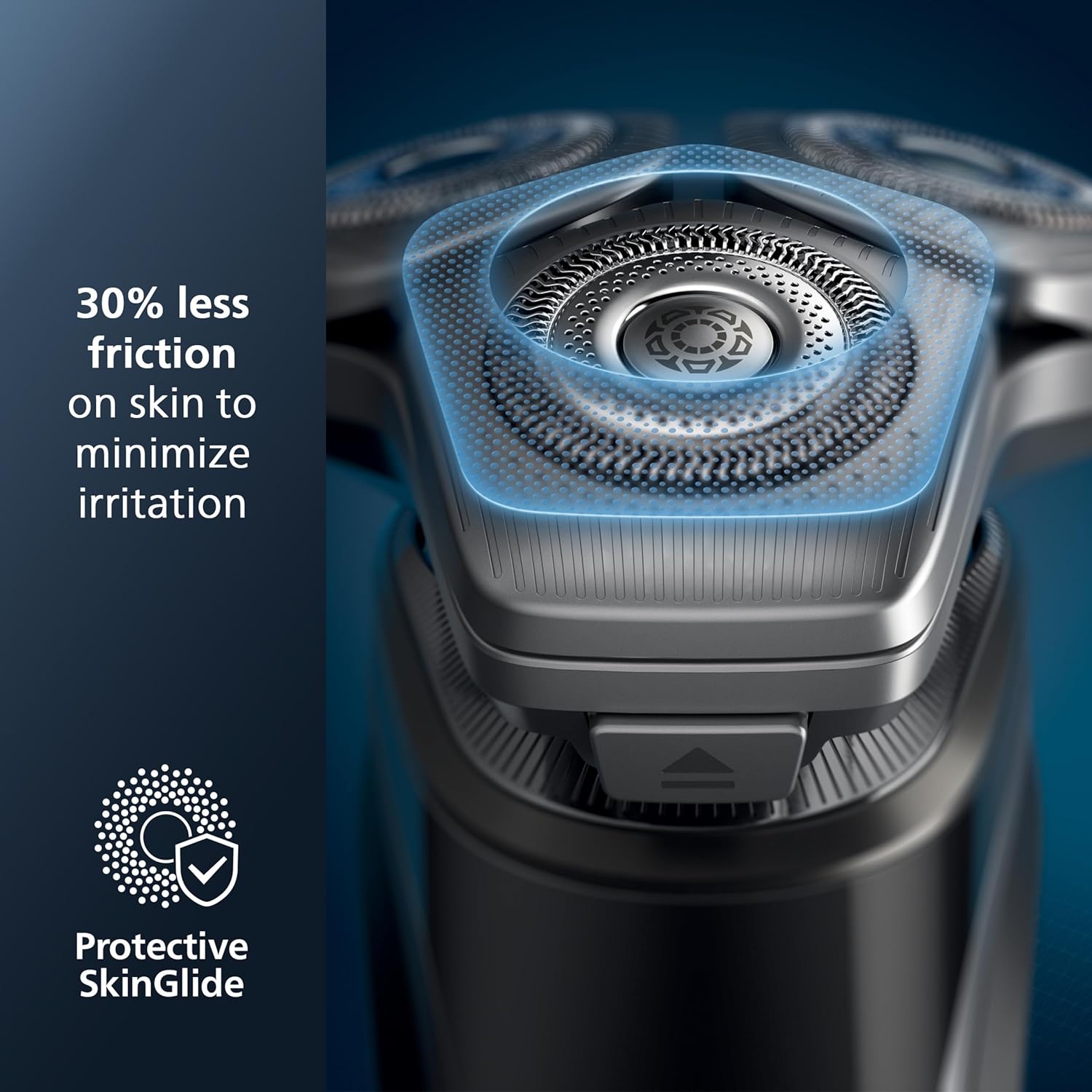
Image: A visual explanation of the Protective SkinGlide rings, demonstrating how they reduce friction on the skin by 30% to minimize irritation during shaving.
Troubleshooting
| Problem | Possible Cause | Solution |
|---|---|---|
| Shaver does not turn on. | Battery is empty. | Charge the shaver for at least 5 minutes. |
| Poor shaving performance. | Shaving heads are dirty or worn out. | Clean the shaving heads thoroughly. Consider replacing the shaving heads if they are older than 12 months. |
| Skin irritation after shaving. | Incorrect shaving technique or sensitive skin. | Ensure you are using small, circular motions. Try wet shaving with foam or gel. Allow skin to adapt to the new shaver. |
Specifications
| Feature | Detail |
|---|---|
| Model Name | S9000 |
| Brand | PHILIPS |
| Power Source | Battery Powered (Li-ion) |
| Special Feature | Waterproof, SenseIQ Technology, ComfortGlide Rings |
| Recommended Uses | Beard, Sideburns, Mustache, Face |
| Battery Run Time | Up to 60 minutes |
| Charging Time | 1 hour for full charge, 5 minutes for quick charge |
| Wattage | 2 Watt-hours |
| Package Dimensions | 9.65 x 6.46 x 3.7 inches |
| Item Weight | 9.42 ounces |
Warranty and Support
For detailed warranty information and customer support, please refer to the warranty card included with your product or visit the official Philips website. You can also find frequently asked questions and additional support resources online.
Online Support: www.philips.com/support
Related documentsS9000


Ask a question about this manual
Ask about setup, troubleshooting, compatibility, parts, safety, or missing instructions. Manuals+ will review the question and use this page’s manual context to help answer it.