
Introduction
Thank you for choosing the Jacuate Open Ear Earbuds M115. These Bluetooth 5.4 headphones are designed for comfort, clear sound, and durability, making them ideal for various activities including sports and daily use. This manual provides detailed instructions for setup, operation, and maintenance to ensure optimal performance.
What's in the Box
- Over Ear Earbuds (Left and Right)
- Wireless Charging Case
- USB-C Charging Cable
- User Manual
- Ear Cushions

Image: Contents of the Jacuate M115 earbud package.
Product Overview and Features
Open Ear Design for Comfort
The M115 earbuds feature an open-ear design that allows sound to enter the ear naturally, reducing pressure on the eardrum. This ergonomic design ensures comfort for extended listening sessions and maintains awareness of your surroundings.

Image: Jacuate M115 earbuds demonstrating the open ear design and comfortable fit.
Clear Sound Quality and Surrounding Awareness
Equipped with a large dynamic speaker driver and directional acoustic technology, these earbuds deliver deep bass and clear stereo sound. The open design allows you to hear your music while remaining aware of your environment, enhancing safety during outdoor activities.

Image: Features of Jacuate M115 earbuds including sound quality and awareness.
Extended Playtime and LED Power Display
Enjoy up to 4 hours of playback on a single charge, with the charging case providing an additional 36 hours, totaling 40 hours of listening time. The charging case features an LED display to show the remaining battery power for both the case and individual earbuds.

Image: Jacuate M115 charging case with LED display and battery life.
Bluetooth 5.4 and Smart Touch Control
Utilizing Bluetooth 5.4 technology, the earbuds offer a stable connection up to 10 meters. Smart touch controls allow for easy management of music playback, volume adjustments, and hands-free calls. Earbuds automatically reconnect after initial pairing.

Image: Jacuate M115 earbuds connected via Bluetooth 5.4.
IPx4 Waterproof Rating
With an IPx4 waterproof rating, these earbuds are resistant to sweat and splashes, making them suitable for workouts, running, cycling, and other outdoor activities.

Image: Jacuate M115 earbuds in use during cycling, highlighting waterproof feature.
Setup and Pairing
- Charge the Earbuds: Before first use, place both earbuds into the charging case and connect the case to a power source using the provided USB-C cable. Ensure the LED display indicates charging.
- Power On: Open the charging case. The earbuds will automatically power on and enter pairing mode.
- Activate Bluetooth: On your device (smartphone, tablet, laptop), enable Bluetooth.
- Select Earbuds: In your device's Bluetooth settings, look for "Jacuate M115" (or similar) in the list of available devices and select it to pair.
- Confirmation: Once paired, you will hear an audio prompt, and the earbuds' indicator lights will change. The earbuds will automatically reconnect to the last paired device when removed from the case.
Wearing Instructions
For optimal sound and comfort, ensure the earbuds are correctly positioned on your ears.
- Hook the Earbud: Gently hook the earbud end over the helix of your ear.
- Rotate Backward: Rotate the earbud backward along the auricle until it sits comfortably.
- Adjust for Fit: Adjust the ear hook to ensure a stable and secure fit. The lightweight design should make them barely noticeable.

Image: Step-by-step guide for wearing the earbuds.
Operating Instructions: Touch Controls
The Jacuate M115 earbuds feature intuitive touch controls on each earbud. Refer to the following table for common functions:
| Function | Action (Left/Right Earbud) |
|---|---|
| Play/Pause | Double click (L/R) |
| Previous/Next Track | Triple click (L/R) |
| Answer/End Call | Double click (L/R) |
| Reject Incoming Call | Long press 2 seconds (L/R) |
| Volume +/- | Single click (L/R) |
| Activate Voice Assistant | Long press (L) |
| Music/Gaming Mode Toggle (Connected) | Quadruple click (L/R) |
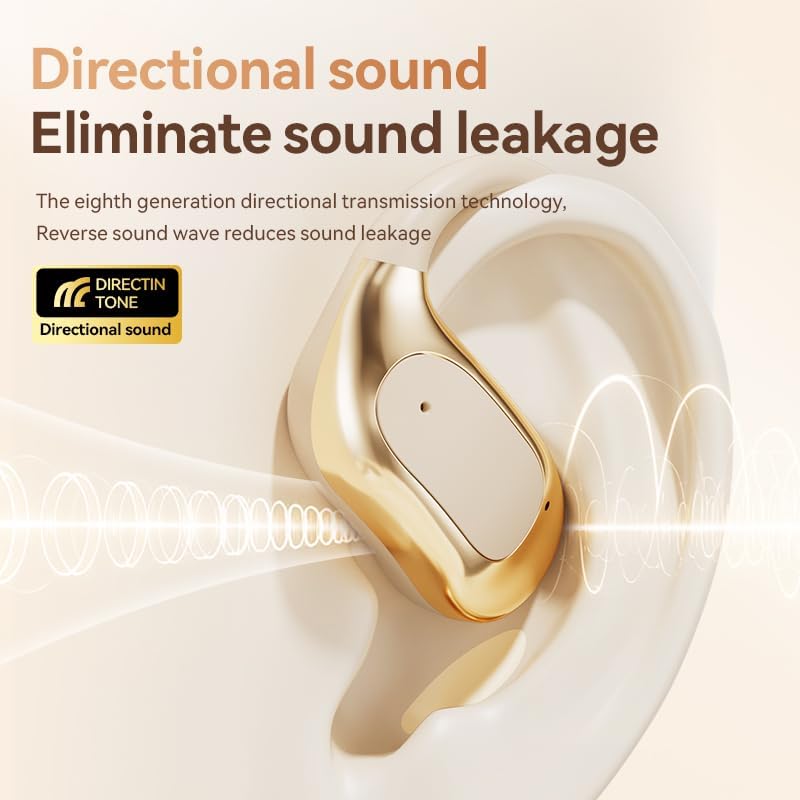
Image: Touch control guide for Jacuate M115 earbuds.
Charging
To charge your Jacuate M115 earbuds and charging case:
- Place the earbuds into their respective slots in the charging case.
- Connect the USB-C charging cable to the charging port on the case and the other end to a USB power adapter (not included).
- The LED display on the charging case will show the current battery level and charging status.
- A full charge for the earbuds provides approximately 4 hours of use, and the fully charged case provides multiple recharges for a total of up to 40 hours of playtime.
Maintenance
To ensure the longevity and optimal performance of your earbuds:
- Cleaning: Regularly wipe the earbuds and charging case with a soft, dry cloth. Avoid using harsh chemicals or abrasive materials.
- Storage: When not in use, store the earbuds in their charging case to protect them from dust and damage.
- Water Exposure: While IPx4 waterproof, avoid submerging the earbuds in water. Dry them thoroughly if they get wet from sweat or splashes.
- Charging Port: Keep the USB-C charging port clean and free of debris.
Troubleshooting
| Problem | Solution |
|---|---|
| Earbuds not pairing | Ensure earbuds are charged. Turn off and on your device's Bluetooth. Forget the device in Bluetooth settings and re-pair. |
| No sound from one earbud | Check if both earbuds are charged. Try placing both back in the case, closing it, and then reopening to reset. |
| Charging case not charging | Verify the USB-C cable is securely connected to both the case and power source. Try a different cable or power adapter. |
| Low volume or poor sound quality | Adjust volume on both your device and the earbuds. Ensure earbuds are clean and properly seated on your ears. |
Specifications
| Feature | Detail |
|---|---|
| Brand | Jacuate |
| Model Number | M115 |
| Ear Placement | Open Ear |
| Connectivity Technology | Bluetooth 5.4, Wireless |
| Bluetooth Range | 10 Meters |
| Control Method | Touch |
| Battery Life (Earbuds) | Approx. 4 hours |
| Total Playtime (with Charging Case) | Up to 40 hours |
| Water Resistance Level | IPx4 (Sweat and splash resistant) |
| Item Weight | 1.9 Ounces (total) |
| Material | Acrylonitrile Butadiene Styrene (ABS) |
| Additional Features | LED Power Display, Directional Acoustic Technology, AI Noise Reduction for calls |
Warranty and Support
Warranty: This product comes with a 2-Year Manufacturer Warranty, covering defects in materials and workmanship under normal use. Please retain your proof of purchase for warranty claims.
Customer Support: For technical assistance, troubleshooting, or warranty inquiries, please contact Jacuate customer support through the retailer's platform or visit the official Jacuate website for contact information.