
1. Introduction
This manual provides detailed instructions for the installation, operation, and maintenance of your Ossuret 9.7-inch Android 13 Car Radio. This unit is specifically designed for Ford Focus 3 MK3 models manufactured between 2011 and 2019. Please read this manual thoroughly before installation and use to ensure proper function and safety.

Figure 1.1: Ossuret 9.7-inch Android 13 Car Radio main unit. The screen displays various application icons including Radio, Navigation, Music, Phone, Video, and Applications, along with status indicators for Wi-Fi, Bluetooth, and cellular signal.
2. Package Contents
Verify that all items listed below are included in your package. If any items are missing or damaged, please contact customer support.
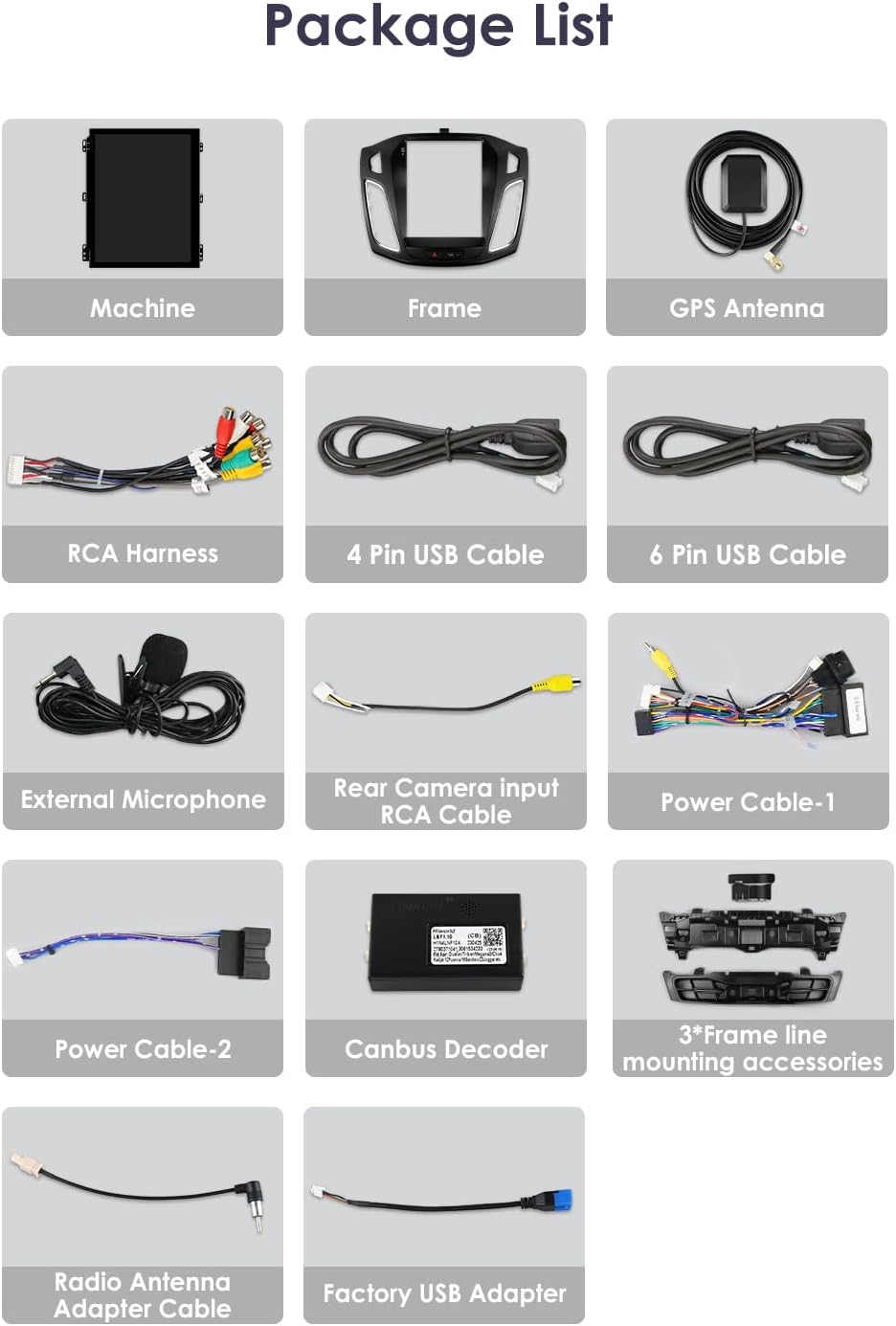
Figure 2.1: Overview of included components. This image displays a grid of items such as the main machine, frame, GPS antenna, RCA harness, 4-pin USB cable, 6-pin USB cable, external microphone, rear camera input RCA cable, power cable-1, power cable-2, Canbus decoder, frame line mounting accessories, radio antenna adapter cable, and factory USB adapter.
- Main Head Unit (Machine)
- Custom Frame for Ford Focus 3 MK3
- GPS Antenna
- RCA Harness
- 4 Pin USB Cable
- 6 Pin USB Cable
- External Microphone
- Rear Camera Input RCA Cable
- Power Cable-1
- Power Cable-2
- Canbus Decoder
- Frame Line Mounting Accessories (3 pieces)
- Radio Antenna Adapter Cable
- Factory USB Adapter
3. Compatibility and Installation Notes
This car radio is designed to fit Ford Focus 3 MK3 models from 2011 to 2019. Before installation, confirm the center console design of your vehicle.

Figure 3.1: Applicable models and years for Ford Focus 3 MK3 (2011-2019). The image displays several dashboard types, indicating which are directly compatible (green checkmark) and which may require additional adapters (red question mark) for features like a large screen center console or original emergency lighting/door lock buttons.
- Center Console Compatibility: If your original car has a large screen center console, an additional adapter may be required for proper fitment and function.
- Emergency Lighting/Door Lock Buttons: If your original car includes emergency lighting and a door lock button integrated into the factory system, an additional adapter may be necessary to retain their functionality.
- Professional Installation: Due to the complexity of automotive electrical systems, professional installation is recommended.
4. Wiring Diagram
Refer to the following diagram for correct connection of all cables and components. Ensure all connections are secure before powering on the unit.

Figure 4.1: Wiring diagram. This image illustrates the various connection points on the back of the head unit and associated cables, including the radio antenna, USB ports, protocol line, original vehicle USB, microphone, RCA harness, Snyc, CAN Snyc, camera input, emergency light/door lock connections, original screen plug, Canbus, and power plug.
- Power Plug: Connects to the vehicle's main power harness.
- Canbus: Connects to the vehicle's CAN bus system for communication with steering wheel controls and other vehicle features.
- Radio Antenna: Connects to the vehicle's radio antenna.
- GPS Antenna: Connect the included GPS antenna and mount it in a location with a clear view of the sky.
- USB Ports: Connect the provided USB cables for external storage or device charging.
- RCA Harness: For audio/video input/output, including subwoofer, amplifier, and auxiliary inputs.
- External Microphone: Connect the external microphone for improved call quality.
- Rear Camera Input: Connect the rear view camera RCA cable.
- Original Vehicle USB: Connects to the vehicle's existing USB port, if applicable.
- Emergency Light/Door Lock: Specific connections for these vehicle functions, potentially requiring an adapter.
5. Operating Instructions
5.1. User Interface and Basic Navigation
The unit features a 9.7-inch capacitive touchscreen with a resolution of 768 x 1024. Navigate the interface by tapping, swiping, and pinching. The main screen provides access to core functions such as Radio, Navigation, Music, Phone, Video, and Applications.
5.2. GPS Navigation
The unit supports both offline and online navigation. Pre-installed European maps are available, and the system is compatible with popular navigation apps like Google Maps, Here WeGo, IGO, Sygic, and Yandex.
- Online Navigation: Connect the unit to the internet via Wi-Fi to use online maps and real-time traffic updates.
- Offline Navigation: Download maps for your local region through the map application (APK) to use navigation without an internet connection.
- Voice Guidance: GPS navigation includes voice guidance for turn-by-turn directions.
- Dual Zone Function: Allows navigation to run in the foreground while music plays in the background.
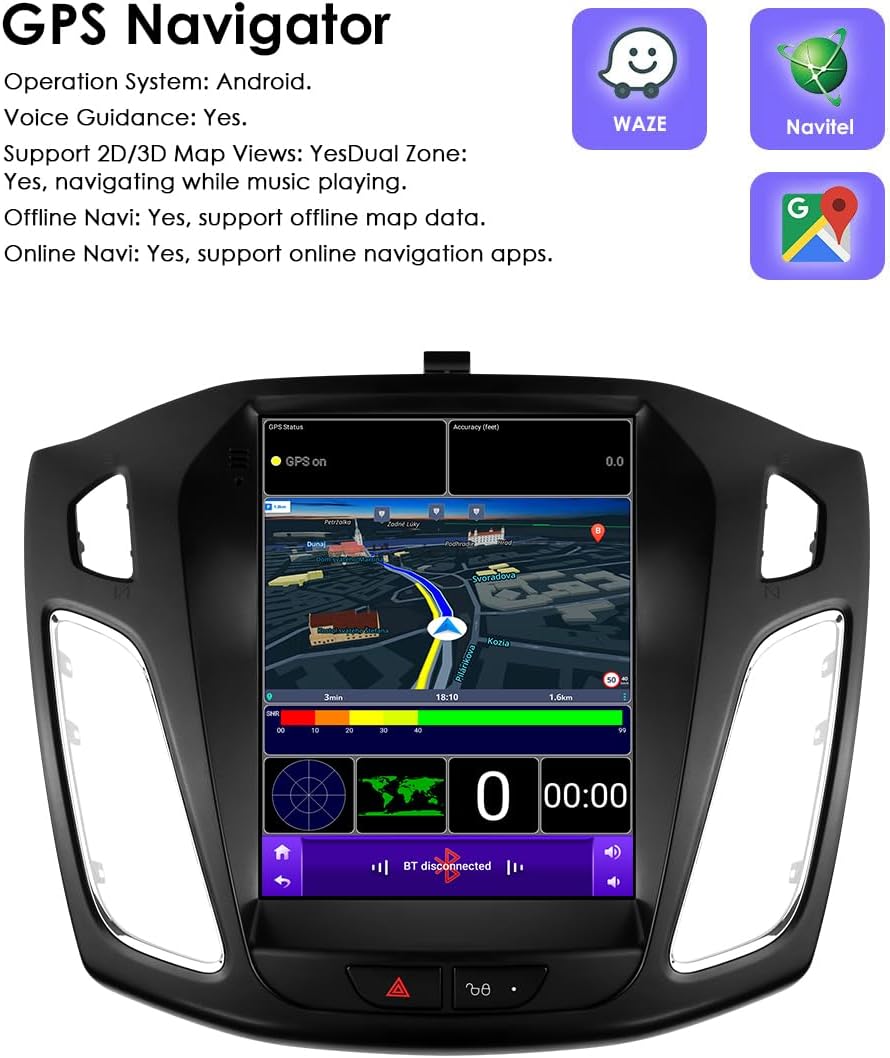
Figure 5.1: GPS Navigator interface. The screen shows a map with a route, current speed, and distance information. Icons for Waze, Navitel, and Google Maps are also displayed, indicating compatibility with various navigation applications.
5.3. Apple CarPlay & Android Auto
The unit is compatible with wireless Apple CarPlay and Android Auto via the pre-installed and activated Zlink app. This allows seamless integration with your smartphone for navigation, music, calls, and messaging.
- Connection: Connect your smartphone via Wi-Fi or Bluetooth for wireless CarPlay/Android Auto. For Android Auto, a wired USB connection is also supported.
- Features: Access phone functions such as Siri (CarPlay) or Google Assistant (Android Auto), music, maps, podcasts, and messages directly from the car radio display.

Figure 5.2: Apple CarPlay and Android Auto support. The image shows the car radio installed in a vehicle dashboard, with the screen displaying a smartphone-like interface. Below, logos for 'Wireless Carplay' and 'Wireless/Wired Android Auto' are shown.
5.4. Bluetooth Functions
The built-in Bluetooth module enables hands-free calling and audio streaming.
- Pairing: Go to the Bluetooth settings on the unit and your smartphone to pair devices.
- Hands-Free Calling: Make and receive calls directly through the car radio. Supports phonebook download and search.
- Bluetooth Music: Stream audio from your paired smartphone to the car radio.
5.5. USB Connectivity
The unit supports USB connections for playing audio and video files from external devices. It has a maximum compatibility of 2TB for external memory.

Figure 5.3: USB connection support. The image shows the car radio playing music from a USB device, with two USB cables connected at the bottom, indicating the unit's ability to play media from external storage.
5.6. Steering Wheel Control (SWC)
The car radio is compatible with most factory steering wheel control functions. This allows you to adjust volume, change tracks, and switch channels without taking your hands off the steering wheel.
- Configuration: Access the SWC settings in the unit's menu to map your vehicle's steering wheel buttons to the desired functions.
5.7. Rear View Camera Input
The system supports a rear view camera. When the vehicle is shifted into reverse gear, the display will automatically switch to the camera feed, providing a clear view of the area behind your vehicle.
5.8. Wi-Fi & Online Features
The main unit has a built-in Wi-Fi modem (802.11b/g/n). Connect to a Wi-Fi hotspot to access online features.
- Online Applications: Download and use various applications from the Play Store, including online games and communication apps (e.g., WeChat, Twitter, Facebook, Skype, Gmail, WhatsApp).
5.9. DAB+ Radio
For enhanced digital audio broadcasting, the unit supports DAB+. An additional DAB box (sold separately) is required to utilize this feature, offering more robust signal reception and advanced signal coding technology.
6. Specifications
| Feature | Specification |
|---|---|
| Operating System | Android 13 |
| CPU | 4Core Allwinner A100 1.5Ghz*4 |
| RAM | 2GB |
| Internal Storage (ROM) | 32GB |
| Screen Size | 9.7 Inches |
| Screen Resolution | 768 x 1024 |
| Touch Screen Type | Capacitive Multi-touch |
| Connectivity | Bluetooth, USB, Wi-Fi |
| Wi-Fi Standard | 802.11b/g/n |
| GPS | Supports offline/online navigation (Google Map, Here WeGo, IGO, Sygic, Yandex) |
| Special Features | Apple CarPlay, Android Auto (Wireless), Steering Wheel Control, Rear View Camera Input, Dual Zone |
| Audio Output Mode | Stereo |
| Amplifier Settings | Rock / Pop / Jazz / Classic / Flat / Voice / Custom |
| USB Compatibility | Up to 2TB external memory |
| Supported Languages | Over 70 languages (e.g., English, German, French, Italian, Spanish, Dutch) |
| Package Dimensions | 37.4 x 31.3 x 12.3 cm |
| Weight | 1.98 kg |
| Manufacturer | Hitour Tech |
7. Troubleshooting
This section addresses common issues you might encounter with your Ossuret car radio. If you experience problems not covered here, please contact customer support.
7.1. No Power / Unit Does Not Turn On
- Check Power Connections: Ensure the main power plug is securely connected to the vehicle's harness. Verify that the vehicle's fuse for the radio is not blown.
- Ignition Status: Confirm the vehicle's ignition is on or in accessory mode.
7.2. No Sound
- Volume Level: Check if the volume is turned up and not muted.
- Speaker Connections: Verify that all speaker wires are correctly connected to the RCA harness and the vehicle's speakers.
- Audio Source: Ensure the correct audio source (e.g., Radio, Bluetooth, USB) is selected.
7.3. GPS Signal Issues
- Antenna Placement: Ensure the GPS antenna is mounted in a location with a clear, unobstructed view of the sky. Avoid placing it under metal objects.
- Antenna Connection: Verify the GPS antenna is securely connected to the unit.
7.4. Bluetooth Connection Problems
- Pairing Mode: Ensure both the car radio and your smartphone are in Bluetooth pairing mode.
- Device Visibility: Make sure your phone's Bluetooth is discoverable.
- Forget Device: Try deleting the pairing record from both the car radio and your phone, then attempt to pair again.
7.5. Steering Wheel Controls Not Working
- Canbus Connection: Verify the Canbus decoder is correctly connected.
- SWC Settings: Access the Steering Wheel Control settings in the unit's menu and perform the learning/mapping process.
- Adapter Requirement: Confirm if your specific vehicle model requires an additional adapter for SWC functionality.
8. Maintenance
Proper care and maintenance will extend the life of your car radio.
- Cleaning the Screen: Use a soft, lint-free cloth to gently wipe the touchscreen. For stubborn smudges, slightly dampen the cloth with water or a screen-safe cleaner. Avoid harsh chemicals or abrasive materials.
- Software Updates: Periodically check for available software updates to ensure optimal performance and access to new features. Follow the instructions provided with the update.
- Temperature: Avoid exposing the unit to extreme temperatures for prolonged periods.
9. Warranty and Support
Your Ossuret car radio comes with a 12-month warranty from the date of purchase.

Figure 9.1: Manufacturer and warranty details. The image shows the back of the product packaging, listing the manufacturer as Dongguan Lixinhang Electronics Co., Ltd., along with their address, email (henry20008@foxmail.com), and a stated warranty period of 12 months.
9.1. Manufacturer Information
- Manufacturer: Dongguan Lixinhang Electronics Co., Ltd
- Address: Room 303, Bld 2, No.32 Yucheng Road, Chang an Town, Dongguan City, Guangdong, China
- Email: henry20008@foxmail.com
- Warranty Period: 12 Months
9.2. Regional Representation
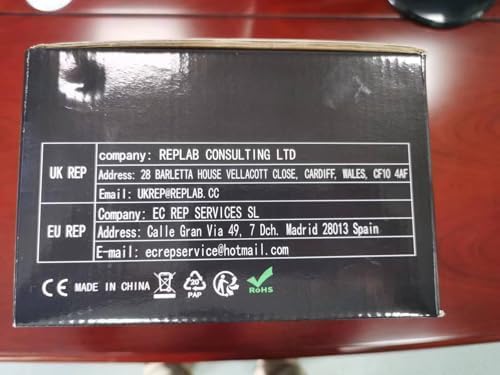
Figure 9.2: Regional representative contact details. This image displays the side of the product packaging, providing contact information for the UK Representative (REPLAB CONSULTING LTD, email: UKREP@REPLAB.CC) and the EU Representative (EC REP SERVICES SL, email: ecrepservice@hotmail.com).
- UK Representative: REPLAB CONSULTING LTD
Address: 28 BARLETTA HOUSE VELLACOTT CLOSE, CARDIFF, WALES, CF10 4AF
Email: UKREP@REPLAB.CC - EU Representative: EC REP SERVICES SL
Address: Calle Gran Via 49, 7 Dch. Madrid 28013 Spain
Email: ecrepservice@hotmail.com
For technical assistance or warranty claims, please contact the appropriate support channel.