
1. Introduction
Thank you for choosing the Petrice Automatic Cat Feeder. This device is designed to provide scheduled and portion-controlled meals for your cats and small dogs, ensuring consistent feeding habits and peace of mind for pet owners. This manual provides essential information for proper setup, operation, and maintenance of your new feeder.

Image 1.1: The Petrice Automatic Cat Feeder in use, showing a cat eating from the stainless steel bowl.
2. Product Components
Before assembly, please ensure all components are present and undamaged:
- Feeder Base with Control Panel
- Food Storage Container (4L/16Cups capacity)
- Lid with Desiccant Slot
- Stainless Steel Feeding Bowl
- Bowl Holder
- 5V DC Power Adapter (USB-C cable)
- User Manual

Image 2.1: Visual representation of the feeder's main components and its dual power supply options.
3. Setup
3.1 Assembly
- Place the feeder base on a flat, stable surface.
- Attach the food storage container to the feeder base, ensuring it clicks securely into place. The food outlet should align with the bowl area.
- Insert the stainless steel bowl into the bowl holder, then slide the holder onto the feeder base.
- Open the lid and, if desired, place a desiccant packet into the designated slot to help keep food fresh. Close the lid securely.
3.2 Power Supply
The feeder supports dual power options:
- DC Power Adapter: Connect the provided USB-C cable to the port at the back of the feeder base and plug the adapter into a wall outlet.
- Battery Backup: For uninterrupted operation during power outages, install 3 D-size batteries (not included) into the battery compartment located at the bottom of the feeder.
It is recommended to use both the power adapter and batteries for reliable feeding.
Video 3.1: A demonstration of the feeder's assembly and dual power options.
3.3 Filling the Food Container
Open the lid of the food storage container and pour dry pet food into it. Ensure the kibble size is between 2mm and 15mm to prevent jamming. Close the lid securely to maintain freshness.

Image 3.2: Recommended kibble sizes (2-15mm) for optimal feeder performance, including dry, freeze-dried, and mixed food types.
4. Operating Instructions
The feeder features an intuitive LED display and control buttons for easy programming.

Image 4.1: The LED display shows current time, number of meals fed, and portion size. Control buttons are used for setup and manual feeding.
4.1 Setting Current Time
- Press and hold the 'SET' button until the hour display starts blinking.
- Use the 'Up' and 'Down' arrow buttons to adjust the hour.
- Press 'SET' again to move to minutes, then use 'Up' and 'Down' to adjust.
- Press 'SET' to confirm and exit time setting.
4.2 Scheduling Meals
You can program up to 6 meals per day, with up to 30 portions per meal.
- After setting the current time, press 'SET' to enter meal programming mode. The meal number (M1, M2, etc.) will blink.
- Use 'Up' and 'Down' arrows to select the meal number you wish to set (M1-M6). Press 'SET'.
- The hour for the selected meal will blink. Adjust using 'Up'/'Down' arrows. Press 'SET'.
- The minutes for the selected meal will blink. Adjust using 'Up'/'Down' arrows. Press 'SET'.
- The portion size (P) for the meal will blink. Adjust the number of portions (1-30) using 'Up'/'Down' arrows. Press 'SET'.
- Repeat for additional meals or press 'SET' to exit programming mode.

Image 4.2: Example of a customized feeding schedule with specific times and portion amounts for each meal.
4.3 Voice Recording
Record a 10-second voice message that will play during each scheduled meal to call your pet.
- Press and hold the 'Microphone' button until you hear a beep.
- Record your message (e.g., "Here, kitty kitty!").
- Release the 'Microphone' button to save the recording.
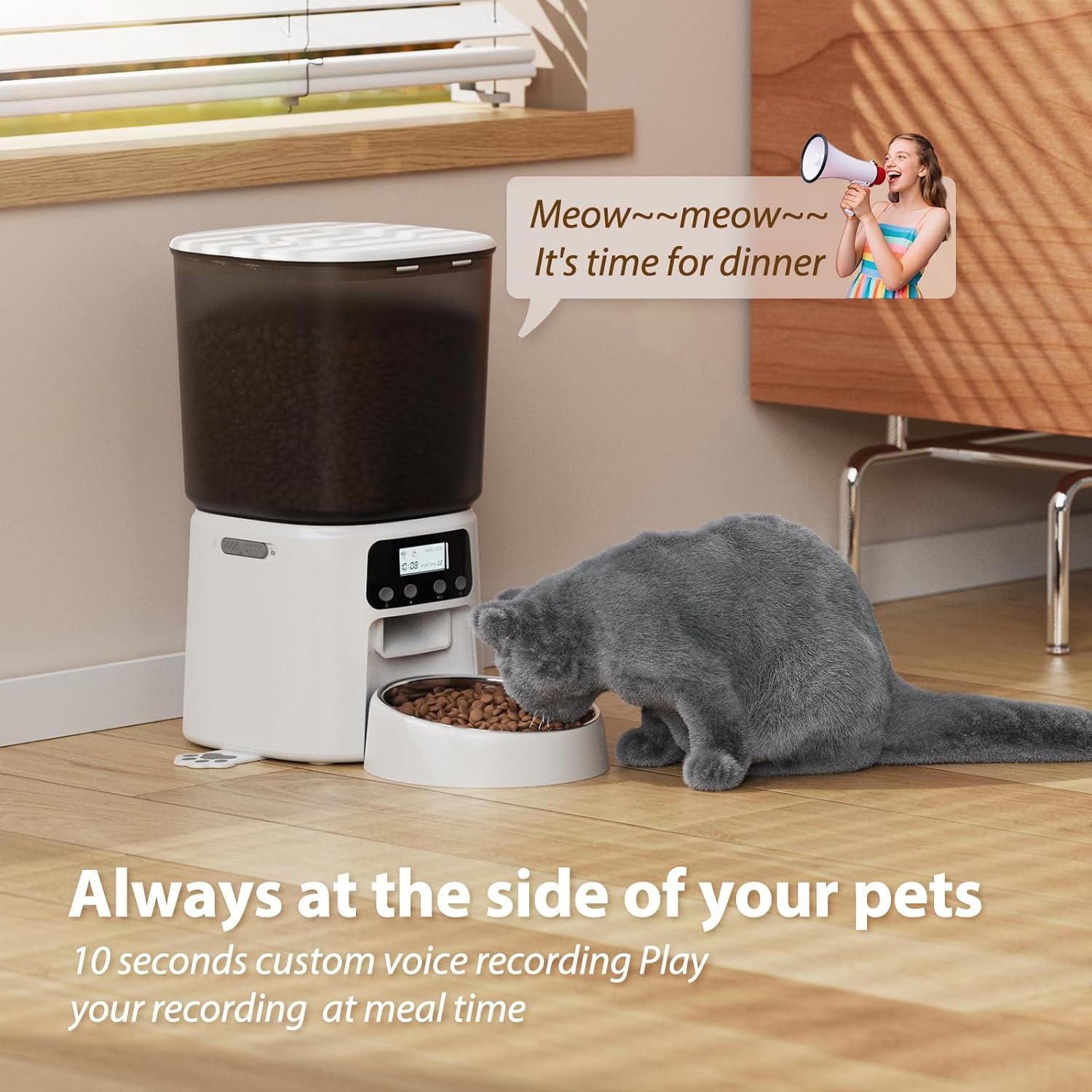
Image 4.3: A cat is shown listening to a voice message playing from the feeder, indicating the voice recording feature.
4.4 Manual Feeding
To dispense food instantly, press the 'Feed' button (usually the 'Down' arrow button). Each press will dispense one portion.
4.5 Lock/Unlock Controls
To prevent accidental changes to settings, the control panel can be locked. Press and hold the 'Lock' button (often the 'Up' arrow button) for 3 seconds to lock or unlock the controls.
Video 4.4: A demonstration of setting up the feeder, including recording a voice message and manually dispensing food.
5. Maintenance & Cleaning
Regular cleaning ensures hygiene and proper functioning of the feeder.
- Disassembly: Unplug the feeder and remove any remaining food. Detach the food storage container, lid, and stainless steel bowl.
- Cleaning: The stainless steel bowl and food container are removable and can be hand-washed with mild soap and water. Ensure all parts are thoroughly rinsed and dried before reassembly. The feeder base should be wiped clean with a damp cloth; do not immerse it in water.
- Desiccant Replacement: Replace the desiccant packet in the lid every 1-2 months, or as needed, to maintain food freshness.
- Reassembly: Reassemble all parts once completely dry.

Image 5.1: The feeder's components are shown disassembled, highlighting the ease of cleaning the food container and stainless steel bowl.
6. Troubleshooting
- Feeder not dispensing food: Check power connection or battery level. Ensure the food container is not empty and the kibble size is appropriate (2-15mm). Check for any food blockages in the dispenser mechanism.
- Display not working: Verify power supply. If using batteries, ensure they are correctly inserted and not depleted.
- Settings not saving: Ensure you press 'SET' to confirm changes after adjusting time or meal schedules.
- Food becoming stale: Ensure the lid is securely closed and the desiccant packet is fresh.
7. Specifications
| Feature | Detail |
|---|---|
| Model Number | VT02-00031 |
| Brand | Petrice |
| Capacity | 4 Liters (approx. 16 Cups) |
| Material | PP (container), Stainless Steel (bowl) |
| Power Supply | 5V DC Adapter (included), 3 D-size Batteries (not included, for backup) |
| Scheduled Meals | Up to 6 meals per day |
| Portion Control | 1-30 servings per meal |
| Voice Recording | 10-second personalized message |
| Recommended Kibble Size | 2mm - 15mm |
| Dimensions (LxWxH) | 7.68 x 9.65 x 7.68 inches |
| Item Weight | 2.86 pounds |
8. Warranty and Support
For warranty information, technical support, or any inquiries regarding your Petrice Automatic Cat Feeder, please refer to the contact details provided on the product packaging or the official Petrice website. Keep your purchase receipt for warranty claims.