
1. Introduction
This manual provides detailed instructions for the installation, operation, and maintenance of your Toeeklsa 15.6-inch Car Radio. This advanced infotainment system is designed to seamlessly integrate with your GMC Sierra or Chevrolet Silverado (2014-2019 models), enhancing your driving experience with modern features and robust performance.
Key Features:
- Vehicle Compatibility: Specifically designed for Chevrolet Silverado and GMC Sierra 2014-2019 models (supports OEM 8-inch version only, not 7-inch or 4.2-inch versions). Compatible with Bose audio systems.
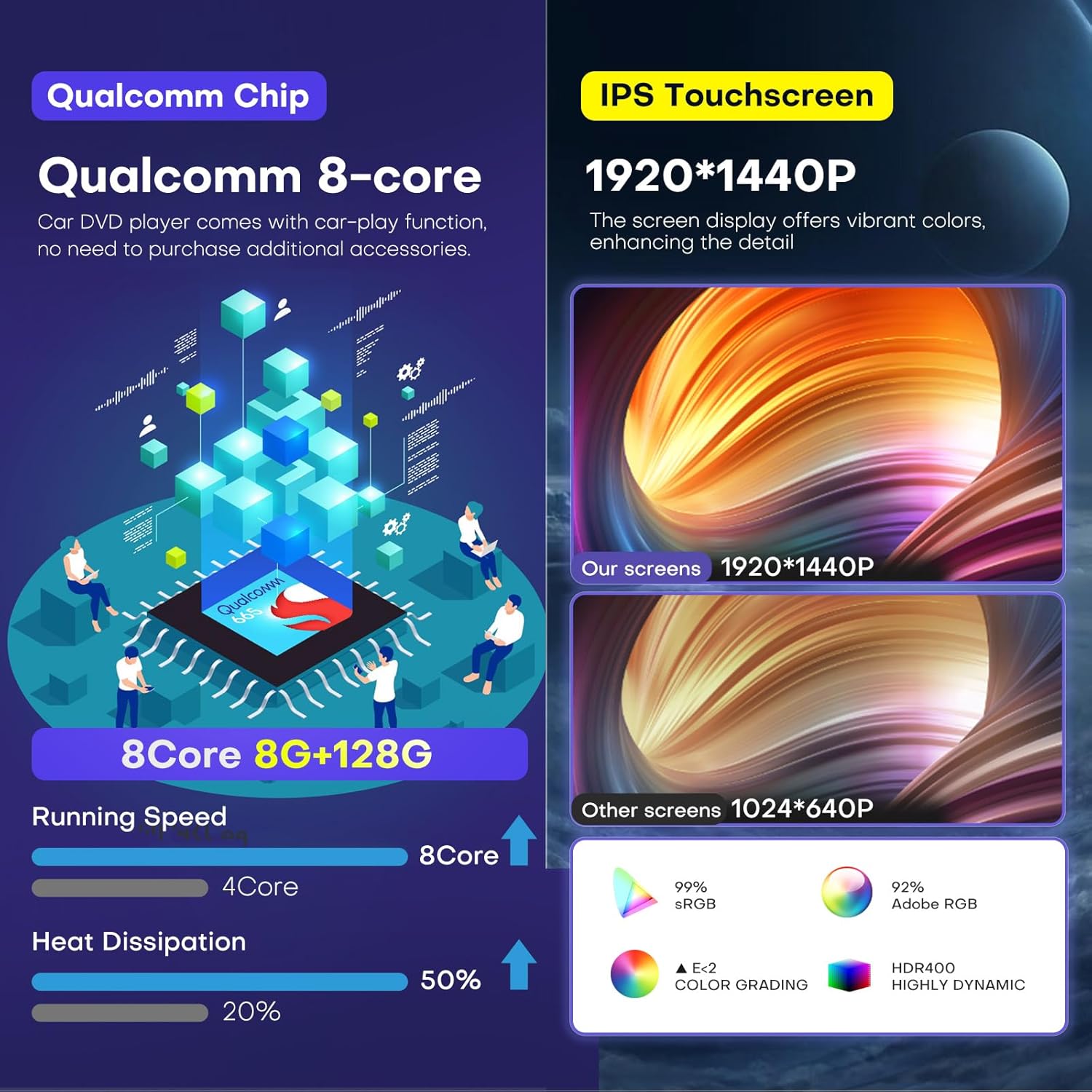
- High-Definition Display: Upgraded 15.6-inch 2K screen (1920x1440 resolution) for ultra-clear visuals.
- Advanced Operating System: Latest Android 13 operating system with an 8-core CPU, 8GB RAM, and 128GB ROM for smooth and responsive performance.
- Seamless Smartphone Integration: Built-in wireless Apple CarPlay and Android Auto for hands-free calls, navigation, and app access.
- Navigation & Connectivity: Integrated GPS functionality with online/offline map support, real-time traffic updates, and 4G/Wi-Fi connectivity for various online applications.
- Premium Audio: 16-band equalizer, subwoofer support, and built-in HiFi for customizable and high-quality sound.
- OEM Feature Retention: Supports original steering wheel controls, rear camera, and radar systems.
2. Setup and Installation
The Toeeklsa Car Radio is designed for a true plug-and-play installation, retaining all original equipment manufacturer (OEM) features. Comprehensive and detailed installation instructions, along with necessary tools, are provided to facilitate self-installation.
2.1 Compatibility Check
Ensure your vehicle is a GMC Sierra or Chevrolet Silverado from 2014-2019. This unit is compatible only with vehicles originally equipped with an 8-inch OEM screen (IO5/IO6). It does not support 7-inch (IOB) or 4.2-inch (IO3/IO4) OEM screen versions. It is also compatible with the Bose audio system.


2.2 Installation Process
Refer to the comprehensive installation instructions provided with your product for step-by-step guidance. The design ensures direct alignment with your car's existing setup, minimizing complications.
3. Operating Instructions
Your Toeeklsa Car Radio features an intuitive Android 13 interface with a 15.6-inch touchscreen, offering a wide range of functionalities for navigation, entertainment, and communication.
3.1 General Interface and Navigation
The main screen provides access to various applications and settings. Swipe left or right to navigate between app pages. The bottom bar typically displays quick access controls for climate, volume, and home/back functions.

3.2 Climate Control
The unit integrates with your vehicle's climate control system, allowing you to adjust temperature, fan speed, and air direction directly from the touchscreen. Physical buttons on the side bezels may also provide quick access to common climate functions.
3.3 Apple CarPlay & Android Auto
The system features built-in wireless Apple CarPlay and Android Auto. Connect your smartphone via Bluetooth to access your phone's navigation, music, messages, and other compatible apps directly on the car radio's screen. Voice assistants like Siri and Google Assistant are supported for hands-free operation.

3.4 GPS Navigation & Internet Connectivity
Utilize the integrated GPS for online and offline navigation. The system supports Wi-Fi and 4G connectivity, allowing you to download maps, access real-time traffic updates, and use various online applications like YouTube, Facebook, and TikTok.

3.5 Audio Features
The unit includes a 16-band equalizer for precise audio tuning, allowing customization of music styles. It supports AM/FM/RDS radio with manual and automatic station search and storage. Subwoofer and Hi-Fi audio capabilities ensure a rich sound experience.

3.6 Bluetooth 5.0
Built-in Bluetooth 5.0 allows for hands-free calling and wireless music streaming. Easily pair your device to manage calls and play audio directly through the car's speakers.

3.7 OEM Camera & Steering Wheel Control
The unit supports your vehicle's original reversing camera, automatically displaying the image when reverse gear is engaged. Steering wheel controls are also fully supported, allowing you to manage various functions without taking your hands off the wheel.

3.8 Split Screen Display
The system supports split-screen functionality, allowing you to view two applications simultaneously, such as navigation and music playback, or a phone call and another app.

4. Maintenance
To ensure optimal performance and longevity of your Toeeklsa Car Radio, follow these general maintenance guidelines:
- Screen Cleaning: Use a soft, lint-free cloth to gently wipe the touchscreen. For stubborn smudges, slightly dampen the cloth with water or a screen-safe cleaner. Avoid harsh chemicals or abrasive materials.
- Software Updates: Periodically check for and install available software updates to ensure you have the latest features, performance improvements, and security patches.
- Environmental Conditions: Avoid exposing the unit to extreme temperatures, direct sunlight for prolonged periods, or excessive moisture.
- Cable Connections: Ensure all cables are securely connected. Loose connections can lead to intermittent issues.
5. Troubleshooting
If you encounter any issues with your Toeeklsa Car Radio, refer to the following common troubleshooting steps:
- No Power: Check all power connections. Ensure the vehicle's ignition is on. If the issue persists, consult a professional installer.
- No Sound: Verify volume settings on the unit and your vehicle's audio system. Check audio source selection (e.g., Radio, Bluetooth, CarPlay). Ensure speakers are properly connected.
- Touchscreen Unresponsive: Try restarting the unit (refer to the specific restart procedure in your product's quick start guide, if available). Ensure the screen is clean and free of debris.
- GPS Signal Issues: Ensure the GPS antenna is properly installed and has a clear view of the sky. Update map data if necessary.
- Bluetooth/CarPlay/Android Auto Connection Problems: Ensure Bluetooth is enabled on both the unit and your smartphone. Forget and re-pair the device. Check for any software updates for your phone or the car radio.
- System Slow or Freezing: Close unnecessary background applications. Clear cache if possible (refer to Android settings). A factory reset may be required as a last resort (note: this will erase all user data).
For persistent issues, please contact customer support as detailed in Section 7.
6. Specifications
The following table outlines the technical specifications for the Toeeklsa 15.6-inch Car Radio:
| Feature | Specification |
|---|---|
| Brand | Toeeklsa |
| Model Name | Toeeklsa GPS Navigation System |
| Operating System | Android 13 |
| CPU | 8-core |
| RAM | 8GB |
| ROM (Memory Storage Capacity) | 128GB |
| Screen Size | 15.6 Inches |
| Display Resolution | 1920x1440 |
| Connectivity Technology | Bluetooth 5.0, Wi-Fi, 4G |
| Special Features | Bluetooth, Touchscreen, Wireless CarPlay, Android Auto, GPS Navigation, DSP Tuning |
| Map Type | Worldwide (Online/Offline) |
| Mounting Type | Dashboard Mount |
| Vehicle Service Type | Truck (GMC Sierra, Chevrolet Silverado 2014-2019) |
| Item Weight | 10.18 pounds |
| Package Dimensions | 19.5 x 17 x 7 inches |
7. Warranty and Support
Your Toeeklsa Car Radio comes with comprehensive after-sales support to ensure your satisfaction.
- Warranty: The product includes a 12-month warranty policy.
- Refund Guarantee: A 30-day refund guarantee is provided.
- Technical Support: Lifelong technical support is available. If you encounter any challenges with assembly, operation, or any other issues, please contact our professional technical team.
7.1 How to Contact Support
For technical assistance, you can typically reach out through the seller's contact information on the platform where you purchased the product. Look for an "Ask a question" or "Contact Seller" option.
