
CERAGEM M6
CERAGEM M6 Luxury Massage Chair User Manual
Model: M6
Introduction
Thank you for choosing the CERAGEM M6 Luxury Massage Chair. This manual provides essential information for the safe and effective use of your new massage chair. The M6 is designed to offer a superior relaxation experience with advanced features such as spine scanning technology, targeted 3D massage modules, and comprehensive heat therapy.
Please read this manual thoroughly before operating the chair and retain it for future reference.
Safety Information
To ensure safe operation, always adhere to the following precautions:
- Ensure the chair is placed on a flat, stable surface.
- Keep children and pets away from the chair during operation.
- Do not use the chair if the power cord is damaged or if the chair is malfunctioning.
- Avoid placing heavy objects on the chair or standing on it.
- Do not attempt to disassemble or repair the chair yourself. Contact qualified service personnel.
- Unplug the chair from the power outlet when not in use or before cleaning.
- Consult a physician before using the chair if you have pre-existing medical conditions, are pregnant, or have a pacemaker.
Setup
Unpacking and Placement
Carefully remove the massage chair and all components from the packaging. Ensure all packing materials are removed. Place the chair on a level, stable floor, allowing sufficient space around it for reclining and operation. A minimum of 10 inches (25 cm) from a wall is recommended for full recline.
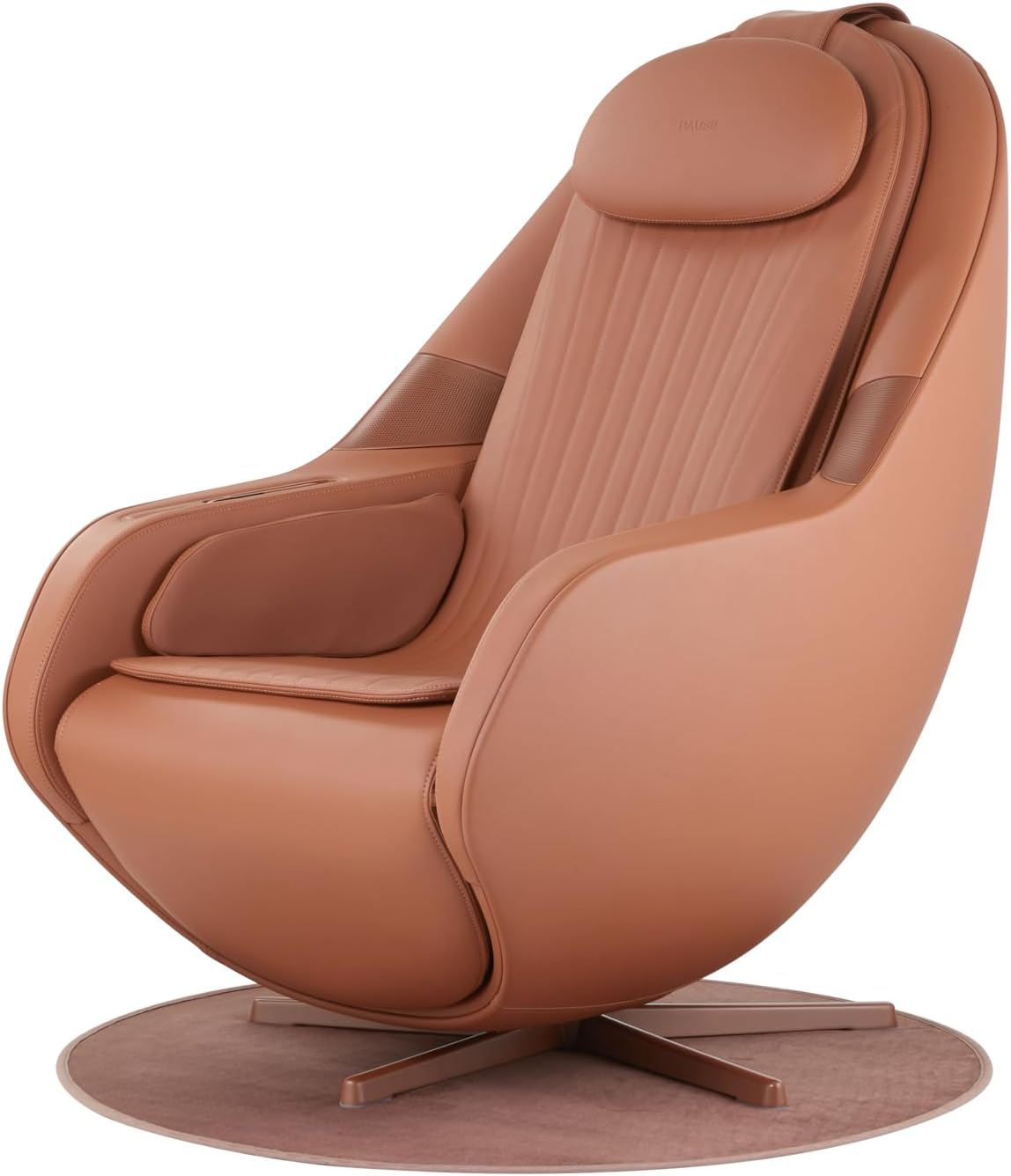
Figure 1: The CERAGEM M6 Luxury Massage Chair, ready for placement.
Component Assembly
The M6 chair comes largely pre-assembled. Attach the Air Cell Lower Body Massager as per the instructions provided in the separate quick start guide. Ensure all connections are secure.
Power Connection
Connect the power cord securely to the power inlet at the rear of the chair. Plug the other end into a grounded electrical outlet (AC 120V, 60Hz). Ensure the power switch is in the OFF position before plugging in.
Operating Instructions
Powering On/Off
Locate the main power switch, usually at the back or side of the chair. Flip the switch to the ON position. The chair will enter standby mode. To begin a massage, use the remote control.

Figure 2: Integrated control panel for easy access to functions.
Remote Control Usage
The M6 comes with a comprehensive remote control. Familiarize yourself with the buttons for power, recline, massage modes, intensity adjustments, and heat functions. Refer to the remote control diagram in the quick start guide for detailed button functions.
Intelligent Spinal Scanning Technology
Upon starting an automatic program, the chair will initiate its patented Auto-Spinal Scan Technology. This feature maps your unique spinal curvature to deliver a personalized and targeted massage experience, ensuring optimal comfort and effectiveness.

Figure 3: The M6's intelligent spinal scanning technology customizes the massage to your body.
Massage Modes
The M6 offers 15 distinct massage modes:
- 10 Automatic Modes: These pre-programmed routines combine various massage techniques and intensities for specific benefits (e.g., Full Body, Neck & Shoulder, Back & Waist, Relaxation, Sleep).
- 5 Custom Programs: Allows you to manually select massage areas (Full Body, Neck & Back, Waist & Pelvis, Partial, Fixed) and adjust techniques (kneading, tapping, shiatsu, etc.) and intensity to create your preferred massage.

Figure 4: Overview of the 15 automatic and manual massage modes.
Zero Gravity Recline
Activate the Zero Gravity function via the remote control. The chair will recline the upper body up to 150 degrees and elevate the built-in footrest up to 80 degrees. This position distributes body weight evenly, reducing pressure on the spine and enhancing the massage experience.

Figure 5: The M6 in its optimal Zero Gravity recline position.
Heating Technology
The M6 features direct heating thermal technology with fast-heating massage modules. These modules can reach up to 149°F (65°C) in approximately 10 minutes, providing soothing warmth that enhances relaxation and targets specific areas for heat therapy.

Figure 6: Direct heating elements provide therapeutic warmth.
Video 1: Demonstration of the M6 Direct Heating Balls in action, showing the glowing thermal massage elements.
Air Cell Massage
The chair includes comprehensive air cell massage for the legs, pelvis, and thighs. These airbags inflate and deflate to provide compression massage, promoting circulation and relieving muscle tension.

Figure 7: Air cell massage for legs and pelvis.
Smart Connectivity
The M6 is equipped with built-in Bluetooth speakers. Pair your device to enjoy music or audio during your massage. A USB Type-C charging port is also available for convenient device charging.
Maintenance
Cleaning
To clean the chair, first unplug it from the power outlet. Use a soft, damp cloth with a mild, non-abrasive cleaner. Do not use harsh chemicals or solvents. Wipe dry immediately. For leather or synthetic leather surfaces, use products specifically designed for their care.
Storage
When not in use for extended periods, store the chair in a cool, dry place away from direct sunlight and extreme temperatures. Cover the chair to protect it from dust.
Troubleshooting
| Problem | Possible Cause | Solution |
|---|---|---|
| Chair does not power on. | Power cord not securely plugged in; Main power switch is OFF; Power outlet malfunction. | Check power cord connection; Ensure main power switch is ON; Test outlet with another device. |
| Massage function not working. | Chair is not in an active massage mode; Remote control batteries are low. | Select an automatic or manual massage mode; Replace remote control batteries. |
| Heat function not felt. | Heat function not activated; Insufficient warm-up time. | Activate heat function via remote; Allow 10-15 minutes for modules to reach full temperature. |
| Abnormal noise during operation. | Normal operational sounds; Loose component. | Some mechanical sounds are normal. If noise is loud or unusual, discontinue use and contact customer support. |
If the problem persists after attempting these solutions, please contact CERAGEM customer support for assistance.
Specifications
| Feature | Detail |
|---|---|
| Brand | CERAGEM |
| Model Name | M6 |
| Color | Brown |
| Product Dimensions (D x W x H) | 45"D x 30"W x 45"H |
| Item Weight | 156 pounds |
| Special Features | Zero Gravity, Advanced Spine Scanning, Bluetooth speakers, USB Type-C charging port, Thermal Massage |
| Recommended Uses | Massage and Relaxation |
| Included Components | User Manual, Remote Controller, Air Cell Lower Body Massager, M6 Relax Chair |
| Reclining Position Count | Up to 150 degrees maximum recline |
| Heat Temperature | Up to 149°F (65°C) |
| UPC | 761734777483 |
Warranty and Support
For warranty information, please refer to the warranty card included with your CERAGEM M6 Luxury Massage Chair. This document outlines the terms and conditions of your product warranty.
For technical support, service requests, or any questions regarding your product, please contact CERAGEM customer service. Contact details can typically be found on the warranty card or the official CERAGEM website.
Online Resources: Visit the official CERAGEM website for FAQs, additional support materials, and product registration.