
BGD42234
Luminous Pro Under Cabinet Light
Model: BGD42234
Introduction
Thank you for choosing the Luminous Pro Under Cabinet Light. This rechargeable, motion-sensing LED light is designed to provide convenient and efficient illumination for various indoor spaces such as cabinets, closets, shelves, and hallways. Its ultra-thin profile, magnetic installation, and adjustable color temperature settings make it a versatile addition to your home.
Please read this manual thoroughly before installation and use to ensure proper operation and to maximize the lifespan of your product.
Safety Information
- This product is designed for indoor use only. Do not expose to water or high humidity.
- Do not disassemble, repair, or modify the light. This may cause damage, electric shock, or fire.
- Keep out of reach of children.
- Use only the specified charging cable (Type-C) and a compatible power adapter (not included) to charge the device.
- Avoid direct eye exposure to the LED light.
- Ensure the installation surface is clean, dry, and smooth for optimal magnetic adhesion.
Package Contents
Please check the package to ensure all items are present:
- Luminous Pro Under Cabinet Light (2 units)
- USB-C Charging Cable (2 units)
- Magnetic Mounting Strips (2 units)
- User Manual (This document)
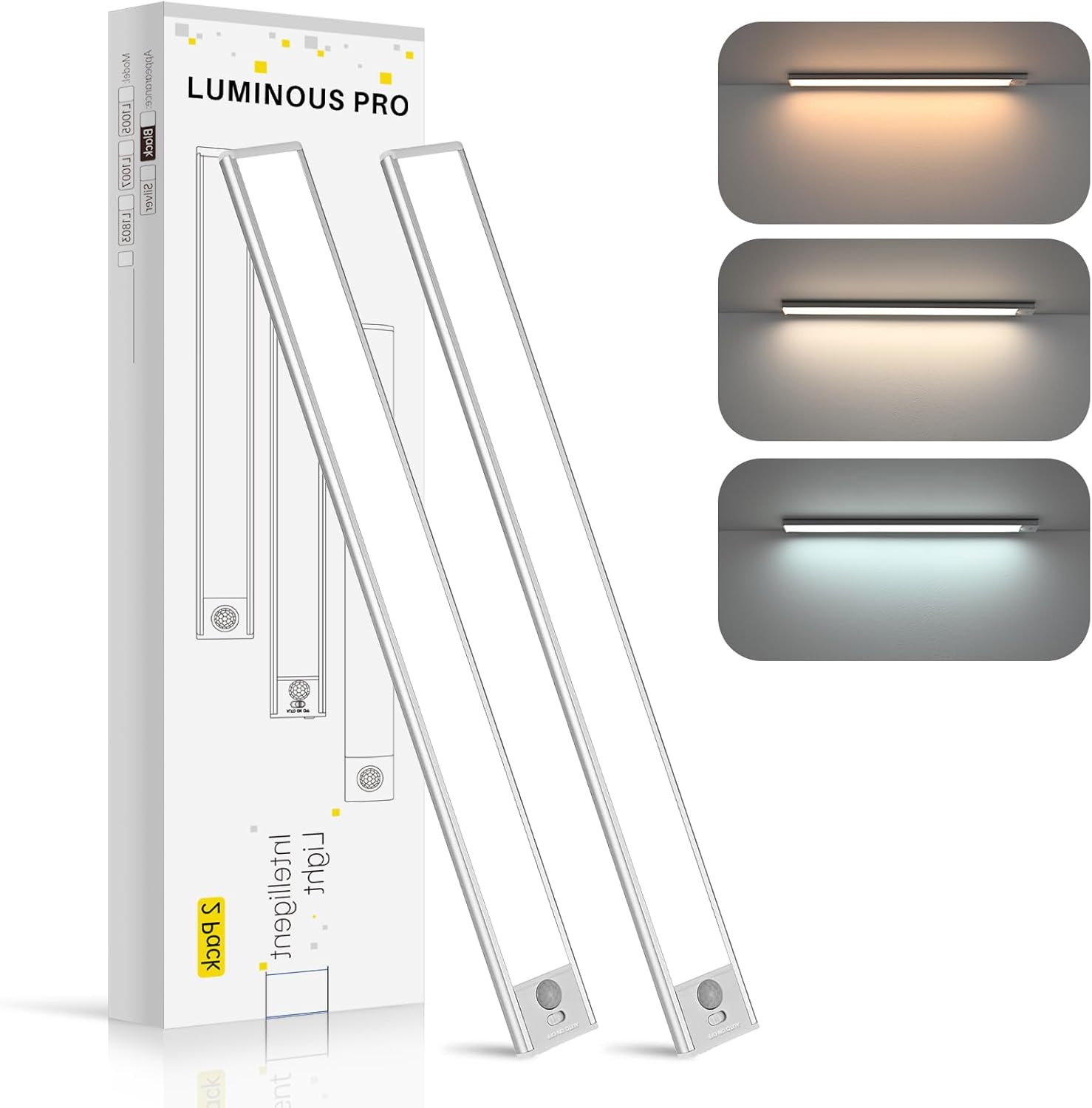
Image: The Luminous Pro Under Cabinet Light packaging, displaying two lights and illustrating the three distinct color temperature options.
Setup and Installation
Charging the Light
- Locate the Type-C charging port on the side of the light.
- Connect the provided USB-C charging cable to the light and plug the other end into a USB power source (e.g., phone charger, computer USB port).
- The indicator light will illuminate during charging and turn off when fully charged. A full charge typically takes 6-8 hours.
Magnetic Installation
The Luminous Pro Under Cabinet Light features tool-free magnetic installation, making it easy to attach and detach for charging or repositioning.
- Identify the desired installation location. Ensure the surface is clean, dry, and smooth.
- Peel off the protective film from one side of the magnetic mounting strip.
- Firmly press the adhesive side of the magnetic strip onto the chosen surface. Hold for a few seconds to ensure strong adhesion.
- The light has a built-in strong neodymium magnet. Simply align the light with the installed magnetic strip on the surface. The light will snap into place magnetically.

Image: A user demonstrating the simple magnetic attachment of the light to an underside of a cabinet or shelf.
Operating Instructions
Power On/Off and Mode Selection
The light features a multi-function button for control.
- Short Press: Toggle between ON (constant light), OFF, and Motion Sensor Mode.
- Long Press (when ON): Cycle through the three color temperatures: 3000K (Warm Yellow), 4000K (Neutral White), and 6000K (Cool White). Release the button to select the desired temperature.
Motion Sensor Mode
In Motion Sensor Mode, the light will automatically turn on when motion is detected within its range in a dark environment. It will automatically turn off after approximately 25 seconds of no motion detected, conserving battery life.
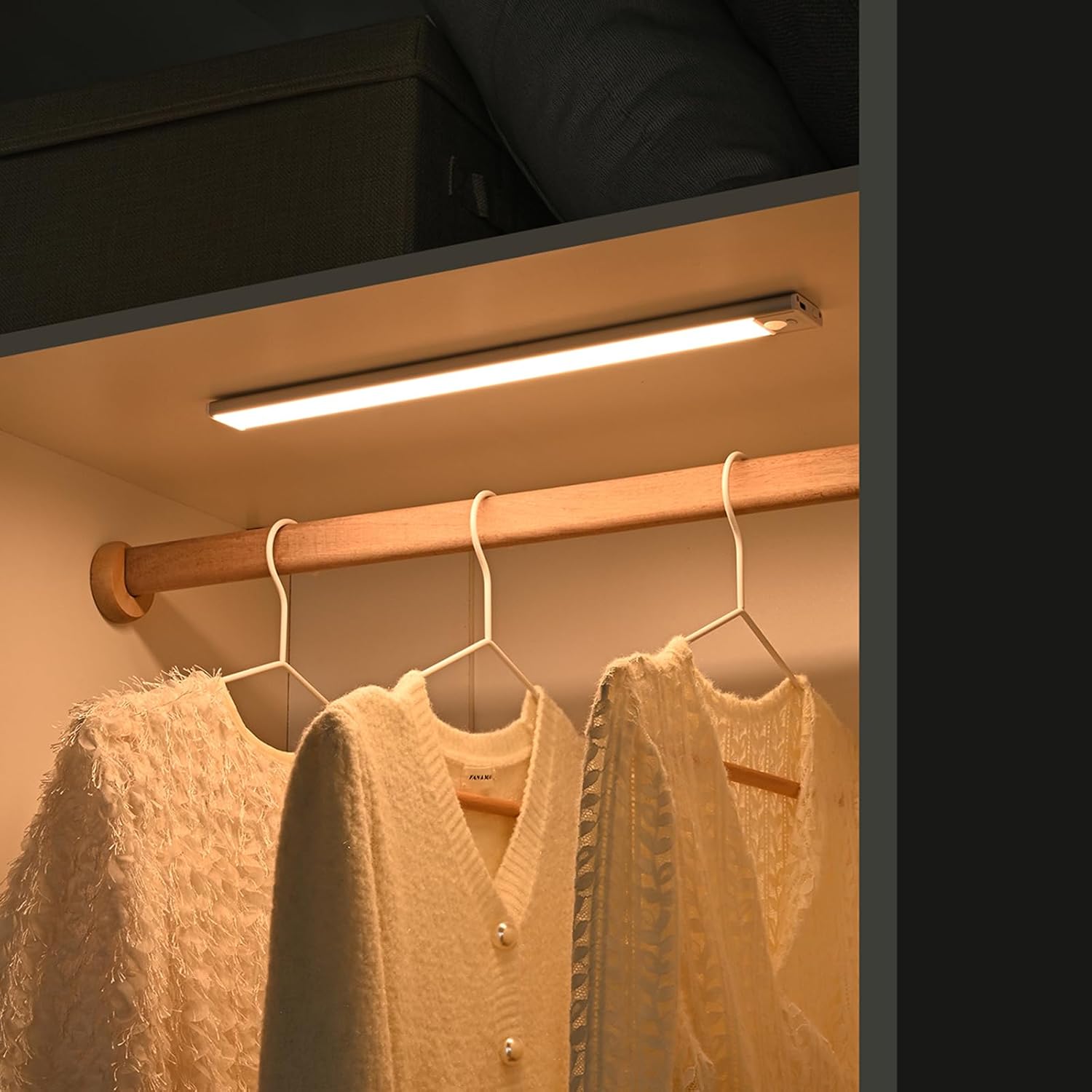
Image: The Luminous Pro Under Cabinet Light providing illumination inside a closet, highlighting its effectiveness in enclosed spaces.

Image: The Luminous Pro Under Cabinet Light installed beneath a shelf, casting light on items below, demonstrating its use for task lighting.
Maintenance
Cleaning
To clean the light, gently wipe the surface with a soft, dry cloth. Do not use abrasive cleaners, solvents, or immerse the light in water.
Battery Care
- Charge the light fully before first use.
- Recharge the light when the brightness diminishes or it stops responding.
- For optimal battery life, avoid completely draining the battery frequently.
- If storing the light for an extended period, charge it every 3-6 months to maintain battery health.
Troubleshooting
| Problem | Possible Cause | Solution |
|---|---|---|
| Light does not turn on. | Battery is low or depleted. | Charge the light fully using the provided USB-C cable. |
| Motion sensor not working. | Light is not in Motion Sensor Mode. / Environment is too bright. | Short press the button to cycle to Motion Sensor Mode. Ensure the area is sufficiently dark for the sensor to activate. |
| Light falls off after installation. | Installation surface is not clean, dry, or smooth. / Magnetic strip not pressed firmly enough. | Clean and dry the surface thoroughly. Reapply the magnetic strip, pressing firmly for at least 30 seconds. Consider a different mounting location if the surface is unsuitable. |
| Light flickers or dims unexpectedly. | Low battery. | Recharge the light. |
Specifications
- Model: BGD42234
- Part Number: LP001
- Dimensions: 7.87"L x 1.57"W x 0.39"H (20cm x 4cm x 1cm)
- Material: Aluminum
- Light Source: LED
- Color Temperatures: 3000K (Warm Yellow), 4000K (Neutral White), 6000K (Cool White)
- CRI: Ra>90
- Battery Capacity: 1000-1500mAh Lithium Ion (included)
- Charging Port: Type-C
- Control Method: Push Button / Touch
- Sensor Type: Motion Sensor
- Indoor/Outdoor Usage: Indoor Only
- Manufacturer: HKZYBH
Warranty and Support
This product comes with a standard manufacturer's warranty. For specific warranty details, please refer to the product packaging or contact your retailer.
If you encounter any issues or have questions regarding your Luminous Pro Under Cabinet Light, please contact our customer support team. We are committed to ensuring your satisfaction.
Customer Support: Please refer to your purchase platform or retailer's contact information for support.
no relevant documents