
1. Introduction
This manual provides comprehensive instructions for the installation, operation, and maintenance of your Keenso Digital Tachometer Gauge. This high-accuracy LCD display gauge is designed for various vehicle modifications, including cars, trucks, boats, and generator engines, providing precise engine speed (RPM) and hour readings.
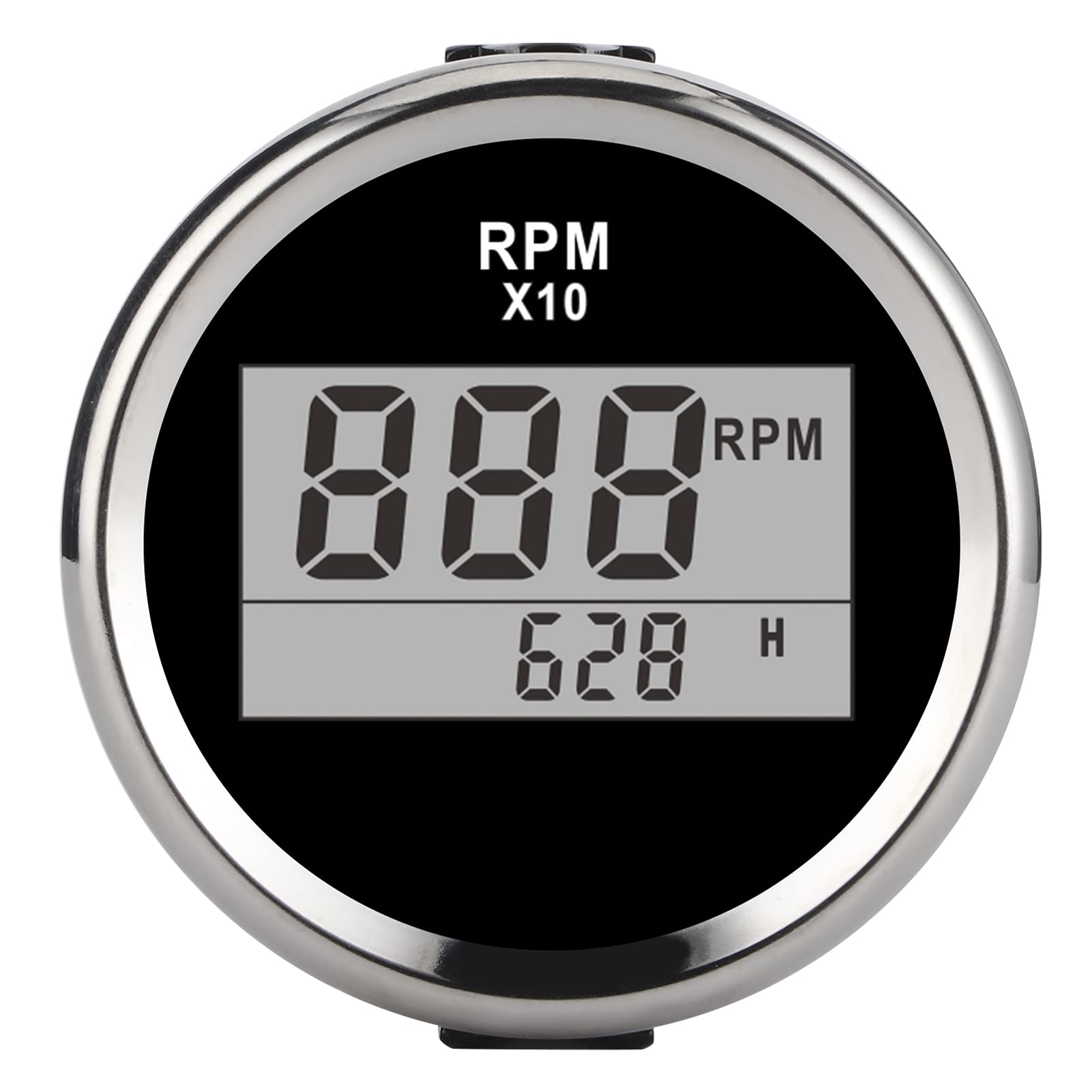
Image 1.1: Front view of the Keenso Digital Tachometer Gauge, featuring a black dial and silver bezel. The display shows RPM and hour readings.
Package Contents:
- 1 x 0-9990RPM Tachometer Gauge
- 1 x Connecting Cable
- 1 x Instruction Manual
2. Features
- High Accuracy: Utilizes a stepping motor for precise RPM display and a clear LCD for hour readings.
- Durable Construction: Made from stainless steel and plated plastic for long-lasting performance.
- Waterproof Rating: IP67 protection class, allowing operation underwater up to 1 meter. Features curved glass with anti-fog function.
- Wide Voltage Range: Designed for ultra-wide working voltage of 9-32V DC, with a maximum tolerance of 36V (for less than 1 minute).
- Low Power Consumption: Efficient design ensures extended service life.
- Versatile Application: Suitable for various stepping gauges and compatible with car, truck, boat, and generator engines.
3. Specifications
| Specification | Value |
|---|---|
| Item Type | Tachometer Gauge |
| Material | Stainless Steel + Plated Plastic |
| Backlight Color | Red |
| Installation Diameter | Approx. 52mm (2 inches) |
| Operating Voltage | 9-32V DC |
| Operating Current | ≤60mA |
| Indicating Range | 0-9990 RPM |
| Input Signal | Pulse Signal from tacho sensor, engine, alternator, ignition coil, crankshaft sensor, etc. |
| Protection Class | IP67 (can work underwater 1m) |
| Item Weight | 4.3 ounces |
| Package Dimensions | 3.54 x 2.76 x 2.76 inches |

Image 3.1: Front view of the tachometer, illustrating its approximate 52mm (2-inch) installation diameter.
4. Setup & Installation
Follow these steps for proper installation of your tachometer gauge. Ensure the vehicle's power is disconnected before beginning installation.
4.1 Mounting the Gauge
- Choose a suitable location on your dashboard or panel for installation.
- Cut a circular hole with an approximate diameter of 52mm (2 inches) at the chosen location.
- Insert the tachometer gauge into the hole.
- Secure the gauge from the back using the provided mounting bracket and nuts.
4.2 Wiring Connections
Refer to the wiring diagram below and the provided connecting cable for correct connections. Incorrect wiring can damage the device or vehicle electrical system.
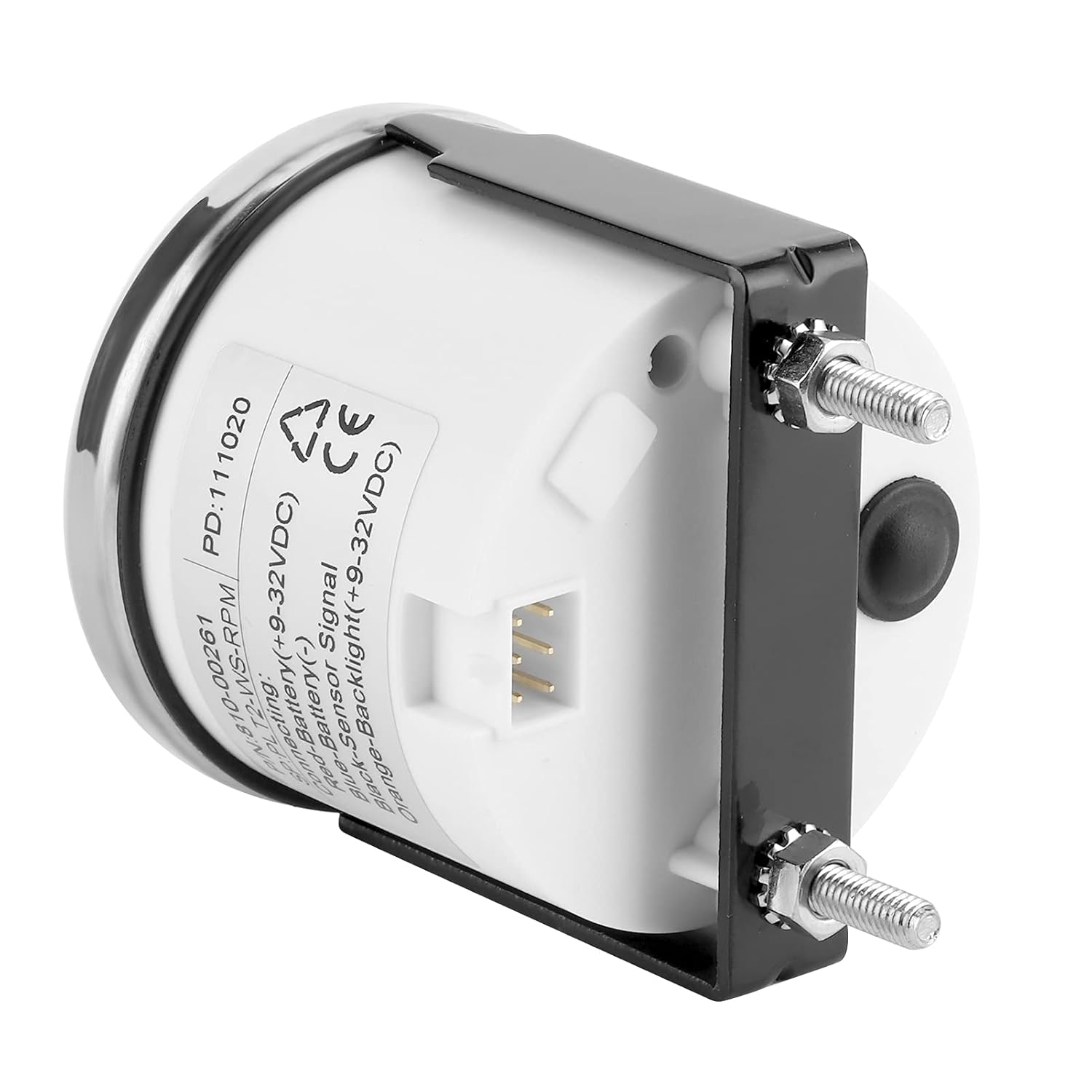
Image 4.1: Rear view of the tachometer, displaying the wiring terminals and connection points.
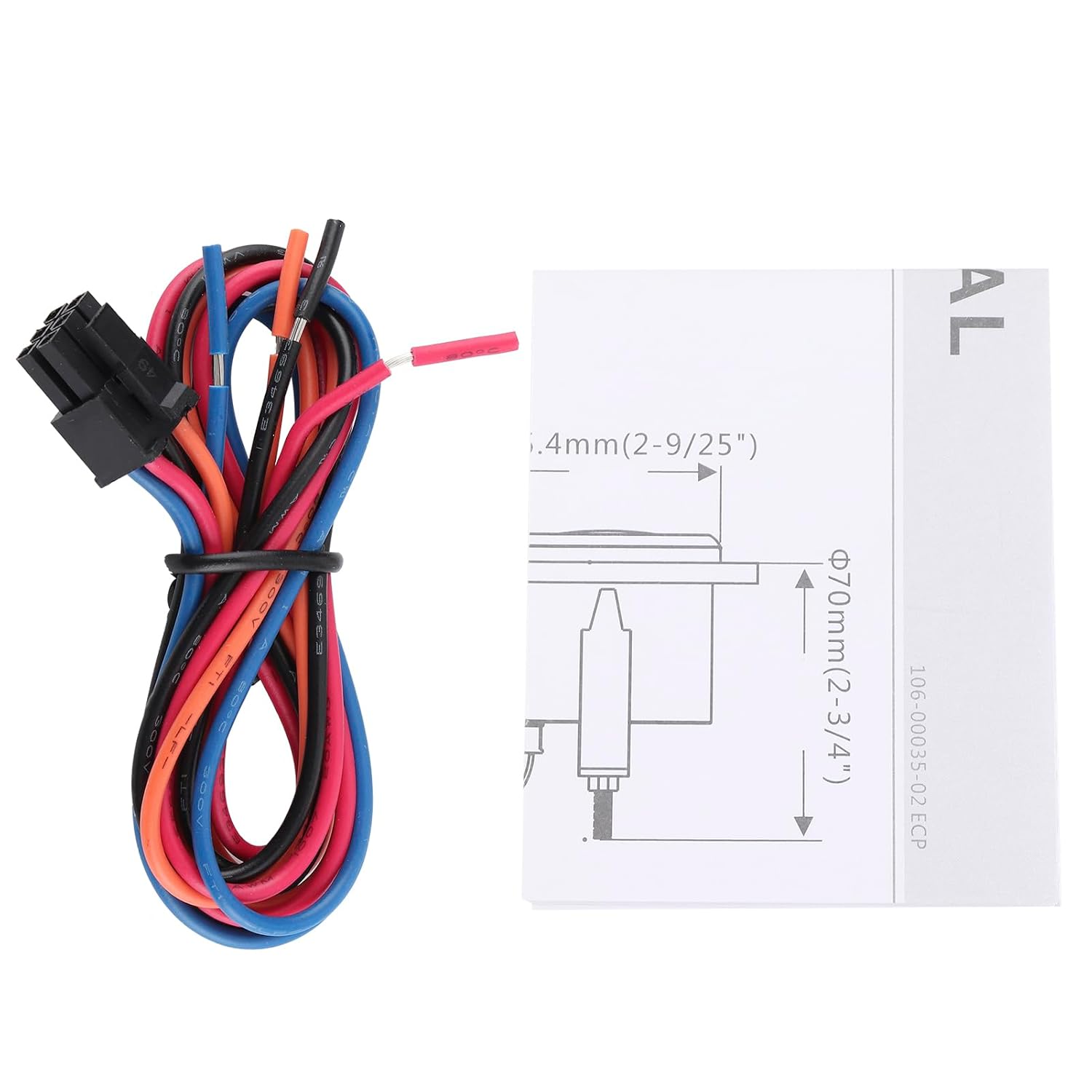
Image 4.2: The included connecting cable harness with color-coded wires for installation.
- Red Wire: Connect to Battery Positive (+9-32V DC).
- Blue Wire: Connect to Battery Negative (-).
- Black Wire: Connect to Signal Input. This receives the pulse signal from your tacho sensor, engine, alternator, ignition coil, or crankshaft sensor.
- Orange/Yellow Wire: Connect to Backlight Positive (+9-32V DC). This powers the red backlight.
After all connections are made, ensure they are secure and insulated to prevent short circuits. Reconnect the vehicle's power.
5. Operating Instructions
The Keenso Digital Tachometer Gauge provides real-time engine RPM and accumulated operating hours on its LCD display.

Image 5.1: Close-up view of the digital display, clearly showing RPM (Revolutions Per Minute) and accumulated operating hours (H).
5.1 Reading the Display
- The large digital numbers indicate the engine's RPM (Revolutions Per Minute), typically displayed as "RPM x10" or similar, meaning the displayed value should be multiplied by 10. The indicating range is 0-9990 RPM.
- The smaller digital numbers, usually accompanied by an "H", display the total accumulated operating hours of the engine.
5.2 Power On/Off
The gauge will power on automatically when connected to a 9-32V DC power source and will display readings once an engine pulse signal is detected. It powers off when the power source is disconnected.
6. Maintenance
The Keenso Digital Tachometer Gauge is designed for durability and requires minimal maintenance.
- Cleaning: Wipe the display and bezel with a soft, damp cloth. Avoid abrasive cleaners or solvents that could damage the surface or anti-fog coating.
- Water Resistance: The gauge has an IP67 rating, meaning it is protected against dust and can withstand immersion in water up to 1 meter for 30 minutes. However, prolonged submersion or high-pressure water jets should be avoided.
- Connections: Periodically check wiring connections to ensure they remain secure and free from corrosion.
7. Troubleshooting
If you encounter issues with your tachometer gauge, refer to the following common problems and solutions:
- No Display/No Power:
- Check the power connections (Red wire to positive, Blue wire to negative) for proper voltage (9-32V DC) and secure contact.
- Ensure the backlight wire (Orange/Yellow) is correctly connected if the backlight is not illuminating.
- Incorrect RPM Reading:
- Verify the signal wire (Black) is correctly connected to a reliable pulse signal source (tacho sensor, ignition coil, alternator, crankshaft sensor).
- Ensure the signal source is functioning correctly.
- Check for any loose or corroded connections in the signal line.
- Display Flickering or Intermittent:
- Check all wiring for loose connections or damaged insulation.
- Ensure the power supply is stable and within the 9-32V DC operating range.
If problems persist after attempting these solutions, please contact Keenso customer support for further assistance.
8. Warranty & Support
Keenso products are manufactured to high-quality standards. For information regarding warranty coverage, technical support, or service, please refer to the contact information provided with your purchase or visit the official Keenso website.
When contacting support, please have your product model number (Keenso1ash52fivb-12) and purchase details available.