
HopeFlex Q50
HopeFlex 1080p WiFi Security Camera User Manual
Model: Q50
Product Overview
The HopeFlex Q50 is a 1080p Full HD WiFi security camera designed for both indoor and outdoor use. It features a solar panel for continuous power, a long-lasting rechargeable battery, and advanced AI motion detection. With pan and tilt capabilities, two-way audio, and night vision, it provides comprehensive surveillance for your property.
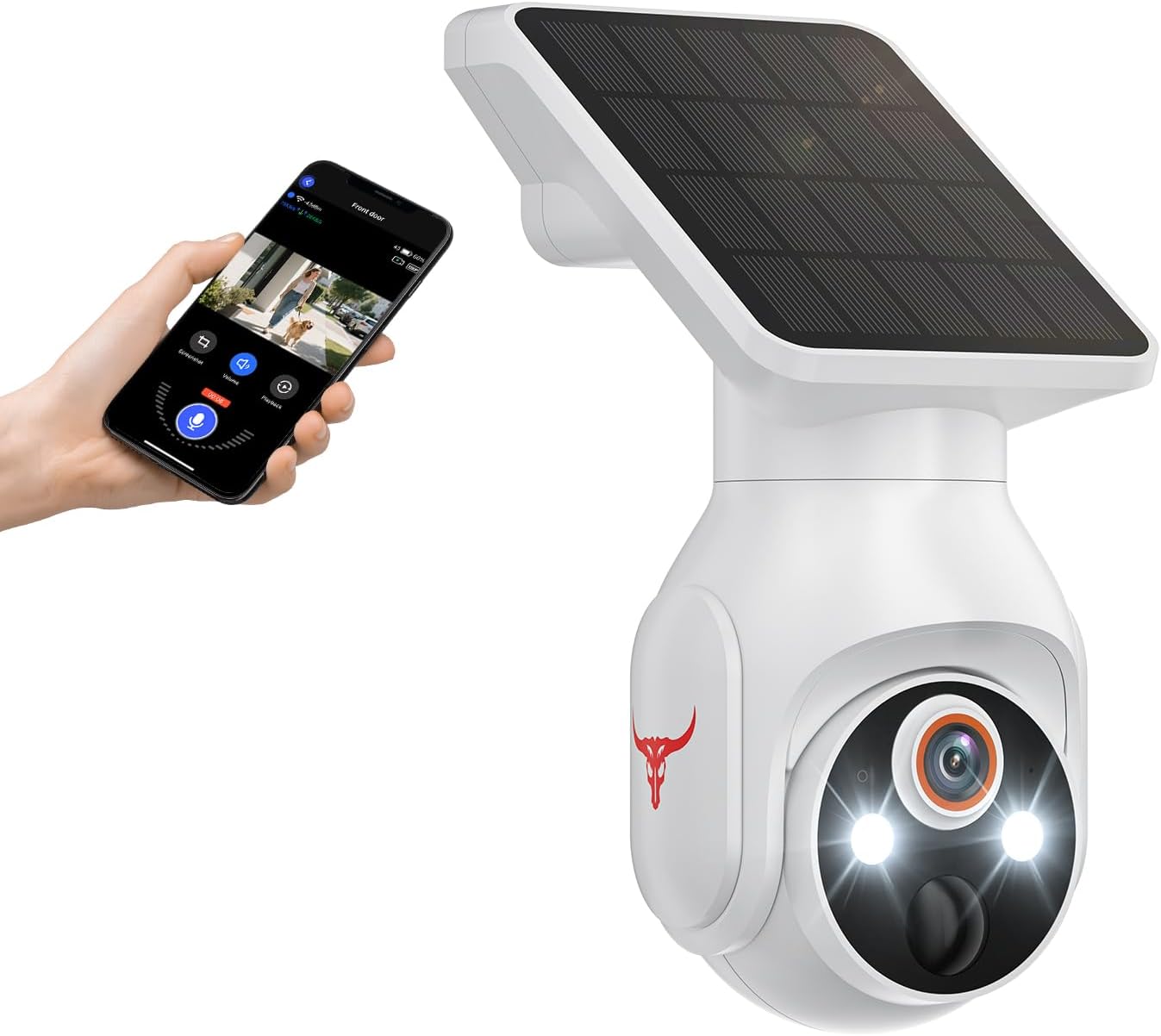
Image: HopeFlex Q50 1080p WiFi Security Camera with Solar Panel. This image displays the white security camera unit with its integrated solar panel, positioned next to a smartphone showing the live camera feed and control interface.
Key Features:
- 1080p Full HD with Night Vision: Provides clear video day and night.
- Solar-Powered & Long-Lasting Battery: Ensures continuous operation with a 5200mAh battery and solar charging.
- Real-Time Two-Way Talk: Communicate directly through the camera.
- Panoramic Surveillance Coverage: 355° horizontal and 90° vertical rotation for wide area monitoring.
- AI Motion Detection: Intelligently distinguishes between humans and other movements to reduce false alerts.
- Family Sharing: Allows multiple users to access the camera feed.
- IP65 Weatherproof: Designed for outdoor use in various weather conditions.
Package Contents
Please ensure all items are present before proceeding with installation:
- HopeFlex Q50 Security Camera with Solar Panel
- Mounting Bracket
- Mounting Screws and Wall Anchors
- USB Charging Cable
- User Manual (this document)
Setup and Installation
1. Charging the Battery
Before initial use, fully charge the camera's built-in 5200mAh battery using the provided USB cable. Connect the USB cable to the camera's charging port and a standard 5V/2A USB power adapter (not included). The charging indicator light will show the charging status.
2. App Download and Account Registration
Download the official HopeFlex app from your smartphone's app store (iOS App Store or Google Play Store). Register a new account and log in.
3. Wi-Fi Connection Steps
The camera only supports 2.4GHz Wi-Fi networks. Ensure your smartphone is connected to a 2.4GHz Wi-Fi network during the setup process.
- Open the HopeFlex app and tap the "+" icon to add a new device.
- Select the appropriate device type (e.g., "Battery Camera" or "Security Camera").
- Power on the camera. Press and hold the reset button (usually a small ring button) for approximately 5 seconds until you hear a voice prompt indicating the camera is ready for pairing.
- Enable Bluetooth on your smartphone. The app will automatically detect the camera via Bluetooth for initial pairing.
- Once Bluetooth connection is complete, select your 2.4GHz Wi-Fi network from the list and enter the correct Wi-Fi password. Note: 5GHz Wi-Fi networks are not supported.
- Confirm the Wi-Fi information. The camera will attempt to connect to the network.
- Upon successful connection, the camera will be added to your account, and you can view the live feed.

Image: Step-by-step guide for connecting the HopeFlex Q50 camera to a 2.4GHz Wi-Fi network using the mobile application. This image illustrates the app interface and the sequence of actions required for successful pairing.
4. Mounting the Camera
Choose a location with good Wi-Fi signal and direct sunlight exposure for the solar panel. The camera should be mounted within 33 feet (10 meters) of your Wi-Fi router for optimal performance.
- Mark the drilling spots using the mounting bracket as a template.
- Drill holes and insert wall anchors if mounting on masonry or drywall.
- Secure the mounting bracket to the wall using the provided screws.
- Attach the camera to the mounting bracket and adjust its angle for desired coverage.

Image: HopeFlex Q50 camera mounted on a wall, illustrating its 355-degree horizontal and 90-degree vertical pan and tilt capabilities for panoramic surveillance. This highlights the camera's wide coverage area.

Image: HopeFlex Q50 camera mounted outdoors, with arrows indicating sunlight hitting the solar panel, demonstrating its non-stop solar power feature. This emphasizes the camera's self-sustaining power source.
Operating the Camera
Live View and Playback
Access the HopeFlex app to view the live feed from your camera. You can also review recorded footage from the cloud storage (subscription may be required).
Pan and Tilt Control
Use the controls within the app to remotely adjust the camera's viewing angle. The camera supports 355° horizontal and 90° vertical rotation.
Two-Way Audio
Tap the microphone icon in the app to speak through the camera's built-in speaker. Tap the speaker icon to listen to audio from the camera's surroundings.

Image: HopeFlex Q50 camera mounted on a house, showing a delivery person and a smartphone displaying the camera's live feed with a two-way talk interface. This illustrates the real-time communication feature.
AI Motion Detection and Alerts
The camera's AI human detection feature helps reduce false alarms by distinguishing between human movement and other objects like animals or swaying branches. You will receive push notifications on your smartphone when motion is detected.

Image: HopeFlex Q50 camera detecting a person while ignoring a dog, demonstrating its AI human detection capabilities. This highlights the camera's ability to filter out irrelevant motion alerts.
Night Vision
The camera automatically switches to night vision mode in low-light conditions, providing clear surveillance even in complete darkness. It supports color night vision for enhanced detail.

Image: Comparison of night vision with and without color, showing the enhanced clarity and detail provided by the HopeFlex Q50's color night vision feature. This demonstrates improved visibility in low-light conditions.
Cloud Storage
The HopeFlex Q50 supports cloud storage for recording and accessing your video footage. Cloud storage is sold separately and requires a subscription. This allows you to record all your videos, view missed content, and share your videos with others securely.

Image: Diagram illustrating the cloud storage functionality of the HopeFlex Q50 camera, showing video content being uploaded to a cloud icon. This visually represents how recorded footage is stored and accessed remotely.
Maintenance
- Cleaning: Regularly wipe the camera lens and solar panel with a soft, damp cloth to ensure clear vision and efficient solar charging. Do not use harsh chemicals.
- Firmware Updates: Keep the camera's firmware updated through the app to ensure optimal performance and access to new features.
- Battery Health: While solar-powered, ensure the camera receives adequate sunlight. If the battery level consistently drops, check for obstructions or consider repositioning the solar panel.
Troubleshooting
Network Connection Issues:
- The security camera only works with 2.4GHz Wi-Fi. Please connect it to a 2.4GHz network.
- Double-check that you are entering the correct Wi-Fi name and password.
- Verify the distance between the camera and the Wi-Fi router; the camera should be within 33 feet (10 meters) of the router.
- Please enable Bluetooth on your phone during setup. You don't need to connect Bluetooth with the device, just ensure Bluetooth is on.
- If you changed your Wi-Fi password, or your camera got disconnected, please reset the Wi-Fi connection with the camera: Press and hold the ring button until the camera was reset, and then add the camera again back to the same App account.
Other Common Issues:
- Camera Not Powering On: Ensure the battery is charged. Connect the USB cable to charge for several hours.
- Poor Video Quality: Check your Wi-Fi signal strength. Ensure the lens is clean and free from obstructions.
- Motion Detection Not Working: Verify that motion detection is enabled in the app settings. Adjust sensitivity if needed.
- Two-Way Audio Issues: Ensure microphone and speaker permissions are granted to the app on your phone. Check volume settings.
Specifications
| Feature | Detail |
|---|---|
| Model Name | 1080p WiFi Battery Camera with Solar Panel (Q50) |
| Video Resolution | 1080p Full HD |
| Power Source | Solar Powered, 5200mAh Rechargeable Battery |
| Connectivity | 2.4GHz Wi-Fi Only |
| Pan/Tilt Range | 355° Horizontal, 90° Vertical |
| Night Vision | Yes, with Color Night Vision (up to 33 feet) |
| Audio | Two-Way Talk (Built-in Mic & Speaker) |
| Motion Detection | AI Human Detection |
| Storage | Cloud Storage (subscription required) |
| Weather Resistance | IP65 |
| Dimensions | 4.54 x 3.41 x 7.44 inches |
| Weight | 1.32 pounds |
| Included Components | Security Camera, Mounting Accessories |
Warranty and Support
Warranty Information
HopeFlex products typically come with a limited manufacturer's warranty. Please refer to the product packaging or the official HopeFlex website for specific warranty terms and conditions applicable to your region. Retain your proof of purchase for warranty claims.
Customer Support
For technical assistance, troubleshooting, or any inquiries regarding your HopeFlex Q50 camera, please contact HopeFlex customer support through their official website or the contact information provided in the product packaging. You may also find additional FAQs and support resources online.
Please note: Product specifications and features are subject to change without prior notice.