
1. Introduction
This manual provides instructions for the GWVEE Replacement Remote Control. This remote is designed to be a direct replacement for various digital TV decoder models, offering full functionality without the need for complex programming. Please read this manual carefully to ensure proper use and to maximize your experience.

Image 1.1: The GWVEE Replacement Remote Control shown in a usage scenario, demonstrating its direct functionality with various television setups. This remote requires no programming for immediate use.
2. Product Overview
The GWVEE Replacement Remote Control is engineered for ease of use and durability. It features a user-friendly layout with clearly labeled buttons and a comfortable grip for extended viewing sessions. Constructed from durable ABS plastic, it is designed for reliable performance.
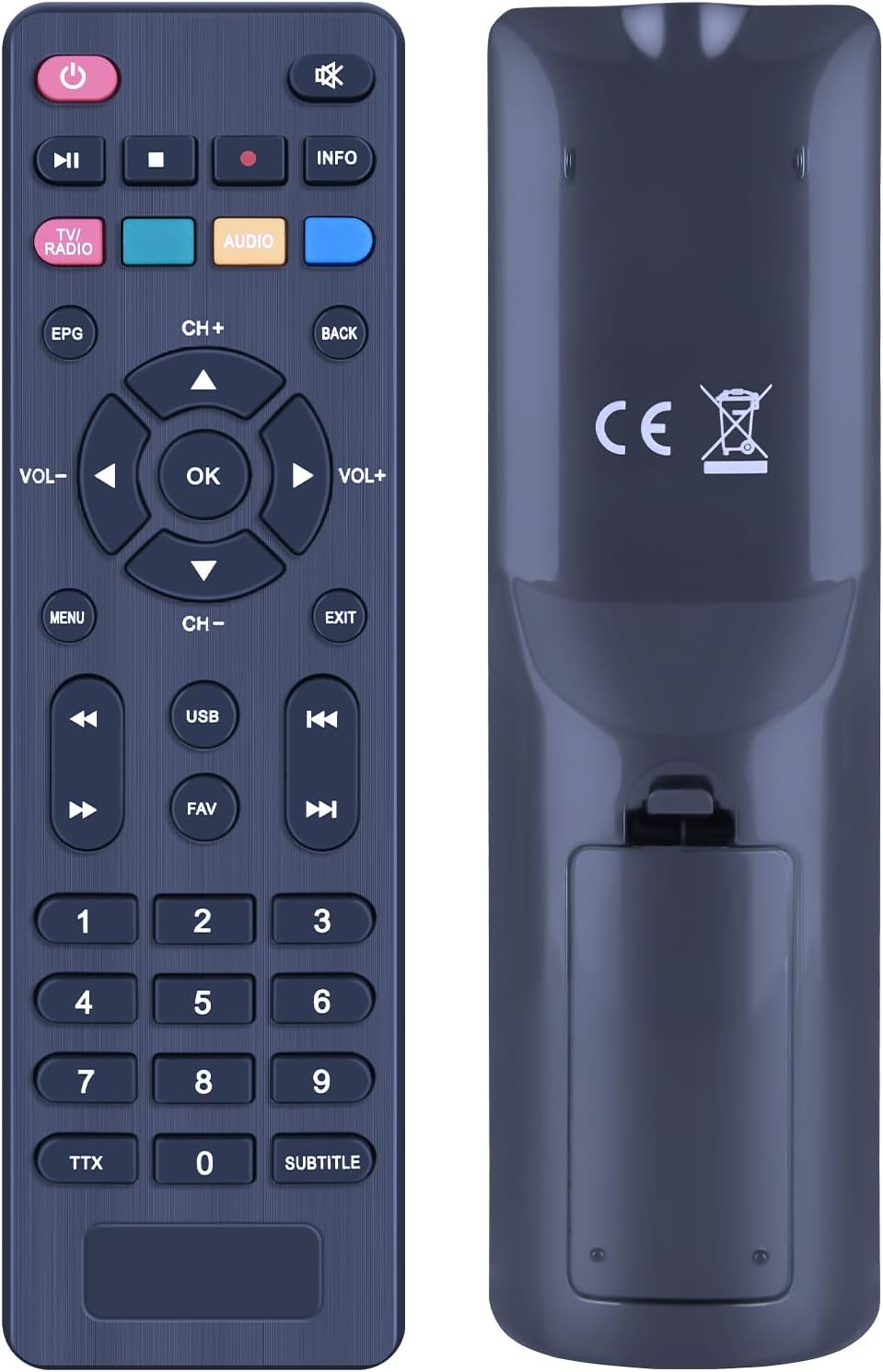
Image 2.1: Front and rear views of the GWVEE Replacement Remote Control. The front displays all functional buttons, while the rear shows the battery compartment and regulatory markings.

Image 2.2: This diagram illustrates the key design features of the remote, including its sensitive buttons for quick response, comfortable grip, and construction from environmentally friendly ABS material.
3. Setup
3.1 Battery Installation
To begin using your remote control, you must install two AAA batteries (not included). Follow these steps:
- Locate the battery compartment on the back of the remote control.
- Press down on the latch and slide the battery cover off.
- Insert two AAA batteries, ensuring the positive (+) and negative (-) terminals align correctly with the markings inside the compartment.
- Slide the battery cover back into place until it clicks securely.

Image 3.1: The rear of the remote control, illustrating the battery compartment and the requirement for two AAA batteries, which are not included with the product.
3.2 Initial Use (No Programming Required)
This replacement remote control is designed for immediate use with compatible decoder models. No programming, code searching, or setup is required. Simply install the batteries, point the remote at your decoder, and begin operating your device.
4. Operating Instructions
The remote control provides comprehensive control over your digital TV decoder. Below are the primary functions:
- Power Button (●): Turns the decoder on or off.
- Number Buttons (0-9): Directly select channels.
- CH+/CH-: Navigate through channels sequentially.
- VOL+/VOL-: Adjust the volume level.
- Mute Button (🔇): Mutes or unmutes the audio.
- Menu Button: Access the decoder's main menu.
- Navigation Buttons (▲ ▼ ◀ ▶): Move through menu options.
- OK Button: Confirm selections in menus.
- Exit Button: Exit current menu or function.
- EPG Button: Access the Electronic Program Guide.
- Info Button: Display program information.
- TV/RADIO Button: Switch between TV and Radio modes.
- USB Button: Access USB media playback functions.
- FAV Button: Access favorite channel lists.
- Subtitle Button: Toggle subtitles on or off.
- TTX Button: Access Teletext services.
4.1 Signal Transmission
The remote control offers enhanced signal transmission with an effective range of up to 26 feet (approximately 8 meters) and a wide-angle operation of up to 120 degrees, allowing for flexible control from various positions within a room.
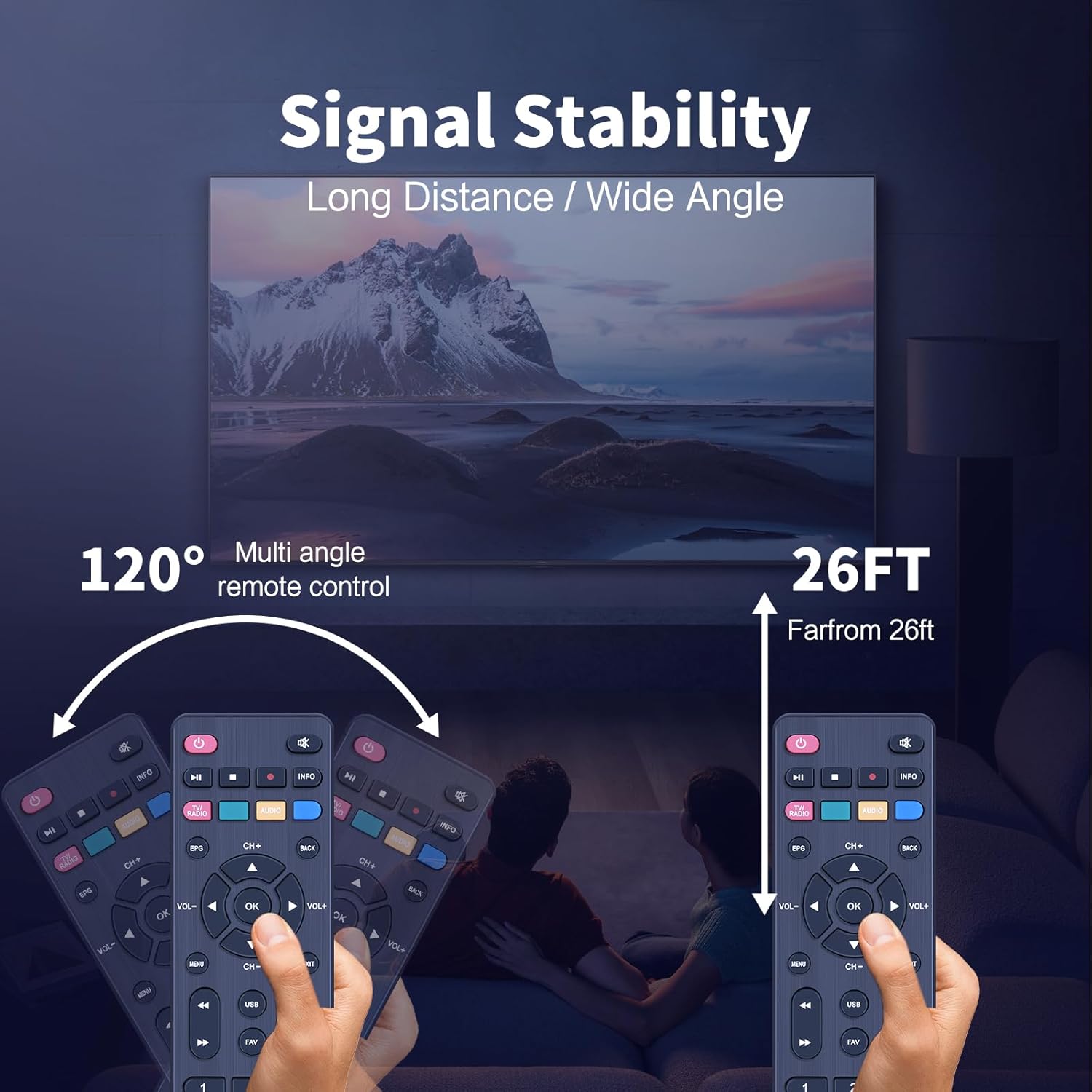
Image 4.1: This graphic demonstrates the remote control's signal stability, highlighting its effective range of up to 26 feet and a wide operational angle of 120 degrees for multi-directional control.
5. Troubleshooting
If you experience issues with your remote control, please refer to the following common solutions:
- Remote Not Responding:
- Check if the batteries are inserted correctly with the correct polarity.
- Replace old batteries with new ones.
- Ensure there are no obstructions between the remote control and the decoder's infrared sensor.
- Limited Range or Intermittent Functionality:
- Ensure the remote control is pointed directly at the decoder.
- Verify that the batteries have sufficient power.
- Avoid strong light sources (e.g., direct sunlight) that might interfere with the infrared signal.
6. Specifications
| Product Dimensions | 6.1 x 1.78 x 0.8 inches |
| Item Weight | 1.9 ounces |
| Brand | GWVEE |
| Special Feature | No Programming Required |
| Color | Black |
| Max Number of Supported Devices | 1 |
| Compatible Devices | Television (specifically various digital TV decoders) |
7. Support
For any queries or assistance regarding your GWVEE Replacement Remote Control, please contact our dedicated support team. We are committed to providing reliable quality and support for our products.