
1. Introduction
Thank you for choosing the Generic Glass Air Fryer. This appliance is designed to provide a healthier way to cook your favorite foods, utilizing 360° cyclone air circulation technology for even cooking and crispy results with little to no oil. Its transparent glass basket allows for real-time monitoring of your food, and the intuitive touch controls make operation simple and precise.
This manual provides essential information for the safe and efficient use, maintenance, and troubleshooting of your new air fryer. Please read it thoroughly before first use and retain it for future reference.
2. Important Safety Information
When using electrical appliances, basic safety precautions should always be followed to reduce the risk of fire, electric shock, and injury to persons.
- Read all instructions before using the appliance.
- Do not touch hot surfaces. Use handles or knobs.
- To protect against electric shock, do not immerse cord, plugs, or the main unit in water or other liquid.
- Close supervision is necessary when any appliance is used by or near children.
- Unplug from outlet when not in use and before cleaning. Allow to cool before putting on or taking off parts.
- Do not operate any appliance with a damaged cord or plug, or after the appliance malfunctions or has been damaged in any manner.
- The use of accessory attachments not recommended by the appliance manufacturer may cause injuries.
- Do not use outdoors.
- Do not let cord hang over edge of table or counter, or touch hot surfaces.
- Do not place on or near a hot gas or electric burner, or in a heated oven.
- Extreme caution must be used when moving an appliance containing hot oil or other hot liquids.
- Always attach plug to appliance first, then plug cord into the wall outlet. To disconnect, turn any control to "off", then remove plug from wall outlet.
- Do not use appliance for other than intended use.
- The ergonomic handle is heat-insulated and slip-resistant, ensuring safety during use.
- Ensure adequate ventilation around the appliance. The rear ventilation system efficiently dissipates heat.
3. Product Components and Features
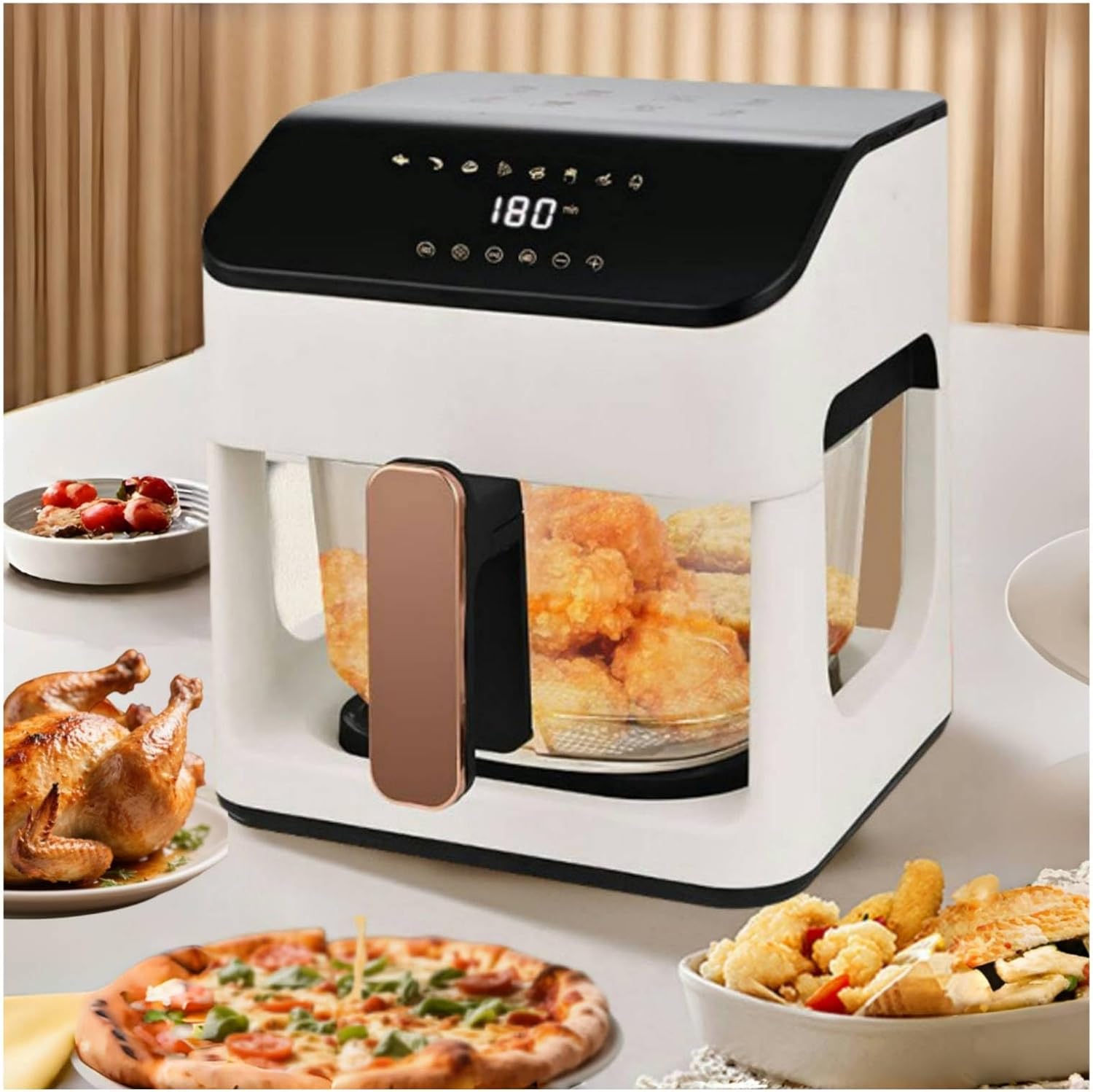
Overall View: The main unit of the Glass Air Fryer, showcasing its sleek white body and transparent glass basket. The top panel features a digital display and touch controls.

Key Features Overview: Illustrates the air fryer's large capacity, smart touch control panel, transparent view window, ability to fit a whole chicken, oil-free cooking capability, 360° cyclone heating, and 24-hour delay start function.

Borosilicate Glass Cooking Chamber: A close-up of the heavy-duty, reinforced borosilicate glass basket, highlighting its coating-free construction and certified safe heating properties. This transparent design allows for easy monitoring of food during cooking.

User-Friendly Design Elements: Details the unibody cool-touch handle for safety, the efficient rear cooling system for heat dissipation, the low-decibel operation for quiet use, and the durable borosilicate glass construction.
Key Components:
- Main Unit: Houses the heating element, fan, and control panel.
- Transparent Glass Basket: 6-liter capacity, made of reinforced borosilicate glass for durability and visibility. Features a heat-insulated, slip-resistant handle.
- Oil-Draining Tray: Included for convenience, designed to collect excess oil.
- Control Panel: Intuitive touch controls with digital display for timer, temperature, and preset modes.
- Rear Ventilation System: Ensures efficient heat dissipation during operation.
4. Setup and First Use
Unpacking:
- Carefully remove all packaging materials from the air fryer and its accessories.
- Check that all components are present and undamaged.
- Dispose of packaging materials responsibly.
Before First Use:
- Wipe the exterior of the air fryer with a damp cloth.
- Wash the glass basket and oil-draining tray with warm, soapy water. Rinse thoroughly and dry completely. These parts are dishwasher safe.
- Place the air fryer on a stable, heat-resistant surface, ensuring at least 4 inches (10 cm) of clear space around the back and sides for proper ventilation.
- Plug the power cord into a grounded electrical outlet.
Initial Burn-Off (Recommended):
It is recommended to run the air fryer empty for about 10-15 minutes on a high temperature (e.g., 200°C / 392°F) during its first use. This helps to burn off any manufacturing residues and eliminate initial odors. Ensure the area is well-ventilated during this process.
5. Operating Instructions
Control Panel Overview:

Precision Control System: The touch control panel features a digital display for precise temperature (80°C–200°C / 176°F-392°F) and time (1-60 minutes) adjustments, along with various preset icons for common dishes.
Basic Operation:
- Place the oil-draining tray into the glass basket.
- Place your food into the glass basket. Do not overfill the basket to ensure proper air circulation.
- Slide the glass basket firmly into the main unit until it clicks into place. The air fryer will not operate unless the basket is correctly inserted.
- Press the Power button to turn on the air fryer. The display will illuminate.
- Manual Mode: Use the temperature and timer control buttons (+ / -) to set your desired cooking temperature (80°C–200°C) and time (1-60 minutes).
- Preset Modes: Select one of the eight preset icons for common dishes like fries, steak, or roasted chicken. The air fryer will automatically set the optimal temperature and time for that selection.
- Press the Start/Pause button to begin cooking.
- During cooking, you can pull out the basket to shake or turn food. The air fryer will pause automatically and resume once the basket is reinserted.
- When the timer reaches zero, the air fryer will beep and automatically shut off.
- Carefully pull out the basket using the cool-touch handle. Transfer food to a serving dish.
Using Preset Modes:
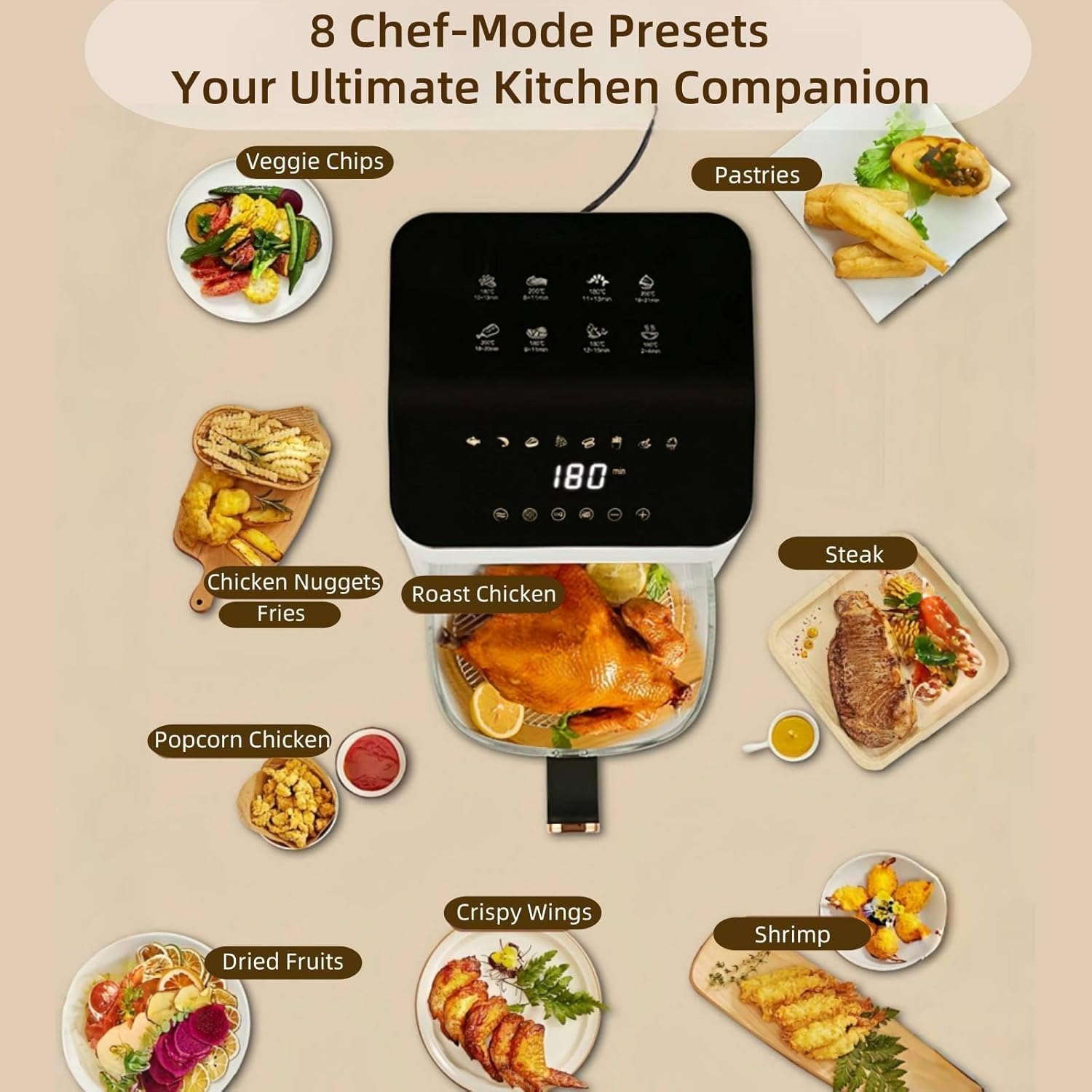
8 Chef-Mode Presets: This image illustrates the variety of pre-programmed cooking options available, including settings for Veggie Chips, Pastries, Chicken Nuggets, Fries, Roast Chicken, Steak, Popcorn Chicken, Dried Fruits, Crispy Wings, and Shrimp. These presets simplify cooking by automatically setting optimal temperature and time.
The air fryer comes with 8 pre-programmed settings for popular dishes. Simply press the corresponding icon on the touch panel to activate. You can adjust the time and temperature of a preset if needed after selecting it.
- Fries
- Steak
- Shrimp
- Wings
- Chicken (Whole Roast Chicken)
- Pastries
- Veggie Chips
- Dried Fruits
360° Cyclone Air Circulation Technology:

Efficient Heat Distribution: This diagram illustrates the 360° cyclone air circulation technology, showing how hot air circulates rapidly and evenly around the food, ensuring thorough cooking and a crispy exterior with minimal oil. The NTC temperature sensor provides precise temperature control for optimal results.
This advanced technology ensures that hot air circulates rapidly and evenly around your food, providing a crispy texture similar to deep-frying with significantly less oil. The built-in NTC temperature sensor offers precise temperature control (±2°F precision) for consistent cooking results.
6. Cleaning and Maintenance
Regular cleaning of your air fryer will ensure optimal performance and extend its lifespan.
General Cleaning:
- Always unplug the air fryer from the power outlet and allow it to cool completely before cleaning.
- Wipe the exterior of the air fryer with a damp cloth. Do not use abrasive cleaners or scouring pads.
- Clean the interior of the air fryer with a soft, damp cloth. If necessary, use a mild detergent.
Cleaning the Glass Basket and Oil-Draining Tray:
- The glass basket and oil-draining tray are dishwasher safe for easy cleaning.
- Alternatively, wash them with warm, soapy water using a non-abrasive sponge.
- For stubborn food residue, soak the basket and tray in warm, soapy water for about 10-15 minutes before cleaning.
- Rinse thoroughly and dry completely before reassembling or storing.
Note: The glass basket is coating-free, which simplifies cleaning and prevents concerns about non-stick coatings.
Storage:
Ensure the air fryer is clean and dry before storing. Store it in a cool, dry place away from direct sunlight and moisture.
7. Troubleshooting
If you encounter any issues with your air fryer, please refer to the following common problems and solutions:
| Problem | Possible Cause | Solution |
|---|---|---|
| Air fryer does not turn on. | Not plugged in; Basket not inserted correctly; Power outage. | Ensure the power cord is securely plugged into a working outlet. Push the glass basket firmly into the main unit until it clicks. Check your home's circuit breaker. |
| Food is not cooked evenly. | Basket is overcrowded; Temperature or time settings are incorrect. | Cook food in smaller batches. Shake or flip food halfway through cooking. Adjust temperature and time settings as per recipe or food type. |
| Food is not crispy. | Too much moisture in food; Not enough oil (for certain foods); Temperature too low. | Pat food dry before air frying. Lightly coat food with oil if desired. Increase temperature slightly. |
| White smoke coming from the air fryer. | Grease residue from previous use; High-fat food being cooked. | Clean the basket and oil-draining tray thoroughly after each use. For high-fat foods, place a small amount of water in the oil-draining tray to prevent smoke. |
| Appliance smells during first use. | Normal for new appliances. | This is normal and will dissipate after a few uses. Ensure good ventilation. |
If the problem persists after trying these solutions, please contact customer support.
8. Specifications

Product Dimensions: This image provides detailed measurements of the air fryer unit (10"D x 10.4"W x 11.6"H) and the glass basket (8.86"W x 5.1"H, 0.28" thickness), aiding in placement and understanding capacity.
| Model Name | GN07-MMA |
| Item Model Number | GN07-2 |
| Brand | Generic |
| Manufacturer | YUESHAN |
| Capacity | 6 Liters |
| Product Dimensions (D x W x H) | 10"D x 10.4"W x 11.6"H |
| Material | Glass |
| Color | White |
| Wattage | 1350 Watts (Output Wattage: 1500 Watts) |
| Voltage | 110 Volts |
| Control Method | Touch |
| Temperature Range | 80°C–200°C (176°F-392°F) |
| Timer Range | 1-60 minutes |
| Special Features | Automatic Shut-Off, Temperature Control, Timer, 360° Cyclone Air Circulation, Transparent View Window, NTC Temperature Sensor |
| Dishwasher Safe Parts | Yes (Glass Basket, Oil-Draining Tray) |
| Nonstick Coating | No (Coating-Free Glass) |
9. Warranty and Support
Warranty Information:
Specific warranty details are typically provided with your product packaging or at the point of purchase. For information regarding product warranties or extended protection plans, please refer to the documentation included with your air fryer or contact the seller directly.
Protection plans may be available for purchase separately, offering extended coverage beyond the standard manufacturer's warranty. Examples include 3-Year and 4-Year Protection Plans.
Customer Support:
For technical assistance, troubleshooting not covered in this manual, or inquiries about parts and service, please contact the manufacturer or seller. Please have your model number (GN07-2) and purchase date ready when contacting support.
Manufacturer: YUESHAN
Seller: hexingwang (as per purchase information)
For general inquiries or to find more information, you may visit the product page on Amazon: Amazon Product Page


