
1. Introduction
Thank you for choosing the HZERO HZ-628BT 5.1 Channel Home Audio Amplifier. This amplifier is designed to provide a high-quality audio experience for your home theater or karaoke setup. It features 5.1 channel output, Bluetooth connectivity, multiple input options including USB, SD, and FM radio, and microphone inputs for karaoke. Please read this manual carefully before operating the device to ensure proper use and optimal performance.

2. Product Features
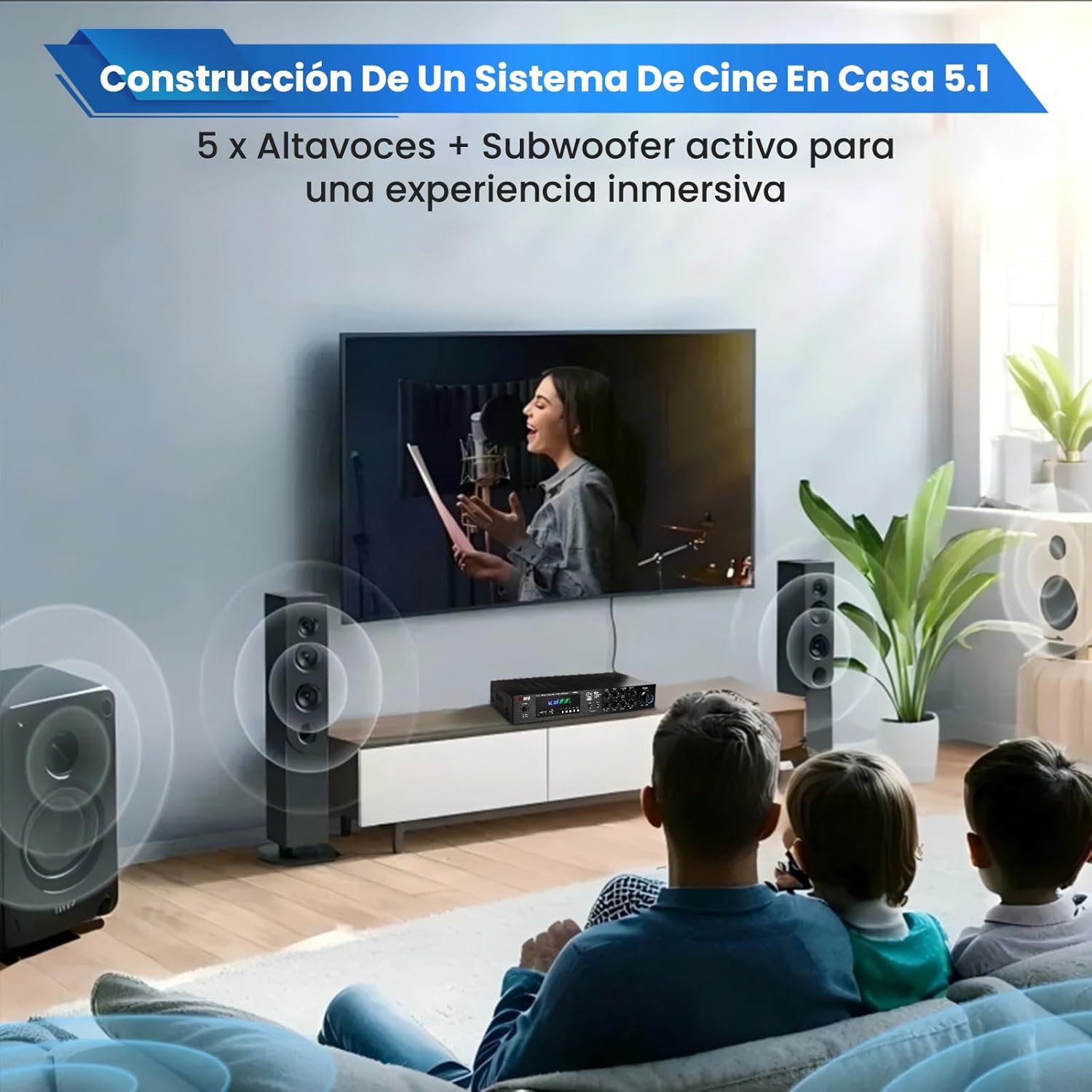
- 5.1 Channel Stereo Output: Connect two main speakers, two surround speakers, one center speaker, and an active subwoofer to create an immersive 5.1 home theater system.
- High Peak Power: Delivers a peak power of 3000W, compatible with 4 to 16 ohm impedance speakers. RMS power is 250W + 250W for main channels, 100W + 100W for surround channels, and 50W for the center channel. Supports speakers from 4 to 12 inches.
- LED Display: The front panel features a dynamic LED display that shows the current amplifier mode. The spectrum moves with the music, enhancing your audio-visual experience.
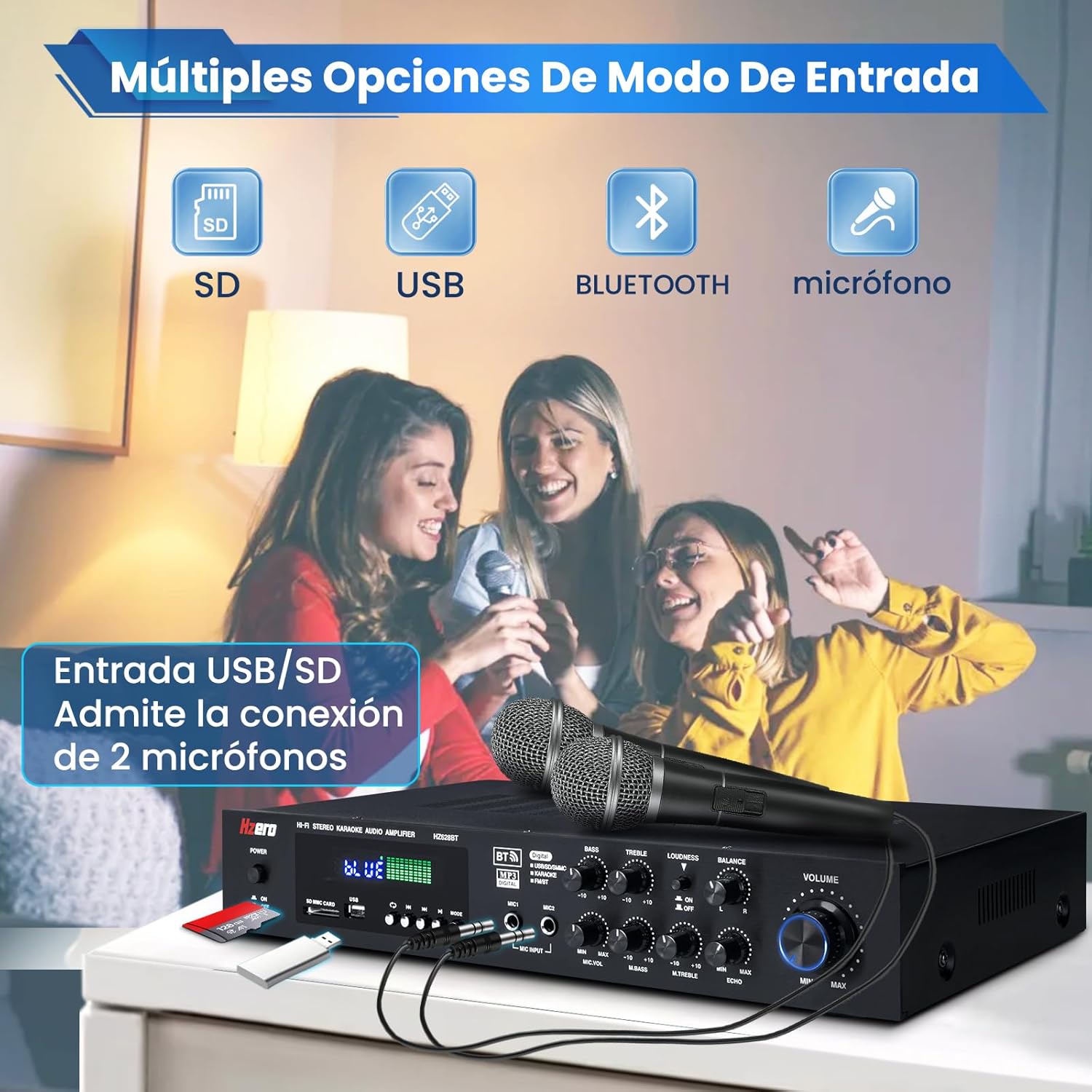
- Karaoke Functionality: Equipped with two high-sensitivity microphone inputs for clear voice transmission and amplification, ideal for karaoke and family gatherings.
- Multiple Input Methods: Integrates a professional stereo receiver with Bluetooth for wireless music streaming from smartphones, tablets, laptops, and other devices. Also supports USB, SD card, FM radio, and DVD inputs.
3. Package Contents
Upon unpacking, please ensure all items listed below are present and in good condition.
- HZERO HZ-628BT 5.1 Channel Home Audio Amplifier
- Remote Control
- Power Cable
- Owner's Manual (this document)
- FM Antenna
4. Setup Instructions
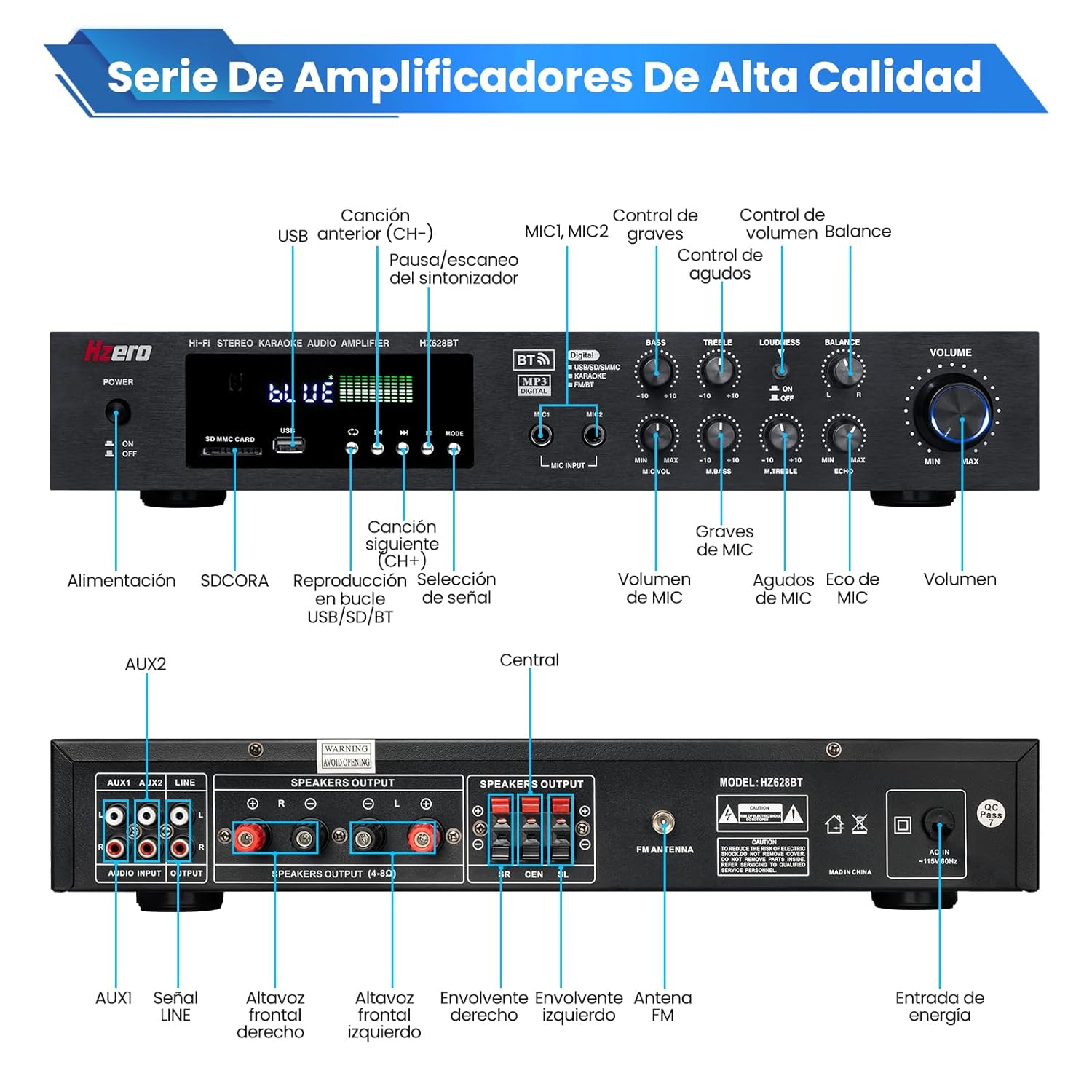
4.1 Front Panel Overview

The front panel provides access to various controls and inputs:
- Power Switch: Turns the amplifier ON/OFF.
- SD/MMC Card Slot: Insert an SD or MMC card for audio playback.
- USB Port: Connect a USB drive for audio playback.
- Mode Button: Cycles through input modes (Bluetooth, USB, SD, FM, AUX).
- LED Display: Shows current mode and audio spectrum.
- MIC1, MIC2 Inputs: Connect microphones for karaoke.
- MIC Volume, Echo, Delay: Adjust microphone audio effects.
- Bass, Treble, Loudness, Balance: Tone and sound field adjustments.
- Master Volume: Controls the overall output volume.
4.2 Rear Panel Overview and Connections

The rear panel houses all audio input and output connections:
- AUX1/AUX2 Audio Input (RCA): Connect external audio sources like DVD players, CD players, or other devices.
- Speaker Outputs (4-16Ω): Connect your passive speakers. Ensure correct polarity (+ to + and - to -).
- FM Antenna: Connect the included FM antenna for radio reception.
- Power Input: Connect the power cable to a standard AC outlet.

For a 5.1 channel setup, connect your speakers as follows:
- Connect the two main speakers to the "L" and "R" (Front) speaker terminals.
- Connect the two surround speakers to the "SR" and "SL" (Surround) speaker terminals.
- Connect the center speaker to the "CEN" (Center) speaker terminal.
- Connect an active subwoofer to the dedicated subwoofer output (if available, or via AUX output to a powered subwoofer).
Important: Ensure all speaker connections are secure and correctly polarized to prevent damage to the amplifier or speakers.
5. Operating Instructions
5.1 Power On/Off
Press the Power switch on the front panel to turn the amplifier ON or OFF.
5.2 Input Source Selection
Press the Mode button on the front panel or the remote control to cycle through available input sources: Bluetooth, USB, SD, FM Radio, and AUX. The selected mode will be displayed on the LED screen.
5.3 Bluetooth Connection
- Switch the amplifier to Bluetooth mode using the Mode button. The LED display will show "BLUE".
- On your mobile device (smartphone, tablet, etc.), enable Bluetooth and search for available devices.
- Select "HZERO HZ-628BT" (or similar name) from the list to pair.
- Once paired, you can stream audio wirelessly from your device to the amplifier.

5.4 USB/SD Card Playback
Insert a USB drive or SD card into the respective slot on the front panel. The amplifier will automatically switch to USB/SD mode and begin playback. Use the playback control buttons (Play/Pause, Next, Previous) on the front panel or remote.
5.5 FM Radio Operation
Switch to FM mode. Use the scan button to automatically search and save available radio stations. Use the channel up/down buttons to navigate through saved stations.
5.6 Microphone and Karaoke
Connect up to two microphones to the MIC1 and MIC2 inputs on the front panel. Adjust the microphone volume, echo, and delay effects using the dedicated knobs for a customized karaoke experience.
5.7 Volume and Tone Controls
Use the large Master Volume knob to adjust the overall sound level. The Bass and Treble knobs allow you to fine-tune the low and high frequencies. The Loudness button can enhance bass and treble at low volumes. Adjust Balance to shift audio output between left and right channels.
6. Maintenance
- Cleaning: Use a soft, dry cloth to clean the amplifier's exterior. Do not use liquid cleaners or aerosols.
- Ventilation: Ensure the amplifier has adequate ventilation. Do not block the ventilation openings on the top or sides.
- Storage: Store the amplifier in a cool, dry place away from direct sunlight and extreme temperatures.
- Power Cord: Regularly check the power cord for any damage. If damaged, replace it immediately.
7. Troubleshooting
| Problem | Possible Cause | Solution |
|---|---|---|
| No power | Power cable not connected; Power outlet faulty; Amplifier switch off. | Ensure power cable is securely connected. Test the outlet with another device. Turn the power switch ON. |
| No sound output | Incorrect input source selected; Speaker wires loose or incorrectly connected; Volume too low; Mute function active. | Select the correct input source. Check all speaker connections and polarity. Increase volume. Deactivate mute. |
| Bluetooth not connecting | Amplifier not in Bluetooth mode; Device too far; Device already connected to another amplifier. | Switch amplifier to Bluetooth mode. Ensure device is within 10m range. Disconnect from other devices and try again. |
| Poor FM radio reception | FM antenna not connected or poorly positioned. | Connect the FM antenna securely. Adjust its position for better signal reception. |
| Microphone not working | Microphone not connected; MIC volume too low; Microphone faulty. | Ensure microphone is securely plugged in. Increase MIC volume. Test with another microphone if possible. |
8. Specifications
| Feature | Detail |
|---|---|
| Model Number | HZ-628BT |
| Brand | HZERO |
| Channels | 5.1 |
| Peak Power | 3000W |
| RMS Power (Main) | 250W + 250W |
| RMS Power (Surround) | 100W + 100W |
| RMS Power (Center) | 50W |
| Speaker Impedance | 4-16 Ohms |
| Connectivity Technology | Bluetooth, USB, SD, FM, RCA (AUX) |
| Special Features | RCA, LED Display, Karaoke Function |
| Power Source | Corded Electric |
| Dimensions | 48.1 x 30.8 x 11.4 cm |
| Weight | 3.63 kg |
| Compatible Devices | Smartphone, Tablet, PC, DVD Player, TV, Speakers |
9. Product Videos
HZERO HZ326BT Audio Amplifier Overview
Video: This video provides an overview of the HZERO HZ326BT audio amplifier, demonstrating its features and appearance. While a different model number, it showcases similar HZERO amplifier functionality.
HZERO HZ298C Audio Amplifier Demonstration
Video: A demonstration of the HZERO HZ298C audio amplifier, highlighting its design and basic operation. Note that this video features a different model, but the general amplifier functions are comparable.
AK-3116 Audio Amplifier Setup and Sound Test
Video: This video demonstrates the setup and sound capabilities of the AK-3116 audio amplifier. While not the HZ-628BT, it illustrates general amplifier connection and sound output principles.
10. Warranty and Support
For warranty information and customer support, please refer to the documentation included with your purchase or contact HZERO customer service directly. Keep your proof of purchase for warranty claims.