
1. Introduction
This manual provides detailed instructions for the MICNAUX X1-10Channel Professional 10-Channel Audio Mixer. This device is designed for precise sound shaping and mixing in various applications, including studio sessions, live performances, DJ events, karaoke, and parties. It features 99 DSP effects, USB and Bluetooth connectivity, 48V phantom power, and individual channel controls.
2. Setup
2.1 Unpacking and Initial Inspection
Carefully remove all components from the packaging. Verify that all parts are present and undamaged. If any items are missing or damaged, contact customer support.
2.2 Power Connection
Connect the provided power adapter to the DC INPUT port on the rear of the mixer. Plug the adapter into a standard 110V AC power outlet. Press the POWER button on the top panel to turn on the mixer.
Video: This video demonstrates the initial power connection and power-on sequence of the MICNAUX audio mixer, showing the DC input and the power button operation.
2.3 Input Connections
The mixer supports various input types. Refer to the diagram below for an overview of the input panel.

Image: Detailed view of the MICNAUX X1-10Channel audio mixer's input panel, highlighting various input sockets and controls such as LINE/MIC inputs, +48V Phantom Power, PAD buttons, Gain knobs, EQ knobs, and AUX controls.
2.3.1 Microphones
- Condenser Microphones: Connect condenser microphones to the LINE/MIC inputs. Activate the +48V PHANTOM power button for the respective channel.
- Dynamic Microphones: Connect dynamic microphones to the LINE/MIC inputs. +48V PHANTOM power is not required for dynamic microphones.
2.3.2 Instruments
Connect instruments such as electric guitars or keyboards to the LINE/MIC inputs. For high-output instruments, engage the PAD button on the respective channel to prevent signal clipping and preserve the original sound quality.
2.4 Output Connections
The mixer provides various output options for connecting to speakers, headphones, or recording devices. Refer to the diagram below for an overview of the output panel.
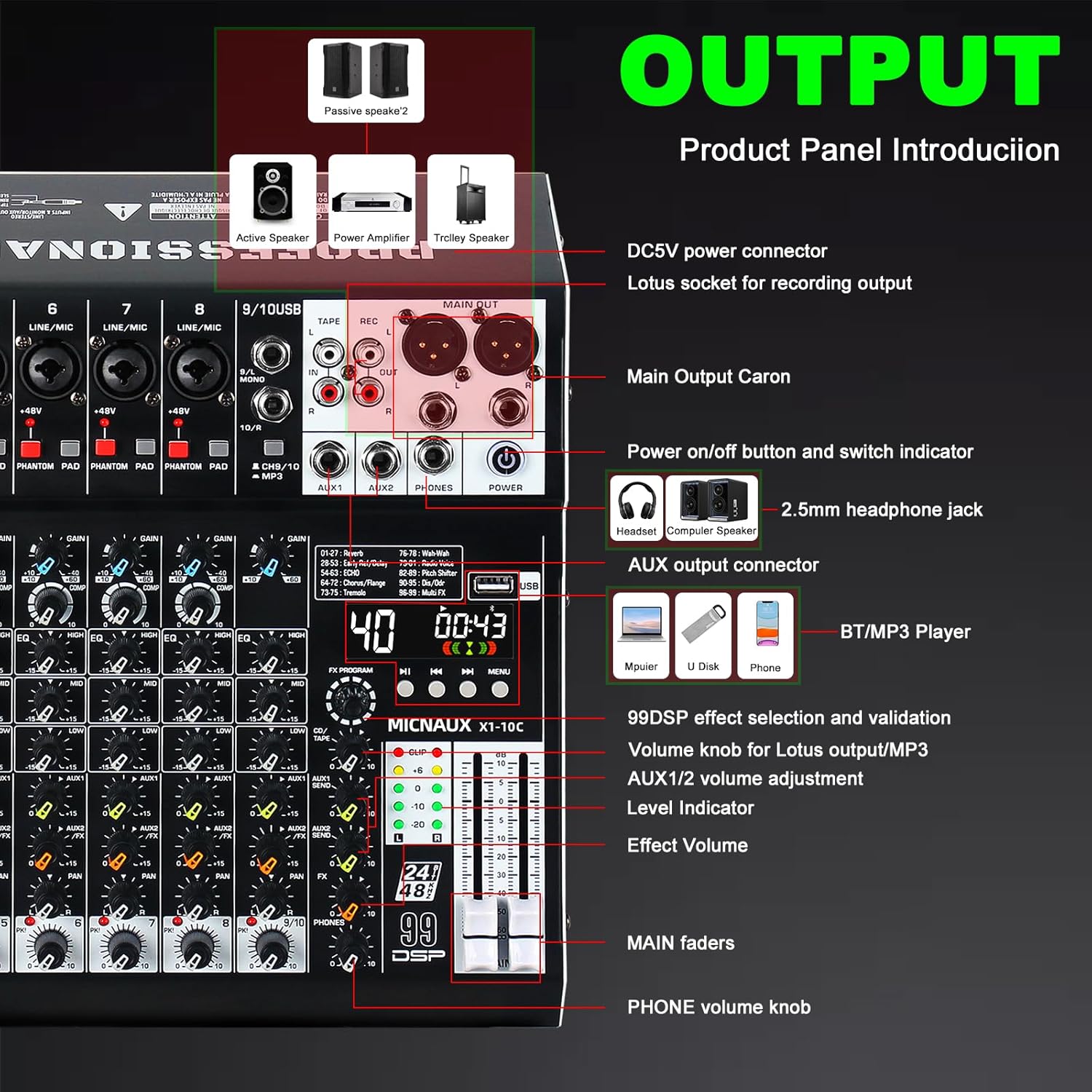
Image: Detailed view of the MICNAUX X1-10Channel audio mixer's output panel, showing main outputs, AUX outputs, headphone jack, USB port, and controls for effects and main volume.
2.4.1 Main Output
Connect your main speakers or power amplifier to the MAIN OUT (XLR or 1/4" TRS) connectors.
2.4.2 Headphone Monitoring
Connect headphones to the PHONES jack for real-time monitoring of the main mix. Adjust the PHONES volume knob for comfortable listening levels.
2.5 USB and Bluetooth Connectivity
2.5.1 USB Playback/Recording
Insert a USB flash drive into the USB port for MP3 playback. The mixer also supports connection to a PC/phone for recording or playback via USB.
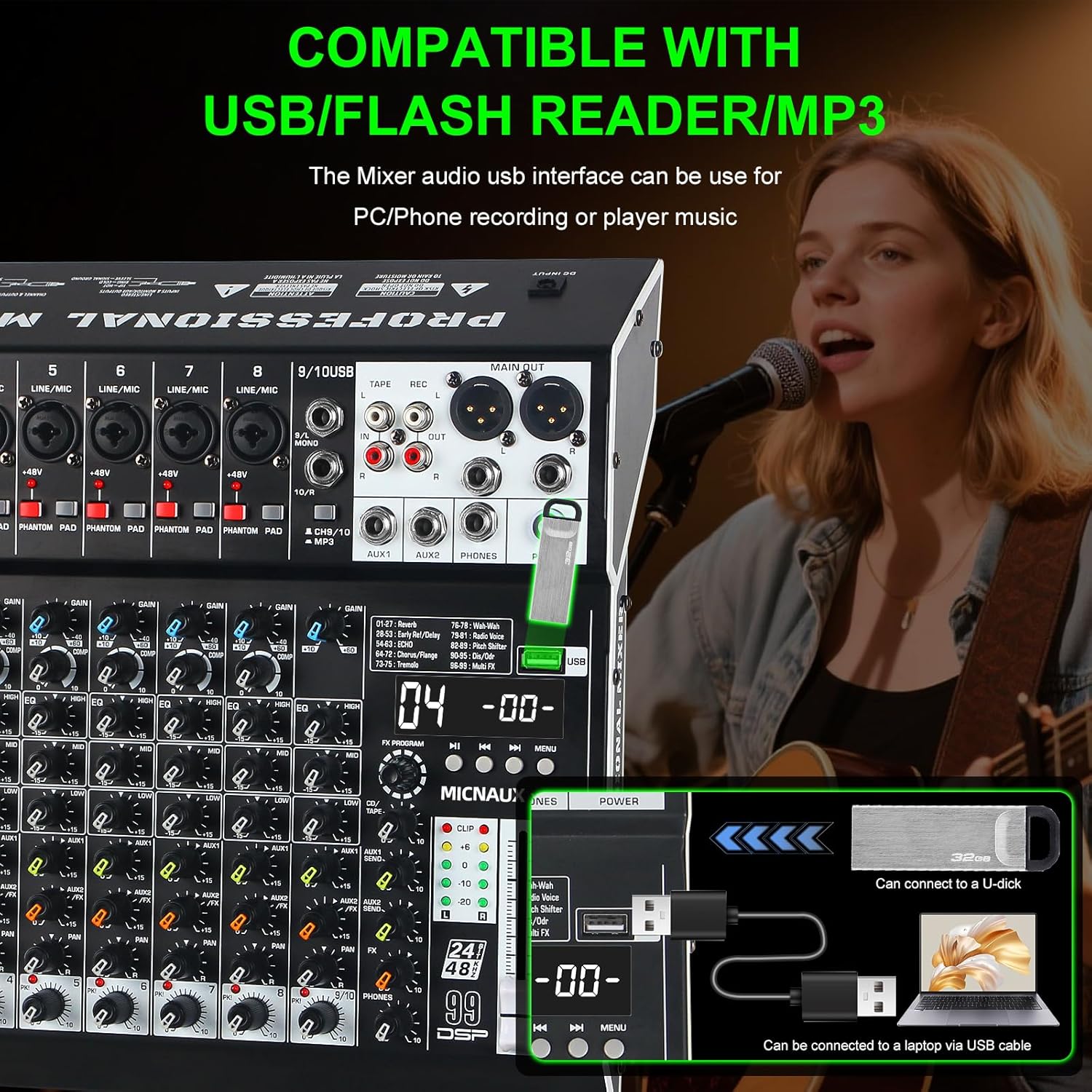
Image: Illustration of the MICNAUX X1-10Channel audio mixer's compatibility with USB flash drives and connection to a laptop via USB for recording or playback.
2.5.2 Bluetooth Pairing
Activate Bluetooth on your phone or tablet. On the mixer, select the Bluetooth mode. Pair your device with the mixer (Bluetooth name: X1-10). You can then stream audio wirelessly.
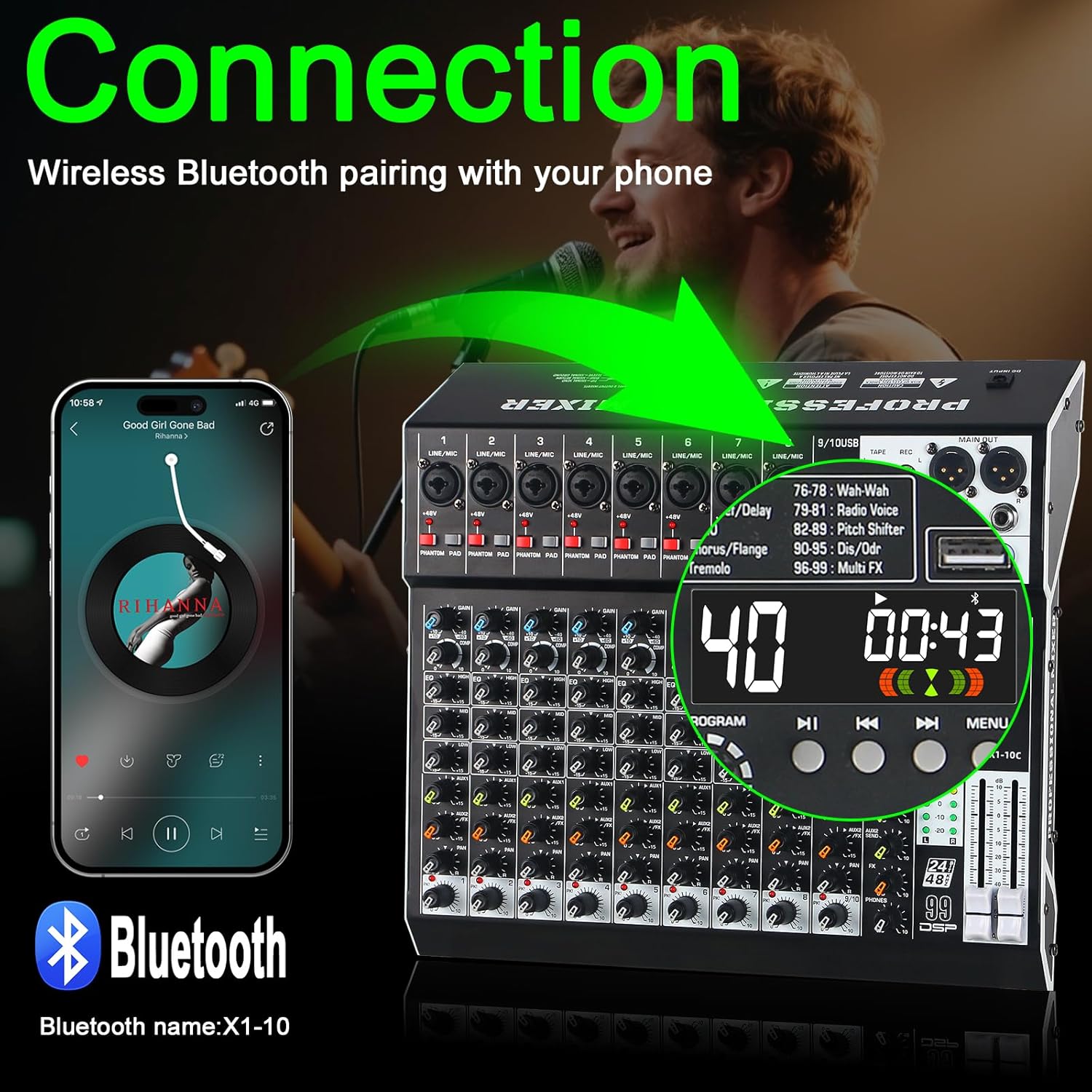
Image: Depiction of wireless Bluetooth pairing between a smartphone and the MICNAUX X1-10Channel audio mixer, showing the mixer's display indicating Bluetooth mode.
3. Operation
3.1 Channel Controls
Each channel on the mixer features dedicated controls for precise audio adjustment:
- GAIN Knob: Adjusts the input sensitivity for each channel.
- COMP Knob: Provides compression for smoothing out dynamic range.
- 3-Band EQ (HIGH, MID, LOW): Adjusts the treble, midrange, and bass frequencies for tone shaping.
- AUX Controls: Two AUX controls (AUX1, AUX2) for flexible effects routing or monitor mixes.
- PAN Control: Adjusts the stereo position of the channel.
- Volume Knob: Controls the output level of the individual channel.

Image: Close-up view of the MICNAUX X1-10Channel audio mixer's channel strip, highlighting the COMP (compressor) knob and its function to switch between compressed and raw audio.
3.2 DSP Effects
The mixer includes 99 built-in DSP effects. Use the FX PROGRAM knob to select an effect. The display will show the selected effect number. Adjust the FX SEND and FX RETURN controls to blend the effect into your mix.
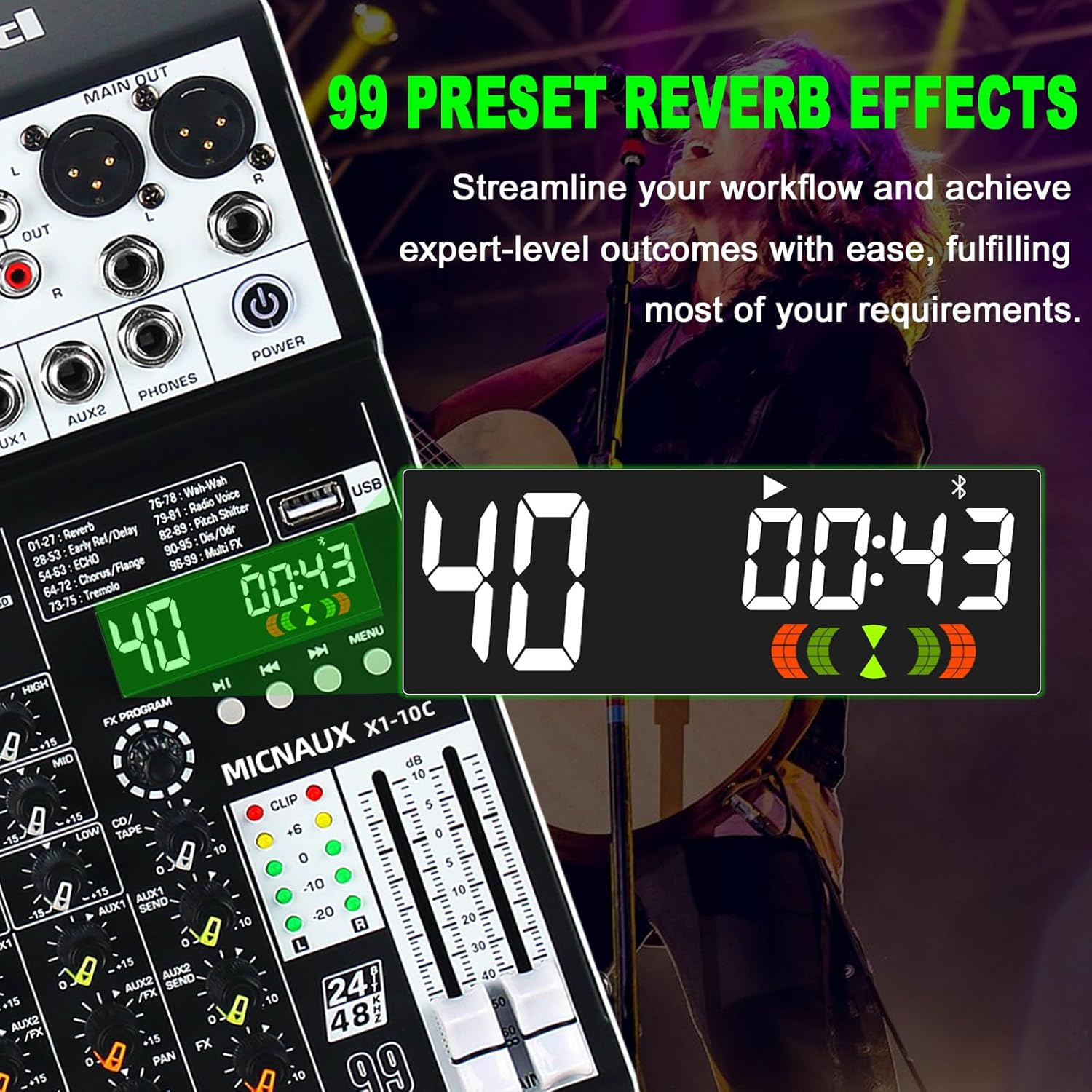
Image: Display of the MICNAUX X1-10Channel audio mixer showing the 99 preset reverb effects, with a list of effect types and their corresponding numbers.
3.3 USB and Bluetooth Playback
When playing audio via USB or Bluetooth, use the transport controls (Play/Pause, Next, Previous) on the mixer's digital display section to manage playback. Adjust the main faders and channel volume knobs to control the audio level.
4. Key Features
- Professional Channel Control: Each channel features a 3-band EQ, COMP knob, and two AUX controls for detailed sound shaping.
- 99 DSP Effects: Integrated effects processor with 99 presets for enhancing audio.
- Bluetooth & USB Playback: Seamless audio streaming from mobile devices and playback/recording via USB flash drives or computers.
- +48V Phantom Power & PAD Button: Independent phantom power for condenser microphones and PAD buttons for high-output instruments.
- Real-Time Monitoring: Dedicated headphone output for monitoring the main mix.
5. Maintenance
5.1 Cleaning
Regularly clean the mixer with a soft, dry cloth. Avoid using liquid cleaners or solvents, as these can damage the finish and internal components.
5.2 Storage
When not in use, store the mixer in a dry, dust-free environment. Protect it from extreme temperatures and humidity.
6. Troubleshooting
6.1 No Sound Output
- Ensure the mixer is powered on and connected correctly to speakers or headphones.
- Check all volume levels (channel, main faders, headphone) are turned up.
- Verify input sources are connected properly and producing a signal.
- If using phantom power, ensure it is activated for condenser microphones.
6.2 Distorted Sound
- Reduce the GAIN knob for the input channel if the CLIP indicator is lighting up frequently.
- Engage the PAD button for high-output instruments.
- Check that output levels are not too high, causing clipping in connected speakers or amplifiers.
6.3 Bluetooth Connection Issues
- Ensure Bluetooth is enabled on both the mixer and your device.
- Verify that the mixer is in Bluetooth mode.
- Try unpairing and re-pairing the device.
- Ensure no other devices are actively connected to the mixer via Bluetooth.
7. Specifications
| Feature | Detail |
|---|---|
| Brand | MICNAUX |
| Model Number | X1-10Channel |
| Number of Channels | 10 |
| Item Weight | 6.2 pounds |
| Product Dimensions | 12.28 x 13.11 x 3.14 inches |
| Material Type | Metal, Plastic |
| Power Source | Corded Electric |
| Voltage | 110 Volts (AC) |
| Connectivity Technology | Auxiliary, Bluetooth, USB |
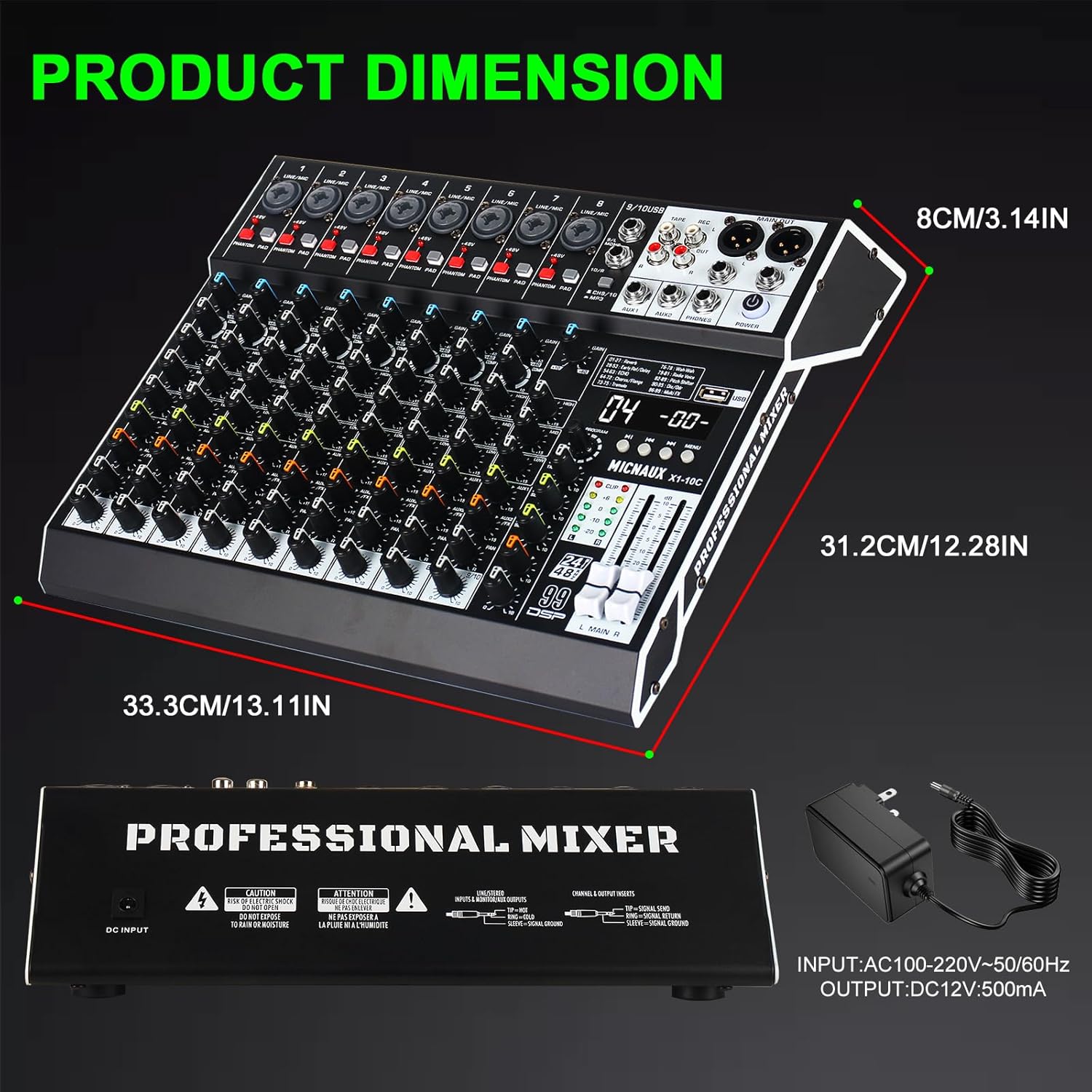
Image: Diagram illustrating the physical dimensions (length, width, height) of the MICNAUX X1-10Channel audio mixer and its power adapter specifications.
8. Warranty & Support
8.1 Warranty Information
Please refer to the product packaging or the official MICNAUX website for detailed warranty information. Keep your purchase receipt as proof of purchase for any warranty claims.
8.2 Customer Support
For technical assistance, troubleshooting, or service inquiries, please contact MICNAUX customer support through the retailer where the product was purchased or visit the official MICNAUX website for contact details.