
Important Safety Instructions
Please read and save these important safety instructions before using this fan. Failure to follow these instructions may result in electric shock, fire, or personal injury.
- Ensure the fan is connected to a 120V, 60Hz AC power source only. Do not use with voltages exceeding 120V.
- This fan is designed for indoor use only. Do not use in wet, humid, or outdoor environments.
- Always unplug the fan from the power outlet before cleaning, servicing, or moving it.
- Do not insert fingers or any objects through the grille when the fan is operating.
- Keep the fan away from curtains, drapes, or any objects that may be drawn into the fan blades.
- Place the fan on a stable, level surface to prevent tipping. The heavy base is designed for stability.
- Do not operate any fan with a damaged cord or plug. Discard the fan or return to an authorized service facility for examination and/or repair.
- Do not run cord under carpeting. Do not cover cord with throw rugs, runners, or similar coverings. Arrange cord away from traffic area and where it will not be tripped over.
- Close supervision is necessary when any appliance is used by or near children.
Product Overview
The Simple Deluxe 20 Inch Pedestal Standing Fan is a high-velocity air circulator designed for various environments. It features a heavy-duty motor, adjustable height, and multiple speed settings to provide efficient airflow.
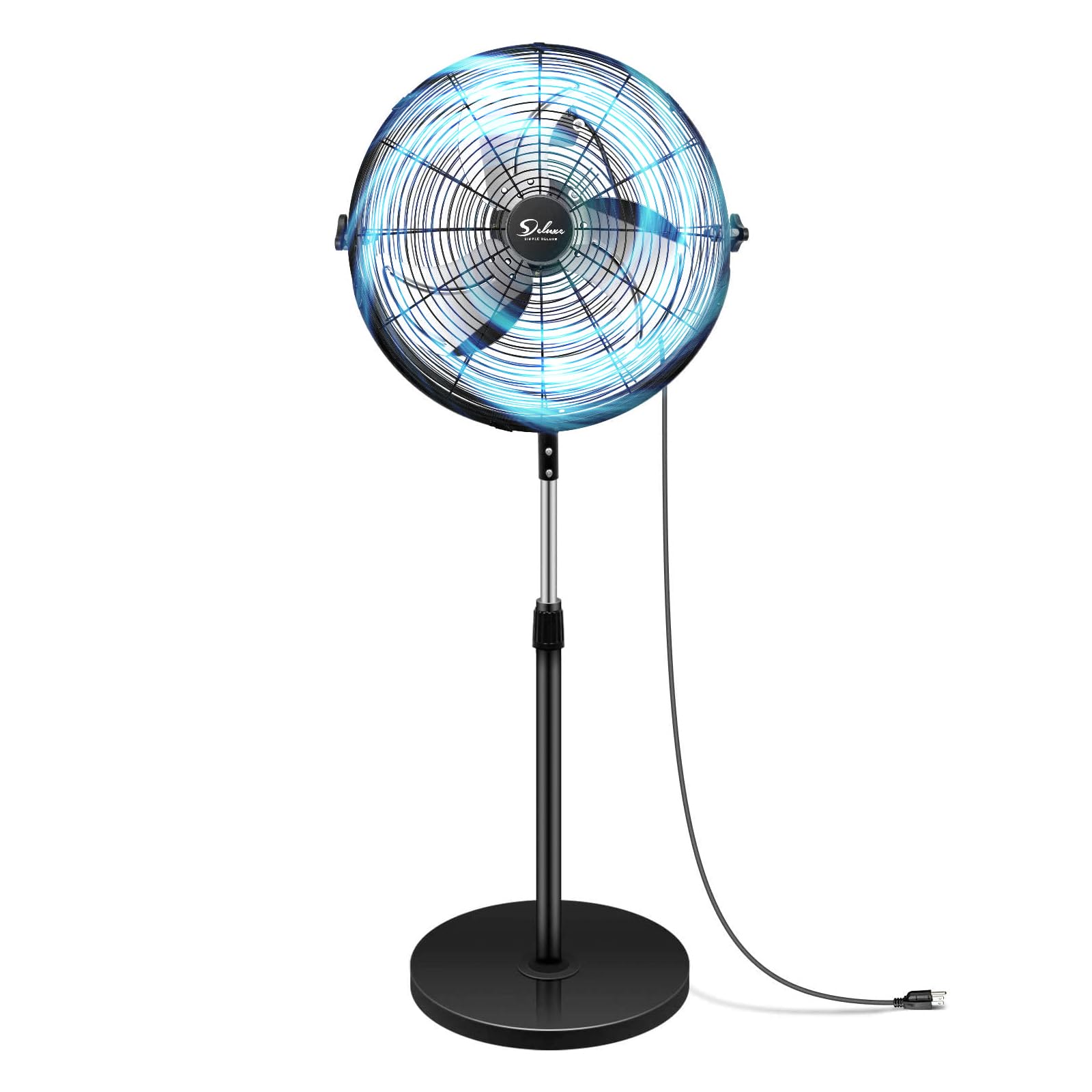
Image: The Simple Deluxe 20 Inch Pedestal Standing Fan, illustrating its overall design and key dimensions including a 24.4 inch blade length, adjustable height from 47.6 to 55.1 inches, and a 16.5 inch base diameter.
Key Features
- Dual Ball Bearing Motor: Equipped with dual ball bearings for enhanced durability, reduced friction, and a longer lifespan exceeding 50,000 hours.
- High Velocity Airflow: Powerful 3-speed motor for effective air circulation.
- Adjustable Height: Fan height can be adjusted from 47.6 inches to 55.1 inches.
- Tilt-Angle Head: Allows for directional airflow control.
- Oscillation: Features 120-degree up/down and 360-degree left/right oscillation for wide area coverage.
- Stable Base: Heavy fan base provides high stability during operation.
- Low Noise Operation: Engineered to reduce noise levels by 40%, operating at less than 60dB.

Image: An exploded view diagram illustrating the dual ball bearing motor technology, copper wire, and the benefits of stability, extended lifespan (50,000 hours), and low noise operation.
Assembly Instructions
The Simple Deluxe Pedestal Standing Fan requires minimal assembly. Please follow these steps carefully.
1. Unpacking
- Carefully remove all components from the packaging.
- Check for any damage during transit. If any parts are damaged or missing, do not proceed with assembly and contact customer support.
- Ensure all packing materials are removed from the fan components.
2. Base and Pole Assembly
- Attach the main pole to the heavy circular base. Secure it firmly using the provided screws or locking mechanism.
- Insert the adjustable height pole into the main pole.
3. Fan Head Attachment
- Carefully attach the fan head assembly to the top of the adjustable height pole.
- Ensure it is securely fastened to prevent wobbling during operation.

Image: Close-up views of the fan's control knob for speed settings, the tilt-angle head for directional airflow, and the adjustable height mechanism on the pole.
Operating Instructions
1. Powering On/Off and Speed Control
- Plug the fan into a standard 120V AC electrical outlet.
- Locate the control knob on the fan head.
- Turn the knob to select your desired speed setting:
- OFF: Turns the fan off.
- LOW: Provides a gentle breeze.
- MEDIUM: Offers moderate airflow.
- HIGH: Delivers maximum air velocity.

Image: A diagram illustrating the three high-performance speed settings (Low, Medium, High) and a comparison of the Simple Deluxe fan's wind output versus other brands.
2. Adjusting Fan Height
- Loosen the height adjustment knob on the pole.
- Carefully raise or lower the fan head to the desired height (between 47.6 and 55.1 inches).
- Tighten the height adjustment knob firmly to secure the fan at the chosen height.
3. Adjusting Fan Angle (Tilt)
- Grasp the fan head firmly.
- Gently tilt the fan head up or down to direct the airflow as needed. The fan head can tilt up to 120 degrees vertically.
4. Oscillation Function
- The fan head can be manually rotated horizontally up to 360 degrees to direct airflow across a wider area.
- The fan head also supports 120-degree vertical oscillation.
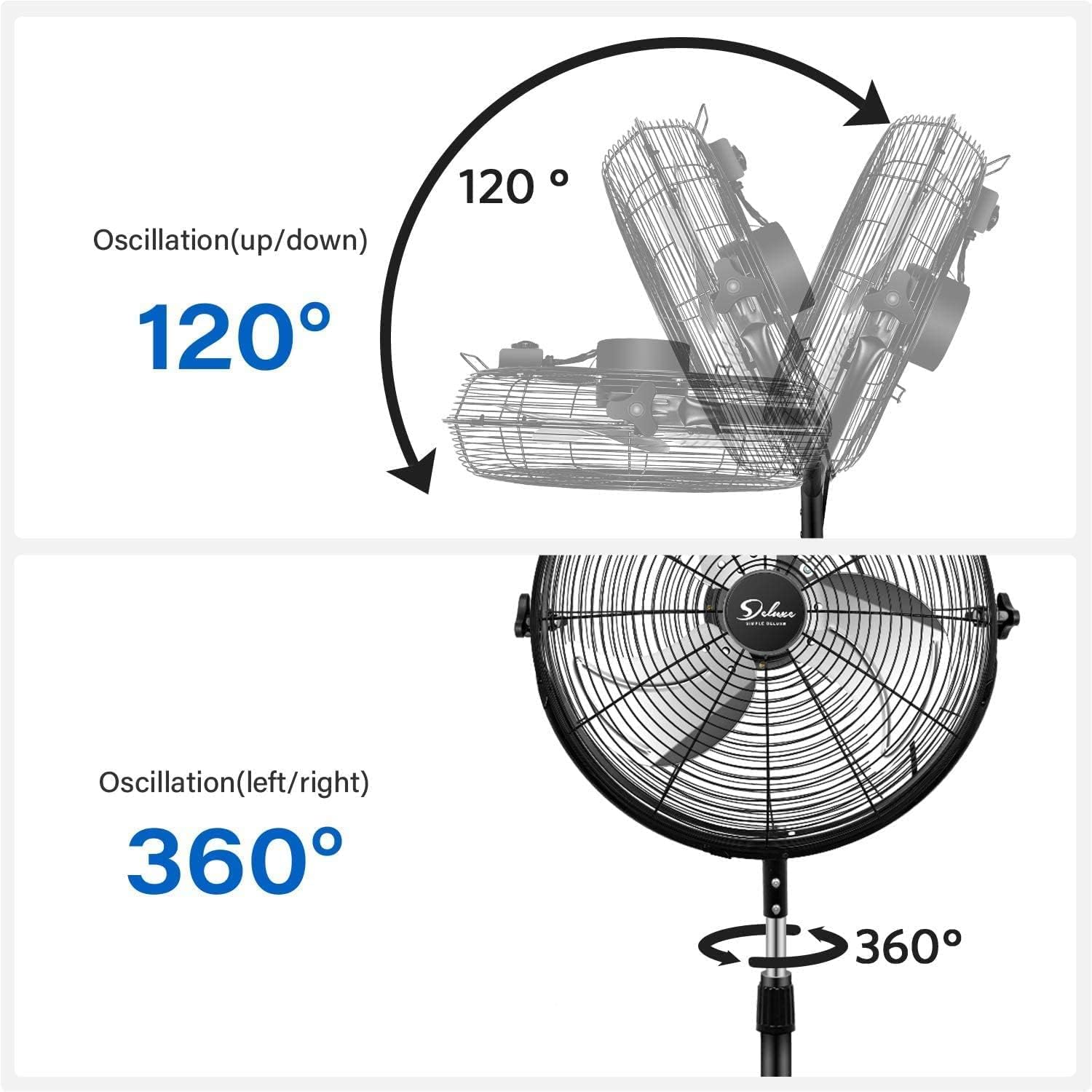
Image: Diagrams illustrating the fan's oscillation capabilities, showing 120 degrees of vertical (up/down) movement and 360 degrees of horizontal (left/right) rotation.
Maintenance
Regular maintenance ensures optimal performance and extends the lifespan of your fan.
1. Cleaning
- Always unplug the fan before cleaning.
- Use a soft, damp cloth to wipe the exterior surfaces of the fan. Do not use abrasive cleaners or solvents.
- To clean the fan blades, remove the front grille (if detachable, refer to assembly for reverse steps). Wipe the blades with a soft cloth. Ensure the grille is securely reattached before operating.
- The motor housing is sealed to protect against dust and debris, requiring no internal cleaning.
- Ensure all parts are completely dry before plugging the fan back in.
2. Storage
- If storing the fan for an extended period, clean it thoroughly.
- Store the fan in its original packaging or cover it to protect it from dust.
- Store in a cool, dry place.
Troubleshooting
Refer to the table below for common issues and their solutions.
| Problem | Possible Cause | Solution |
|---|---|---|
| Fan does not turn on. | No power supply. Fan not plugged in. Speed knob set to OFF. | Check power outlet. Ensure fan is securely plugged in. Turn speed knob to LOW, MEDIUM, or HIGH. |
| Weak airflow. | Fan speed set too low. Grille or blades are dirty. | Increase fan speed. Clean the fan grille and blades as per maintenance instructions. |
| Unusual noise or rattling. | Loose parts. Fan not on a level surface. Obstruction in fan blades. | Check all assembly points for tightness. Place fan on a stable, level surface. Unplug fan and carefully remove any obstructions. |
| Fan wobbles. | Base or pole not securely assembled. Fan on an uneven surface. | Ensure all connections are tight. Move fan to a flat, stable surface. |
Product Specifications
| Feature | Specification |
|---|---|
| Brand | Simple Deluxe |
| Model Name | HIFANXSTAND20 |
| Size | 20 Inch |
| Colour | Black |
| Power Source | Corded Electric |
| Voltage | 120V |
| Wattage | 100W |
| Number of Speeds | 3 |
| Noise Level | Less than 60 dB |
| Motor Type | Dual Ball Bearing |
| Mounting Type | Free Standing |
| Adjustable Height | 47.6 to 55.1 inches |
| Product Dimensions (D x W x H) | 50.8D x 119.4W x 41.9H centimetres |
| Indoor/Outdoor Usage | Indoor |
| UPC | 198401079159 |
Warranty and Customer Support
Specific warranty details for this product may vary. Please refer to the warranty information provided at the time of purchase or contact the manufacturer directly for details regarding warranty coverage and terms.
For any questions, technical assistance, or to report issues with your Simple Deluxe 20 Inch Pedestal Standing Fan, please contact Simple Deluxe customer support through their official website or the retailer where the product was purchased.
Please have your model number (HIFANXSTAND20) and purchase information ready when contacting support.


