
1. Introduction
This manual provides essential information for the safe and efficient operation of the CungSu IB IL 24 DO 8-PAC 2861289 Digital Output Module. This module is designed for industrial automation applications, providing reliable digital output capabilities. It is supplied new with a factory seal, ensuring product integrity.
2. Safety Information
Always adhere to local and national electrical safety codes and regulations during installation, operation, and maintenance. Disconnect power before making any connections or performing service. This device is sensitive to electrostatic discharge (ESD). Handle with care, using appropriate ESD protection measures.
This product complies with RoHS (Restriction of Hazardous Substances) directives, indicating it is free from certain hazardous materials. It also bears CE and EAC markings, signifying compliance with European and Eurasian conformity standards.
3. Product Overview
The IB IL 24 DO 8-PAC is a digital output module designed for use in industrial control systems. It provides 8 digital output channels, typically operating at 24V DC, suitable for controlling various industrial actuators and indicators.
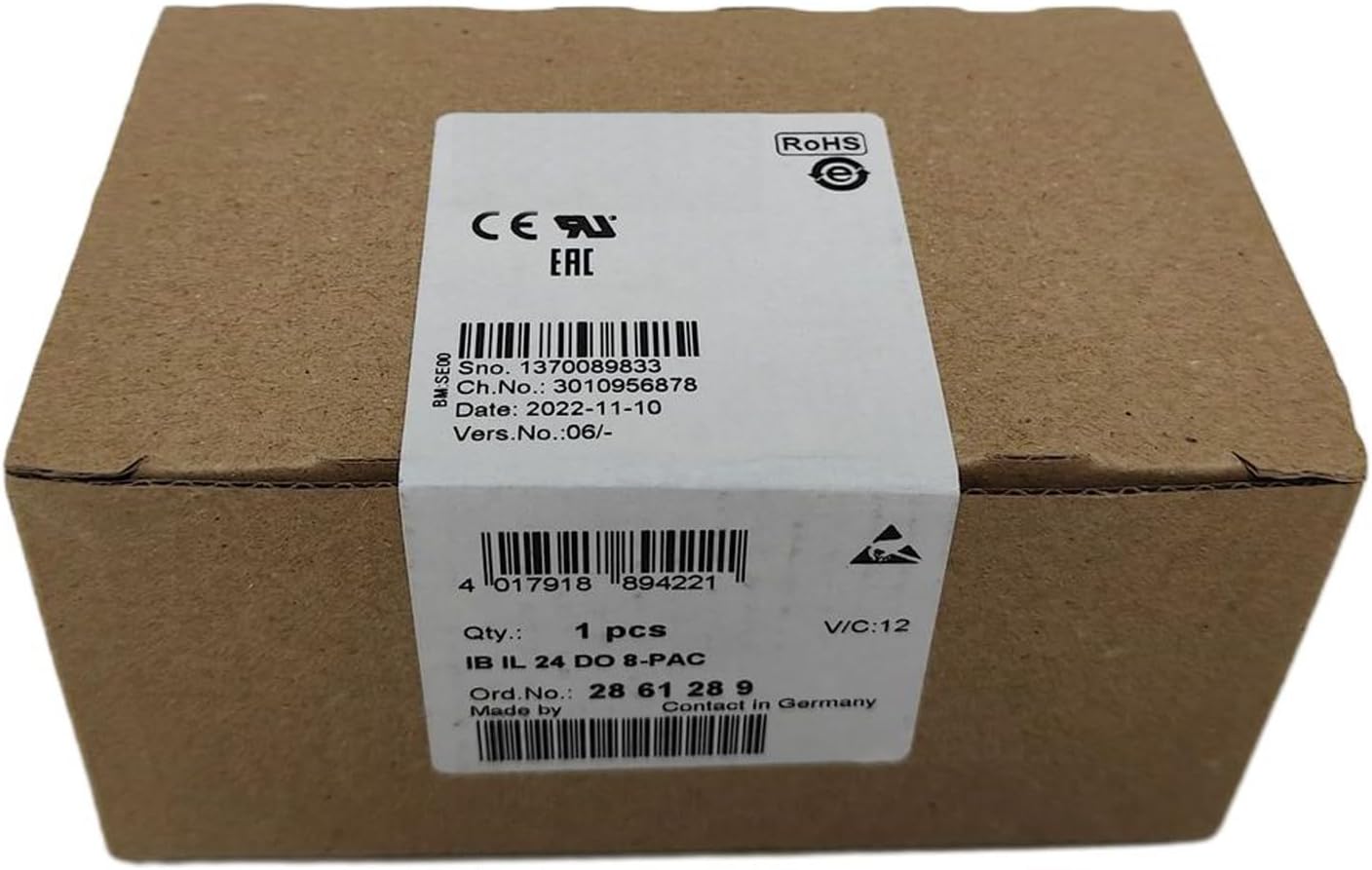
Figure 3.1: The CungSu IB IL 24 DO 8-PAC Digital Module as packaged in its sealed brown cardboard box. The white product label on the box displays key information including the serial number (Sno. 1370089833), order number (Ord. No.: 28 61 28 9), quantity (1 pcs), and compliance markings (RoHS, CE, EAC). The label also indicates the manufacturing date (2022-11-10) and that it was "Made by Contact in Germany".
Key Features:
- 8 Digital Output Channels
- Compact and Robust Design
- Industrial Grade Reliability
- Easy Integration into Existing Systems
- Compliance with International Standards (CE, EAC, RoHS)
4. Setup and Installation
Proper installation is crucial for the module's performance and longevity. Ensure the mounting surface is stable and free from excessive vibration. Follow the specific wiring diagrams provided with your control system documentation for connecting the module's power supply and output signals.
- Mounting: Securely mount the module onto a DIN rail or appropriate mounting plate within the control cabinet.
- Power Connection: Connect the 24V DC power supply to the designated power terminals. Observe correct polarity.
- Output Wiring: Connect the digital output channels to your actuators (e.g., relays, contactors, indicator lights) according to your application's wiring scheme. Ensure proper wire gauge and termination.
- Communication Bus: Connect the module to the system's communication bus (e.g., IB IL bus) as per the system architecture.
- Grounding: Ensure proper grounding of the module and the control system to minimize electrical noise and ensure safety.
After installation, double-check all connections before applying power.
5. Operating Instructions
Once installed and powered, the IB IL 24 DO 8-PAC module communicates with the central control unit (PLC or industrial PC) via the system bus. Digital outputs are controlled by commands from the control unit.
- Configuration: Configure the module within your control system's programming environment. This typically involves assigning addresses and defining output states.
- Output Control: Use programming logic (e.g., ladder logic, structured text) to set the state (ON/OFF) of individual digital outputs based on process requirements.
- Status Indicators: Observe any LED indicators on the module for power status, communication status, and individual output states. Refer to your system's documentation for specific LED behavior.
6. Maintenance
The CungSu IB IL 24 DO 8-PAC module is designed for minimal maintenance. However, periodic checks can help ensure optimal performance and extend its lifespan.
- Visual Inspection: Periodically inspect the module and its connections for any signs of damage, loose wiring, or dust accumulation.
- Cleaning: If necessary, gently clean the module's exterior with a soft, dry, lint-free cloth. Do not use abrasive cleaners or solvents. Ensure power is disconnected before cleaning.
- Firmware Updates: Check the manufacturer's website or contact support for any available firmware updates that may improve performance or address issues. Follow update procedures carefully.
7. Troubleshooting
If you encounter issues with the module, consider the following troubleshooting steps:
| Problem | Possible Cause | Solution |
|---|---|---|
| Module not powering on | No power supply, incorrect wiring, faulty power supply. | Verify 24V DC power supply connection and voltage. Check wiring for shorts or breaks. |
| Digital output not activating | Incorrect programming logic, faulty wiring to actuator, actuator malfunction, module fault. | Check PLC/control system logic. Verify wiring to the actuator. Test the actuator independently. Check module status indicators. |
| Communication error | Loose bus connection, incorrect bus termination, faulty bus cable, incorrect module address. | Inspect bus connections. Verify bus termination. Replace bus cable if damaged. Confirm module address in configuration. |
If the problem persists after attempting these steps, contact customer support.
8. Specifications
| Parameter | Value |
|---|---|
| Product Number | IB IL 24 DO 8-PAC 2861289 |
| Order Number | 28 61 28 9 |
| Manufacturer | CungSu |
| ASIN | B0F62LZK4R |
| Serial Number (Example from label) | 1370089833 |
| Barcode (Example from label) | 4017918894221 |
| Digital Outputs | 8 channels |
| Nominal Output Voltage | 24V DC (typical for "24 DO" modules) |
| Compliance | RoHS, CE, EAC |
| Date First Available | April 23, 2025 |
9. Warranty and Support
This CungSu IB IL 24 DO 8-PAC Digital Module comes with a 1-Year Warranty from the date of purchase, covering manufacturing defects.
For customer service, technical assistance, or any issues regarding the product, please contact the seller, Realing US, or CungSu directly. They are dedicated to providing excellent customer service and support.
You can typically find contact information on your purchase receipt or the seller's page on Amazon: Realing US Seller Page.