
Introduction
This manual provides detailed instructions for the setup, operation, and maintenance of your taopodo 1.91" HD Smart Watch Fitness Tracker. Please read this manual thoroughly before using the device to ensure proper function and longevity.
The taopodo Smart Watch is designed to assist you in monitoring your health and fitness activities, providing convenient communication features, and enhancing your daily routine with smart notifications.
Product Overview
The taopodo Smart Watch features a 1.91-inch HD display, IP68 waterproof rating, and comprehensive fitness tracking capabilities. It includes a charging cable for power. The watch is equipped with a single physical button for navigation and interaction.
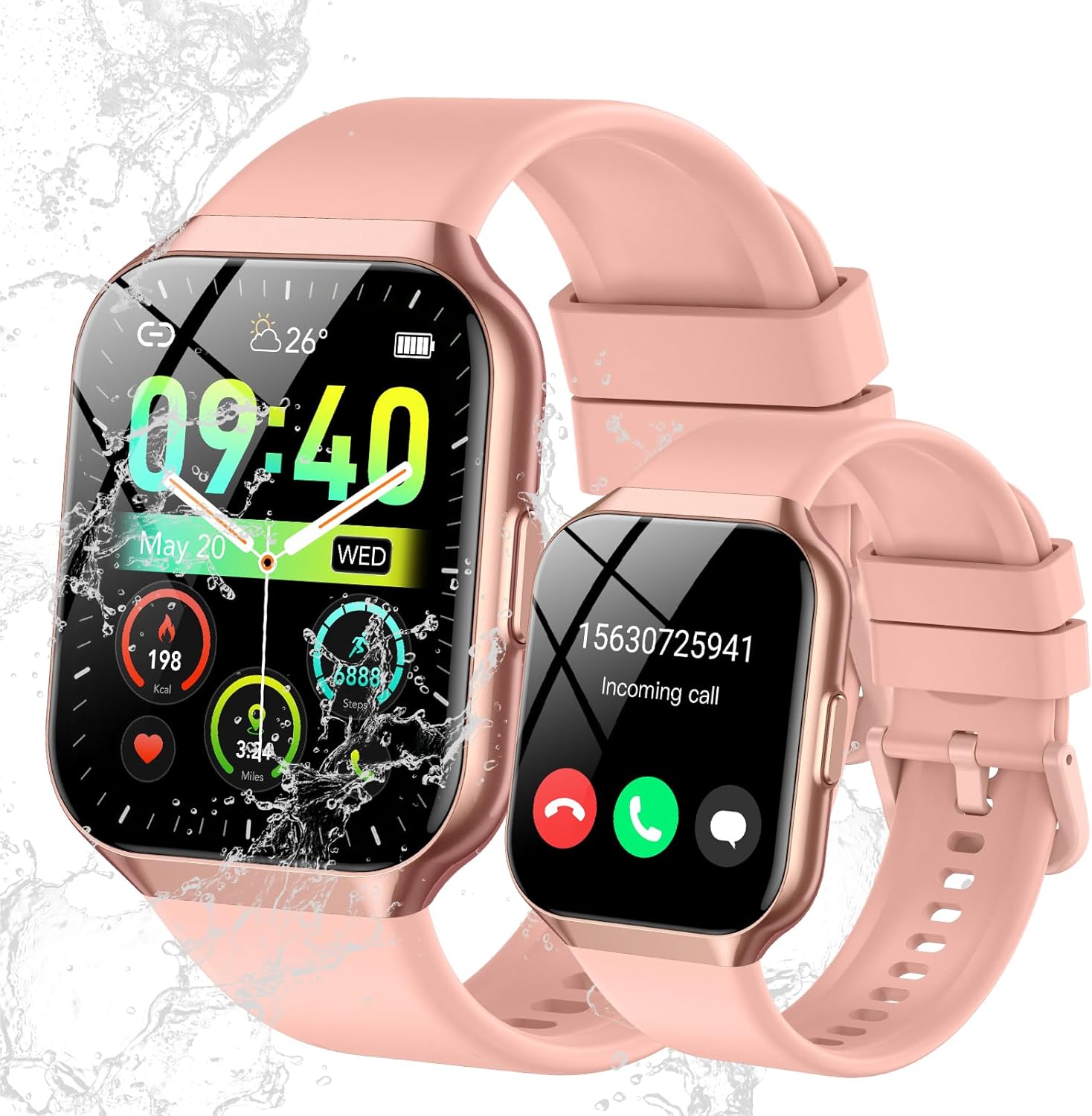
Image 1: taopodo 1.91" HD Smart Watch Fitness Tracker. The image displays two views of the pink smartwatch. One shows the main watch face with time (09:40), date (May 20, WED), weather (26°C), and activity metrics like calories (198 Kcal), steps (8889), and distance (3.24 Miles). The other view shows an incoming call notification with a phone number (15630725941) and options to accept or decline the call. Water splashes are visible, indicating its waterproof feature.
What's in the Box:
- taopodo 1.91" HD Smart Watch Fitness Tracker
- Charging Cable
Setup
1. Charging the Device
Before initial use, fully charge your smart watch. Connect the provided charging cable to the charging contacts on the back of the watch and to a USB power source (e.g., computer USB port or a 5V/1A USB adapter). The watch display will indicate charging status. A full charge typically takes approximately 2 hours.
2. Downloading and Installing the App
To unlock the full functionality of your smart watch, download the companion application on your smartphone. The app is typically named "GloryFit" (as indicated by user reviews). Scan the QR code displayed on the watch screen upon first power-on, or search for "GloryFit" in your smartphone's app store (Google Play Store for Android, Apple App Store for iOS).
3. Pairing with Your Smartphone
- Ensure Bluetooth is enabled on your smartphone.
- Open the GloryFit app and follow the on-screen instructions to create an account or log in.
- In the app, navigate to the device pairing section (often labeled "Device" or "Add Device").
- Select your taopodo Smart Watch from the list of available devices. The watch's name may appear as "taopodo Smart Watch" or a similar identifier.
- Confirm the pairing request on both your smartphone and the watch if prompted.
- Once paired, the watch will synchronize time and data with your phone.
Operating Instructions
Basic Navigation
- Touchscreen: Swipe left, right, up, or down to navigate through menus and features. Tap to select an item.
- Side Button: Press the side button to return to the main watch face or to wake the screen. A long press may access power options or a quick menu.
Fitness Tracking
Your taopodo Smart Watch continuously monitors various health metrics:
- Steps & Distance: Tracks your daily steps and calculates the distance covered.
- Calories Burned: Estimates calorie expenditure based on activity.
- Heart Rate: Monitors your heart rate throughout the day. Access real-time readings from the watch or the app.
- Sleep Monitoring: Records sleep patterns, including deep sleep, light sleep, and wake times.
- Blood Oxygen (SpO2): Measures blood oxygen levels.
- Sports Modes: The watch offers multiple sports modes (e.g., walking, running, cycling) for more accurate tracking during specific activities. Select the desired mode before starting your workout.
Communication Features
- Call Answering/Making: Once paired, you can answer incoming calls directly from your watch. The integrated microphone and speaker allow for hands-free communication. You can also dial numbers or access synced contacts from the watch.
- Notifications: Receive notifications for calls, messages, and app alerts directly on your watch screen. Manage notification settings through the GloryFit app.
Customization
- Watch Faces: Customize your watch face by selecting from pre-installed options or downloading more through the GloryFit app.
Maintenance
Cleaning Your Smart Watch
Regularly clean your watch and strap to prevent skin irritation and maintain device performance. Use a soft, lint-free cloth. If necessary, slightly dampen the cloth with water. Avoid harsh chemicals or abrasive materials.
Water Resistance (IP68)
The watch is IP68 waterproof, meaning it is resistant to dust and can withstand immersion in water up to 1.5 meters for up to 30 minutes. It is suitable for daily use, such as hand washing, rain, and showering. However, it is not recommended for hot water baths, saunas, or diving, as steam and high pressure can compromise the seals.
Battery Care
- Charge the watch regularly, avoiding complete discharge for extended periods.
- Use only the provided charging cable.
- Avoid exposing the watch to extreme temperatures, which can affect battery life.
Troubleshooting
- Watch not turning on: Ensure the watch is fully charged. Connect it to the charger and wait a few minutes before attempting to power it on again.
- Unable to pair with smartphone:
- Ensure Bluetooth is enabled on your phone and the watch is within range.
- Restart both your phone and the watch.
- Clear the Bluetooth cache on your phone (if applicable) or forget the device in your phone's Bluetooth settings, then try pairing again.
- Ensure the GloryFit app is updated to the latest version.
- Inaccurate fitness data: Ensure the watch is worn snugly on your wrist, about one finger's width above the wrist bone. Keep your personal information (height, weight, age) updated in the GloryFit app for better accuracy.
- Notifications not appearing:
- Check notification permissions for the GloryFit app in your phone's settings.
- Ensure the watch is connected to your phone via Bluetooth.
- Verify that notification alerts are enabled within the GloryFit app for the desired applications.
- Short battery life: Reduce screen brightness, disable unnecessary continuous monitoring features (e.g., continuous heart rate if not needed), and ensure the watch is not constantly searching for a Bluetooth connection.
Specifications
| Feature | Detail |
|---|---|
| Model Number | d6cd9739-31f3-435b-a567-49345d5275df |
| Display Size | 1.91 Inches (also listed as 1.96 Inches) |
| Water Resistance | IP68 |
| Operating System | Android Wear 1.0 |
| Connectivity | Bluetooth |
| Battery Capacity | 300 Milliamp Hours (mAh) |
| Battery Type | Lithium Ion (Note: Source data also mentions 1 AAA battery, which is typically incorrect for this device type) |
| Special Feature | Activity Tracker |
| Item Weight | 3.2 ounces (0.09 Kilograms) |
| GPS | No GPS |
| Shape | Rectangular |
| Manufacturer | taopodo |
Note: Some specifications may vary slightly based on production batch or regional variations. The "Android Wear 1.0" is listed as the operating system, which is an older version of Google's smartwatch OS.
Warranty and Support
For warranty information and customer support, please refer to the documentation included with your purchase or contact the manufacturer directly. Keep your purchase receipt as proof of purchase for warranty claims.
For technical assistance or further inquiries, please visit the official taopodo website or contact their customer service department.


