
1. Introduction
Thank you for choosing the Mbeysaq Cordless Menstrual Heat Belt. This device is designed to provide targeted heat and massage therapy for comfort. Please read this manual thoroughly before use to ensure proper operation and safety.
2. Safety Information
WARNING: To reduce the risk of burns, electric shock, fire, or injury, this product must be used in accordance with the following instructions:
- Do not use while sleeping.
- Do not use on infants, children, incapacitated individuals, or persons insensitive to heat.
- Do not use on areas of swollen, inflamed skin, skin eruptions, or open wounds.
- Consult a physician before use if you have any medical conditions, including but not limited to diabetes, circulatory problems, or nerve damage.
- Do not use pins or other metallic fasteners with this appliance.
- Never pull this appliance by the supply cord.
- Do not use if the device appears damaged.
- Keep out of reach of children.
- Use only the charging cable provided or a compatible USB-C cable.
3. Package Contents
- Mbeysaq Cordless Menstrual Heat Belt
- USB-C Charging Cable
- User Manual (this document)
4. Product Overview
The Mbeysaq Cordless Menstrual Heat Belt features an ergonomic design with integrated controls for heat and massage functions.

Figure 4.1: Front view of the Mbeysaq Cordless Menstrual Heat Belt, showing the central control panel and adjustable strap.

Figure 4.2: Close-up of the control panel with digital displays for heat and massage settings, and control buttons.
Controls and Indicators:
- Power Button: Press and hold to turn on/off.
- Heat Button: Press to cycle through 5 heat levels.
- Massage Button: Press to cycle through 7 massage modes.
- Digital Display: Shows current heat level (e.g., 'heated 65°C') and massage mode (e.g., 'massage 01').

Figure 4.3: Detailed view of the digital display indicating active heat and massage settings.
5. Setup
5.1 Initial Charging
Before first use, fully charge the device. Connect the USB-C charging cable to the belt's charging port and the other end to a USB power adapter (not included) or a computer USB port. The display may indicate charging status.

Figure 5.1: The included USB-C charging cable.
5.2 Wearing the Heat Belt
Adjust the elastic strap to comfortably fit around your waist or abdomen. Ensure the heating and massage area is positioned over the desired region for optimal contact.
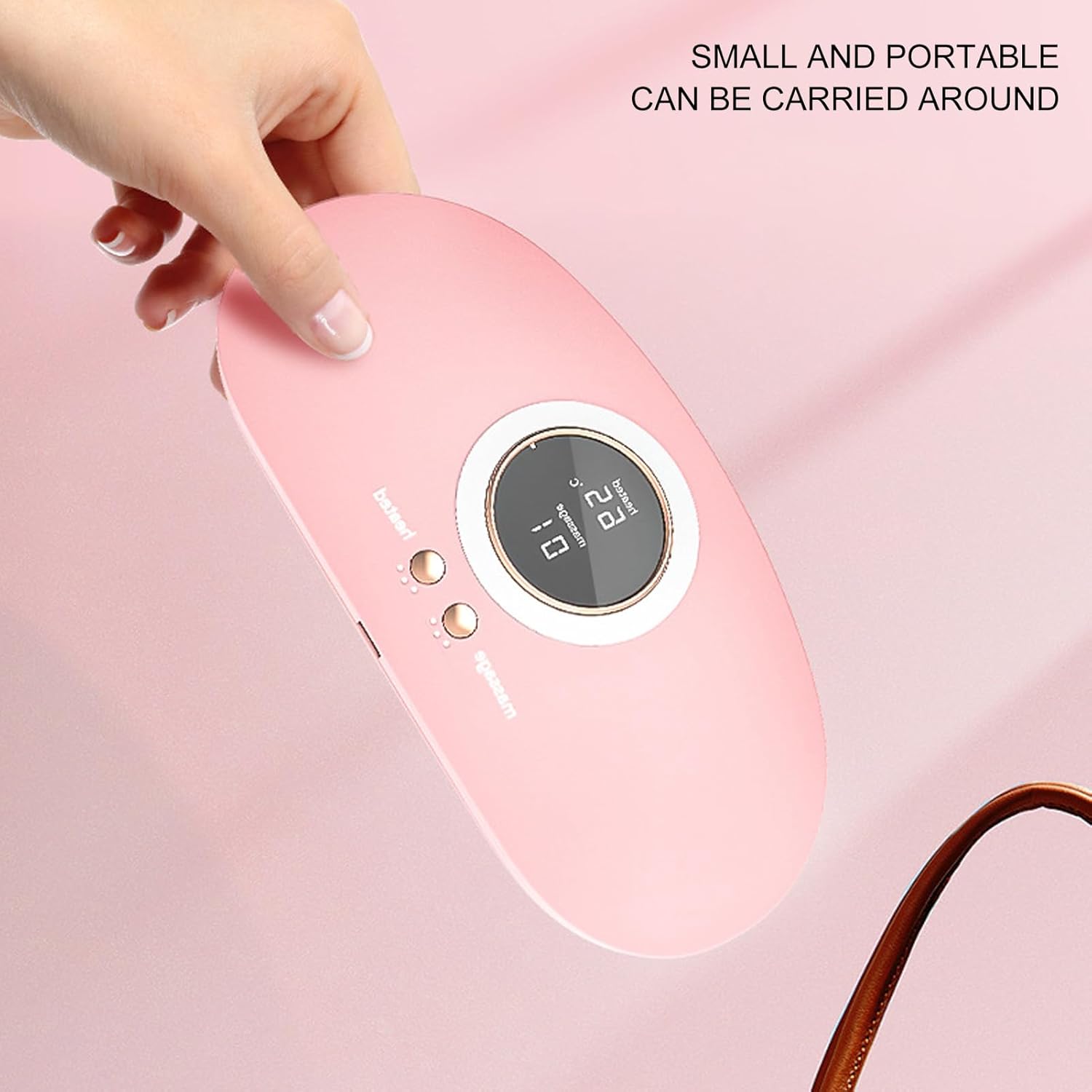
Figure 5.2: Example of the heat belt being worn around the abdomen.
6. Operating Instructions
6.1 Power On/Off
- To turn on: Press and hold the Power button for approximately 2 seconds. The display will illuminate.
- To turn off: Press and hold the Power button for approximately 2 seconds. The display will turn off.
6.2 Adjusting Heat Levels
After powering on, press the 'Heat' button to cycle through the 5 available heat levels. The digital display will show the current temperature setting (e.g., 'heated 65°C'). Select the level that provides comfortable warmth without causing discomfort or burns.
6.3 Adjusting Massage Modes
After powering on, press the 'Massage' button to cycle through the 7 available massage modes. The digital display will show the current massage mode (e.g., 'massage 01'). Select the mode that provides the desired massage intensity and pattern.
You can use the heat and massage functions independently or simultaneously.
7. Charging
When the battery is low, the device may indicate this on the display or by reduced performance. To charge, connect the USB-C cable to the device and a suitable USB power source. A full charge typically takes a few hours. Do not operate the device while charging.
8. Maintenance and Care
8.1 Cleaning
- Ensure the device is turned off and unplugged before cleaning.
- Wipe the surface of the belt with a soft, damp cloth. Do not use abrasive cleaners or immerse the device in water.
- Allow the device to air dry completely before storing or next use.
8.2 Storage
Store the heat belt in a cool, dry place, away from direct sunlight and extreme temperatures. Avoid placing heavy objects on the device.
9. Troubleshooting
| Problem | Possible Cause | Solution |
|---|---|---|
| Device does not turn on. | Battery is depleted. | Charge the device fully. |
| No heat or massage. | Device not powered on or settings not selected. | Ensure device is on and press the Heat/Massage buttons to activate. |
| Heat is too low/high. | Incorrect heat level selected. | Press the Heat button to cycle to a more comfortable level. |
| Massage is too weak/strong. | Incorrect massage mode selected. | Press the Massage button to cycle to a more suitable mode. |
| Device not charging. | Cable or power source issue. | Ensure the charging cable is securely connected. Try a different USB power source. |
10. Specifications
- Model Number: Mbeysaqk5r6q801wh
- Heat Levels: 5
- Massage Modes: 7
- Heating Element: Graphene
- Power Source: Rechargeable Battery (USB-C charging)
- Package Dimensions: 7.87 x 4.33 x 2.36 inches
- Item Weight: 12.35 ounces
- UPC: 763881453371
11. Warranty and Support
For warranty information or technical support, please refer to the contact details provided with your purchase or visit the official Mbeysaq website. Keep your purchase receipt as proof of purchase.