
Introduction
Thank you for choosing the ThermoMonster HT09 Instant Read Meat Thermometer. This device is designed to provide fast and accurate temperature readings for various food items, ensuring safe and perfectly cooked meals. Please read this manual thoroughly before use to ensure proper operation and maintenance.
Product Features
- Ultra-Fast & Accurate: 0.5-second response time with ±0.5°F precision.
- Long Probe: 4-inch stainless steel probe for safe temperature measurement.
- Auto-Flip Large LCD Display: Bright, easy-to-read display that automatically rotates for left or right-hand use.
- 100% Waterproof: Allows for easy cleaning under running water.
- Motion Sensing Sleep/Wake: Automatically turns on when picked up and off when inactive to conserve battery.
- Magnetic Back: For convenient storage on metal surfaces.
- Temperature Lock: Holds the temperature reading on the display.
- °C/°F Switchable: Easily switch between Celsius and Fahrenheit.
Package Contents
- 1 x ThermoMonster HT09 Meat Thermometer
- 1 x AAA Battery
- 1 x User Manual
- 1 x Calibration Certificate
Setup
1. Battery Installation
- Locate the battery compartment on the back of the thermometer.
- Open the battery cover.
- Insert one 1.5V AAA battery, ensuring correct polarity (+/-).
- Close the battery cover securely.
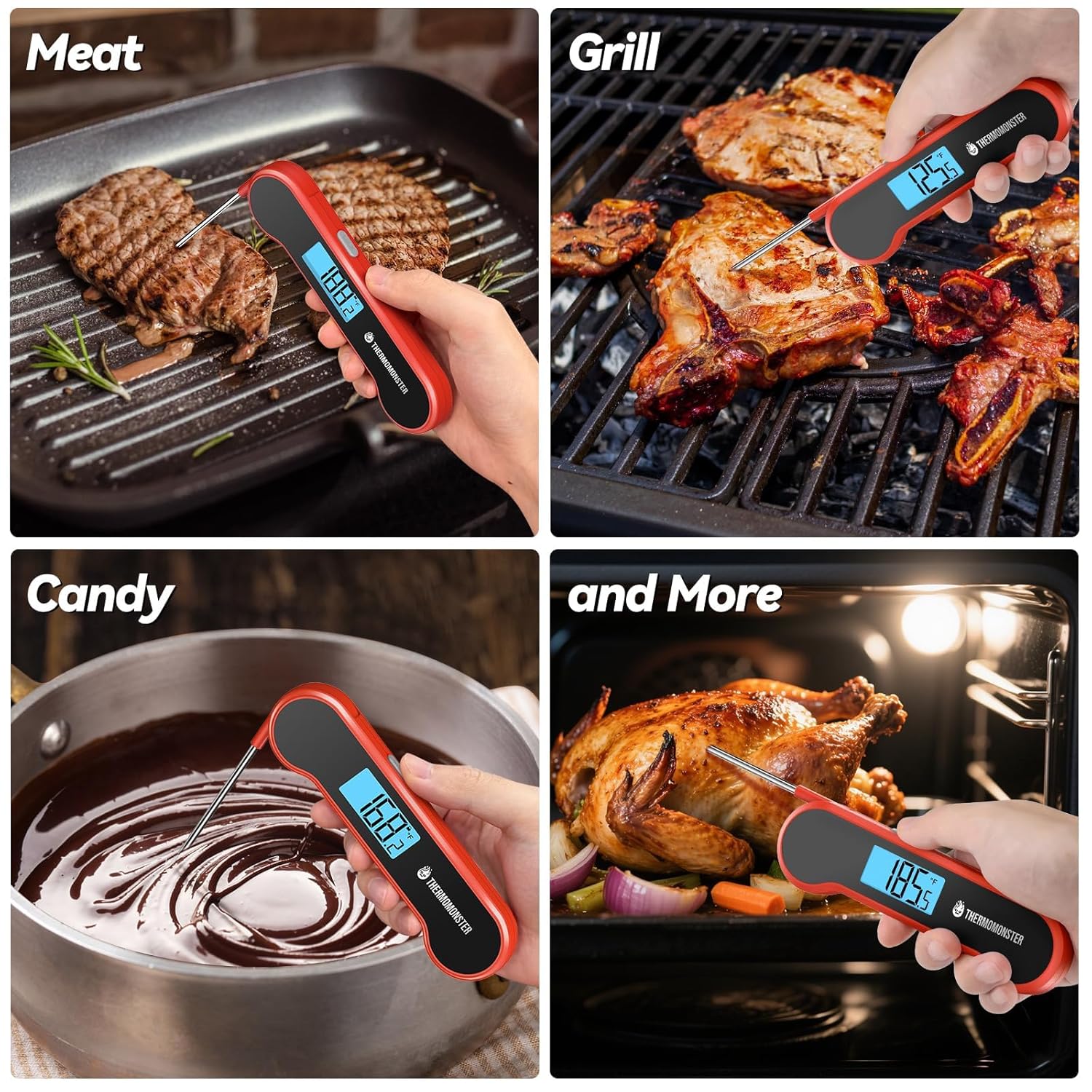
Image: The back of the ThermoMonster HT09 thermometer showing the battery compartment with a 1.5V AAA battery inserted.
2. Switching Temperature Units (°C/°F)
To switch between Celsius (°C) and Fahrenheit (°F), press the °C/°F button located on the back of the thermometer near the battery compartment.
Operating Instructions
1. Power On/Off
- Power On: Extend the probe from the thermometer body. The device will automatically power on and the display will light up.
- Power Off: Fold the probe back into the thermometer body. The device will automatically power off. It will also auto-sleep after a few seconds of inactivity to save battery life.

Image: Diagram illustrating the motion-sensing automatic power on/off and sleep/wake functions of the thermometer.
2. Taking a Temperature Reading
- Extend the probe to power on the thermometer.
- Insert the tip of the stainless steel probe into the thickest part of the food, avoiding bone or gristle.
- The temperature reading will appear on the LCD display within 0.5 seconds.
- The display will automatically rotate for easy viewing from any angle.

Image: The ThermoMonster HT09 thermometer with its probe inserted into a steak on a grill, displaying an instant temperature reading.
3. Temperature Lock Function
Press the "LOCK" button on the side of the thermometer to hold the current temperature reading on the display. Press it again to unlock and resume live temperature monitoring.

Image: The back of the ThermoMonster HT09 thermometer highlighting the "LOCK" button and the magnetic feature.
4. Recommended Internal Temperatures
For food safety and optimal taste, refer to the recommended internal temperatures listed on the back of your thermometer or in the table below:
| Food Type | Recommended Internal Temperature |
|---|---|
| Pork | 153°F / 68°C |
| Poultry | 165°F / 74°C |
| Salmon | 145°F / 63°C |
| Beef Well | 168°F / 76°C |
| Beef Medium | 156°F / 69°C |
| Beef Med Rare | 136°F / 58°C |
| Beef Rare | 131°F / 55°C |
Always ensure food reaches a safe internal temperature to prevent foodborne illness. These are general guidelines; consult specific recipes or food safety resources for precise recommendations.
Maintenance
1. Cleaning
The ThermoMonster HT09 is 100% waterproof. After each use, clean the probe and thermometer body under running water with mild soap. Do not immerse the entire unit in water for extended periods. Dry thoroughly before storing.

Image: A hand holding the ThermoMonster HT09 thermometer under running water, demonstrating its waterproof feature for easy cleaning.
2. Storage
Fold the probe back into the thermometer body to protect it and automatically power off the device. The magnetic back allows for convenient storage on metal surfaces like refrigerators or grills.
Troubleshooting
- No Display/Faint Display: Check if the AAA battery is correctly installed or needs replacement.
- Inaccurate Readings: Ensure the probe is inserted into the thickest part of the food and not touching bone. If issues persist, refer to the calibration certificate or contact customer support.
- Probe Not Extending/Folding: Ensure no debris is obstructing the hinge mechanism. Do not force the probe.
Specifications
- Model Name: HT09
- Brand: ThermoMonster
- Power Source: 1 x 1.5V AAA Battery (included)
- Special Feature: Waterproof
- Display Type: Digital LCD (Auto-Flip, Backlit)
- Response Time: 0.5 seconds
- Accuracy: ±0.5°F
- Probe Length: 4 inches
- Upper Temperature Rating: 572°F
- Outer Material: Plastic
- Certifications: NIST, NSF
- Item Weight: 1.44 ounces
- Dimensions: Approximately 6.3 inches (length) x 1.7 inches (width) x 0.6 inches (thickness) when folded.
Official Product Videos
Watch these official videos from ThermoMonster for visual demonstrations of the product's features and usage.
Video: A quick overview of the ThermoMonster HT09 meat thermometer, demonstrating its auto-on/off feature and showing the recommended internal temperatures printed on the back.
Video: A user demonstrating the accuracy and fast reading of the ThermoMonster HT09 meat thermometer, including its magnetic storage feature.
Warranty and Support
For warranty information, technical support, or any questions regarding your ThermoMonster HT09 Meat Thermometer, please visit the official ThermoMonster website or contact their customer service directly. Contact details can typically be found on the product packaging or the manufacturer's website.
Official Website: www.thermomonster.com