
1. Introduction
The Barrina T1S Tera Series Standing Grow Light is designed to provide optimal lighting for indoor plants across all growth stages. Featuring a 65W full-spectrum LED with 660nm red wavelength chips, it ensures high photosynthetic photon flux density (PPFD) for healthy plant development. Its adjustable height, low-glare design, and convenient mechanical timer with a foot switch make it suitable for various indoor environments and plant types.
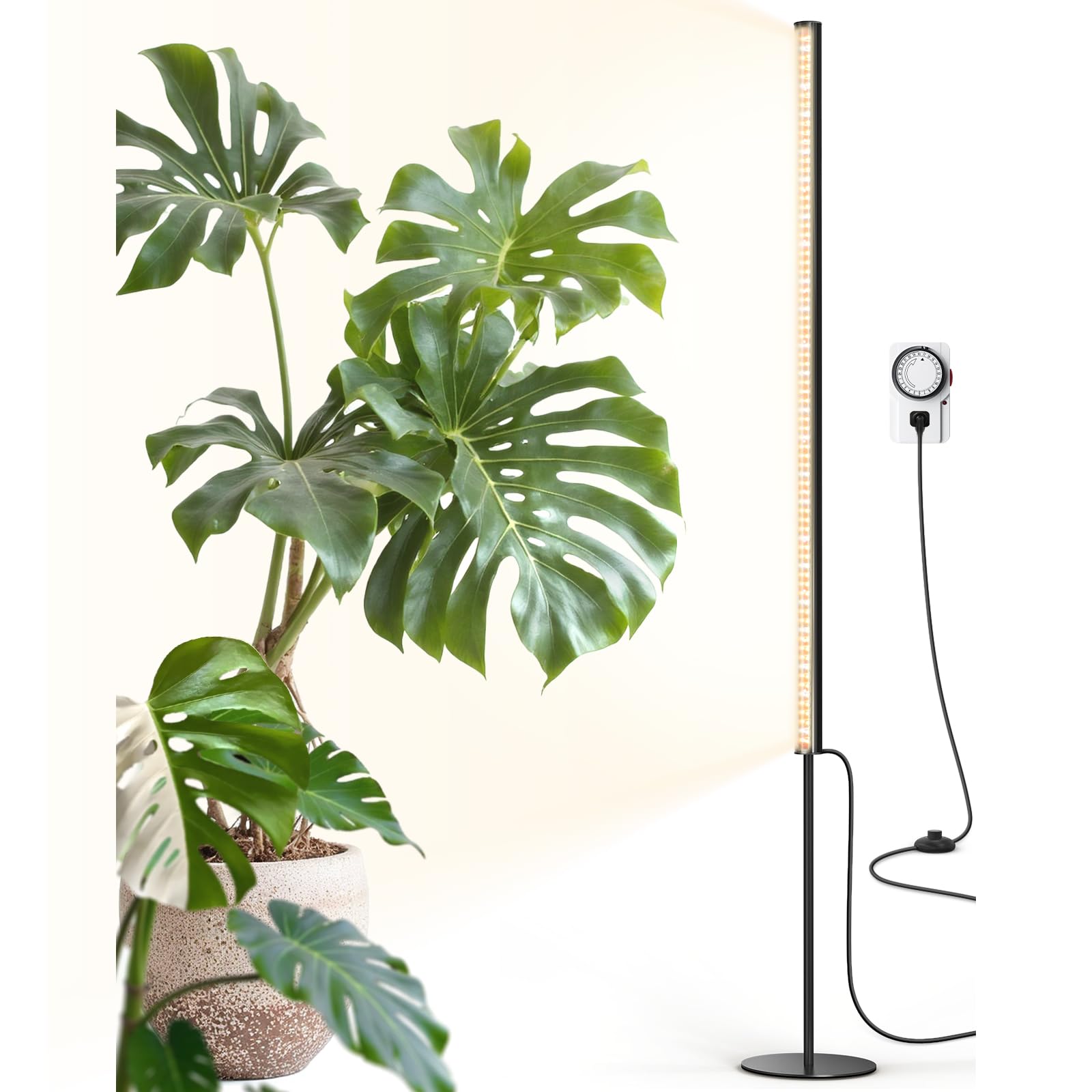
Image: The Barrina T1S Standing Grow Light providing illumination to indoor plants in a modern living space.
2. What's in the Box
Please verify that all components are present before assembly:
- T1S plant grow light
- Lamp Extension Rods (x2)
- Mechanical Timer
- Disc Base
- Installation Manual (this document)

Image: A visual representation of the Barrina T1S Standing Grow Light's packing list, including the light bar, extension rods, mechanical timer, and disc base.
3. Specifications
| Feature | Detail |
|---|---|
| Model Number | K10R65 |
| Power Output | 65 Watts |
| Light Source Type | LED |
| Spectrum | Full Spectrum (3000K+6500K+660nm) |
| Adjustable Height | 5FT - 5.6FT (60 inches - 67.2 inches) |
| PPFD (at 7.87 inches) | 216.8 µmol/m²/s |
| Glare Design | 45° Non-Glare Side Illumination |
| Color Rendering Index (CRI) | 93 |
| Control | Mechanical Timer, Foot Switch |
| Material | Aluminum |
| Base | Thicker Round Weighted Base |
| Dimensions (L x W x H) | 66.93"L x 7.87"W x 7.87"H |

Image: Illustration of high PPFD (Photosynthetic Photon Flux Density) measurements at various distances from the Barrina T1S grow light, indicating light intensity for plant growth.
4. Setup and Assembly
Follow these steps to assemble your Barrina T1S Standing Grow Light:
- Attach the Disc Base: Securely screw the disc base onto the bottom of the main light pole. Ensure it is tightened to provide stability.
- Connect Extension Rods: The light comes with two extension rods. These rods can be used individually to adjust the height of the light. They are designed to be inserted into the main light pole to achieve the desired height between 5FT and 5.6FT.
- Positioning: Place the assembled grow light in your desired location, ensuring the base is on a flat, stable surface.

Image: Two Barrina T1S grow lights shown at different adjustable heights (59.06 inches and 66.93 inches), illustrating their versatility for various plant sizes.
Assembly Video: Extension Rods
Video: This video illustrates the proper method for connecting the extension rods to adjust the height of the Barrina T1S Standing Grow Light.
5. Operating Instructions
Mechanical Timer
The included mechanical timer allows you to automate the light's on/off cycles. It retains settings even after a power outage, eliminating the need for frequent resets.
- Clear Previous Settings: Lift all pins on the timer dial to clear any prior settings.
- Set ON/OFF Times: Push down the pins corresponding to the time range you want the light to be ON. For example, to turn on at 7:00 AM and off at 6:00 PM, push down all pins between 7 and 18 (6 PM on a 24-hour clock).
- Set Current Time: Rotate the dial clockwise until the arrow points to the current time.
- Activate Timer Mode: Use the switch on the side of the timer to toggle it to the 'Clock' mode.
- Plug In: Plug the timer into a 3-prong socket, then plug the grow light into the timer. The timer will now operate according to your settings.
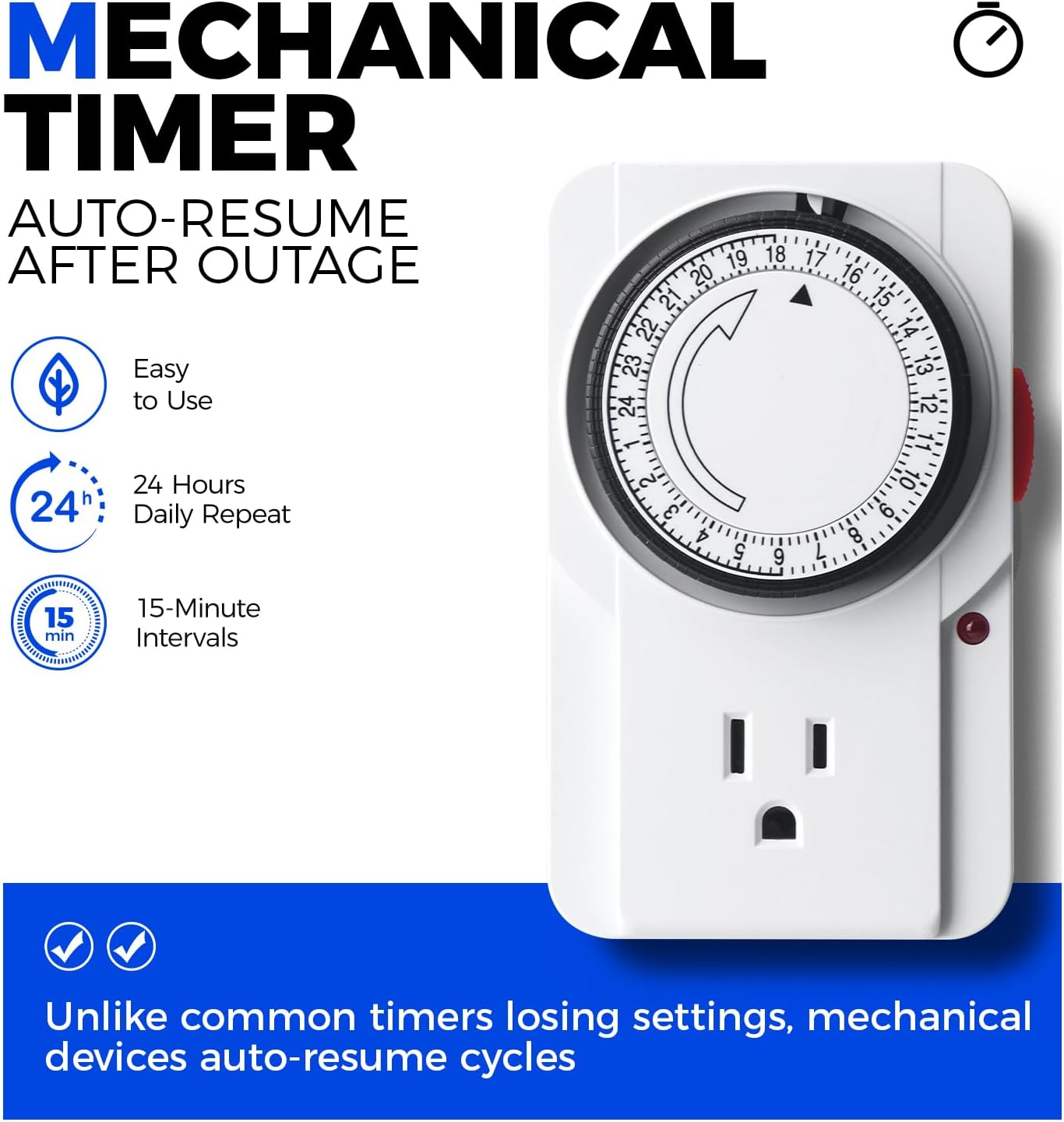
Image: A detailed view of the mechanical timer, highlighting its 24-hour dial, 15-minute intervals, and auto-resume feature after power outages.
Timer Usage Video
Video: This video provides a step-by-step guide on how to properly set and utilize the mechanical timer for your Barrina T1S grow light.
Foot Switch
The integrated foot switch allows for convenient manual operation. Simply step on the switch to turn the light ON or OFF.
Full Spectrum Lighting
The Barrina T1S provides a full spectrum of light (3000K+6500K+660nm red wavelength chips) to support all plant growth stages, from seedlings to flowering. The 660nm red light is crucial for flowering and fruiting, while the broader spectrum ensures overall healthy development.

Image: A spectral distribution chart demonstrating the full spectrum output of the Barrina T1S, indicating the presence of blue, green, red, and far-red light crucial for different plant growth phases.
Non-Glare Design
The 45° non-glare design and side illumination technology minimize eye strain, making the light comfortable for viewing in living spaces while still providing effective plant lighting.

Image: An illustration detailing the 45-degree eye-friendly zone and 90-degree plant-focused light distribution of the Barrina T1S, emphasizing its non-glare design.
6. Maintenance
To ensure optimal performance and longevity of your Barrina T1S Grow Light, follow these maintenance guidelines:
- Cleaning: Regularly wipe the light bar and base with a soft, dry cloth to remove dust and debris. Do not use abrasive cleaners or solvents.
- Inspection: Periodically check the power cord, foot switch, and connections for any signs of damage. If any damage is found, discontinue use and contact customer support.
- Placement: Ensure the light is placed in a well-ventilated area to aid in heat dissipation. Avoid placing it near heat sources or in enclosed spaces that could restrict airflow.

Image: A close-up view of the Barrina T1S light bar, illustrating its larger diameter and ribbed aluminum construction designed for enhanced heat dissipation and stability.
7. Troubleshooting
If you encounter any issues with your Barrina T1S Grow Light, refer to the following common troubleshooting steps:
- Light Not Turning On:
- Check if the power cord is securely plugged into a working outlet.
- Ensure the mechanical timer is correctly set and in 'Clock' mode, or bypass the timer to test direct power.
- Verify the foot switch is pressed to the ON position.
- Timer Not Functioning:
- Confirm all pins are correctly pushed down/up for the desired ON/OFF periods.
- Ensure the current time is accurately set on the dial.
- Check that the timer's side switch is set to 'Clock' mode.
- Unstable Light:
- Ensure the disc base is fully tightened to the light pole.
- Place the light on a flat, even surface.
If these steps do not resolve the issue, please contact Barrina customer support for further assistance.
8. Warranty and Support
The Barrina T1S Standing Grow Light comes with a 2-year warranty from the date of purchase. This warranty covers defects in materials and workmanship under normal use.
For warranty claims, technical support, or any product-related inquiries, please contact Barrina customer service through the retailer where the product was purchased or visit the official Barrina website for contact information.
Please retain your proof of purchase for warranty validation.