
1. Introduction and Safety Information
Thank you for choosing the BLACK LORD FW40 Series Electric Walking Pad Treadmill. This manual provides essential information for the safe and effective use of your new fitness equipment. Please read all instructions carefully before assembly and operation. Keep this manual for future reference.
Important Safety Precautions
- Always consult with a physician before starting any new exercise program.
- Place the treadmill on a flat, stable surface, ensuring at least 0.6 meters (2 feet) of clear space around the unit.
- Keep children and pets away from the treadmill during operation.
- Wear appropriate athletic footwear and clothing. Avoid loose clothing that could get caught in moving parts.
- Use the safety tether clip. Attach it to your clothing before starting your workout. In case of an emergency, pulling the safety tether will immediately stop the treadmill.
- Do not operate the treadmill if it has a damaged cord or plug, or if it is not working properly.
- Unplug the treadmill from the power outlet when not in use, before cleaning, and before performing any maintenance.
- Do not use the treadmill outdoors or in damp environments.
2. Product Overview and Features
The BLACK LORD FW40 Series Walking Pad Treadmill is designed for home use, offering a convenient way to incorporate walking, jogging, and light running into your daily routine. Its compact and portable design makes it suitable for various living spaces.

Image: BLACK LORD FW40 Series Walking Pad Treadmill in use, highlighting its compact design, remote control, and the inclusion of a bonus smartwatch. Key features such as durable shock absorbers, a 400mm running belt, adjustable speed from 1-11km/h, and a safety tether are also indicated.
Key Features:
- Powerful 2.3HP Motor: Provides smooth and consistent performance for walking, jogging, and light running.
- Adjustable Speed: Digital quick speed control from 1.0 to 11.0 km/h to suit various fitness levels and workout intensities.
- Spacious Running Belt: A 400mm wide belt offers a comfortable and secure walking surface.
- Advanced Cushioning System: Features 6-point FlexTech Suspension and durable rubber shock absorbers to reduce impact on joints.
- Digital LCD Display: A 4-window LCD display monitors essential metrics such as speed, mileage, time, and calories burned.
- Bluetooth Connectivity: Syncs with a dedicated app for tracking workout stats and accessing multiple training programs.
- Portable Design: Equipped with portable wheels for easy movement and can be stored under a sofa or bed.
- Remote Control: Conveniently adjust speed and control functions during your workout.

Image: This graphic summarizes the core features of the FW40 Series Walking Pad, including its 2.3HP motor, digital LED display, 400mm belt width, 6-point FlexTech Suspension, Bluetooth app control, 1.0-11.0 km/h speed range, multiple app training programs, and portable wheels.
Components:
- Treadmill Unit (Main Body)
- Power Cord
- Remote Control
- Safety Tether Key
- User Manual
3. Setup Instructions
The BLACK LORD FW40 Series Walking Pad Treadmill requires minimal assembly. Follow these steps to set up your treadmill:
- Unpack the Treadmill: Carefully remove all components from the packaging. Retain packaging materials for future storage or transport.
- Placement: Choose a flat, stable surface for the treadmill. Ensure there is adequate space around the unit for safe operation and emergency dismount.
- Unfold (if applicable): If your model has a foldable handlebar (FW40-H Series), carefully raise and secure it according to the specific instructions provided with your model. The FW40 Series is a walking pad without a handlebar.
- Connect Power: Plug the power cord into the treadmill's power input, then into a grounded electrical outlet.
- Initial Check: Before first use, ensure all parts are securely in place and there are no loose components.

Image: This visual provides the dimensions of the treadmill (125cm length, 52cm width, 13cm height) and illustrates its compact design, showing how it can be stored upright or flat under furniture.
4. Operating Instructions
Familiarize yourself with the controls and functions before beginning your workout.
Powering On and Off
- To Power On: Ensure the treadmill is plugged in. Press the power button on the treadmill's console or the remote control. The display will illuminate.
- To Power Off: Press the power button again. Always unplug the unit from the wall outlet after use.
Using the Remote Control
The remote control allows you to start, stop, and adjust the speed of the treadmill.
- START Button: Press to begin the treadmill belt movement. The treadmill will typically start at a low speed.
- STOP Button: Press to stop the treadmill belt.
- SPEED + / - Buttons: Use these buttons to increase or decrease the running belt speed in increments.
- MODE Button: Cycles through different display modes (e.g., time, distance, calories).
Using the Fitness App (Bluetooth)
Enhance your workout experience by connecting your treadmill to the dedicated fitness app via Bluetooth.
- Download the App: Search for the recommended BLACK LORD fitness app on your smartphone's app store (e.g., FitShow).
- Enable Bluetooth: Turn on Bluetooth on your smartphone.
- Connect: Open the app and follow the on-screen instructions to pair with your BLACK LORD FW40 Series Treadmill.
- Explore Features: The app allows you to track your workout data, access various training programs, and potentially control the treadmill.

Image: This image illustrates the treadmill's Bluetooth connectivity, allowing users to personalize their run and track data via a dedicated app. It also shows a Bluetooth speaker for audio playback during workouts.
Monitoring Your Workout
The integrated LCD display provides real-time feedback on your workout progress.
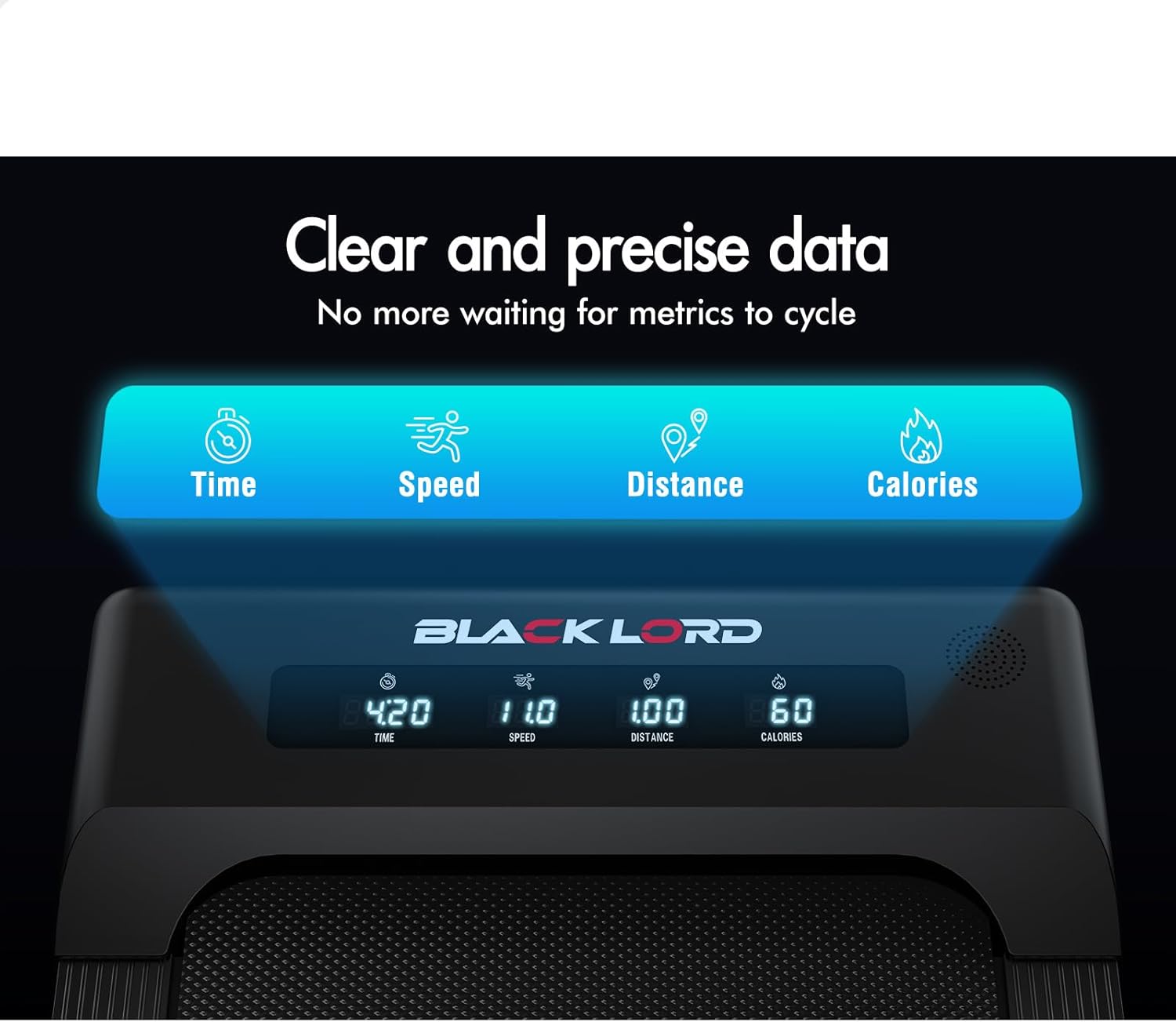
Image: This close-up shows the treadmill's digital display, providing clear and precise real-time data for time, speed, distance, and calories burned, allowing users to monitor their progress effectively.
- Time: Duration of your workout.
- Speed: Current speed of the running belt.
- Distance: Total distance covered during the workout.
- Calories: Estimated calories burned.
5. Maintenance
Regular maintenance ensures the longevity and optimal performance of your treadmill.
Cleaning
- Always unplug the treadmill before cleaning.
- Wipe down the console and exterior surfaces with a soft, damp cloth. Avoid abrasive cleaners or solvents.
- Periodically vacuum underneath the treadmill to prevent dust and debris buildup.
Running Belt Care
The running belt is designed to be low-maintenance.
- The FW40 Series features a lubricant-free, 6-layer running belt. Regular lubrication is generally not required.
- Inspect the belt for any signs of wear or damage. If the belt appears loose or off-center, refer to the troubleshooting section or contact customer support.

Image: This image highlights the advanced cushioning technology of the treadmill, specifically the rubber shock absorbers designed to protect knees and joints during exercise.
6. Troubleshooting
If you encounter any issues with your BLACK LORD FW40 Series Treadmill, refer to the following common problems and solutions:
| Problem | Possible Cause | Solution |
|---|---|---|
| Treadmill does not power on. | Power cord not plugged in; power switch off; circuit breaker tripped. | Ensure power cord is securely plugged into a grounded outlet. Check the power switch on the treadmill. Reset the household circuit breaker if necessary. |
| Running belt does not move. | Safety tether not in place; treadmill in standby mode; motor issue. | Ensure the safety tether key is correctly inserted into the console. Press the START button. If the problem persists, contact customer support. |
| Remote control not responding. | Low battery in remote; remote out of range; interference. | Replace the battery in the remote control. Ensure you are within range of the treadmill. Remove any obstructions between the remote and the treadmill. |
| Unusual noises during operation. | Loose parts; belt misalignment; foreign object. | Stop the treadmill and inspect for any loose screws or foreign objects. Check if the running belt is centered. If the noise continues, discontinue use and contact support. |
If these solutions do not resolve the issue, please contact customer support for further assistance.
7. Specifications
Technical specifications for the BLACK LORD FW40 Series Electric Walking Pad Treadmill:
| Specification | Detail |
|---|---|
| Brand | BLACK LORD |
| Model Number | A-TML-WP-FW-BK (FW40 Series) |
| Motor Power | 2.3HP |
| Speed Range | 1.0 - 11.0 km/h |
| Running Belt Width | 400 mm |
| Weight Capacity | 130 kg |
| Product Dimensions (L x W x H) | 125 cm x 52 cm x 13 cm |
| Item Weight | 21 kg |
| Assembly Required | Yes (Minimal) |
8. Customer Support
For any questions, technical assistance, or warranty claims, please contact BLACK LORD customer service. Refer to your purchase documentation for specific contact details or visit the official BLACK LORD website.
No relevant product videos were found in the provided data to embed in this manual.