
3600W Hybrid Solar Inverter
3600W Hybrid Solar Inverter User Manual
Model: 3600W Hybrid Solar Inverter | Brand: Generic
1. Introduction
This user manual provides detailed instructions for the installation, operation, maintenance, and troubleshooting of the 3600W Hybrid Solar Inverter. This advanced inverter is designed to efficiently convert DC 24V to pure sine wave AC 110V/120V, providing a robust 3600W rated and 7200W peak output. It is ideal for various applications including RVs, homes, off-grid cabins, and workshops, supporting up to 4200W solar input for both on-grid and off-grid solar setups.
Please read this manual thoroughly before installation and operation to ensure safe and optimal performance of your inverter.
2. Safety Information
Always observe the following safety precautions to reduce the risk of injury or damage to the inverter:
- Installation must be performed by qualified personnel in accordance with all local and national electrical codes.
- Do not attempt to disassemble or repair the inverter. Refer all servicing to qualified service personnel.
- Ensure proper grounding of the inverter.
- Do not expose the inverter to rain, snow, spray, or any liquids.
- Ensure adequate ventilation around the inverter to prevent overheating.
- Before connecting or disconnecting any wiring, ensure all power sources (solar, battery, AC grid) are disconnected.
- Wear appropriate personal protective equipment (PPE) during installation and maintenance.
3. Product Overview and Components
The 3600W Hybrid Solar Inverter features a robust design with an intuitive interface for monitoring and control.
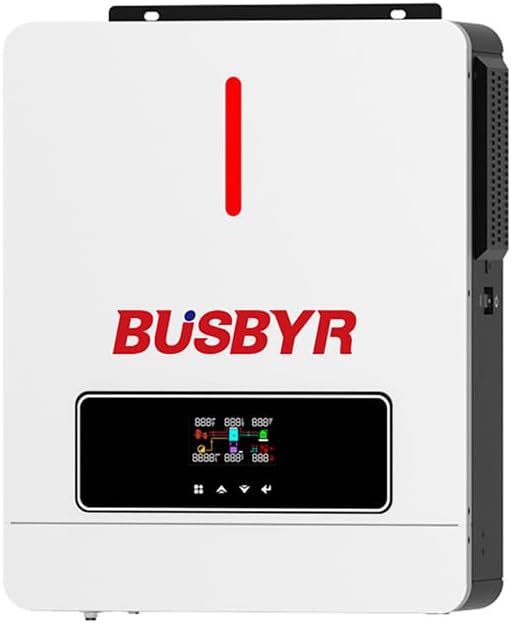
Figure 3.1: Front view of the 3600W Hybrid Solar Inverter, showing the main unit with the brand logo and the integrated LCD display panel.
3.1 Key Features
- Pure Sine Wave Output: Provides clean and stable power suitable for sensitive electronics.
- Integrated MPPT Controller: High-efficiency 120A MPPT solar charging controller maximizes solar energy harvesting.
- Smart LCD Screen: Real-time monitoring of power input/output, battery status, and system alerts.
- Flexible Charging & Output Modes: Four charging modes and three output modes for versatile power management.
- Battery Compatibility: Supports AGM, GEL, Lead-acid, Li-ion, and LiFePO4 24V batteries, including no-battery operation.
- Rugged Design: IP65-rated enclosure for durability in harsh environments.
- Comprehensive Protection: Built-in protections against overvoltage, undervoltage, reverse polarity, short circuits, overload, overheating, and overcurrent.

Figure 3.2: Illustration of the inverter's core features, highlighting its pure sine wave capability, optimized battery charging, and connectivity options.
3.2 Protection Mechanisms
The inverter incorporates multiple safety features to protect both the unit and connected devices, ensuring reliable and stable operation.

Figure 3.3: Overview of the multi-functional safety protections integrated into the inverter, including safeguards against overload, short circuit, battery issues, overheating, overcurrent, and voltage fluctuations.

Figure 3.4: Internal components of the inverter, emphasizing the two intelligent cooling fans and various protection circuits including overload, short circuit, battery, overheating, overcurrent, and high/low voltage protection.
4. Installation and Setup
Proper installation is critical for the safe and efficient operation of your hybrid solar inverter. Ensure all safety guidelines are followed.
4.1 Site Selection
- Install the inverter in a well-ventilated area, away from direct sunlight, heat sources, and flammable materials.
- The IP65 rating allows for indoor or semi-outdoor use, but protection from direct weather exposure is recommended.
- Ensure the mounting surface is strong enough to support the inverter's weight (approximately 19.36 pounds).
4.2 Wiring Diagram and Connections
Refer to the following diagram for correct wiring connections. All connections must be secure and properly insulated.
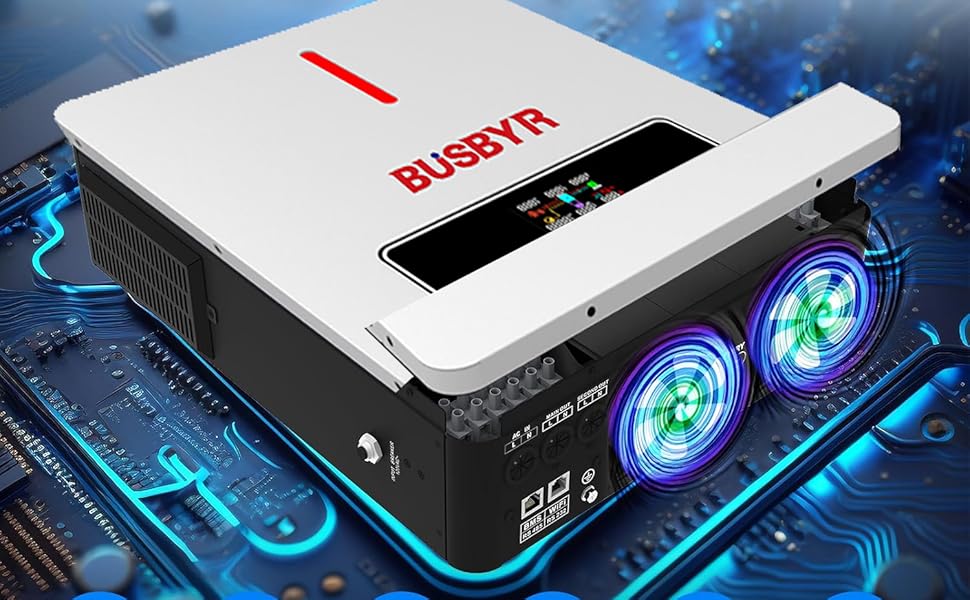
Figure 4.1: Comprehensive wiring diagram illustrating the connections for the inverter, including municipal power/generator input, battery bank, solar PV array, and household loads. Key specifications like AC input voltage, battery type, and maximum PV array power are also shown.
4.3 Battery Connection
The inverter is compatible with 24V AGM, GEL, Lead-acid, Li-ion, and LiFePO4 batteries. It also supports operation without a battery for direct solar-to-load applications.
- Connect the battery bank to the designated battery terminals on the inverter, ensuring correct polarity.
- Use appropriate cable gauges for battery connections to minimize voltage drop and ensure safety.

Figure 4.2: The inverter mounted on a wall, demonstrating its ability to work with or without a battery, and highlighting compatibility with GEL, FLD (Flooded), LI (Lithium-ion), and USE (User-defined) 24V battery types.
5. Operating Instructions
This section details how to operate your inverter, including understanding the LCD display and configuring settings.
5.1 LCD Display and Control Buttons
The inverter features a smart LCD screen for real-time monitoring and configuration. Use the intuitive control buttons to navigate menus and adjust settings.
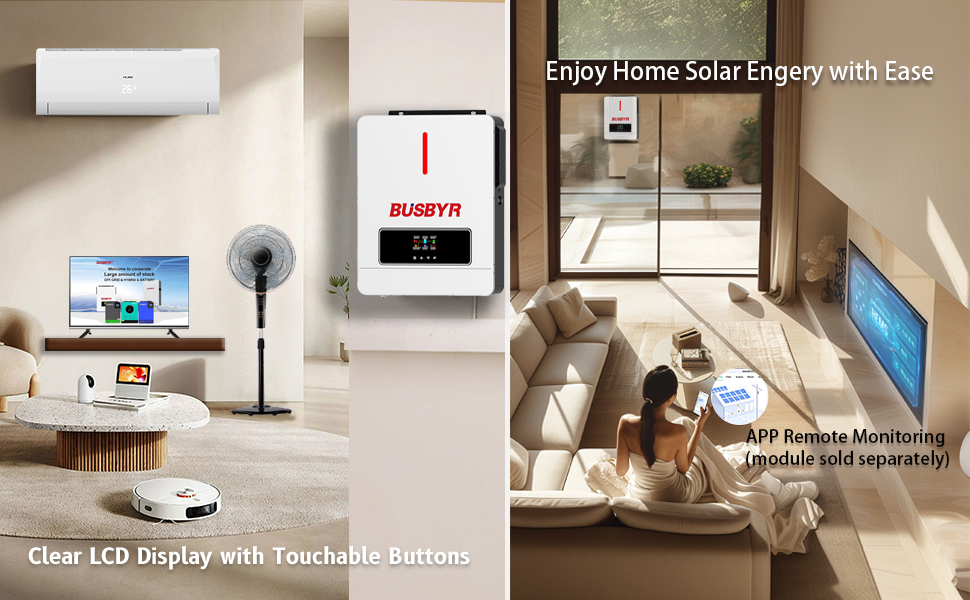
Figure 5.1: The inverter's LCD display and control buttons, providing a user-friendly interface for monitoring system status and configuring operational parameters. An example of remote monitoring via an app (module sold separately) is also shown.
5.2 Charging Modes
The inverter offers four charging modes to optimize battery charging based on available power sources:
- Solar Only: Charges batteries exclusively from solar power.
- AC Priority: Prioritizes AC utility power for charging, using solar only when AC is unavailable.
- Solar Priority: Prioritizes solar power for charging, using AC utility power only when solar is insufficient.
- Hybrid Charging: Utilizes both solar and AC utility power for charging, balancing sources for optimal efficiency.
5.3 Output Modes
Three output modes allow for flexible power delivery to your loads:
- Mains Priority: Prioritizes AC utility power to supply loads. The inverter switches to battery/solar power if AC utility is unavailable.
- PV Priority: Prioritizes solar power to supply loads. The inverter switches to AC utility or battery power if solar is insufficient.
- Inverter Output: The inverter continuously supplies power from the battery/solar, regardless of AC utility availability.
6. Maintenance
Regular maintenance ensures the longevity and optimal performance of your inverter.
- Cleaning: Periodically clean the exterior of the inverter with a dry, soft cloth. Ensure ventilation openings are free from dust and debris. The IP65 dustproof design helps minimize internal dust accumulation.
- Connections: Annually check all electrical connections for tightness and signs of corrosion. Loose connections can lead to overheating and poor performance.
- Ventilation: Ensure the intelligent cooling fans are not obstructed and are operating correctly. The variable speed fan adjusts based on internal temperature.
- Battery Health: If using batteries, monitor their health and charge levels regularly. Follow battery manufacturer guidelines for maintenance.
7. Troubleshooting
This section provides solutions to common issues you might encounter. For problems not listed here, contact customer support.
| Problem | Possible Cause | Solution |
|---|---|---|
| Inverter not turning on. | No input power (battery, solar, AC grid) or main switch off. | Check all power connections. Ensure battery voltage is within operating range. Turn on the main power switch. |
| No AC output. | Overload, short circuit, or low battery voltage. | Reduce load. Check for short circuits in wiring. Recharge or replace battery. Check LCD for error codes. |
| Battery not charging. | Solar panels not connected, insufficient sunlight, or AC input issue. | Verify solar panel connections and ensure adequate sunlight. Check AC input connection if using AC charging. Verify charging mode settings. |
| Overheating warning. | Insufficient ventilation or excessive load. | Ensure clear airflow around the inverter. Reduce connected load. Check if cooling fans are operating. |
For advanced troubleshooting or persistent issues, a one-click factory reset option is available. Consult the manufacturer's support for specific reset procedures if not detailed on the device.
8. Specifications
Detailed technical specifications for the 3600W Hybrid Solar Inverter.
| Parameter | Value |
|---|---|
| Model | 3600W Hybrid Solar Inverter |
| Rated Output Power | 3600W |
| Peak AC Output | 7200W |
| DC Input Voltage | 24V DC |
| AC Output Voltage | 110V/120V AC (Pure Sine Wave) |
| AC Input Voltage Range | 100/110/120VAC |
| Frequency Range | 50Hz/60Hz |
| Max Solar Input Power | 4200W |
| MPPT Controller Current | 120A |
| MPPT Voltage Range | 60-500VDC |
| Max. Charging Current (PV+AC) | 120A |
| Efficiency | 98% |
| Product Dimensions | 13.7 x 4.3 x 16.7 inches |
| Item Weight | 19.36 pounds |
| Ingress Protection (IP) Rating | IP65 Dustproof |
| Battery Compatibility | AGM, GEL, Lead-acid, Li-ion, LiFePO4 24V |
9. Warranty and Support
For warranty information, technical support, or service inquiries, please contact the manufacturer, Generic, or your authorized dealer. Keep your purchase receipt as proof of purchase for warranty claims.
Optional protection plans may be available for extended coverage. Refer to your point of purchase for details on these plans.
Related Documents - 3600W Hybrid Solar Inverter
 |
Sumry 3600W Hybrid Solar Inverter User Manual and Specifications Comprehensive guide for the Sumry 3600W Hybrid Solar Inverter, detailing its features, specifications, and operational parameters for home solar power systems. Supports on-grid and off-grid use with pure sine wave output and MPPT charge control. |
 |
jsdsolar PV9000-48 MPPT Solar Inverter User Manual User manual for the jsdsolar PV9000-48 MPPT Solar Inverter. This guide details installation, operation, and troubleshooting for this 6.5KW hybrid solar inverter, designed for off-grid backup and self-consumption. |
 |
PowMr POW-LVM4K-24V Hybrid Solar Inverter Charger User Manual This user manual provides detailed instructions for the PowMr POW-LVM4K-24V, a 24V hybrid solar inverter charger. Learn about installation, operation, specifications, and troubleshooting for this versatile power solution from SHENZHEN HEHEJIN INDUSTRIAL CO.,LTD. |
 |
PowMr POW-LVM3K-24V-H Hybrid Solar Inverter Charger User Manual User manual for the PowMr POW-LVM3K-24V-H hybrid solar inverter charger. Learn about its features, installation, operation, safety instructions, and technical specifications for efficient solar energy management. |
 |
EP-4200H Inverter/Charger User Manual Comprehensive user manual for the EP-4200H Inverter/Charger, detailing installation, operation, specifications, and troubleshooting for this pure sine wave off-grid solar inverter with MPPT charging and UPS functionality. |
 |
ECG-LVM7K-SG Hybrid Solar Inverter User Manual - ECGSOLAX Comprehensive user manual for the ECGSOLAX ECG-LVM7K-SG Hybrid Solar Inverter. Learn about installation, operation, safety, features, and troubleshooting for efficient energy management in residential, commercial, and industrial settings. |
Ask a question about this manual
Ask about setup, troubleshooting, compatibility, parts, safety, or missing instructions. Manuals+ will review the question and use this page’s manual context to help answer it.