
1. Introduction
The Paekole YYK-Q16 H3 AI Translation Earbuds are designed to facilitate communication across language barriers, offering real-time two-way translation in 144 languages. These earbuds also function as high-fidelity audio devices for music and calls, integrating three functionalities into one compact unit. Equipped with advanced AI features, an open-ear design for comfort, and robust battery life, they are suitable for various scenarios including travel, business, and learning.

Figure 1: Paekole YYK-Q16 H3 AI Translation Earbuds and Charging Case.
2. What's in the Box
Verify that all components are present upon unboxing:
- 2 x AI Translator Earbuds
- 1 x Charging Case
- 1 x USB-C Cable
- User Manual
3. Setup Instructions
3.1. Initial Charging
Before first use, fully charge the earbuds and charging case using the provided USB-C cable. Connect the USB-C cable to the charging port on the case and a compatible power source. The LED indicators on the case will show charging status.
3.2. App Installation and Pairing
The Paekole YYK-Q16 H3 AI Translation Earbuds require the "NebulaBuds" application for full translation functionality. Follow these steps to set up your earbuds:
- Download the App: Scan the QR code provided in the user manual or on the charging case to download the "NebulaBuds" APP.
- Enable Bluetooth: Turn on Bluetooth on your mobile phone.
- Open the App: Launch the "NebulaBuds" APP. The app will automatically prompt for necessary permissions (Location, Device connection, Bluetooth scan, Internet). Grant these permissions by clicking "Confirm" and "Allow" as prompted.
- Connect Earbuds: The app will automatically detect the YYK-Q16 earbuds. Select "YYK-Q16" and confirm to successfully connect.
- Activation: If prompted, enter the activation code found in your user manual or scan the QR code for activation within the app.

Figure 2: Step-by-step guide for connecting earbuds to the NebulaBuds app.
Video 1: Detailed instructions for setting up and using the translation earbuds via the NebulaBuds APP.
4. Operating Instructions
4.1. Wearing the Earbuds
The earbuds feature an open-ear design with soft silicone ear hooks for a secure and comfortable fit. Gently place each earbud over your ear, ensuring the hook rests comfortably behind your ear and the speaker is positioned near your ear canal.
Video 2: Guide on how to properly wear and use the Paekole translation earbuds for optimal comfort and functionality.
4.2. Translation Modes
The NebulaBuds app offers multiple translation modes to suit different communication needs:
- Touch Mode: Tap the earbud to initiate translation.
- Free-speech Mode: Continuous translation for natural conversations.
- Speaker Mode: Use your phone's speaker for one person and an earbud for the other.
- Offline Mode: Supports translation without an internet connection in most parts of the world.
- Live Recording: Converts spoken language to text for meeting notes and transcription.
- Simultaneous Interpretation: Real-time voice translation for international conferences.
- Face-to-Face Translation (Earphones + Mobile Phone): Two-way translation where one person uses an earbud and the other uses the mobile phone.
- Face-to-Face Translation (Dual-Ear Mode): Share earbuds with another person for simultaneous two-way communication.
- Video Call Translation: Real-time translation during video calls, generating an invitation link for seamless browser-based communication.

Figure 3: Overview of the four primary translation modes.

Figure 4: Real-time translation interface within the NebulaBuds app.
4.3. AI Assistant Features
The earbuds integrate with AI Assistant, AI Chat, and AI Image Generation features within the NebulaBuds app, enhancing productivity and daily use.
- AI Voice Smart Dialogue: Use real-time voice interaction to ask Nebula questions.
- AI Chat: Interact with Nebula via text for information or assistance.
- AI Assistant: Access over 200 AI small applications for various tasks.
- Text-to-Image: Generate images based on provided text descriptions.
- Image-to-Image: Generate images based on a reference image and text description.
4.4. Music Playback and Calls
The earbuds also function as standard Bluetooth headphones. Use the smart touch controls on the earbuds to manage music playback (play, pause, skip tracks) and calls (answer, end, reject). The 14.2mm diaphragm speaker and 4 high-precision microphones ensure clear audio quality for both music and conversations.
5. Features Overview
5.1. High-Precision Multilingual Translation
Supports real-time two-way translation in 144 languages, including major global languages like Chinese, English, Japanese, Korean, Russian, German, French, and Spanish. This feature is designed to meet diverse global communication needs.
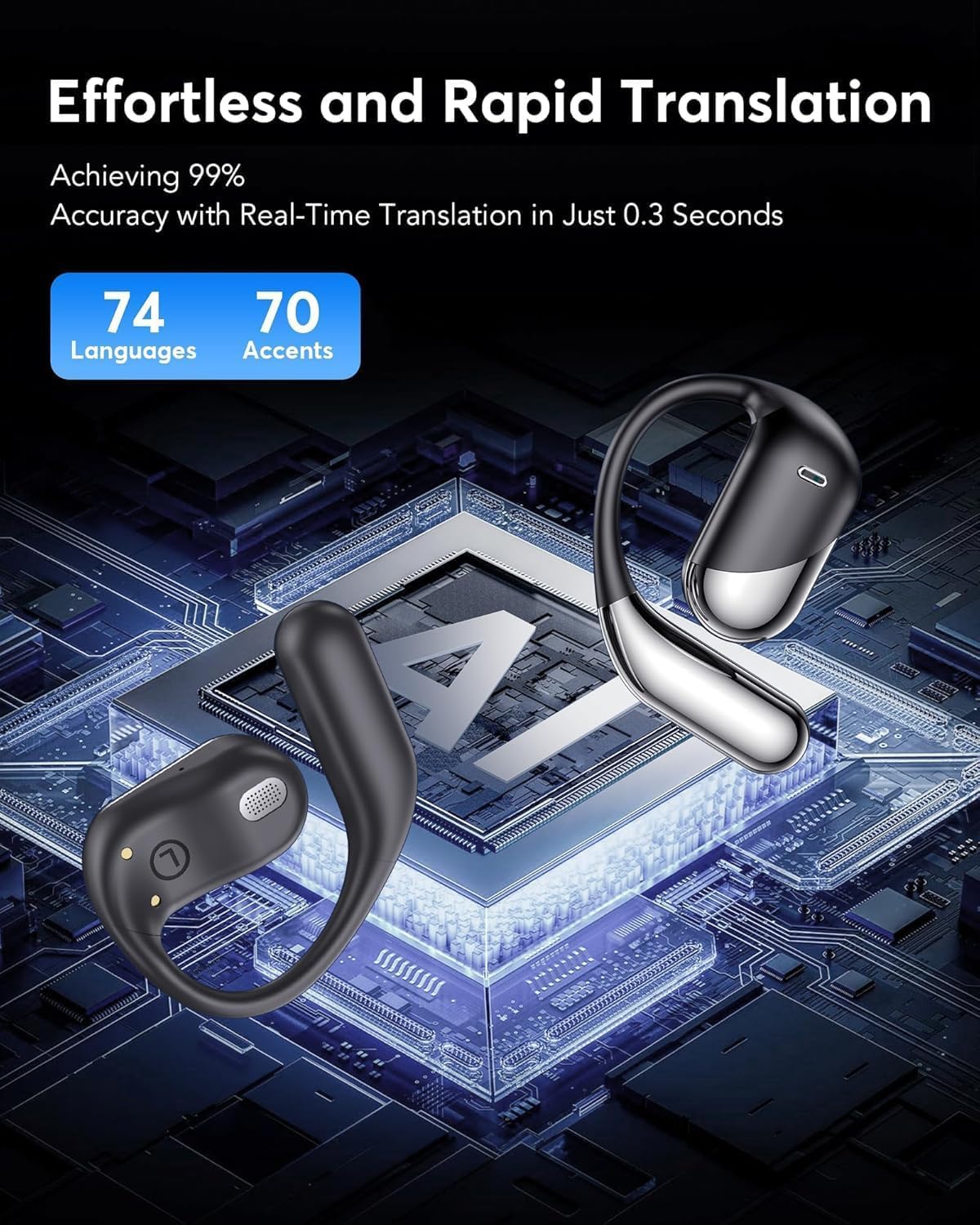
Figure 5: Translation capabilities and speed.
5.2. 3-in-1 Functionality and HD Audio Quality
These earbuds combine translation, music playback, and call functions. They feature a 14.2mm diaphragm speaker and 4 high-precision microphones, delivering excellent sound quality for clear music and calls in various environments.

Figure 6: Illustrating the 3-in-1 functionality of the earbuds.
5.3. Open-Ear Design for Comfort
Constructed from lightweight PC material, each earbud weighs only 8g. The soft silicone ear hooks provide a secure fit, making them suitable for extended wear during sports, workouts, or daily activities. The open-ear design allows users to remain aware of their surroundings while enjoying audio.
5.4. Extended Battery Life and Fast Charging
The earbuds offer up to 10 hours of uninterrupted playtime per charge. The included charging case provides an additional 50 hours, totaling a remarkable 60 hours of playback. Rapid charging technology allows for 5 minutes of charging to provide an hour of audio use.

Figure 7: Battery life and charging capabilities.
5.5. Cutting-edge Connectivity
Equipped with Bluetooth 5.4 technology, these earbuds provide fast data transfer speeds and a stable connection up to 33 feet (10 meters). The auto-on and connect feature ensures seamless, low-latency audio from the moment they are removed from the case.
6. Specifications
| Feature | Specification |
|---|---|
| Model Name | YYK-Q16 |
| Connectivity Technology | Wireless (Bluetooth 5.4) |
| Bluetooth Range | 15 Meters (49 feet) |
| Audio Driver Size | 15 Millimeters |
| Battery Life (Earbuds) | 10 Hours |
| Battery Life (with Case) | 60 Hours |
| Charging Time | 1.5 Hours (for full charge) / 5 minutes for 1 hour use |
| Water Resistance Level | IPX7 Waterproof |
| Material | Polycarbonate (PC), Silicone |
| Item Weight | 0.16 Kilograms (5.6 ounces) |
| Control Type | Touch Control, App Control |
| Noise Control | Active Noise Cancellation |
| Frequency Response | 2.4 GHz |
| Sensitivity | 90 dB |
| Audio Latency | 40 Milliseconds |
7. Maintenance
Proper maintenance ensures the longevity and optimal performance of your earbuds.
- Cleaning: Regularly wipe the earbuds and charging case with a soft, dry, lint-free cloth. Avoid using abrasive materials or harsh chemicals.
- Storage: When not in use, store the earbuds in their charging case to protect them from dust, moisture, and physical damage.
- Battery Care: To preserve battery health, avoid fully discharging the earbuds or case frequently. Charge them regularly, even if not in constant use. Store in a cool, dry place away from extreme temperatures.
- Water Resistance: While IPX7 waterproof, avoid prolonged submersion in water. Ensure the charging port is dry before charging.
8. Troubleshooting
If you encounter issues with your Paekole YYK-Q16 H3 AI Translation Earbuds, refer to the following common solutions:
| Problem | Possible Solution |
|---|---|
| Earbuds not pairing/connecting | Ensure Bluetooth is enabled on your device. Check if earbuds are charged. Restart your phone and the earbuds. Re-attempt pairing through the NebulaBuds app. |
| Translation not working | Verify internet connection (unless in offline mode). Ensure the NebulaBuds app has all necessary permissions. Check language settings in the app. Restart the app. |
| Poor audio quality | Ensure earbuds are clean and properly seated in your ears. Check the audio source device. Move closer to your connected device to avoid interference. |
| Earbuds not charging | Check the USB-C cable and power adapter. Ensure the charging case is charged. Clean the charging contacts on both the earbuds and the case. |
| App keeps disconnecting | Ensure the app is updated to the latest version. Check for conflicting apps. Reinstall the NebulaBuds app. |
9. Warranty and Support
Paekole products are covered by a manufacturer's warranty against defects in materials and workmanship. For detailed warranty information, product support, or service inquiries, please refer to the official Paekole website or contact customer service through the contact information provided in your product packaging or the NebulaBuds app.