
1. Introduction
This manual provides detailed instructions for setting up, operating, and maintaining your lumthou 4G Kids Smart Watch. Please read this manual thoroughly to ensure proper use and to maximize the features of your device.
2. Package Contents
Upon unboxing, please verify that all items listed below are included in your package:
- lumthou 4G Kids Smart Watch
- Two Watch Straps (one pre-installed, one extra)
- Two Charging Cables
- Two SIM Card Slots (likely referring to the SIM card and its tray)
- SIM Card (for activation)
- Pendant Silicone Case
- Two Pendant Lanyards
- User Manual

Image: The lumthou 4G Kids Smart Watch displayed with its various accessories, including two watch straps, two charging cables, a SIM card, a silicone pendant case, and two lanyards.
3. Setup Guide
3.1. SIM Card Installation & Activation
The lumthou 4G Kids Smart Watch requires a 4G SIM card for full functionality, including calling, texting, and GPS tracking. A SIM card is included with your purchase.
- Locate the SIM card slot on the side of the watch.
- Carefully insert the provided SIM card into the slot, ensuring correct orientation.
- Follow the instructions provided with the SIM card to activate it and choose a suitable plan. Plans typically start from $5 per month.

Image: A close-up of the lumthou 4G Kids Smart Watch showing the SIM card being inserted into its designated slot on the side of the device.
Note: The SIM card is essential for communication and location tracking features. Without activation, these features will not function.
3.2. Charging the Device
The watch is equipped with a 680mAh battery. For optimal performance, fully charge the watch before first use.
- Connect the magnetic charging cable to the charging port on the back of the watch.
- Connect the USB end of the cable to a power adapter (not included) or a computer's USB port.
- The watch display will indicate charging status. A full charge provides up to 12 hours of GPS tracking mode use, 24 hours of regular use, and up to 7 days on standby.
Video: A demonstration of how to charge the lumthou 4G Kids Smart Watch using its magnetic charging cable.
3.3. App Installation & Pairing
To manage the watch's features and track your child's location, download the companion app on your smartphone or tablet.
- Scan the QR code provided in the watch's packaging or search for the "kids watch" app in your device's app store.
- Install the app and create an account.
- Follow the in-app instructions to pair your watch with your device. This typically involves scanning a QR code displayed on the watch screen or entering a unique device ID.
Video: A review demonstrating the watch's features, including app navigation and pairing process.
4. Operating the Smart Watch
4.1. Basic Navigation
- Touchscreen: Navigate through menus and apps by swiping and tapping on the 1.83-inch HD touchscreen.
- Side Button: Press the side button to return to the home screen or wake the device.
- Home Screen Customization: Swipe on the home screen to view different watch faces, including step count and time displays. Wallpapers can be changed.
4.2. Communication Features
With an activated SIM card, the watch supports various communication methods:
- Two-Way Calling: Make and receive calls from pre-approved contacts.
- Texting (SMS): Send and receive text messages.
- Video Calling: Engage in video calls with approved contacts.
- Voice Messages: Send and receive voice messages via the parent app.
- SOS Function: Press and hold the SOS button for three seconds to sequentially call three emergency contacts until one answers.

Image: An illustration detailing the various communication functions of the smartwatch, including voice chat, address book, automatic answer, call rejection, video call, video care, photo sharing, intercom, and family group chat.

Image: A visual guide to the SOS Emergency Call Mode, showing how pressing the SOS button on the watch triggers calls to pre-set emergency contacts.
4.3. GPS Tracking & Safety Features
The watch offers advanced location tracking for peace of mind:
- Multiple Positioning Methods: Utilizes GPS, signal tower, and Wi-Fi tracking to provide accurate location data.
- Safety Fence Alert: Set virtual boundaries (safety zones) via the app. Receive notifications if the child enters or exits these areas.
- Location History: Review past locations of the watch through the companion app.
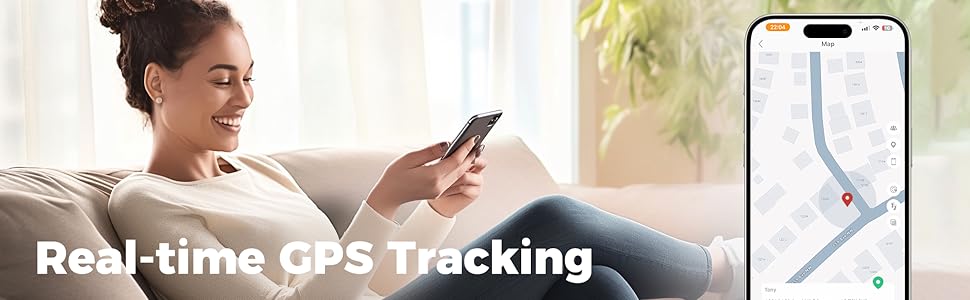
Image: An infographic illustrating the three positioning methods: GPS Tracking, Signal Tower Tracking, and Wi-Fi Tracking, displayed on a smartphone map interface.
4.4. Modes & Other Features
The watch supports various functions for both learning and entertainment:
- School Mode: Allows parents to set specific times when certain features (like games) are restricted to minimize distractions during class.
- Entertainment Mode: Access games, music, and video playback.
- Camera: Take photos and store them in the album.
- Pedometer: Track daily steps and activity.
- Alarms & Schedule: Set alarms and manage class schedules.
- Educational Tools: Includes math games and flashcards.
- Other Apps: Calculator, Calendar, Stopwatch, and an App Store for additional downloads.
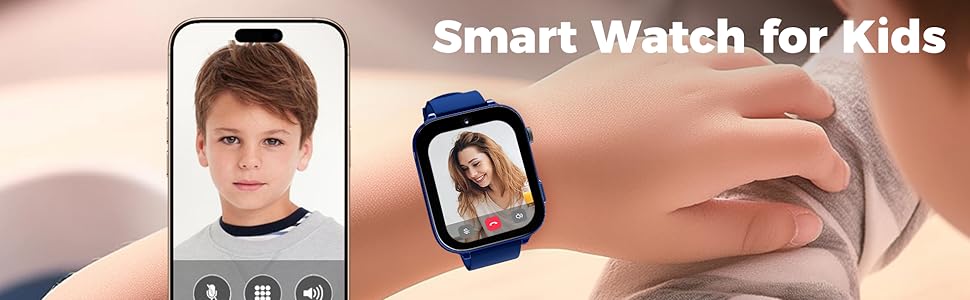
Image: A split image showing the watch in "School Mode" with learning functions like speed learning, class schedule, flashcards, and alarms, and "Entertainment Mode" with motion, camera, music, and video playback functions.
5. Maintenance
5.1. Battery Care
- Charge the watch regularly to maintain battery health.
- Avoid extreme temperatures, as they can affect battery life.
- If the watch will not be used for an extended period, charge it to about 50% before storing.
5.2. Cleaning
- Wipe the screen and watch body with a soft, dry cloth.
- For stubborn dirt, slightly dampen the cloth with water. Avoid harsh chemicals.
- Ensure the charging port is dry before charging.
5.3. Band and Case Replacement
The watch features removable and replaceable watch bands and a detachable case, allowing for customization.
- To replace the watch band, locate the quick-release pins on the underside of the watch where the band connects. Slide the pin to detach the band.
- Align the new band with the watch lugs and slide the pin back into place until it clicks.
- The silicone case can be easily removed and re-attached by gently stretching it over the watch body.

Image: A side view of the lumthou 4G Kids Smart Watch, highlighting the watch band attachment mechanism.
6. Troubleshooting
- Watch not turning on: Ensure the watch is fully charged. If it still doesn't turn on, try holding the power button for 10-15 seconds.
- SIM card not detected/No network:
- Verify the SIM card is correctly inserted and activated with a plan.
- Check for network coverage in your area.
- Restart the watch.
- Inaccurate GPS tracking:
- Ensure the watch has a clear view of the sky for GPS signals.
- Verify the SIM card has an active data plan.
- Check app settings for location tracking frequency.
- Cannot make/receive calls:
- Confirm the SIM card is active and has sufficient balance/minutes.
- Ensure contact numbers are correctly saved in the watch's address book via the app.
- Check if "School Mode" or "Do Not Disturb" is active.
- App connection issues:
- Ensure both the watch and your smartphone have a stable internet connection.
- Update the app to the latest version.
- Try unpairing and re-pairing the watch with the app.
7. Specifications
| Product Dimensions | 1.63 x 0.5 x 1.95 inches |
| Item Weight | 9.1 ounces |
| Model Number | SF20250914B0F5WMZ511 |
| Batteries | 1 9V battery required (included) |
| Standing Screen Display Size | 2.21 Inches |
| Memory Storage Capacity | 8 GB |
| Operating System | Android Wear 8.1 |
| Special Features | Camera, GPS, SOS Button, Text Messaging, Video Call |
| Battery Capacity | 680 Amp Hours (mAh) |
| Connectivity Technology | Bluetooth, Wi-Fi |
| Wireless Communication Standard | 802.11g 54 Mbps |
| Battery Cell Composition | Lithium Ion |
| GPS | Built-in GPS |
| Shape | Rectangular |
8. Warranty and Support
For warranty information and customer support, please refer to the documentation included in your product packaging or visit the official lumthou website. Keep your purchase receipt for warranty claims.