
VersaGenius M7LIA3UXY5O75NVQ2LANYZQN
User Manual: VersaGenius Replacement Filter for PrettyCare P1 Cordless Vacuum Cleaner
Model: P1 (Compatible), M7LIA3UXY5O75NVQ2LANYZQN
1. Product Overview
This manual provides essential information for the proper use, installation, and maintenance of your VersaGenius High-Efficiency Filtration Replacement Filter, designed specifically for the PrettyCare P1 Cordless Vacuum Cleaner. This filter is crucial for maintaining optimal vacuum performance and ensuring effective dust and particle capture.
Key Features:
- Optimal Fit: Tailored for PrettyCare P1 Cordless Vacuum Cleaners, ensuring seamless compatibility.
- Effective Filtration: Equipped with an advanced filtration system featuring tiny holes that capture dust and particles, protecting the motor and enhancing cleaning efficiency.
- Reusable and Easy to Maintain: Designed for easy washing and drying, promoting longevity and consistent performance.
- Motor Protection: Helps prevent dust and debris from reaching the vacuum's motor, extending the lifespan of your appliance.
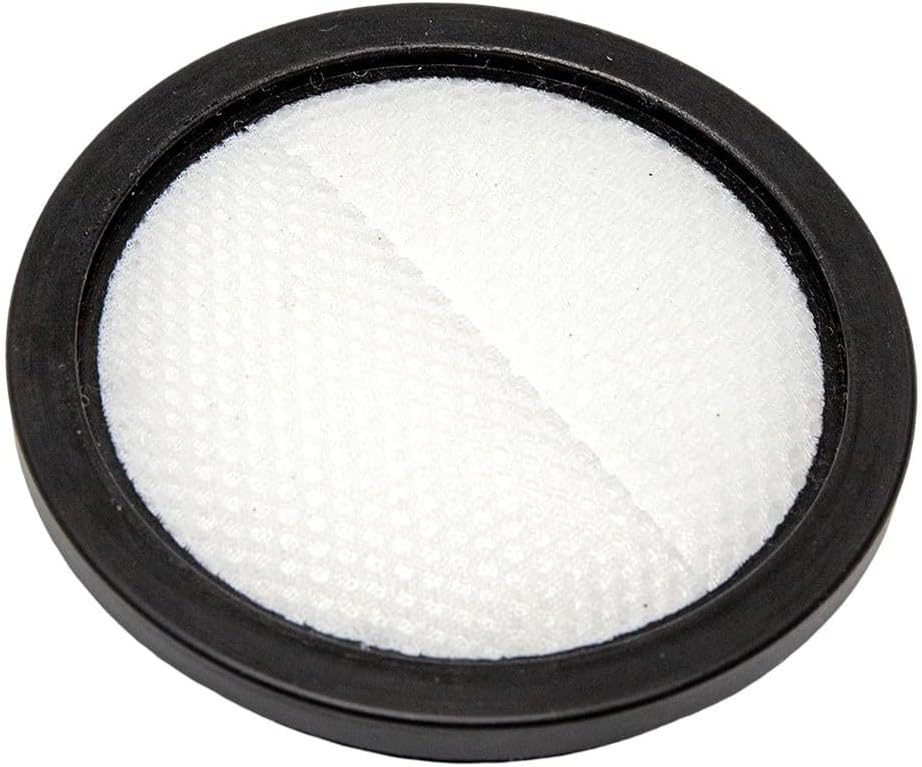
Figure 1.1: The VersaGenius replacement filter, showing its circular design and white filter material within a black frame.
2. Installation Guide
Proper installation of the filter is vital for the vacuum cleaner's performance and longevity. Always ensure the vacuum cleaner is turned off and unplugged (if applicable) before attempting installation or removal.
- Locate Filter Compartment: Refer to your PrettyCare P1 Cordless Vacuum Cleaner's original manual to identify the filter compartment. This is typically located near the dustbin.
- Remove Old Filter: Gently twist or pull the old filter to remove it from its housing. Dispose of the old filter responsibly.
- Insert New Filter: Align the new VersaGenius replacement filter with the filter housing. Push or twist it into place until it is securely seated. Ensure there are no gaps that could allow dust to bypass the filter.
- Close Compartment: Close the filter compartment door or reattach the dustbin assembly, ensuring it clicks into place.
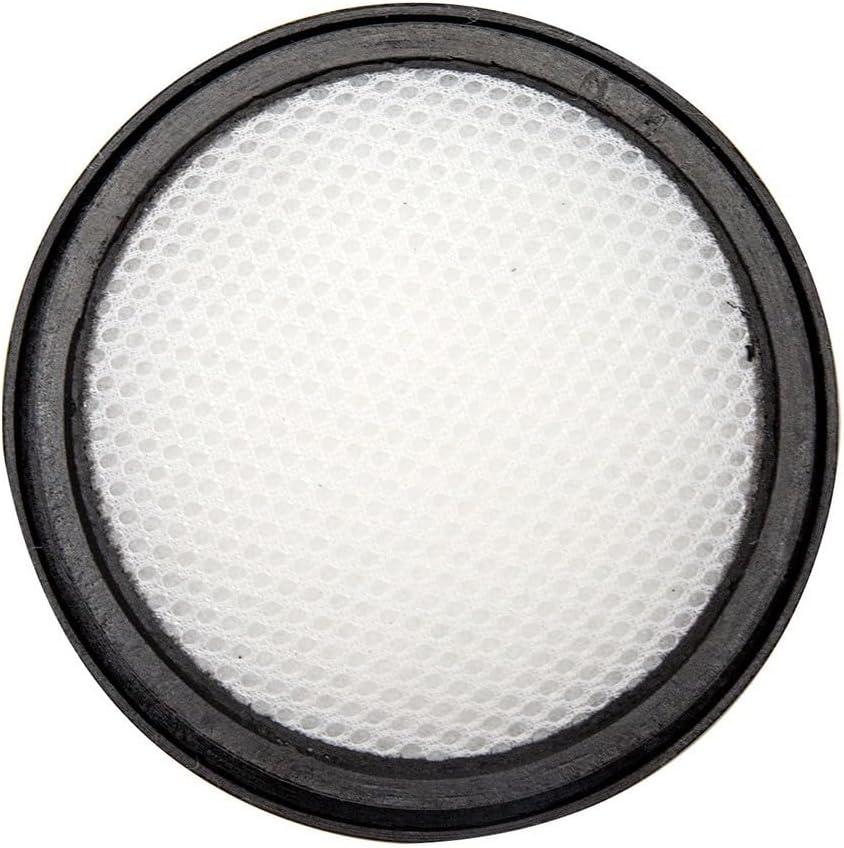
Figure 2.1: Top-down view of the filter, highlighting its circular shape and mesh pattern, essential for proper seating during installation.
3. Operating Considerations
While the filter itself does not have operational controls, its presence and condition directly impact the vacuum cleaner's performance.
- Optimal Suction: A clean, properly installed filter ensures maximum airflow and suction power for effective cleaning.
- Air Quality: The high-efficiency filtration helps trap fine dust and allergens, contributing to cleaner exhaust air.
- Motor Protection: The filter acts as a barrier, preventing dust and debris from entering and damaging the vacuum's motor.
4. Maintenance and Care
Regular cleaning and timely replacement of the filter are crucial for maintaining the efficiency and lifespan of your PrettyCare P1 Cordless Vacuum Cleaner.
4.1. Cleaning the Filter
- Remove Filter: Turn off and unplug the vacuum cleaner. Remove the filter as described in the installation section.
- Rinse with Water: Hold the filter under running tap water (cold or lukewarm) until the water runs clear. Gently tap the filter to dislodge stubborn dirt. Do not use detergents or hot water, as this may damage the filter material.
- Air Dry Completely: This is a critical step. Place the filter in a well-ventilated area to air dry for at least 24 hours, or until it is completely dry. Do not use a dryer, microwave, or any heat source to speed up drying, as this can deform or damage the filter. Reinstalling a damp filter can lead to air blockage and decreased suction.
- Reinstall: Once completely dry, reinstall the filter into the vacuum cleaner.

Figure 4.1: Detailed view of the filter's fine mesh structure, which effectively traps dust particles. Regular cleaning helps maintain this structure's integrity.
4.2. Filter Replacement Schedule
For consistent performance and optimal filtration, it is recommended to replace the filter every 3 to 6 months. This frequency may vary depending on your usage habits and the amount of dust and debris typically vacuumed. Regular replacement prevents reduced suction and ensures the longevity of your vacuum cleaner.
5. Troubleshooting
If you experience issues with your vacuum cleaner that you suspect are related to the filter, refer to the following common problems and solutions:
| Problem | Possible Cause | Solution |
|---|---|---|
| Decreased Suction Power |
|
|
| Unusual Odor from Vacuum |
|
|
If these solutions do not resolve the issue, please refer to your PrettyCare P1 Cordless Vacuum Cleaner's main user manual or contact the vacuum cleaner manufacturer's customer support.
6. Product Specifications
| Product Name | Replacement Filters |
| Material | Not specified (typically non-woven fabric and plastic) |
| Size | 96mm diameter |
| Color | Black + White |
| Fitment | For PrettyCare P1 Cordless Vacuum Cleaners |
| Number of Pieces | 1 |
| Product Dimensions | 7.87 x 3.94 x 1.97 inches (Packaging/Overall) |
| Item Weight | 1.34 ounces |
| Manufacturer | VersaGenius |
| Model Number | M7LIA3UXY5O75NVQ2LANYZQN |

Figure 6.1: The filter displaying its 96mm diameter, a key dimension for compatibility.
7. Warranty and Support
For information regarding the warranty of your VersaGenius Replacement Filter or for customer support inquiries, please refer to the product packaging or visit the official VersaGenius website. Please note that this filter is a replacement part for the PrettyCare P1 Cordless Vacuum Cleaner, and any warranty or support for the vacuum cleaner itself should be directed to PrettyCare.
For further assistance, you may also contact the seller through the platform where the purchase was made.
Ask a question about this manual
Ask about setup, troubleshooting, compatibility, parts, safety, or missing instructions. Manuals+ will review the question and use this page’s manual context to help answer it.