
LUOSIKE A16C17
LUOSIKE USB A to USB C CarPlay Cable
Model: A16C17
Introduction
Thank you for choosing the LUOSIKE USB A to USB C CarPlay Cable. This manual provides essential information for the proper setup, operation, and maintenance of your new cable. Designed for wide compatibility and reliable performance, this cable ensures efficient charging and data transfer for your devices, especially when used with in-car systems like Apple CarPlay and Android Auto.

Image: The LUOSIKE USB A to USB C CarPlay Cable, ready for use.
Safety Information
- Do not shock or cut the USB cable forcibly.
- Children under 6 years old are not allowed to use this product.
- Do not put the cable in a fire or damp place to avoid short circuit.
- Please use this product for charging within a reasonable and safe range.
Package Contents
Your package includes:
- 2 x 3FT USB A to USB C Cables (Black)

Image: Two 3-foot USB A to USB C cables included in the package.
Setup
- Connect to Power Source: Insert the USB-A end of the cable into a compatible USB-A port in your car, wall adapter, or computer.
- Connect to Device: Insert the USB-C end of the cable into the USB-C port of your smartphone, tablet, or other compatible device.
- For CarPlay/Android Auto:
- Ensure your device's voice assistant (e.g., Siri for iPhone) is enabled and accessible.
- Connect your device to your car's USB port using the LUOSIKE cable.
- If CarPlay/Android Auto functionality issues arise, try reversing the USB-C plug and reconnecting.
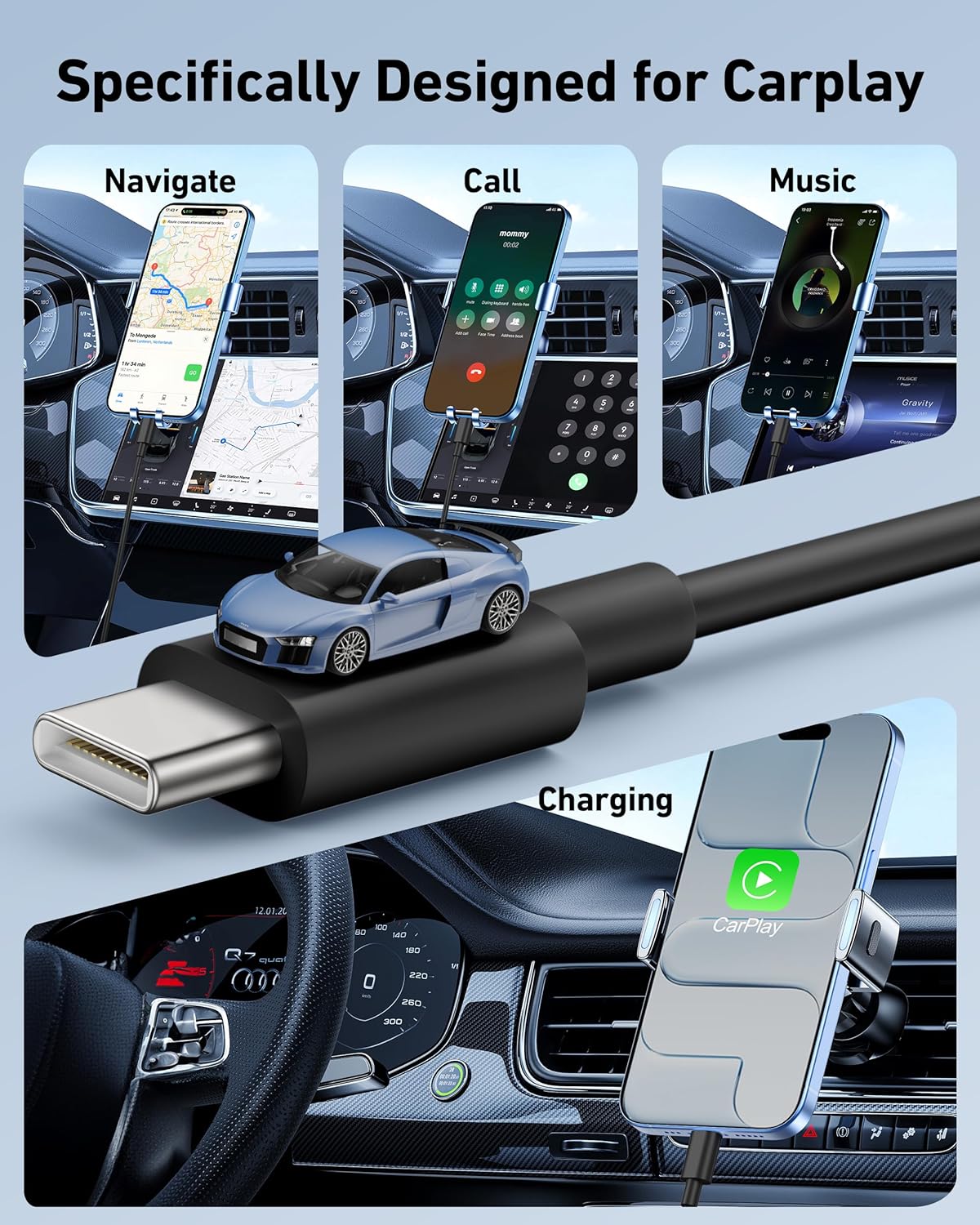
Image: Detailed view of the USB-A and USB-C connectors for proper connection.
Operating Instructions
The LUOSIKE USB A to USB C cable supports both fast charging and high-speed data transfer.
- Charging: Connect the cable between a power source (e.g., car charger, wall adapter) and your device. The cable supports up to 3A fast charging for quick power delivery.
- Data Sync: Connect the cable between your device and a computer or compatible car system. It supports high-speed data syncing up to 480Mbps, allowing for quick transfer of files, music, and navigation data.

Image: A smartphone being charged efficiently with the USB C cable.

Image: Visual representation of the cable's high-speed data transfer capabilities.
Compatibility
This cable offers wide compatibility with various USB-C enabled devices and car systems:
- iPhones: iPhone 17/17 Pro/17 Pro Max/17e, iPhone Air 2025, iPhone 16/16 Pro/16 Pro Max/16 Plus/16e, iPhone 15/15 Pro/15 Pro Max/15 Plus
- iPads: iPad Pro 13-inch, 12.9-inch, 11-inch, iPad Air 6th/5th/4th Gen, iPad Mini 6th Gen, iPad 10th Generation
- Samsung Galaxy: S25/S24/S23/S22/S21/S20/S10/S9/S8 series, Note 20/Note 10/Note 9/Note 8, Z Flip / Z Fold series
- Google Pixel: Pixel 10/9/8/7/6/5/4/3/2/XL series
- Other Android Devices: LG, Moto, and more
- Car Systems: Apple CarPlay, Android Auto
- Other Devices: Apple TV Remote (3rd Generation), Apple TV 4K Remote (3rd Generation)

Image: An iPhone seamlessly integrated with a car's CarPlay system using the cable.

Image: Visual chart demonstrating the broad compatibility of the cable with various phone and tablet models.
Features
- Fast Charge & Sync: Supports up to 3A fast charging and 480Mbps data transfer speeds.
- Durability: Built with premium materials, tested for 15000+ bending lifespan to ensure reliable daily performance.
- Lightweight & Portable: 3-foot length, easy to carry for home, office, or travel use.
- Safe Charging: Equipped with an intelligent chip to protect devices and fully compatible with official charging protocols.

Image: The cable coiled, highlighting its durable construction and reinforced connectors.

Image: Close-up of the USB C connector demonstrating its robust design and bend resistance.

Image: An illustration of the cable's internal safety chip, ensuring secure device charging.
Maintenance
- Keep the cable clean and free from dust and debris.
- Avoid extreme temperatures and direct sunlight.
- Do not bend the cable sharply or apply excessive force to the connectors.
- Store the cable neatly coiled when not in use to prevent tangling and damage.
Troubleshooting
- CarPlay/Android Auto Disconnections: If you experience frequent disconnections, screen pixelation, system crashes, or music playback interruptions, ensure your device's operating system is updated to the latest version. Also, try reversing the USB-C plug.
- Slow Charging: Ensure your power adapter supports fast charging and is functioning correctly. Check for any damage to the cable or device port.
- No Data Transfer: Verify that both your device and the connected system (car or computer) are configured for data transfer. Try restarting both devices.
Specifications
| Brand | LUOSIKE |
| Model Name | Car Carplay Cable |
| Connector Type | USB Type C (to USB Type A) |
| Cable Type | USB Type C |
| AC Adapter Current | 3 Amps (Max) |
| Data Transfer Rate | 480 Megabits Per Second |
| Length | 3 Feet |
| Color | Black |
| Number of Items | 2 |
| Item Weight | 1.76 ounces |
Warranty & Support
This product comes with a worry-free 1-year warranty. For support or warranty claims, please refer to the contact information provided with your purchase or visit the official LUOSIKE website.
Product Video
Video: Official LUOSIKE CarPlay Cable overview, demonstrating its features and use.
no relevant documents
Ask a question about this manual
Ask about setup, troubleshooting, compatibility, parts, safety, or missing instructions. Manuals+ will review the question and use this page’s manual context to help answer it.