1. Introduction
This manual provides comprehensive instructions for the installation, operation, and maintenance of your Motorsi 6-Inch CarPlay Portable Motorcycle Smart Player. This device is designed to enhance your riding experience by integrating essential smartphone functionalities directly onto your motorcycle's handlebars.
Equipped with a 6-inch high-definition IP67 waterproof screen boasting 65K colors, this motorcycle display offers enhanced comfort and visibility. Even under bright sunlight, the screen remains clear and vivid. With a peak brightness of up to 1000nit, it delivers stunning visuals that are unaffected by harsh sunlight. This portable smart player integrates wireless CarPlay and Android Auto, allowing seamless access to phone functions like GPS, calls, and music directly on the touch screen. It supports Siri Voice Control and Google Assistant for convenient operation.

Image 1.1: Motorsi 6-Inch CarPlay Portable Motorcycle Smart Player
2. Package Contents
Please verify that all items listed below are included in your package. If any items are missing or damaged, please contact customer support.
- Motorsi 6-Inch Smart Player Unit
- Power Cable (1.5m)
- Rolling Tape (Zip Ties)
- User Manual (this document)
- Various Mounting Brackets and Accessories

Image 2.1: Overview of included package components
3. Setup and Installation
The portable smart player is designed for compatibility with various motorcycles. Follow these steps for proper installation:
- Choose a Mounting Bracket: Select the appropriate bracket from the included accessories that best suits your motorcycle's handlebar configuration.
- Mount the Device: Securely attach the smart player to the motorcycle handlebar using the chosen bracket and provided tools. Ensure the mount is firm to guard against drops and vibration during operation.
- Wiring: Connect the power cable. The wiring is simple: connect the ACC (+12V) wire and the Ground wire to your motorcycle's electrical system. Consult a professional if you are unsure about electrical connections.
Important Note: This device may not be perfectly compatible with some Samsung Note and S series phones. Before purchasing or installing, please ensure your specific phone model supports wireless CarPlay / Android Auto functionality.

Image 3.1: Examples of accessory installation effects
4. Operating Instructions
4.1. Wireless CarPlay & Android Auto
The smart player seamlessly integrates with your smartphone's operating system, allowing you to access key features directly on the 6-inch touch screen. This includes GPS navigation, making and receiving calls, and enjoying your favorite music.
- Connectivity: Ensure your smartphone's Bluetooth and Wi-Fi are enabled. The smart player will guide you through the initial pairing process to establish a wireless connection for CarPlay or Android Auto.
- Voice Control: Utilize Siri Voice Control (for CarPlay) or Google Assistant (for Android Auto) to manage functions hands-free. Simply activate the voice assistant and issue commands for navigation, calls, or music playback.

Image 4.1: Wireless CarPlay and Android Auto in operation
4.2. Bluetooth Hands-Free Calls and Audio
The device supports Bluetooth connectivity for hands-free calls and high-quality audio streaming to external Bluetooth audio devices, such as a helmet communication system.
- Making Calls: Access the phone interface on the smart player to dial numbers or select contacts.
- Receiving Calls: Incoming calls will be displayed on the screen, allowing you to accept or reject them.
- Audio Playback: Stream music or other audio content from your smartphone to your connected Bluetooth headset.
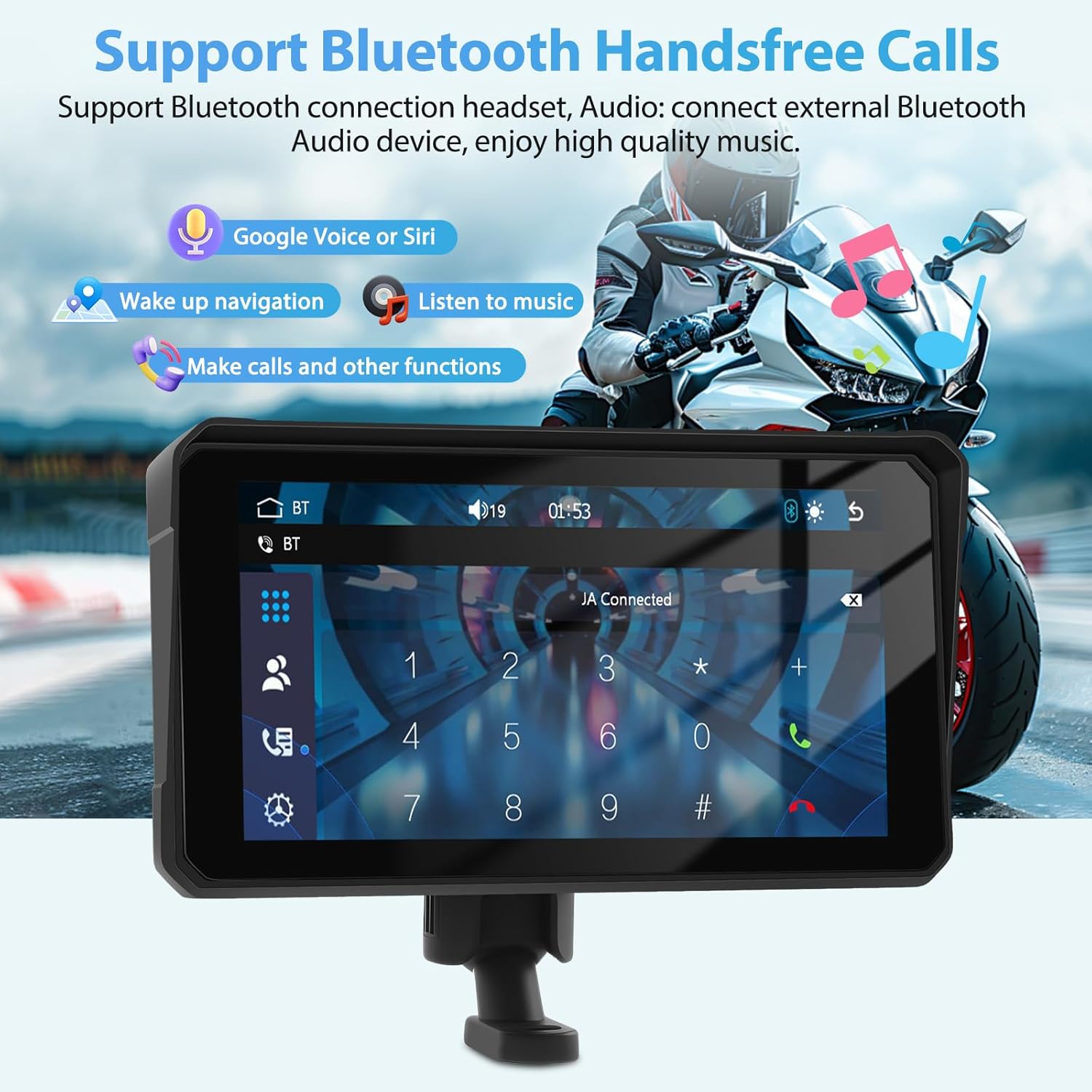
Image 4.2: Bluetooth hands-free call interface
4.3. Helmet and Headset Pairing
To ensure optimal performance and avoid interference, connect your Bluetooth helmet or earphone directly to the Motorsi Smart Player, not your mobile phone.

Image 4.3: Correct pairing method for helmet and headset
5. Maintenance
The Motorsi Smart Player features an IP67 waterproof and dustproof rating, ensuring durability in various environmental conditions. Proper care will extend the life of your device.
- Cleaning: Gently wipe the screen and body with a soft, damp cloth. Avoid using harsh chemicals, abrasive cleaners, or solvents, as these can damage the screen and casing.
- Storage: When not in use for extended periods, store the device in a cool, dry place away from direct sunlight and extreme temperatures.
- Environmental Protection: While IP67 rated, avoid intentionally submerging the device in water. Ensure all ports are properly sealed if exposed to rain or splashes.

Image 5.1: Device performance in various weather conditions
6. Troubleshooting
If you encounter issues with your Motorsi Smart Player, refer to the following common troubleshooting tips:
- No Power:
- Check all power connections, ensuring the ACC (+12V) and Ground wires are correctly and securely connected.
- Verify your motorcycle's battery has sufficient charge.
- Wireless CarPlay/Android Auto Not Connecting:
- Ensure your smartphone's Bluetooth and Wi-Fi are enabled.
- Restart both your smartphone and the smart player.
- Confirm your phone model supports wireless CarPlay/Android Auto. (Note: Some Samsung Note and S series phones may have compatibility issues).
- Ensure your phone is not simultaneously connected to another Bluetooth device that might interfere with the smart player's connection.
- Bluetooth Headset/Helmet Not Pairing:
- Ensure your headset/helmet is in pairing mode.
- Confirm you are attempting to pair the headset/helmet directly with the smart player, not your smartphone.
- Clear previous Bluetooth pairings on both the smart player and the headset/helmet and try again.
- Screen Dim or Unresponsive:
- Adjust the screen brightness settings on the device.
- If unresponsive, try restarting the device.
If these steps do not resolve the issue, please refer to the Warranty and Support section for further assistance.
7. Specifications
| Feature | Specification |
|---|---|
| Brand | Motorsi |
| Model | 6-Inch Motorcycle Player |
| Screen Size | 6 Inches (Note: Some specifications listed 9 inches, but product title and variant confirm 6 inches for this model) |
| Product Dimensions | 8.66 x 5.51 x 4.72 inches |
| Item Weight | 1.54 pounds (0.7 Kilograms) |
| Connectivity Technology | Bluetooth |
| Special Features | Built-In Bluetooth, Wireless CarPlay, Wireless Android Auto, Voice Control, GPS Navigation |
| Human Interface Input | Microphone, Touchscreen |
| Waterproof Rating | IP67 |
| Mounting Type | Handlebar Mount |
| Vehicle Service Type | Motorcycle |
| ASIN | B0F5VBY1TF |
| Date First Available | April 22, 2025 |
8. Warranty and Support
Motorsi is committed to providing friendly and professional customer service and technical support. If you have any questions, require assistance, or experience any issues with your product, please do not hesitate to contact our support team.
Our professional technical team aims to reply to all inquiries within 24 hours to ensure you receive prompt and effective assistance.
For support, please refer to the contact information provided with your purchase or visit the official Motorsi website.