
1. Introduction
Thank you for choosing the ABNEMEN Robotic Pool Cleaner, Model 20PRO-25. This advanced cordless vacuum is designed to provide effortless and efficient cleaning for both inground and above-ground pools up to 2150 sq.ft. With smart navigation and powerful suction, it effectively cleans pool floors, walls, and waterlines, ensuring a pristine swimming environment. Please read this manual thoroughly before operation to ensure proper use and maintenance.
2. Safety Information
- Always read and understand all instructions before operating the cleaner.
- Do not operate the cleaner when people or pets are in the pool.
- Ensure the charging port is dry before connecting the charger.
- Use only the original charger supplied with the unit.
- Keep the cleaner out of reach of children.
- Do not attempt to repair the cleaner yourself. Contact qualified service personnel.
- Store the cleaner in a cool, dry place when not in use.
3. Package Contents
Verify that all items are present in the package:
- ABNEMEN Robotic Pool Cleaner (Model 20PRO-25)
- Charging Adapter
- Retrieval Hook
- User Manual
4. Product Features
- Effortless One-Tap Operation: Simple power-on and drop-in for immediate cleaning.
- Sonar-Powered Precision Navigation: Detects debris and optimizes cleaning paths for maximum coverage.
- 360° Immaculate Clean: Cleans floors, walls, and waterlines, adapting to various pool shapes and surfaces.
- Versatile Cleaning Modes: Multiple modes for comprehensive cleaning of different pool areas.
- Extended Runtime: Up to 150 minutes of operation on a single charge, covering up to 2000 sq. ft.
- Universal Compatibility: Suitable for all pool types (round, kidney-shaped, rectangular) and surfaces (vinyl, concrete, tile, fiberglass).
5. Setup
Before first use, fully charge the robotic pool cleaner.
- Charging: Locate the charging port on the cleaner. Ensure it is dry. Connect the charging adapter to the cleaner and then plug it into a power outlet. The indicator lights will show charging status. A full charge typically takes 3 hours.
- Initial Placement: Once fully charged, ensure the cleaner is powered off. Gently lower the cleaner into the pool. It will sink to the bottom.

Image: The ABNEMEN Robotic Pool Cleaner in Sky Blue, ready for operation.
6. Operating Instructions
Operating your ABNEMEN Robotic Pool Cleaner is simple and straightforward.
- Power On: Press the power button located on the top of the cleaner. The indicator lights will illuminate, signifying that the cleaner is active.
- Placement in Pool: Carefully submerge the cleaner into the pool. It will begin its cleaning cycle automatically.
- Cleaning Cycle: The cleaner will navigate your pool, cleaning the floor, walls, and waterline. Its smart navigation system ensures comprehensive coverage.
- Automatic Shut-off: The cleaner will automatically shut off once its cleaning cycle is complete or when the battery is low.
- Retrieval: Use the provided retrieval hook to gently pull the cleaner to the surface. The cleaner features a quick water release function for easy removal from the pool. It also has self-parking technology, returning to the edge when the battery is low for convenient retrieval.

Image: The robotic cleaner demonstrating strong cleaning power, lifting various debris types like sand, twigs, leaves, and pet hair from the pool floor.

Image: A close-up view of the robotic cleaner's efficient debris suction, highlighting its internal mechanism and 4800 GPH flow rate.

Image: An illustration showing multiple robotic pool cleaners working simultaneously, demonstrating comprehensive cleaning of pool floors, walls, and slopes.
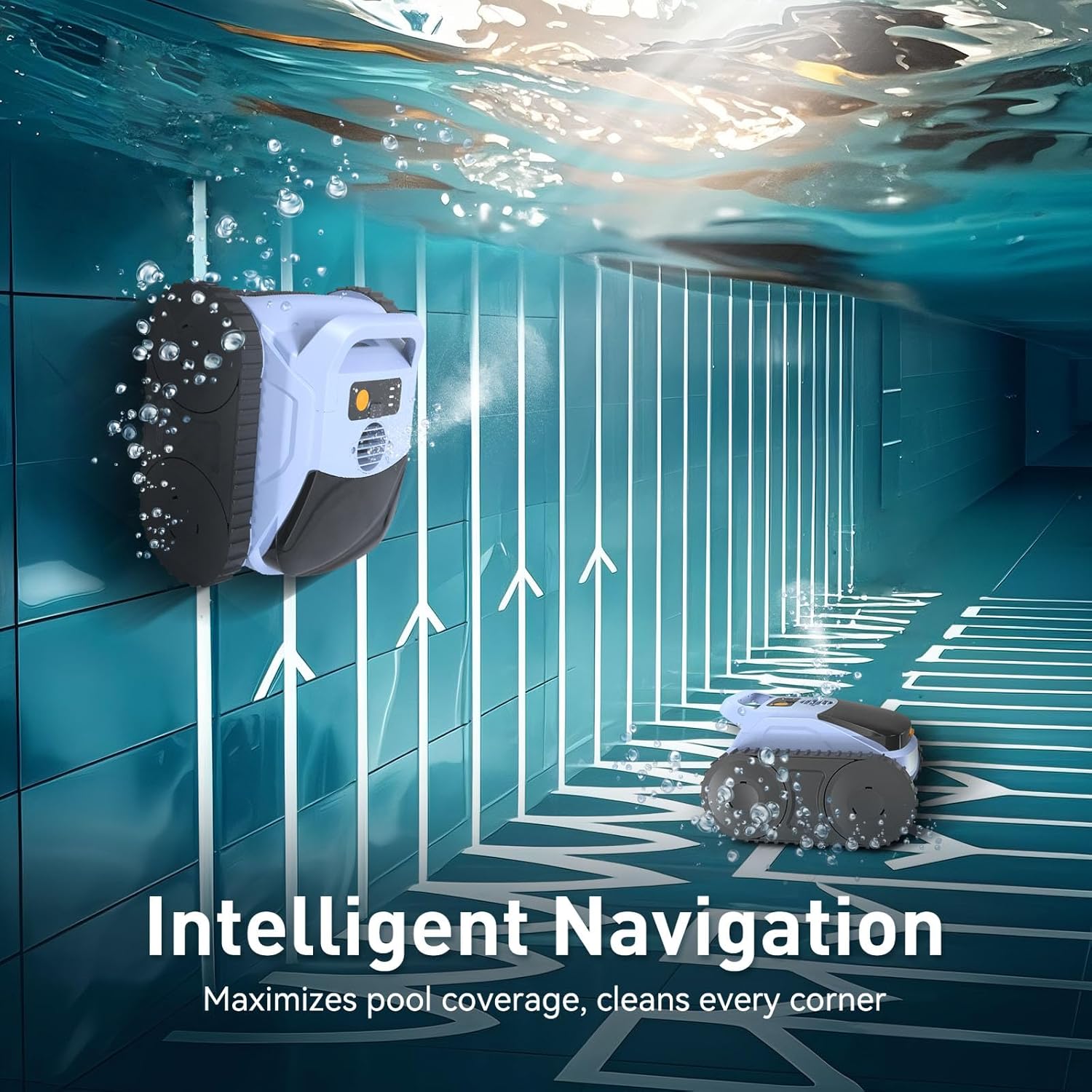
Image: The robotic pool cleaner demonstrating intelligent navigation, maximizing pool coverage and cleaning every corner, including pool walls.

Image: The robotic pool cleaner operating in a pool, illustrating its capability for an effortless complete clean on a single charge, with 150 minutes of battery life and 2000 sq.ft cleaning area.
7. Maintenance
Regular maintenance ensures optimal performance and longevity of your ABNEMEN Robotic Pool Cleaner.
- Filter Basket Cleaning: After each use, remove the filter basket from the cleaner. Pour out the collected debris and rinse the basket thoroughly with water. Ensure all debris is removed before reinserting.
- Unit Cleaning: Periodically wipe down the exterior of the cleaner with a soft, damp cloth. Do not use harsh chemicals or abrasive cleaners.
- Storage: When not in use for extended periods, ensure the cleaner is fully charged, cleaned, and stored in a cool, dry place away from direct sunlight and extreme temperatures.

Image: An upgraded filter basket designed for dedicated debris space and increased collection capacity.

Image: Demonstrates how to easily clean the filter basket by pouring out debris and rinsing with water. Also shows the top-load filter basket for quick access.
8. Troubleshooting
| Problem | Possible Cause | Solution |
|---|---|---|
| Cleaner does not turn on. | Low battery; Power button not pressed correctly. | Charge the cleaner fully; Press the power button firmly. |
| Cleaner not moving or moving slowly. | Filter basket is full; Obstruction in brushes/wheels; Low battery. | Clean the filter basket; Remove any obstructions; Recharge the cleaner. |
| Poor cleaning performance. | Filter basket is full; Water chemistry imbalance; Large debris. | Clean the filter basket; Check and balance pool water chemistry; Manually remove large debris. |
| Cleaner does not climb walls. | Low battery; Excessive algae on pool walls; Water chemistry issues. | Recharge the cleaner; Brush pool walls to remove algae; Adjust pool water chemistry. |
If the problem persists after attempting these solutions, please contact customer support.
9. Specifications
| Specification | Detail |
|---|---|
| Model Name | pool vacuum |
| Item Model Number | 20PRO-25 |
| Brand | ABNEMEN |
| Color | Sky Blue |
| Product Dimensions | 13"L x 9"W x 14"H (13 x 9 x 14 inches) |
| Item Weight | 13.2 pounds |
| Power Source | AC/DC |
| Battery Type | Lithium-Ion (15 cells included) |
| Lithium Battery Voltage | 18.5 Volts |
| Lithium Battery Energy Content | 144.3 Watt Hours |
| Charging Time | 3 Hours |
| Material | Plastic |
| Assembly Required | No |
| UPC | 753980541666 |
10. Warranty and Support
The ABNEMEN Robotic Pool Cleaner comes with an extended warranty. For specific details regarding your warranty coverage, please refer to the warranty card included with your product or contact ABNEMEN customer service.
For technical support, troubleshooting assistance, or parts inquiries, please contact ABNEMEN customer support through the contact information provided on our official website or your purchase platform. Please have your model number (20PRO-25) and purchase date ready when contacting support.