
P L-RA MSWMT24JR
P L-RA 36" Oscillating Tower Fan User Manual
Model: MSWMT24JR
For optimal performance and safety, please read these instructions carefully before use.
Introduction
Thank you for purchasing the P L-RA 36" Oscillating Tower Fan. This fan is designed to provide efficient air circulation and cooling for your home or office. Its slim profile and advanced features ensure comfort and convenience.

Figure 1: P L-RA 36" Oscillating Tower Fan. This image shows the sleek, black tower fan from the front, highlighting its tall, slender design and the vertical grille.
Important Safety Instructions
WARNING:
- Always unplug the fan before cleaning or performing maintenance.
- Do not operate the fan with a damaged cord or plug.
- Keep children and pets away from the fan during operation.
- Do not insert fingers or other objects through the grille.
- Ensure the fan is placed on a stable, level surface to prevent tipping.
- Do not use the fan near water or in excessively humid environments.
Setup and Assembly
Unpacking:
Carefully remove the fan and all components from the packaging. Retain packaging for future storage or transport.
Base Assembly:
Attach the two halves of the fan base together, aligning the grooves. Secure the base to the bottom of the fan unit using the provided screws. Ensure the power cord passes through the designated opening in the base.
Placement:
Place the fan on a firm, level surface. Ensure there is adequate space around the fan for proper air circulation and oscillation.
Power Connection:
Plug the power cord into a standard electrical outlet.
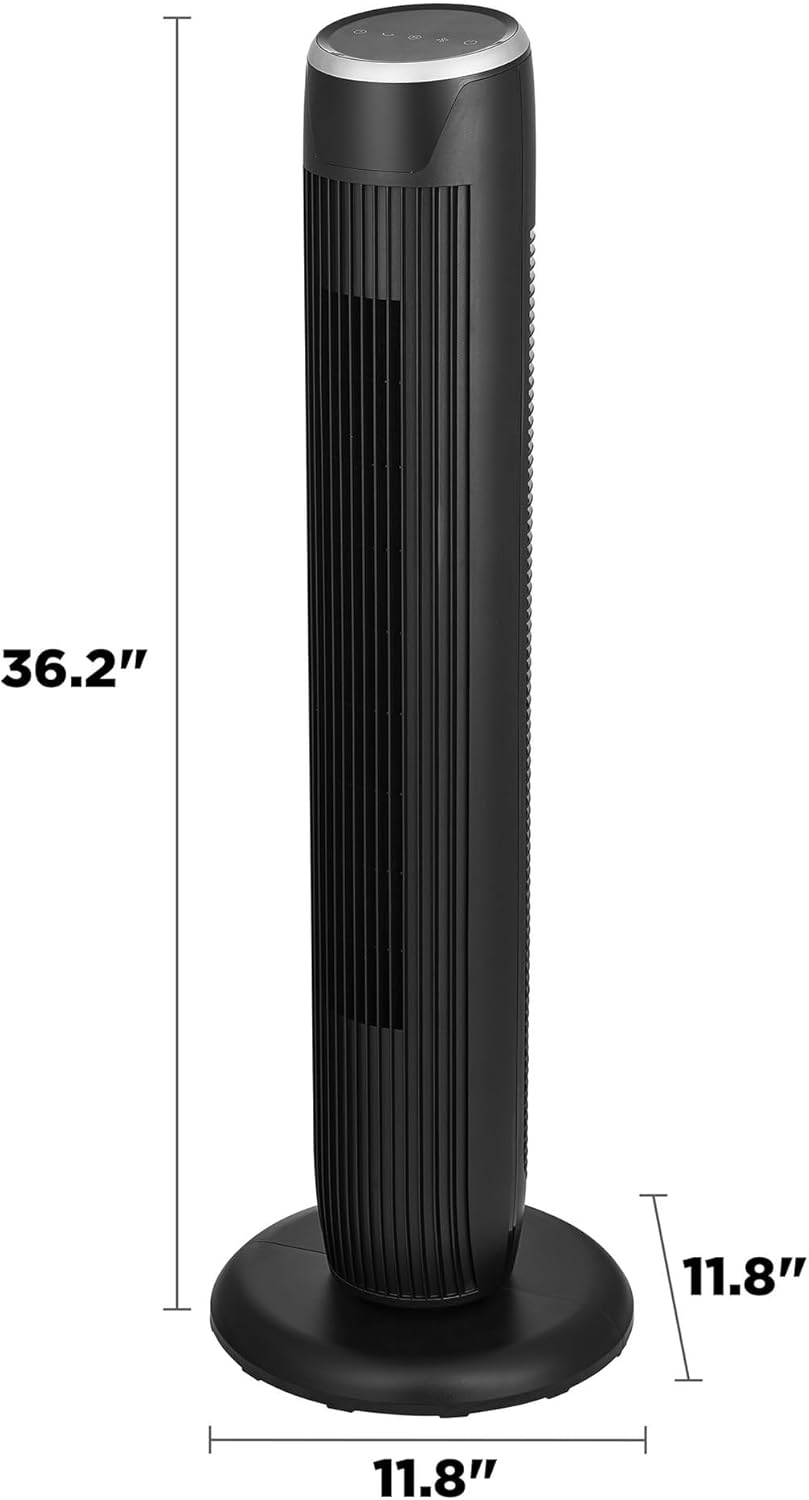
Figure 2: Fan Dimensions. This image illustrates the height (36.2 inches) and base dimensions (11.8 inches by 11.8 inches) of the tower fan, useful for placement.
Operating Instructions
The P L-RA Tower Fan can be operated using the control panel on top of the unit or the included remote control.
Control Panel and Remote Functions
- Power Button: Press to turn the fan ON or OFF.
- Speed Button: Cycles through 3 fan speeds: Low, Medium, High.
- Mode Button: Selects from 3 airflow modes: Normal, Natural, Sleep.
- Oscillation Button: Activates or deactivates the oscillation function, allowing the fan to rotate up to 60 degrees to cover a wider area.
- Timer Button: Sets the automatic shut-off timer for up to 7 hours.

Figure 3: Speed and Mode Settings. This graphic highlights the fan's capabilities: 3 speeds, 3 modes, and a power-off memory function for user convenience.

Figure 4: 60° Oscillation. This image demonstrates the fan's wide oscillation feature, showing how it distributes air evenly across a room.
Care and Maintenance
- Cleaning: Always unplug the fan before cleaning. Use a soft, damp cloth to wipe the exterior surfaces. Do not use abrasive cleaners or solvents.
- Dust Removal: Use a vacuum cleaner with a brush attachment to gently remove dust from the air intake and exhaust grilles.
- Storage: If storing the fan for an extended period, cover it with a plastic bag to protect it from dust. Store in a cool, dry place.
Troubleshooting
| Problem | Possible Cause | Solution |
|---|---|---|
| Fan does not turn on | Not plugged in; Power outlet not working; Power button not pressed | Ensure fan is securely plugged in; Test outlet with another device; Press the power button |
| Weak airflow | Fan speed too low; Grilles obstructed | Increase fan speed; Clean air intake/exhaust grilles |
| Fan makes unusual noise | Fan not on a level surface; Obstruction inside | Place fan on a flat, stable surface; Unplug and check for obstructions (do not disassemble) |
Specifications
- Model: MSWMT24JR
- Height: 36 inches (approx. 36.2")
- Color: Black
- Speeds: 3 (Low, Medium, High)
- Modes: 3 (Normal, Natural, Sleep)
- Oscillation: Up to 60 degrees
- Timer: 7-hour programmable timer
- Display: White LED
- Special Features: Power-off memory function, Remote Controlled
- Power Source: Corded Electric
- Product Dimensions: 11.81"D x 36.14"W x 11.81"H
Warranty and Support
For warranty information or technical support, please refer to the warranty card included with your purchase or visit the official P L-RA website.
Online Support: Visit the P L-RA Store on Amazon
Customer Service: Please contact your retailer or the manufacturer for assistance.
Ask a question about this manual
Ask about setup, troubleshooting, compatibility, parts, safety, or missing instructions. Manuals+ will review the question and use this page’s manual context to help answer it.