
1. Introduction
Thank you for choosing the Aecooly Portable Handheld Fan PH02-A. This manual provides essential information for the safe and efficient operation of your new device. Please read it thoroughly before use and retain it for future reference.
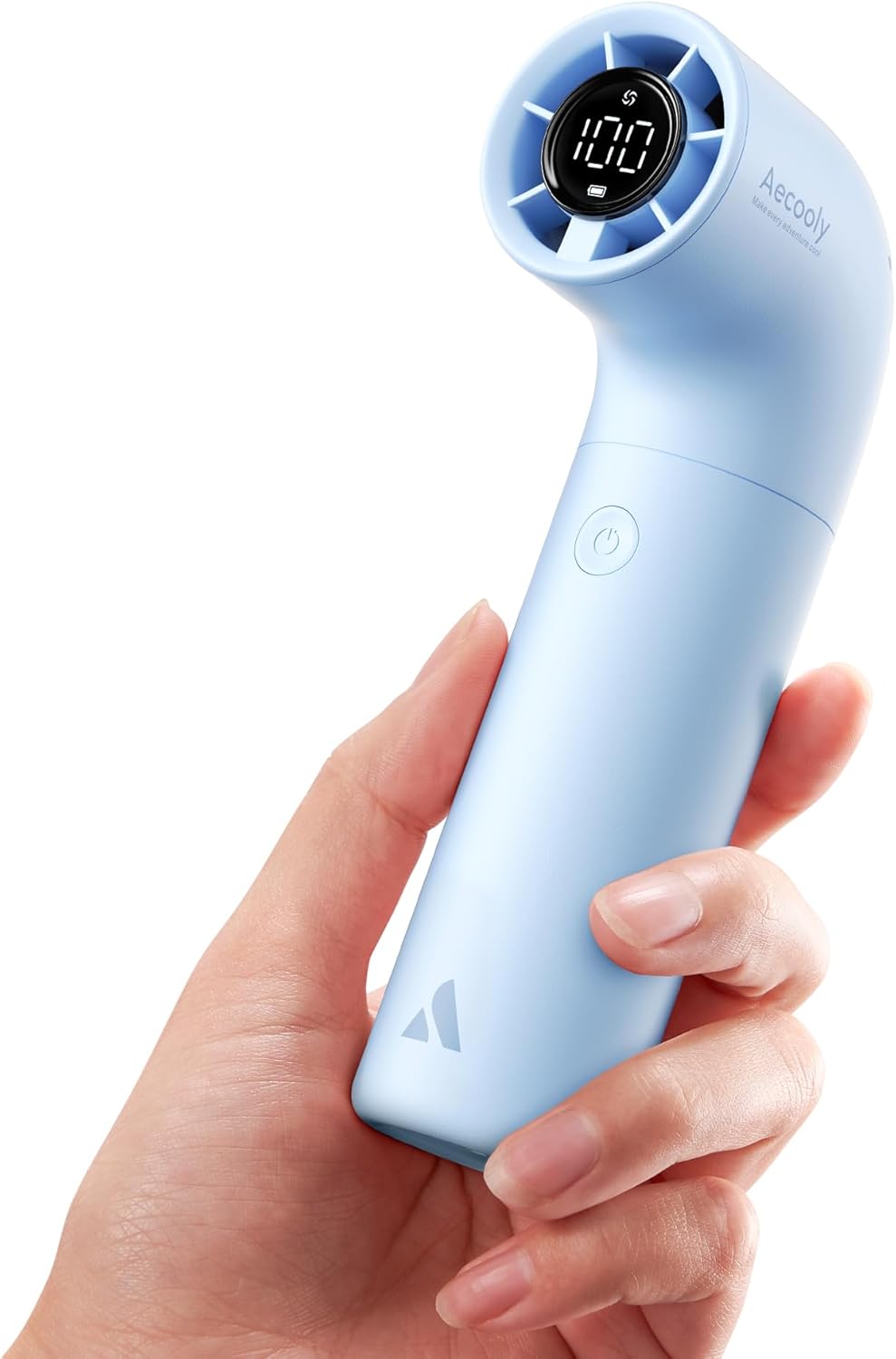
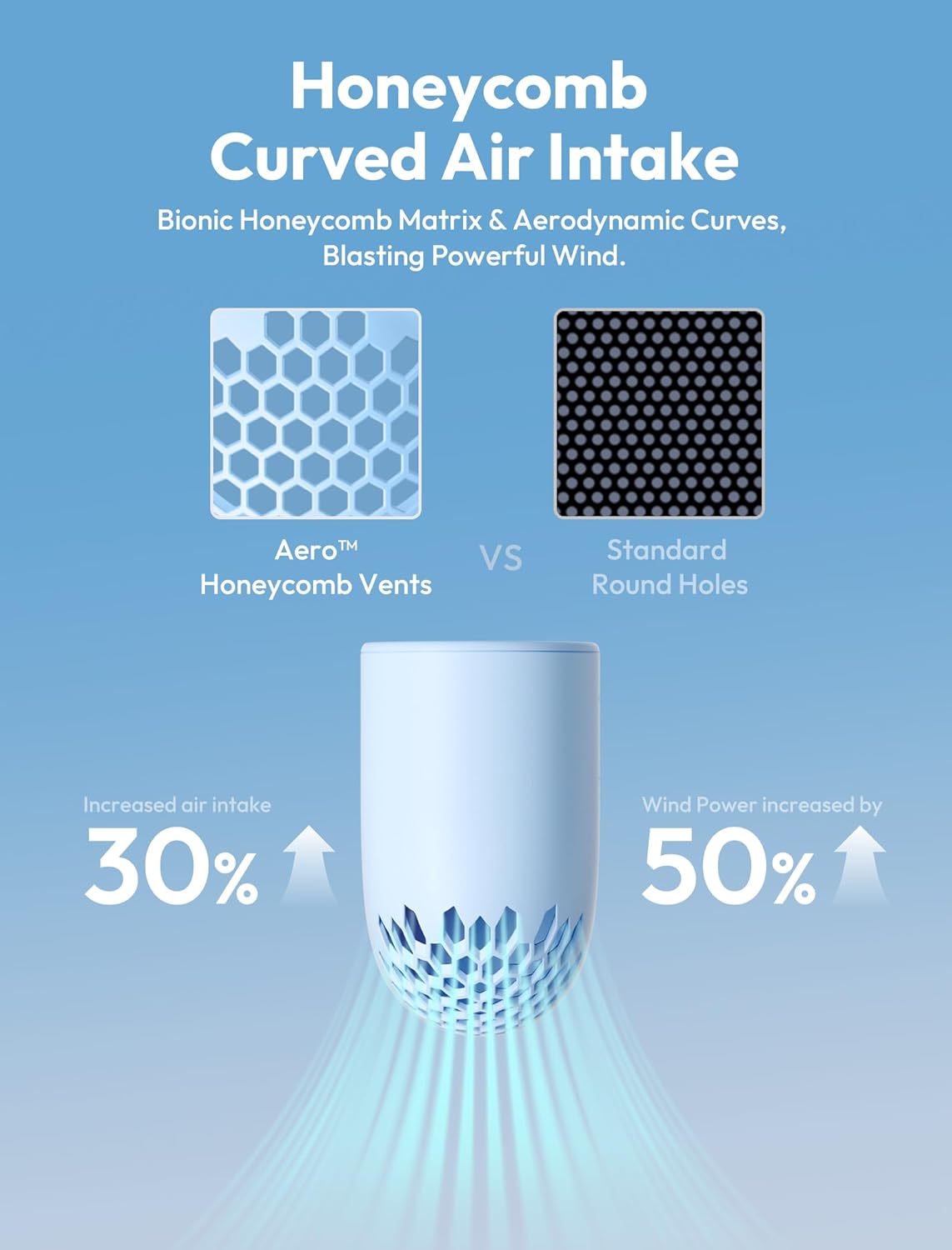
The Aecooly PH02-A is a compact, r-shaped handheld fan designed for powerful and efficient cooling. It features a robust turbine brushless motor, a smart digital display, and an innovative honeycomb airflow intake for enhanced performance.
2. Important Safety Instructions
- Read all instructions before using the fan.
- Keep the fan away from water and moisture. Do not immerse in liquids.
- Do not insert fingers or any objects into the fan grille while it is operating.
- Keep out of reach of children. This is not a toy.
- Use only the provided USB-C charging cable. Ensure the charging connection is secure and monitor for excessive heat during charging. If the cable or fan becomes excessively hot, discontinue charging immediately.
- Do not attempt to disassemble, repair, or modify the fan. Contact customer support for assistance.
- Avoid dropping the fan or subjecting it to strong impacts.
- Store the fan in a cool, dry place when not in use.
3. Package Contents
Ensure all items are present in the package:
- Aecooly Portable Handheld Fan PH02-A
- USB-C Charging Cable
- Wrist Strap
- Carrying Pouch
- User Manual
4. Product Overview
The Aecooly PH02-A features a unique r-shaped design for comfortable handling and efficient airflow. Key components include:
- Air Outlet: Directs powerful airflow.
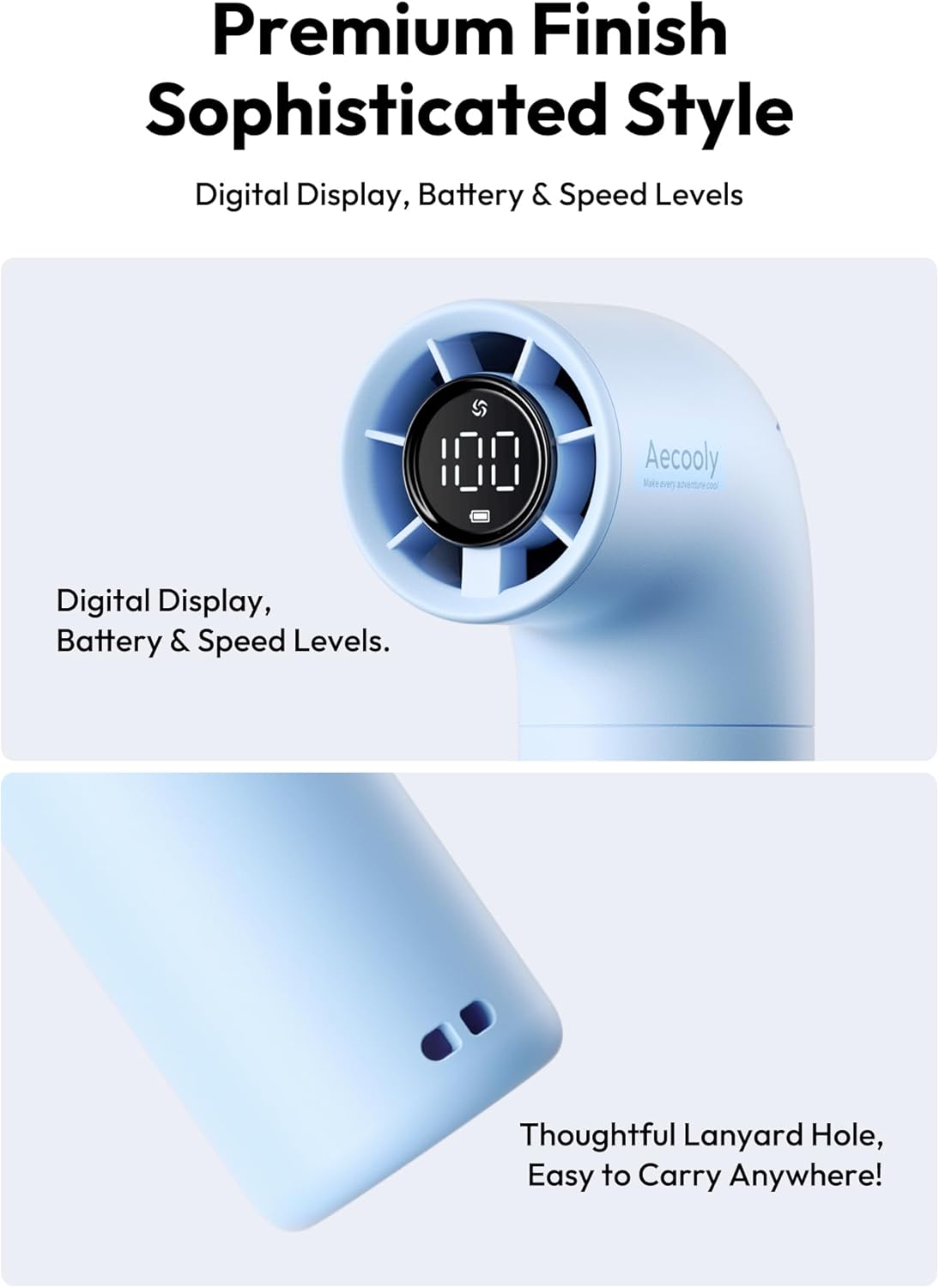
- Digital Display: Shows battery percentage and current speed level.
- Power/Speed Button: Controls power on/off and adjusts fan speed.
- Honeycomb Air Intake: Maximizes air intake and reduces resistance.
- USB-C Charging Port: For recharging the internal battery.
- Lanyard Hole: For attaching the wrist strap.
5. Setup
- Initial Charge: Before first use, fully charge the fan using the provided USB-C cable. Connect the USB-C end to the fan's charging port and the USB-A end to a compatible power source (e.g., wall adapter, computer USB port). The digital display will show the charging progress.
- Attach Wrist Strap: If desired, thread the wrist strap through the lanyard hole at the bottom of the fan for added security and portability.
6. Operating Instructions
- Power On/Off: Press and hold the Power/Speed Button for approximately 2 seconds to turn the fan on or off.
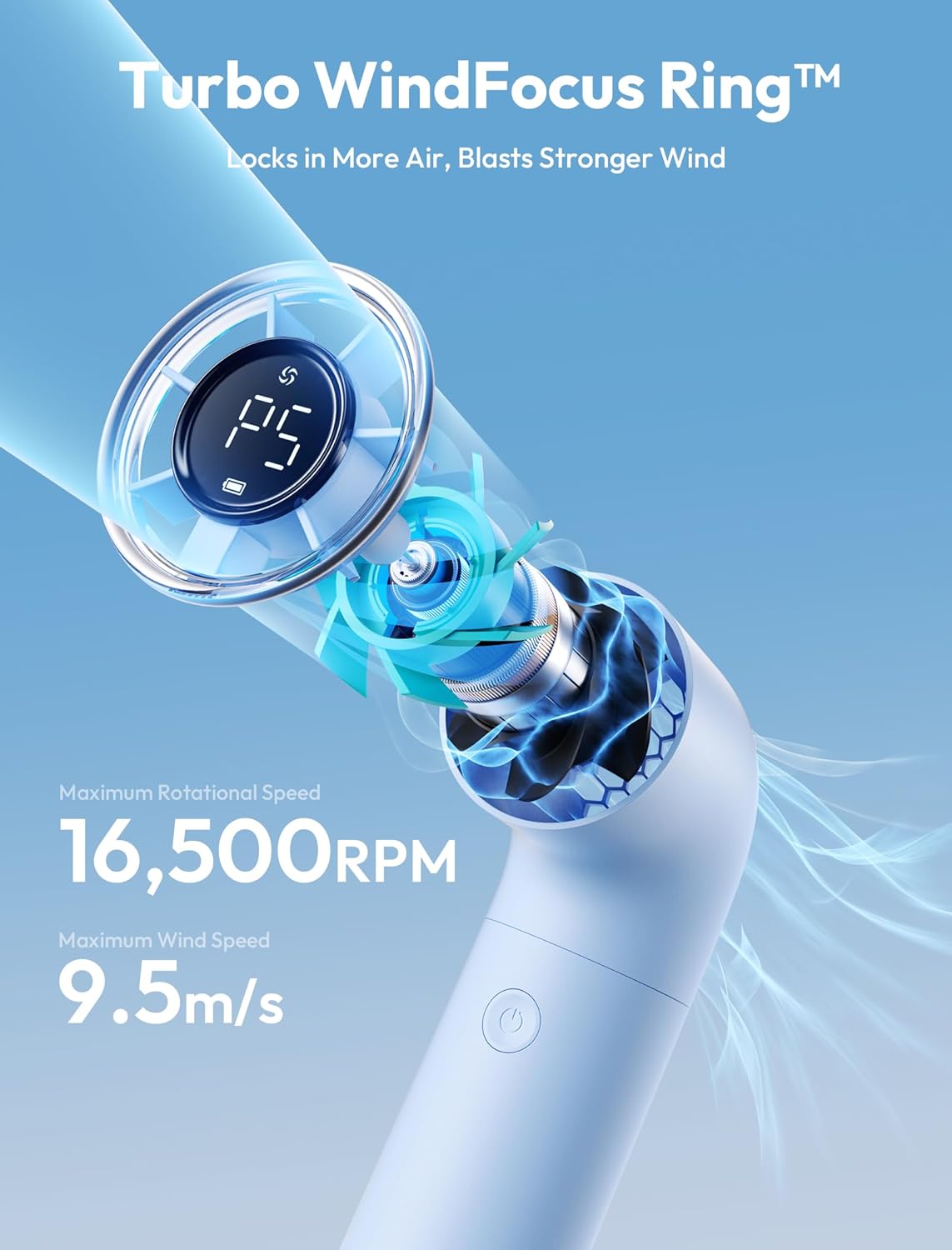
- Adjust Speed: Once the fan is on, short press the Power/Speed Button to cycle through the 5 available speed settings (P1 to P5). The digital display will indicate the current speed level.
- Turbo Mode: The fan is equipped with a robust turbine brushless motor providing high-speed airflow across all 5 settings. The highest setting (P5) delivers maximum power.
- Digital Display: The LED display shows the current battery percentage and the active speed level (P1-P5).
7. Charging
- Connect the provided USB-C cable to the fan's charging port and a USB power source.
- The digital display will show the battery percentage increasing during charging.
- A full charge provides up to 14 hours of cooling time, depending on the speed setting used.
- Disconnect the charger once the battery is fully charged (display shows 100%).
8. Maintenance
- Cleaning: Gently wipe the exterior of the fan with a soft, dry cloth. Do not use harsh chemicals or abrasive materials. Ensure the fan is off before cleaning.
- Storage: When not in use for extended periods, store the fan in its carrying pouch in a cool, dry place.
9. Troubleshooting
| Problem | Possible Cause | Solution |
|---|---|---|
| Fan does not turn on | Battery is depleted | Charge the fan fully. |
| Weak airflow | Low speed setting or low battery | Increase speed setting or charge the fan. |
| Unusual noise during operation | Obstruction in air intake/outlet or internal issue | Turn off the fan and check for any obstructions. If noise persists, contact customer support. |
| Fan not charging | Loose cable connection or faulty cable/adapter | Ensure the USB-C cable is securely connected. Try a different USB power source or cable. |
10. Specifications
| Feature | Detail |
|---|---|
| Brand | Aecooly |
| Model Name | PH02-A |
| Electric Fan Design | Wearable Fan |
| Power Source | Battery Powered |
| Product Dimensions | 2.52"D x 1.54"W x 5.66"H |
| Special Feature | Mini Turbo Fan |
| Wattage | 5 watts |
| Speed | 16500 RPM (Max) |
| Voltage | 5 Volts |
| Indoor/Outdoor Usage | Outdoor |
| Control Method | Touch |
| Number of Power Levels | 5 |
| Motor Type | Brushless |
| Item Weight | 7.4 ounces |
| Batteries | 1 Lithium Ion batteries required (included) |
| Mounting Type | Handheld |
11. Warranty and Support
For warranty information or customer support, please refer to the documentation included with your purchase or visit the official Aecooly website. Keep your proof of purchase for any warranty claims.
Manufacturer: Aecooly
Contact: Please refer to the Aecooly website for the most up-to-date contact information and support resources.


