
Fusion Energy SEM-Meter
Fusion Energy SEM-Meter Home Energy Monitor User Manual
Model: SEM-Meter
Product Overview
The Fusion Energy SEM-Meter is designed to monitor your home's energy usage in real-time. This device provides comprehensive data to help you understand and manage your electricity consumption, preventing costly repairs, conserving energy, and reducing costs. It supports various electrical configurations and offers detailed insights through a dedicated application.
Key Features:
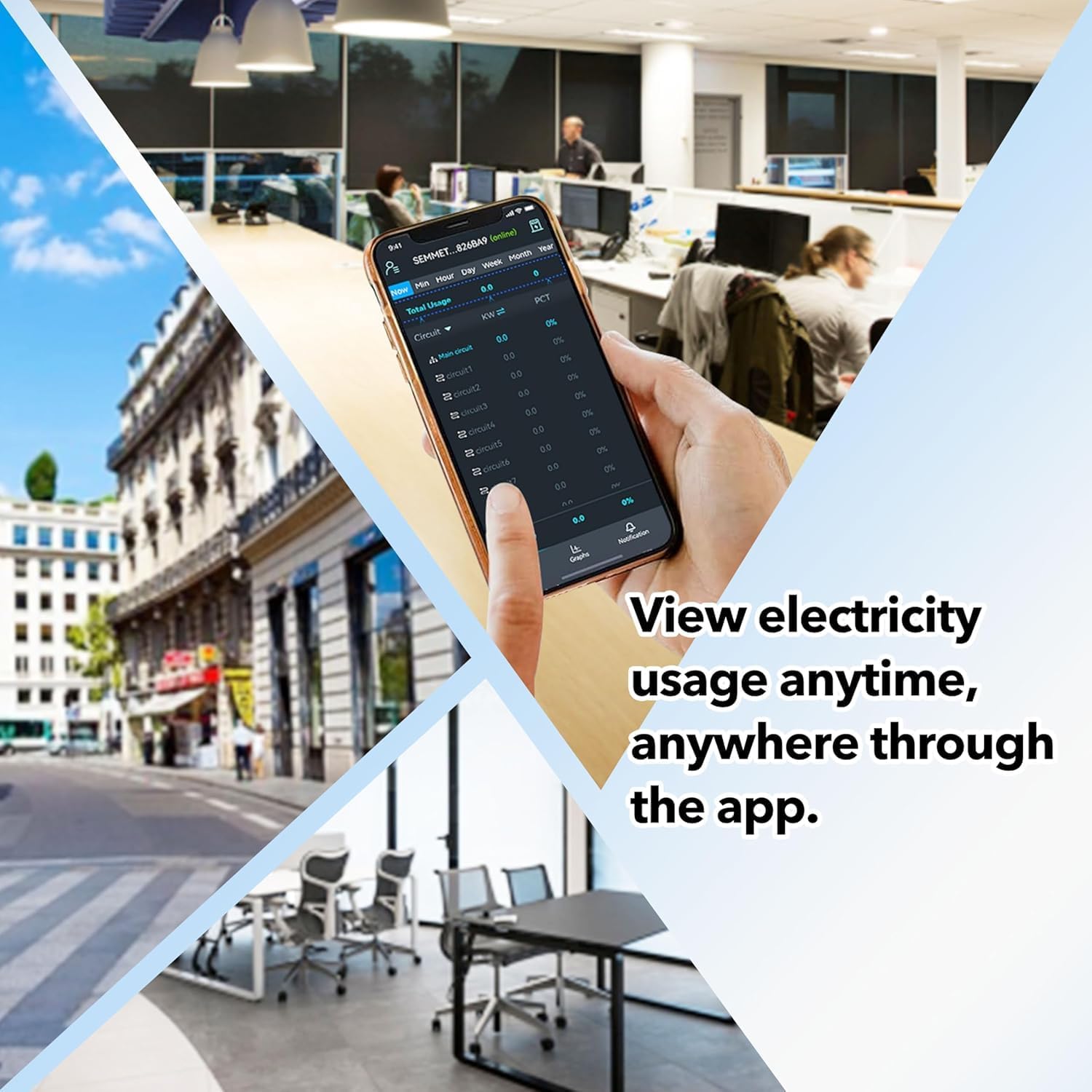
- Real-Time Monitoring: Track your home's power usage anywhere, anytime.
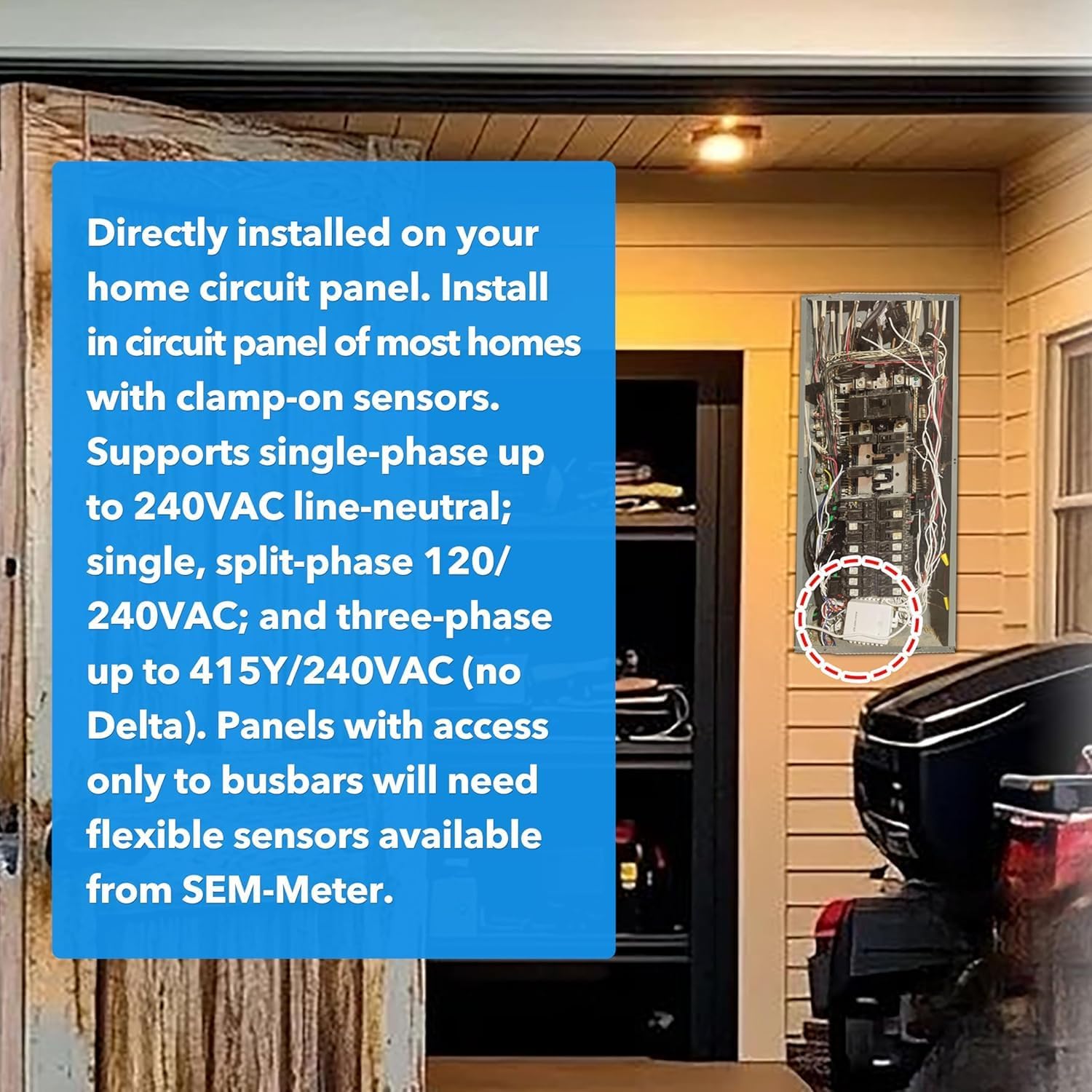
- Easy Installation: Designed for straightforward installation in most home circuit panels with clamp-on sensors.
- Versatile Compatibility: Supports single-phase (up to 240VAC line-neutral), split-phase (120/240VAC), and three-phase (up to 415Y/240VAC, no Delta) systems.
- Circuit-Level Sensors: Includes two 200A sensors for monitoring major appliances like air conditioners, furnaces, water heaters, washers, dryers, and ranges. Expandable with up to eight additional sensors.
- Data Accuracy: Connects via 2.4GHz WiFi for energy usage monitoring with an accuracy range of ±1%.
- Detailed Statistics: View power usage statistics in real-time, hourly (90-day validity for export), daily, weekly, monthly, and yearly formats (permanent export for day/month/year data).
- Privacy Mode: Supports operation without cloud services or the app, using your own MQTT server for LAN-only access without internet.

Setup and Installation
The SEM-Meter is designed for easy installation within your home's circuit panel. Ensure all power is turned off at the main breaker before beginning installation. It is recommended that installation be performed by a qualified electrician.
Installation Steps:
- Prepare the Circuit Panel: Turn off the main power to your home at the circuit breaker. Open the circuit panel cover.
- Mount the SEM-Meter: Find a suitable location within the circuit panel to mount the SEM-Meter device.
- Connect Sensors: Install the clamp-on 200A sensors around the main incoming power lines. For branch circuits, additional 50A sensors can be added. Panels with access only to busbars may require flexible sensors (available separately).
- Wire the Device: Connect the white and blue wires from the wire harness to the neutral busbar. Connect the black and red wires from the harness to the hot leads from the breakers you wish to monitor. Refer to the wiring diagrams below for common configurations.
- Secure Wiring: If possible, use conduit or PVC tubing to protect the wires and ensure a neat installation.
- Power On: Once all connections are secure, replace the circuit panel cover and restore power.
- App Connection: Connect the SEM-Meter device to your 2.4GHz WiFi network. Follow the instructions in the mobile application for initial setup and pairing.

Wiring Diagrams:

Installation Video Guide:
This video provides an electrician's perspective on the SEM-Meter, including installation considerations.
Operating Instructions
After successful installation and connection to your WiFi network, you can begin monitoring your energy usage through the dedicated mobile application.
Using the Mobile Application:
- Download the App: Search for the SEM-Meter app on your Android or Apple device's app store.
- Create an Account: Follow the in-app instructions to create a new user account or log in if you already have one.
- Add Device: Pair your SEM-Meter device with the app. This usually involves scanning a QR code on the device or following a guided discovery process.
- View Real-Time Data: The app's main dashboard displays your current total energy usage. You can view data for individual circuits if additional sensors are installed.
- Access Historical Data: Navigate through the app to view historical data by minute, hour, day, week, month, or year. Hourly data can be exported for 90 days, while daily, monthly, and yearly data exports are permanently available.
- Set Notifications: Configure actionable notifications within the app to understand where energy savings can be made.


Operation Videos:
This video demonstrates how to monitor energy usage in real-time with the SEM-Meter.
This video showcases real-time energy monitoring capabilities using the smart home sensors.
Maintenance
The Fusion Energy SEM-Meter is designed for minimal maintenance. Regular checks can help ensure optimal performance:
- Visual Inspection: Periodically inspect the device and sensor connections within the circuit panel to ensure they are secure and free from damage.
- Software Updates: Keep the mobile application updated to the latest version to benefit from new features and performance improvements.
- Cleaning: If necessary, gently wipe the exterior of the SEM-Meter device with a dry, soft cloth. Do not use liquid cleaners or abrasive materials.
Troubleshooting
If you encounter issues with your SEM-Meter, refer to the following common troubleshooting steps:
- Device Not Connecting to Wi-Fi:
- Ensure your Wi-Fi network is operating on the 2.4GHz band. The SEM-Meter does not support 5.0GHz networks.
- Verify that the Wi-Fi password entered during setup is correct.
- Move the Wi-Fi router closer to the SEM-Meter or consider a Wi-Fi extender to improve signal strength.
- Restart your Wi-Fi router and the SEM-Meter device.
- No Data Displayed in App:
- Check if the SEM-Meter is properly connected to your Wi-Fi network (indicated by an LED on the device).
- Ensure the current transformer (CT) sensors are correctly clamped around the wires and securely plugged into the SEM-Meter.
- Verify that the main power to the circuit panel is on.
- Refresh the app or restart it.
- Inaccurate Readings:
- Confirm that the CT sensors are installed in the correct orientation and are fully closed.
- Ensure the SEM-Meter is configured correctly for your electrical system (single-phase, split-phase, or three-phase) in the app settings.
If these steps do not resolve your issue, please contact customer support for further assistance.
Product Specifications
| Feature | Specification |
|---|---|
| Model Number | SEM-Meter |
| Manufacturer | Fusion Energy |
| Dimensions | 4.18 x 3.1 x 1.2 inches |
| Item Weight | 1.54 pounds |
| Color | Black |
| Included Components | Energy monitor, 2 x 200A Circuit Level Sensors |
| Supported Phases | Single-phase (up to 240VAC line-neutral), Split-phase (120/240VAC), Three-phase (up to 415Y/240VAC, no Delta) |
| Wi-Fi Connectivity | 2.4GHz |
| Accuracy Range | ±1% |
| Batteries Required | No |
Warranty and Protection
The Fusion Energy SEM-Meter is protected by a 1-year warranty from the date of purchase, covering manufacturing defects.
Additional Protection Plans:
Extended protection plans may be available for purchase to provide additional coverage beyond the standard warranty period:
- 3-Year Protection Plan: Extends coverage for 36 months.
- 4-Year Protection Plan: Extends coverage for 48 months.
- Complete Protect: A monthly subscription plan that covers eligible past and future purchases.
Please refer to the terms and conditions of specific protection plans for full details on coverage and claims.

Customer Support
For any questions, technical assistance, or warranty claims, please contact Fusion Energy customer support.
Support Services:
- 24-Hour Response: Our support team aims to respond to inquiries within 24 hours.
- Email Support: Contact us via email for detailed assistance.
Refer to the product packaging or the Fusion Energy website for the most current contact information.

Related Documents - SEM-Meter
 |
Cincoze MD-3000 Series User Manual: High Performance DIN-Rail Computer Comprehensive user manual for the Cincoze MD-3000 Series, detailing its high-performance, scalable DIN-rail embedded computer features, specifications, system setup, and BIOS configuration. Designed for machine vision and smart manufacturing. |
 |
Sirius SDD2ELEMIC Integrated Downdraft Rangehood Installation Guide Comprehensive installation guide and user manual for the Sirius SDD2ELEMIC integrated downdraft rangehood. Includes setup instructions, operation details, troubleshooting, parts list, and warranty information for models SDD2ELEMIC58, SDD2ELEMIC88, and SDD2ELEMIC118. |
 |
MOBATIME SEM 100 / SAM 100 / SEM 100 24h Mounting and Instruction Manual Detailed instructions for the mounting, setup, and operation of MOBATIME SEM 100, SAM 100, and SEM 100 24h MOBALine clock movements, covering safety, maintenance, and technical specifications. |
 |
Provizio® SEM Scanner/Scanner S - Manual do Utilizador Este manual do utilizador fornece instruções detalhadas sobre a operação, configuração, limpeza e manutenção dos dispositivos Provizio SEM Scanner e Provizio SEM Scanner S da Bruin Biometrics LLC (BBI), focando na avaliação do risco de úlceras de pressão. |
 |
JLab Epic Air Sport: Guia de Início Rápido e Configuração Este guia fornece instruções detalhadas para configurar, emparelhar e utilizar os seus auriculares sem fios JLab Epic Air Sport, cobrindo controlos, modos de equalização, carregamento e resolução de problemas comuns. |
 |
Manual do Utilizador ViewSonic WPD-900 Guia completo do utilizador para o kit de transmissão de ecrã sem fios ViewSonic WPD-900, cobrindo configuração, ligações, emparelhamento, funcionalidades e especificações. |
Ask a question about this manual
Ask about setup, troubleshooting, compatibility, parts, safety, or missing instructions. Manuals+ will review the question and use this page’s manual context to help answer it.