
Introduction
This manual provides detailed instructions for the assembly, operation, and maintenance of your YOMILUVE 50 Inch Computer Desk. This desk features a spacious desktop, eight fabric drawers for organized storage, and an integrated power strip with USB and AC outlets. Please read these instructions carefully before beginning assembly and retain this manual for future reference.
Safety Information
Always follow the assembly instructions carefully. Keep the power outlets away from water and do not overload them. Always unplug the power strip when not in use or when moving the desk. Ensure all connections are secure before use.
Package Contents
Before assembly, verify that all components are present and undamaged. The package includes all labeled parts, necessary tools, and detailed instructions for assembly.
- Desktop Panel
- Metal Frame Components
- 8 Fabric Drawers
- Integrated Power Strip with USB and AC Outlets
- Assembly Hardware (screws, bolts, etc.)
- Assembly Tools (e.g., Allen wrench)

Image: Product dimensions and individual drawer size. The desk measures 18.9"D x 50.4"W x 29.3"H. Each fabric drawer is 18.7"D x 11.2"W x 6.1"H.
Specifications
| Brand | YOMILUVE |
| Product Dimensions | 18.9"D x 50.4"W x 29.3"H |
| Color | Brown and White |
| Material | Engineered Wood, Metal |
| Number of Drawers | 8 (Fabric) |
| Special Feature | Built-In USB Outlet (2 USB ports, 2 AC outlets) |
| Assembly Required | Yes |
| Frame Material | Metal |
Setup and Assembly Instructions
The YOMILUVE computer desk is designed for straightforward assembly. All required parts are labeled, and tools are included. Follow the step-by-step instructions provided in the package for a smooth setup.
- Unpack Components: Carefully remove all parts from the packaging and lay them out on a clean, soft surface to prevent scratches. Verify all parts against the included parts list.
- Assemble the Metal Frame: Connect the metal frame components according to the diagrams in your instruction booklet. Ensure all screws are tightened securely. The metal X-bar on the back provides additional stability.
- Attach Desktop: Carefully place the desktop panel onto the assembled metal frame and secure it using the provided hardware.
- Install Fabric Drawers: Assemble each fabric drawer by inserting the bottom panel and ensuring it is firm. Slide the assembled drawers into their designated slots within the desk frame. There are four drawers on each side.
- Connect Power Strip: Ensure the integrated power strip is properly seated and its power cord is accessible.
- Adjust Feet: Use the adjustable feet at the bottom of the desk legs to level the desk on uneven surfaces, enhancing stability.

Image: The desk features eight fabric drawers, four on each side, providing ample storage. A visual guide demonstrates the simple three-step assembly for each fabric drawer.
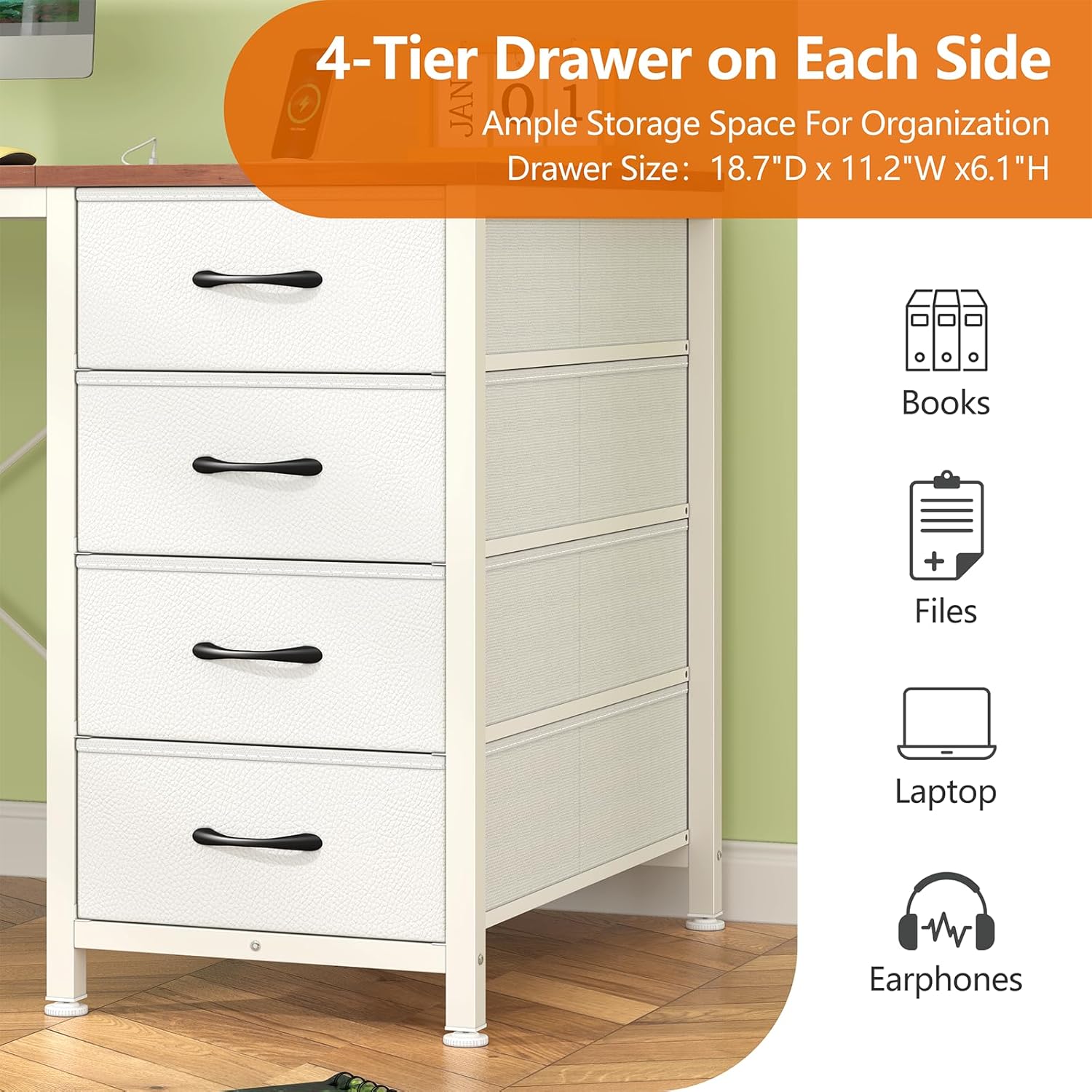
Image: A detailed view of the four-tier fabric drawers on one side of the desk, illustrating their capacity for organizing various items such as books, files, laptops, and earphones.
Operating Instructions
Your YOMILUVE computer desk is designed for functional use in various settings, from home offices to gaming stations.
Using the Integrated Power Strip
The desk is equipped with a built-in power strip for convenient access to power. It includes:
- 2 AC Outlets (125V/12A)
- 2 USB Ports (5V/2A)
Plug the desk's main power cord into a wall outlet. You can then connect your computer, tablet, phone, and other electronic devices directly to the integrated outlets and USB ports. This feature helps keep your workspace tidy by reducing cable clutter.
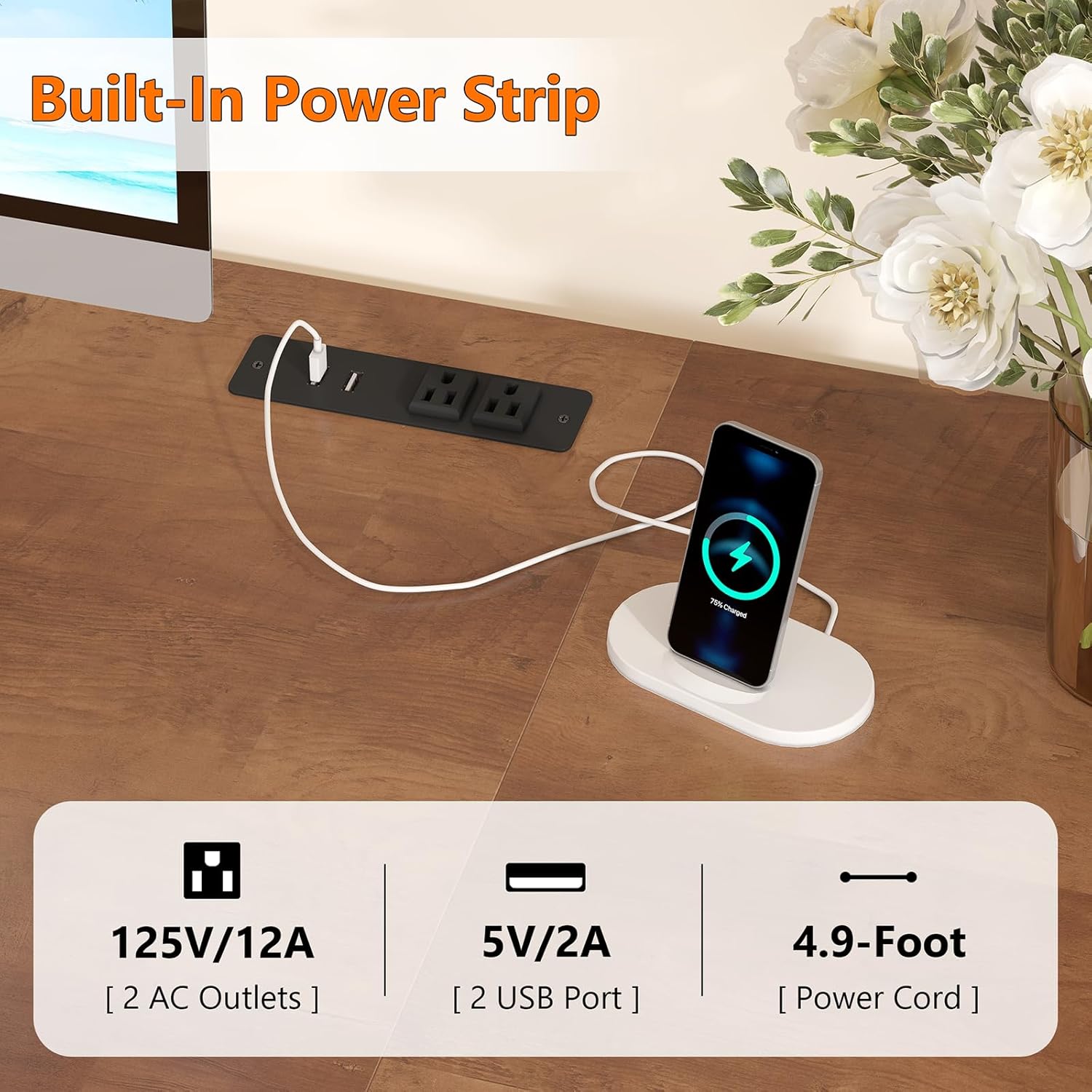
Image: The integrated power strip provides two AC outlets and two USB ports, allowing for convenient charging of devices directly on the desktop.
Utilizing Fabric Drawers
The eight fabric drawers offer ample storage space. Use them to store books, headphones, files, office supplies, and other personal items to maintain a clean and organized desktop. The lightweight design allows for easy access.
Maintenance
To ensure the longevity and appearance of your YOMILUVE computer desk, follow these maintenance guidelines:
- Cleaning: The desk is made with high-quality MDF board, which is scratch-resistant, dust-resistant, and waterproof. Wipe surfaces with a soft, damp cloth. Avoid harsh chemicals or abrasive cleaners.
- Drawer Care: The fabric drawers are designed for lightweight items. Avoid overloading them to maintain their shape and functionality. If a drawer becomes dirty, spot clean with a mild detergent and allow it to air dry completely.
- Stability Check: Periodically check all screws and connections to ensure they remain tight. Re-tighten if necessary to maintain desk stability.
Troubleshooting
If you encounter any issues with your desk, refer to the following common problems and solutions:
- Desk Wobbles: Ensure all assembly screws are tightened. Adjust the leveling feet at the bottom of the desk legs to stabilize the desk on uneven floors.
- Power Outlets Not Working: Check if the desk's main power cord is securely plugged into a functional wall outlet. Ensure no circuit breakers have tripped. Avoid overloading the power strip with too many high-power devices.
- Drawers Stick or Don't Close Properly: Check if the drawers are overloaded. Remove some items if necessary. Ensure the fabric drawers are correctly assembled and seated in their tracks.
Warranty Information
This YOMILUVE product comes with a limited warranty. Please refer to the warranty documentation included with your purchase for specific terms and conditions regarding coverage and duration.
Support
Should you have any questions, require assistance with assembly, or need further support regarding your YOMILUVE computer desk, please do not hesitate to contact our customer service team. Refer to your purchase documentation for contact details or visit the YOMILUVE official website.