
Introduction
The Midlocater S10-ad Air Tracker Tags are designed to help you locate your personal items using your Android device. These tags connect to your phone via Bluetooth and leverage the Google Find Hub or Find My Device network to provide location information. This manual provides instructions for setup, operation, maintenance, and troubleshooting to ensure optimal use of your tracker tags.

Image: A 4-pack of Midlocater S10-ad Air Tracker Tags, shown with included keychains and product packaging. The tags are white and circular.
1. Setup
Follow these steps to set up your Midlocater S10-ad Air Tracker Tags:
- Download the App: Ensure you have the official Google Find My Device app installed on your Android phone. This app is available on the Google Play Store.
- Activate the Tracker: Press and hold the power button on the tracker tag until you hear a confirmation sound or see an indicator light.
- Pair with Your Phone: Open the Find My Device app. The app should automatically detect the new tracker tag. Follow the on-screen prompts to connect and link the tag to your Google account.
- Name Your Tag: Assign a descriptive name to your tracker tag (e.g., "Keys," "Wallet," "Luggage") within the app for easy identification.
- Check Battery: The tags come with pre-installed CR2032 batteries. Verify the battery status within the app.

Image: A visual guide illustrating five steps for quick setup and easy pairing of the Midlocater S10-ad tracker tag with an Android phone, including opening the app, pressing the power button, connecting, agreeing to terms, and opening the app.
2. Operating Instructions
2.1 Locating Items
- Ring Your Tracker: If your item is within Bluetooth range (up to 350ft or 100m), open the Find My Device app, select your tag, and tap the "Play Sound" option. The tag will emit a loud 90dB sound to help you locate it.
- View Last Known Location: If your item is out of Bluetooth range, the app will display its last known location on a map, utilizing the Google Find Hub network. This allows you to trace its general whereabouts.
2.2 Close-Range Precision Finding
When you are near your lost item, the app provides directional guidance to help you pinpoint its exact location. The signal strength indicator in the app will guide you closer to the tag.
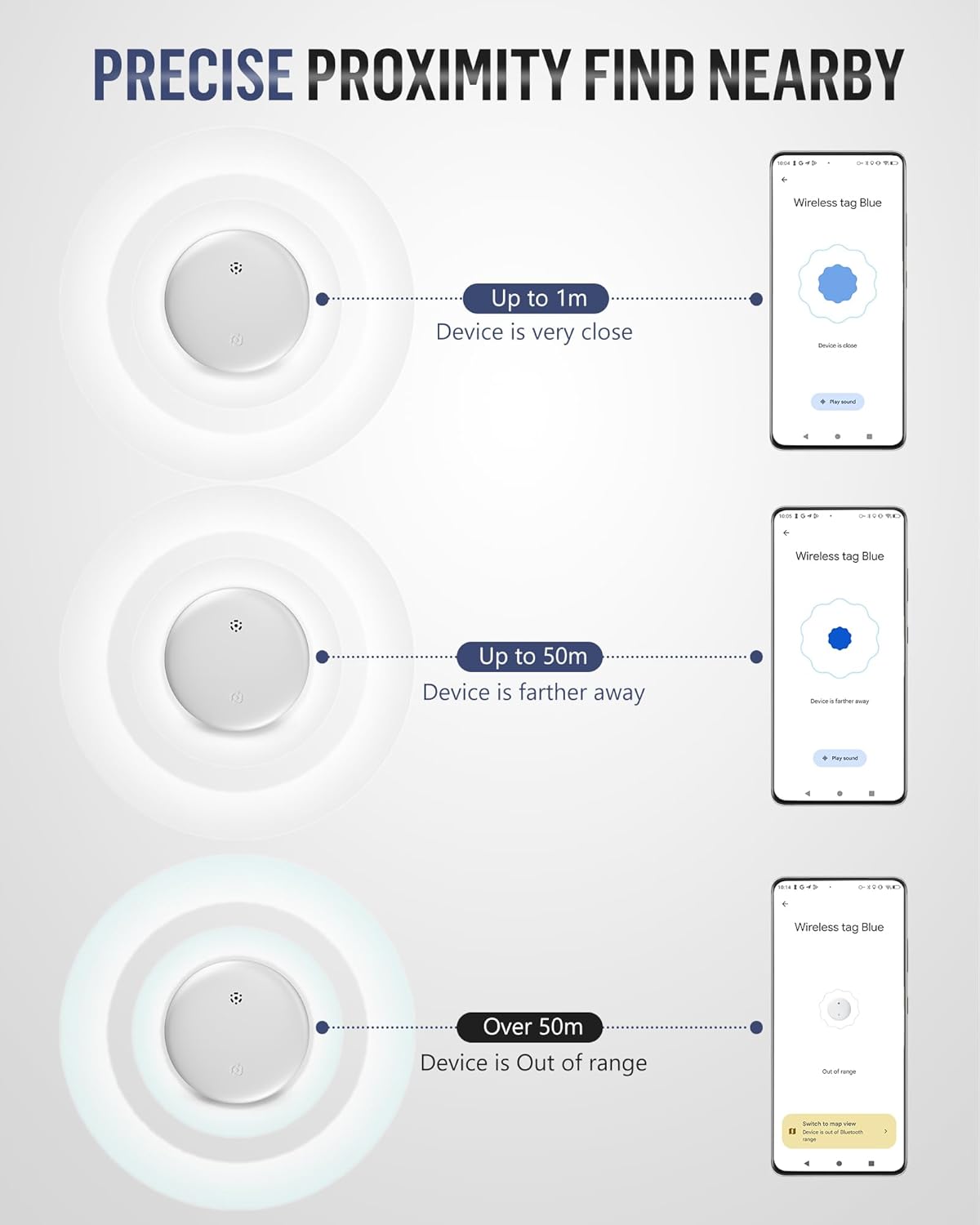
Image: A visual representation of the proximity finding feature, showing how the app indicates if the device is very close (up to 1m), farther away (up to 50m), or out of range.
2.3 Left-Behind Alerts
Enable separation alerts in the Find My Device app. If you leave an item behind and move out of Bluetooth range, your phone will send an instant notification, helping you prevent loss.
2.4 Sharing Access
You can share access to your tracker tags with trusted contacts through the Find My Device app. This allows multiple users to locate shared items.
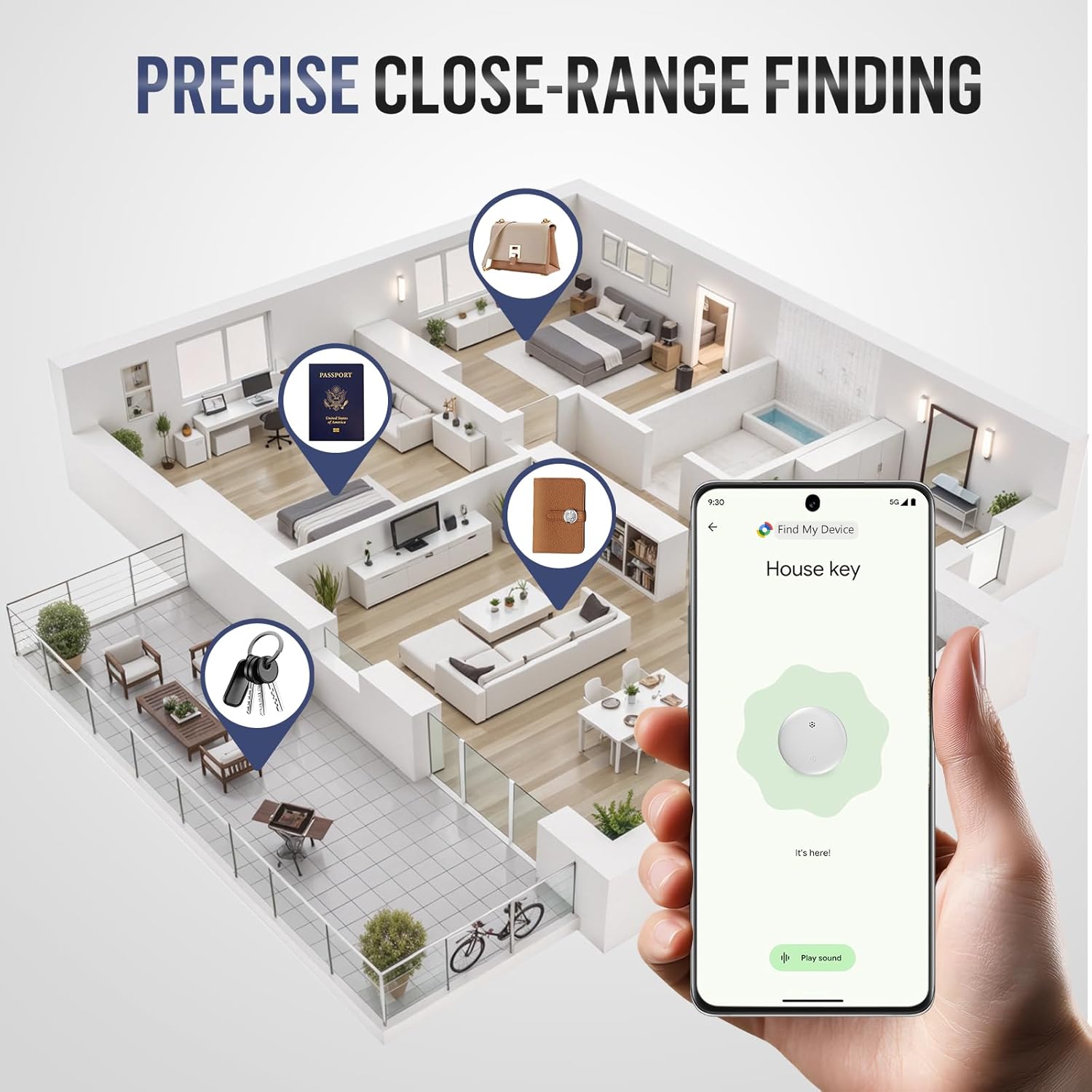
Image: An illustration demonstrating precise close-range finding, with a phone screen showing the location of a house key within a detailed house floor plan, highlighting the accuracy of the tracker.
3. Maintenance
3.1 Battery Replacement
The Midlocater S10-ad uses a standard CR2032 coin cell battery, which provides up to 12 months of use. When the battery is low, the app will notify you. To replace the battery:
- Gently pry open the tracker tag using a small tool or your fingernail at the designated notch.
- Remove the old CR2032 battery.
- Insert a new CR2032 battery with the positive (+) side facing up.
- Carefully close the tracker tag, ensuring it snaps securely.

Image: A four-step diagram illustrating how to replace the CR2032 battery in the Midlocater S10-ad tracker tag, showing the opening, battery removal, new battery insertion, and closing of the device.
3.2 Cleaning
Wipe the tracker tag with a soft, dry cloth. Avoid using harsh chemicals or abrasive materials.
3.3 Water Resistance
The Midlocater S10-ad features an IP67 waterproof rating, meaning it is protected from dust and can withstand immersion in water up to 1 meter for 30 minutes. While durable, avoid prolonged submersion or exposure to high-pressure water.
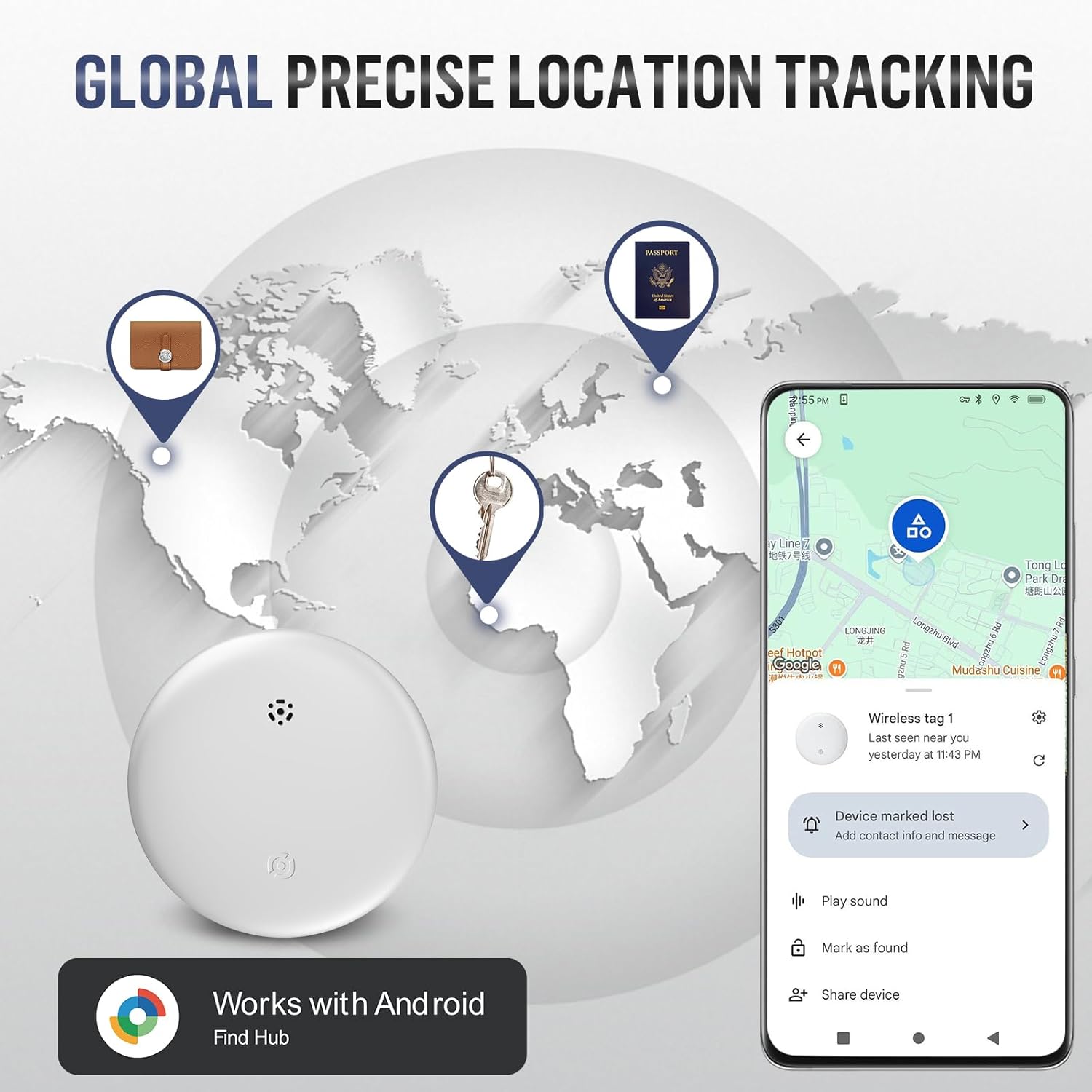
Image: A Midlocater S10-ad tracker tag partially submerged in water, with splashes, visually representing its IP67 waterproof rating.
4. Troubleshooting
| Issue | Possible Cause | Solution |
|---|---|---|
| Tracker not connecting/found by app | Low battery, Bluetooth off, app permissions, tracker not activated. | Check battery level. Ensure Bluetooth is enabled on your phone. Grant all necessary permissions to the Find My Device app. Press the tracker's button to activate it. Try resetting the tracker by performing 4 quick clicks followed by a click-hold. |
| Sound is too weak or inaudible | Environmental noise, distance, obstruction. | Move closer to the tracker. Reduce ambient noise. Ensure no objects are muffling the sound. |
| Inaccurate location tracking | Limited network coverage, GPS interference. | Ensure your phone has a stable internet connection. Location accuracy depends on the density of Android devices in the area. Move to an open area for better GPS signal. |
| Short battery life | Frequent ringing, old battery, non-standard battery. | Replace with a new, high-quality CR2032 battery. Reduce frequency of ringing if not necessary. |
5. Specifications
- Model: S10-ad
- Compatibility: Android devices running Android 9.0 and above (Works with Google Find Hub/Find My Device)
- Connectivity: Bluetooth 5.3
- Range: Up to 350ft (100m) Bluetooth range
- Sound Level: 90dB
- Water Resistance: IP67 (Dustproof, submersible up to 1 meter for 30 minutes)
- Battery: CR2032 (included)
- Battery Life: Up to 12 months
- Dimensions: Approximately 1.28 x 1.28 x 0.31 inches (32.5 x 32.5 x 8 mm)
- Weight: Approximately 0.35 oz (10 g)
- Included Components: Tracker tag(s), Case, Keychain
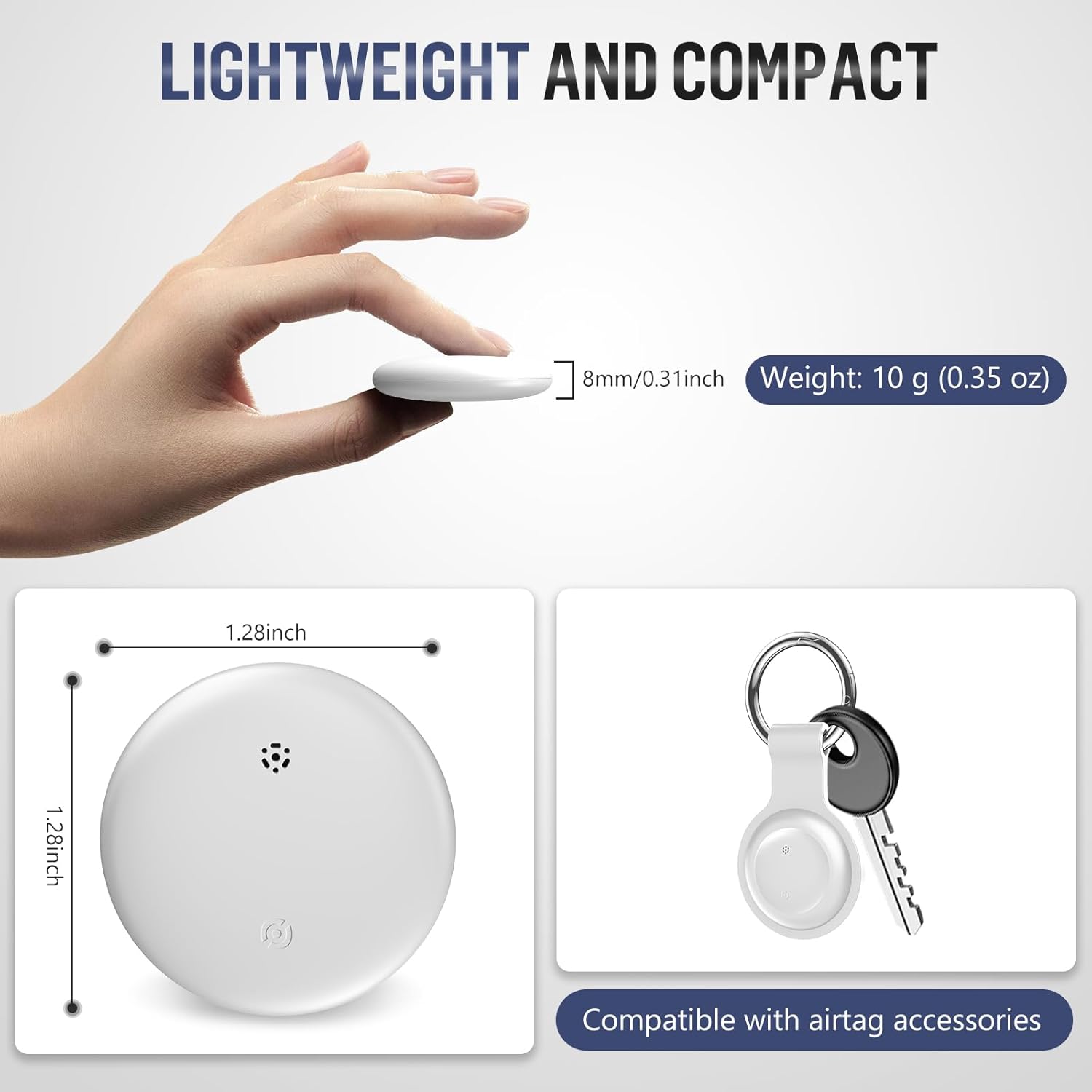
Image: A Midlocater S10-ad tracker tag shown with its compact dimensions (1.28 inches by 1.28 inches, 0.31 inches thick) and weight (10 grams), highlighting its lightweight design.
6. Warranty Information
Midlocater products are covered by a limited warranty against defects in materials and workmanship. For specific warranty terms and conditions, please refer to the product packaging or contact Midlocater customer support. Keep your proof of purchase for warranty claims.
7. Customer Support
If you encounter any issues or have questions regarding your Midlocater S10-ad Air Tracker Tags, please contact our customer support team. Refer to the contact information provided on the product packaging or visit the official Midlocater website for assistance.