1. Introduction
This manual provides essential information for the safe and effective installation, operation, and maintenance of the Generic TOB7Z-63 2P DC 1000V Solar Mini Din Rail Circuit Breaker. This device is designed to protect photovoltaic (PV) systems from overcurrents and short circuits, ensuring the safety and longevity of your solar installation. Please read this manual thoroughly before installation and keep it for future reference.
2. Safety Information
WARNING: Electrical shock hazard. Installation and maintenance should only be performed by qualified personnel.
- Always disconnect power before installing or servicing the circuit breaker. Use appropriate lockout/tagout procedures.
- Ensure all wiring complies with local and national electrical codes.
- Do not operate the circuit breaker with wet hands or in damp conditions.
- Verify correct DC polarity before making connections. Incorrect polarity can damage the circuit breaker and other components.
- The circuit breaker is designed for DC applications up to 1000V. Do not use it in AC circuits.
- Ensure proper torque is applied to terminal screws to prevent loose connections and overheating.
3. Product Overview
The Generic TOB7Z-63 is a miniature circuit breaker specifically designed for DC applications in solar photovoltaic systems. It provides reliable protection against overloads and short circuits.
3.1 Features
- Ensures safety in photovoltaic systems, preventing damage from short circuits and overloads.
- Made with high-quality insulating materials to withstand extreme outdoor conditions.
- Flame-retardant & UV-resistant housing for long-term durability in solar installations.
- Screw-type terminals ensure a stable and secure electrical connection.
- Suitable for solar inverters, charge controllers, and battery banks.
3.2 Components

Figure 1: Front view of the TOB7Z-63 DC Circuit Breaker. This image shows the main body of the circuit breaker, including the operating handle, terminal screws, and product labeling with specifications like model number, current rating, and voltage.
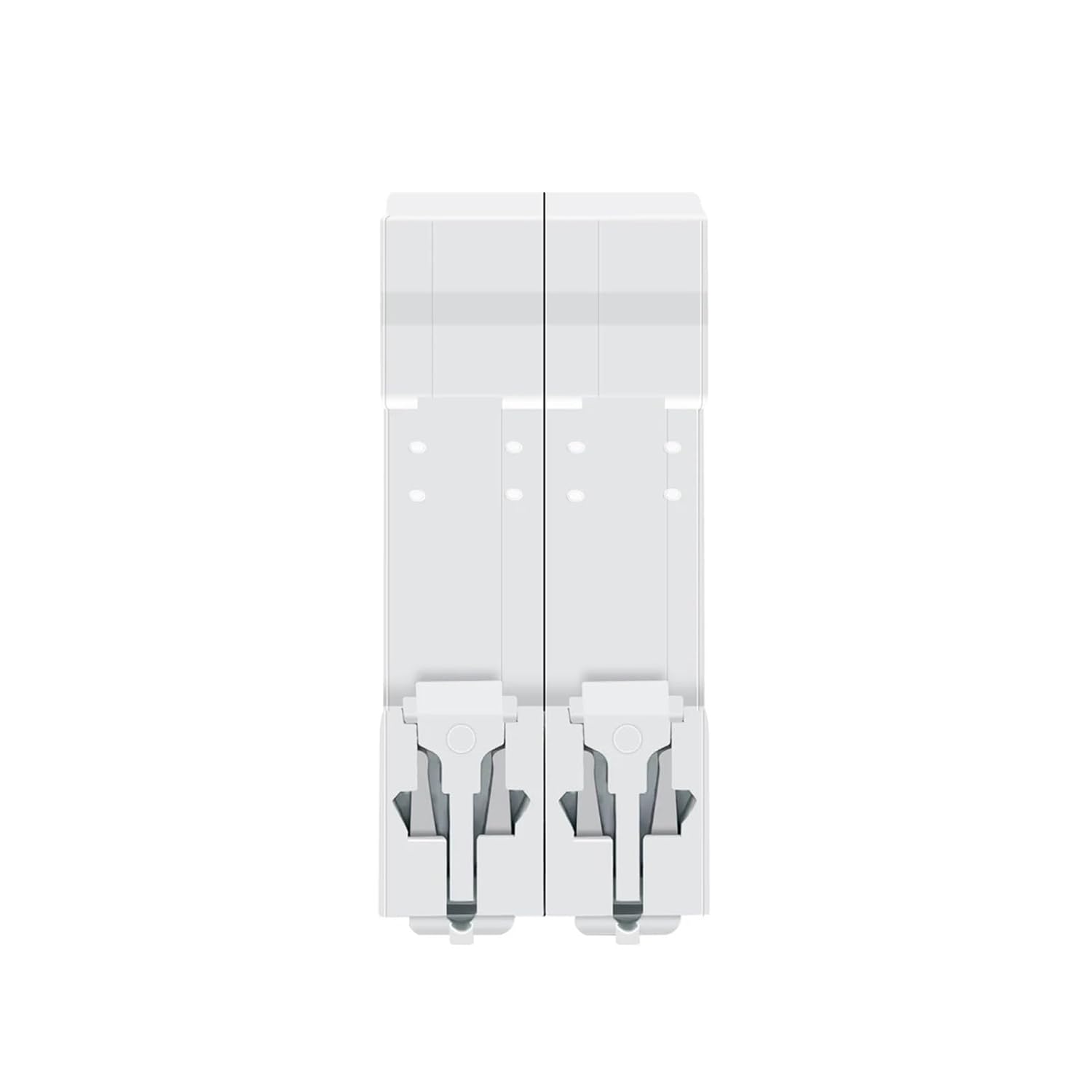
Figure 2: Top and bottom view of the TOB7Z-63 DC Circuit Breaker. This image highlights the screw terminals for electrical connections at both the input and output ends of the breaker.
- Operating Handle: Used to manually switch the circuit breaker ON or OFF, and indicates its status (ON/OFF/TRIPPED).
- Terminal Screws: For connecting input and output DC wiring.
- DIN Rail Clip: Located at the back for easy mounting on a standard DIN rail.
- Indicator Window: Displays the operational status (green for OFF/closed, red for ON/open).
4. Setup and Installation
Follow these steps for proper installation of the circuit breaker.
4.1 Mounting
- Ensure the power supply to the PV system is completely disconnected and secured against accidental re-energization.
- Locate a suitable position on a standard 35mm DIN rail within an appropriate enclosure.
- Hook the top edge of the circuit breaker onto the DIN rail.
- Press the bottom of the circuit breaker firmly until it clicks into place on the DIN rail.

Figure 3: TOB7Z-63 DC Circuit Breaker mounted on a DIN rail. This image demonstrates how the circuit breaker securely attaches to a standard DIN rail, showing its compact form factor.

Figure 4: Side view of the TOB7Z-63 DC Circuit Breaker, highlighting the DIN rail clip mechanism. This view shows the design of the clip that allows for quick and secure mounting onto a DIN rail.
4.2 Wiring Connections
- Identify the input (source) and output (load) terminals. The circuit breaker typically has markings for input and output, and positive (+) and negative (-) terminals.
- Strip the insulation from the DC cables to the appropriate length, ensuring no stray strands.
- Insert the positive (+) DC cable from the PV array or charge controller into the positive input terminal.
- Insert the negative (-) DC cable from the PV array or charge controller into the negative input terminal.
- Connect the positive (+) DC cable to the load (e.g., inverter) from the positive output terminal.
- Connect the negative (-) DC cable to the load from the negative output terminal.
- Tighten all terminal screws securely. Refer to the product specifications for recommended torque values if available. Over-tightening or under-tightening can cause damage or poor connections.
- Double-check all connections for correct polarity and tightness before restoring power.
5. Operating Instructions
5.1 Turning On/Off
- To Turn ON: Push the operating handle upwards to the 'ON' position. The indicator window should display red.
- To Turn OFF: Push the operating handle downwards to the 'OFF' position. The indicator window should display green.
5.2 Understanding Indicator Windows

Figure 5: Indicator windows showing ON (Red) and OFF (Green) states. This image clearly illustrates the visual cues for the circuit breaker's operational status, with a red indicator for 'ON' and a green indicator for 'OFF' or 'closed'.
- Red Indicator: The circuit breaker is in the 'ON' position, and current is flowing through the circuit.
- Green Indicator: The circuit breaker is in the 'OFF' position, and the circuit is open (no current flow).
5.3 Resetting After a Trip
If an overload or short circuit occurs, the circuit breaker will automatically trip, moving the handle to an intermediate or 'OFF' position. The indicator window will show green.
- Identify and resolve the cause of the trip (e.g., remove overload, fix short circuit).
- Before resetting, ensure the circuit is safe and the fault has been cleared.
- Push the operating handle fully downwards to the 'OFF' position first, then push it upwards to the 'ON' position to reset the breaker.
- If the breaker trips immediately again, do not force it. Re-evaluate the circuit for persistent faults.
6. Maintenance
Regular maintenance helps ensure the reliable operation and longevity of your circuit breaker.
- Visual Inspection: Periodically inspect the circuit breaker for any signs of physical damage, discoloration, or loose connections.
- Cleaning: Keep the circuit breaker clean and free from dust and debris. Use a dry, soft cloth for cleaning. Do not use solvents or abrasive cleaners.
- Terminal Check: Annually, with power disconnected, check the tightness of all terminal screws. Re-tighten if necessary to prevent overheating due to loose connections.
- Environmental Conditions: Ensure the operating environment remains within the specified temperature and humidity ranges.
7. Troubleshooting
| Problem | Possible Cause | Solution |
|---|---|---|
| Circuit breaker trips frequently. | Overload in the circuit, short circuit, or faulty appliance. | Reduce load, inspect wiring for short circuits, check connected devices for faults. |
| Circuit breaker does not reset. | Persistent fault in the circuit, internal damage to the breaker. | Ensure the fault is cleared. If it still doesn't reset, the breaker may be damaged and require replacement. |
| No power output when breaker is ON. | Loose connections, internal fault, or issue with upstream/downstream components. | Check terminal tightness. Verify power from the source. Test continuity if possible. Replace if internal fault is suspected. |
8. Specifications
| Parameter | Value |
|---|---|
| Model Number | TOB7Z-63 (Item model number: JBCFAXXFI-10A) |
| Rated Voltage | DC 1000V |
| Rated Current | Available in 3A, 6A, 10A, 16A, 20A, 25A, 32A, 40A, 50A, 63A (This specific product is 10A) |
| Poles | 2P |
| Interrupting Capacity (Icu) | 6kA |
| Standard | IEC/EN60947-2 |
| Mounting | 35mm DIN Rail |
| Package Dimensions | 0.39 x 0.39 x 0.39 inches |
| Item Weight | 3.53 ounces |
| Housing Material | Flame-retardant & UV-resistant insulating materials |
9. Warranty and Support
For warranty information or technical support, please refer to the product packaging or contact the retailer or manufacturer directly. Keep your purchase receipt as proof of purchase.