
1. Product Overview
The FURRIFIC LED Bathroom Mirror Cabinet (Model MC216-0) is a multifunctional storage solution designed to enhance your bathroom space. It combines a high-quality mirror with integrated LED lighting and ample storage, featuring both open and closed compartments. This unit offers adjustable brightness and three color temperature options to suit various needs, all within a durable, space-saving wall-mounted design.

Figure 1.1: Overall view of the FURRIFIC LED Bathroom Mirror Cabinet.
Key Features:
- Multifunctional Storage: Features a closed shelf with one mirrored door and four open shelves, providing versatile storage for bathroom essentials. Includes two internal adjustable shelves for flexible organization.
- Adjustable LED Lighting: Dimmable LED light strip with three color temperatures (white, natural, warm) controlled by a touch button.
- Space-Saving Design: Wall-mounted cabinet optimizes space, ideal for smaller bathrooms or above toilets.
- Durable Construction: Made with high-quality density board and 4mm tempered, explosion-proof glass for safety and longevity.
- Elegant Aesthetic: Simple and modern design that complements various home decor styles.
2. Safety Information
Please read all safety instructions carefully before installation and use. Keep this manual for future reference.
- Ensure the power supply is disconnected before installation or maintenance to prevent electric shock.
- Installation should be performed by a qualified professional if you are unsure about electrical wiring or wall mounting.
- Do not expose the product to excessive moisture or direct water spray.
- Avoid using abrasive cleaners or sharp objects on the mirror surface or cabinet.
- Keep small children away from the product during installation and ensure all parts are securely fastened.
3. Package Contents
Verify that all components are present and undamaged before beginning assembly.
- LED Bathroom Mirror Cabinet (1 unit)
- Mounting Hardware Kit (screws, wall anchors, etc.)
- Instruction Manual (this document)
4. Setup and Installation
Follow these steps to properly install your mirror cabinet.
4.1 Tools Required (Not Included):
- Drill
- Measuring Tape
- Level
- Pencil
- Screwdriver
4.2 Installation Steps:
- Prepare the Wall: Choose a suitable location on a sturdy wall. Ensure there are no hidden electrical wires or pipes. Use a level and pencil to mark the desired mounting height and positions for the drill holes according to the cabinet's dimensions.
- Drill Holes: Drill pilot holes at the marked locations. Insert the wall anchors (if required for your wall type) into the drilled holes.
- Mount the Cabinet: Carefully lift the cabinet and align the mounting holes on the back of the cabinet with the drilled holes/anchors on the wall. Secure the cabinet to the wall using the provided screws. Ensure it is level and firmly attached.
- Connect Power: Connect the LED light's power cable to your bathroom's electrical supply. This step should be performed by a qualified electrician if you are not familiar with electrical wiring. Ensure all connections are secure and insulated.
- Final Check: Once mounted and wired, turn on the power supply and test the LED light functions.

Figure 4.1: Wall mounting diagram and dimensions for installation.

Figure 4.2: Example of the mirror cabinet installed in a bathroom setting.
5. Operating Instructions
This section details how to use the LED lighting and storage features of your mirror cabinet.
5.1 LED Light Operation:
- Power On/Off: Lightly touch the circular sensor button on the mirror surface to turn the LED light on or off.
- Adjust Brightness: When the light is on, press and hold the touch sensor button to cycle through brightness levels. Release the button when the desired brightness is reached.
- Change Color Temperature: With the light on, quickly tap the touch sensor button to switch between the three color temperature modes: white light, natural light, and warm light.
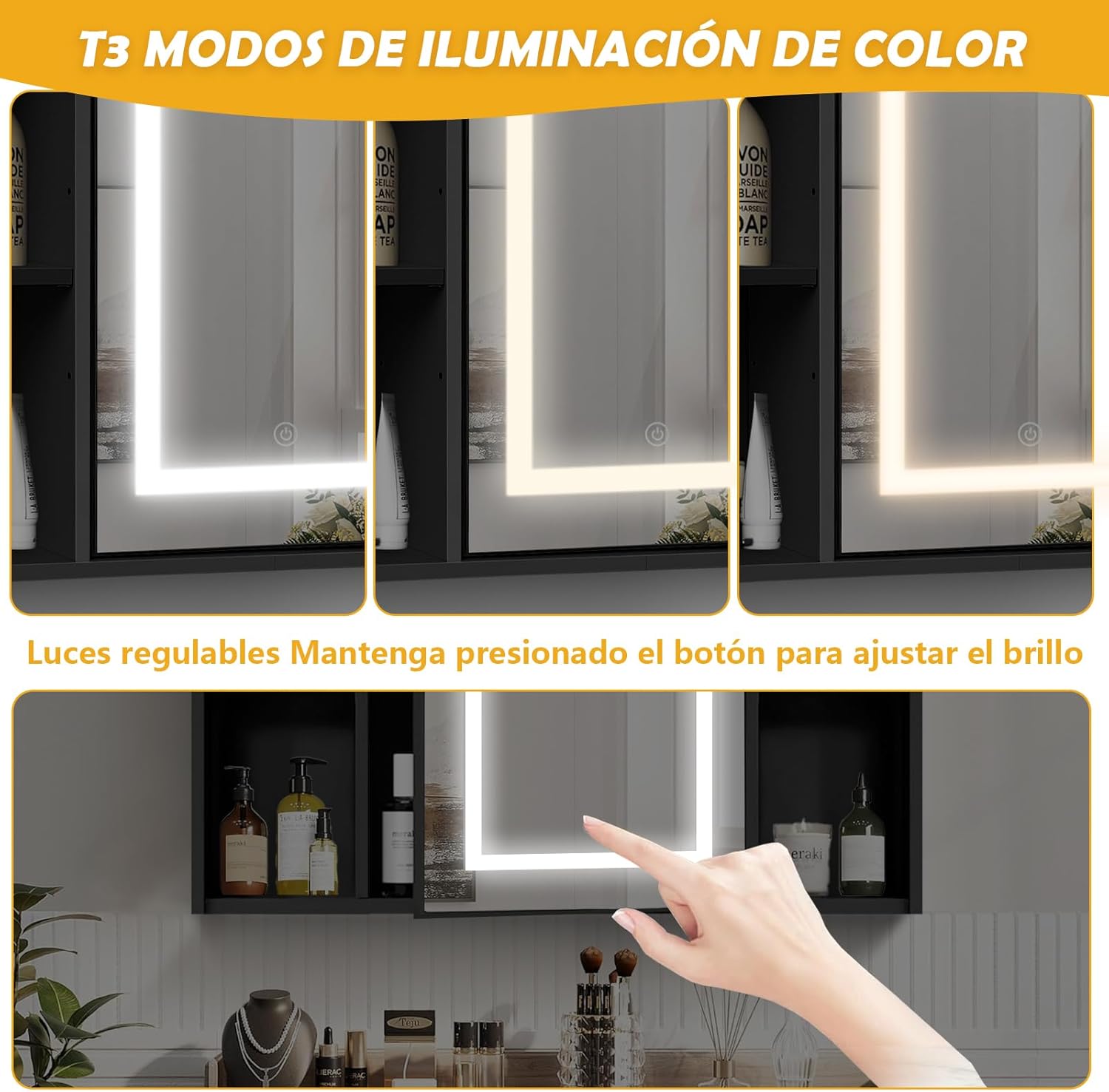
Figure 5.1: Demonstration of the three color temperature modes and touch control for the LED light.
5.2 Storage Features:
- Open Shelves: Utilize the four open shelves for frequently used items or decorative pieces.
- Closed Cabinet: Open the mirrored door to access the internal storage compartment.
- Adjustable Shelves: The internal shelves can be adjusted to different heights to accommodate items of various sizes. Simply remove the shelf and reposition the supports to the desired level.

Figure 5.2: Interior view of the cabinet showcasing the adjustable shelves for flexible storage.
5.3 Product Demonstration Videos:
Video 5.1: Demonstration of a bathroom mirror cabinet with LED lighting, showing a person applying makeup. This video illustrates the practical use of the mirror and its lighting features.
Video 5.2: This video showcases various features of a bathroom mirror cabinet, including its storage capabilities and LED light operation, providing a comprehensive overview.
6. Maintenance
Proper care will ensure the longevity and optimal performance of your mirror cabinet.
- Cleaning the Mirror: Use a soft, lint-free cloth and a non-abrasive glass cleaner. Spray the cleaner onto the cloth, not directly onto the mirror, to avoid liquid seeping into the edges.
- Cleaning the Cabinet: Wipe the cabinet surfaces with a soft, damp cloth and a mild, non-abrasive cleaner. Dry immediately with a clean cloth to prevent water spots or damage.
- Avoid Harsh Chemicals: Do not use ammonia-based cleaners, abrasive pads, or harsh chemicals, as these can damage the mirror coating or cabinet finish.
- Regular Inspection: Periodically check all mounting hardware to ensure it remains secure.
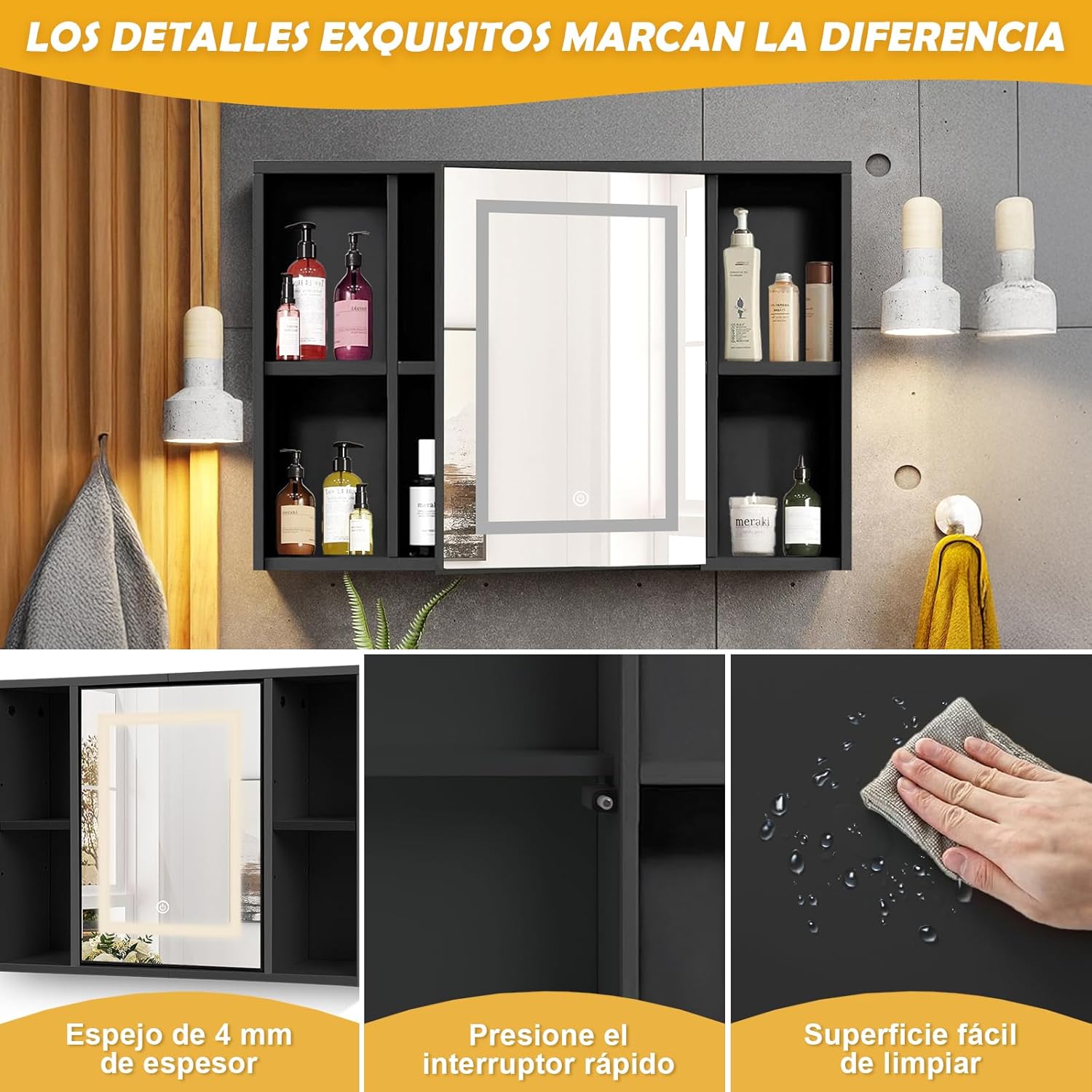
Figure 6.1: Detail showing the easy-to-clean surface of the cabinet, emphasizing simple maintenance.
7. Troubleshooting
Refer to this table for common issues and their solutions.
| Problem | Possible Cause | Solution |
|---|---|---|
| LED light does not turn on. | No power supply; loose connection; faulty sensor. | Check power outlet and circuit breaker. Ensure all electrical connections are secure. Contact customer support if the sensor is unresponsive. |
| Light flickers or is dim. | Unstable power supply; loose wiring; LED strip issue. | Verify stable power. Check wiring connections. If issues persist, contact customer support. |
| Mirror reflection is distorted. | Surface dirt; manufacturing defect. | Clean the mirror surface thoroughly. If distortion remains, contact customer support for assistance. |
| Cabinet door does not close properly. | Misaligned hinges; obstruction. | Adjust the hinges to realign the door. Check for any items obstructing the door's closure. |
8. Specifications
| Feature | Detail |
|---|---|
| Brand | FURRIFIC |
| Model Number | MC216-0 |
| Color | Black |
| Product Dimensions (L x W x H) | 13 x 60.5 x 40.5 cm |
| Mirror Dimensions | 30 x 40 cm (approximate, touch area) |
| Material | High-quality Density Board, 4mm Tempered Glass |
| Item Weight | 6.28 kg |
| Light Type | LED Strip |
| Color Temperatures | White, Natural, Warm |
| Brightness Adjustment | Dimmable via touch sensor |
| Mounting Type | Wall Mount |
9. Warranty and Support
FURRIFIC is committed to customer satisfaction and product quality.
This product comes with a 6-month warranty from the date of purchase, covering manufacturing defects. Please retain your proof of purchase for warranty claims.
For technical support, warranty inquiries, or any questions regarding your FURRIFIC LED Bathroom Mirror Cabinet, please contact our customer service team. We offer 24/7 technical support to address your concerns.
Contact Information: Please refer to the contact details provided on your purchase receipt or the official FURRIFIC website.